Every website collects some data. A contact form, an analytics script, a newsletter box, a checkout. Each one comes with legal duties.
Missing legal pages can get your ads rejected, delay your payment account approval, or put you in breach of privacy laws like the GDPR and the CCPA, if those laws apply to you.
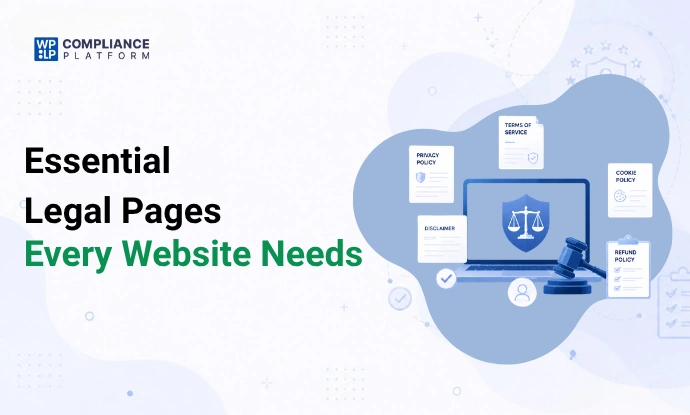
“Essential” here means most sites end up needing these pages. It doesn’t mean the law requires all 5 on every site. Which ones you need depends on what your site does and where your visitors are.
Here’s the tl;dr:
- Required for almost every site: a privacy policy.
- Required when they apply: cookie information and consent (if you use non-essential cookies and have EU or UK visitors), a refund and return policy (if you sell), a disclaimer (if you give advice or cover health, legal, or money topics).
- Strongly recommended: terms and conditions.
- Recommended: affiliate disclosure (required in the US if you earn from links), copyright notice, comment policy, About Us, contact page, shipping policy.
- Link them in your footer and next to every form that collects data.
| Page | Required by law? | When you need it |
|---|---|---|
| Privacy policy | Usually yes | You collect any personal data, even an email address or an analytics cookie |
| Cookie policy and consent | When it applies | You set non-essential cookies and have visitors in the EU or UK |
| Terms and conditions | No | Strongly recommended for any site with accounts, user content, or sales |
| Disclaimer | No | Strongly recommended if you give advice or cover health, legal, financial, or fitness topics |
| Refund and return policy | When it applies | You sell online. EU and UK consumer law sets refund rights you must explain |
Why legal pages matter
Legal pages tell visitors what you collect, why, and what rules apply on your site.
They do 3 jobs:
- Meet the law. Most privacy laws require you to explain how you handle personal data.
- Unlock platforms. Ad networks, app stores, and payment providers check for them before they approve you.
- Build trust. Visitors are more likely to sign up or buy when they can see the rules.
Which legal pages does your type of site need?
| Site type | Privacy policy | Cookie policy and consent | Terms | Disclaimer | Refund policy | Other |
|---|---|---|---|---|---|---|
| Personal blog | Required | If you run analytics, ads, or embeds for EU or UK visitors | Recommended | If you give advice | Not needed | Comment policy, affiliate disclosure if you earn from links |
| Business website (lead generation) | Required | If you run analytics or ad pixels for EU or UK visitors | Recommended | Optional | Not needed | Contact page, About Us |
| Ecommerce store | Required | Usually, because stores run analytics and ad pixels | Strongly recommended (terms of sale) | Optional | Required | Shipping policy, contact page |
| SaaS platform | Required | Usually | Strongly recommended (terms of service, often a data processing agreement for business customers) | Optional | Required if you charge | Cancellation terms |
| Membership site | Required | Usually | Strongly recommended (account and payment rules) | If members get advice | Required if you charge | Comment or community rules |
| Affiliate website | Required | Usually, because affiliate links and ads set cookies | Recommended | Often (reviews, results) | Not needed | Affiliate disclosure (required by the FTC in the US) |
5 essential legal pages every website needs
1. Privacy policy
A privacy policy explains how your website collects, uses, stores, and protects visitors’ personal data. That covers forms, cookies, analytics, accounts, and purchases.
It’s the most important legal page you have. If you collect even an email address, you need one. Under the GDPR, the information you must give is set out in Articles 13 and 14.
What to include:
- Types of personal data collected (name, email, IP address, cookies, device data)
- Purpose and legal basis for processing (consent, contract, legitimate interest)
- Third-party services that access data (for example, Mailchimp, Stripe, Google Analytics)
- How you store and secure data
- Contact details for privacy requests
- User rights: access, correction, deletion, and data portability
For a step-by-step setup, see how to create a privacy policy for your website.
2. Terms and conditions (terms of service)
Terms and conditions set the rules for using your website. They form an agreement between you and your users.
No law says every site needs them. They’re still worth having. Terms protect your content and branding, limit your liability, and give you grounds to act when someone misuses your site.
If you sell, you may also see “terms of sale”. Terms of service cover how people use your site or app. Terms of sale cover purchases: prices, payment, delivery, and returns. Many stores put both in one document.
What to include:
- Intellectual property ownership (your content, logos, and branding)
- Acceptable use and prohibited behavior
- Account suspension or termination rules
- Limitation of liability
- Disclaimer of warranties
- Governing law and dispute resolution
Need a starting point? See these terms and conditions examples and how to add terms and conditions in WordPress.
3. Cookie policy
A cookie policy explains which cookies and tracking tools your site uses, what they do, and how visitors can control them.
2 separate rules apply in the EU:
- Transparency. The ePrivacy Directive (Article 5(3)) asks for clear information about cookies. The GDPR adds its information rules when cookies collect personal data. A cookie policy is the usual way to give this information.
- Consent. The same article requires consent before you set non-essential cookies, such as analytics and ad cookies. Strictly necessary cookies (login, cart, security) don’t need consent. The UK has similar rules, with a few low-risk exemptions since February 2026.
A cookie policy explains. It doesn’t collect consent. Pair it with a cookie consent banner so visitors can accept or reject non-essential cookies. If your site sets only strictly necessary cookies, you don’t need a banner, and you can list those cookies in your privacy policy.
What to include:
- Types of cookies used (essential, analytics, marketing, preference)
- Purpose of each category
- How long each cookie lasts
- How to manage or block cookies in the browser
- Links to third-party providers’ policies (Google, Meta, and others)
Not sure how a cookie policy differs from a banner notice? Read cookie notice vs cookie policy.
4. Disclaimer
A disclaimer sets the limits of your liability for your content. It tells visitors the content is general information and doesn’t promise any result.
You should have one if you give advice, write reviews, or cover health, legal, financial, or fitness topics.
What to include:
- “Not professional advice” notice for medical, legal, financial, or fitness content (see these medical disclaimer examples)
- Accuracy and errors notice (information may change)
- External links disclaimer
- Earnings or results disclaimer, if you talk about income or outcomes
Want the details? Here’s how legal disclaimers work.
5. Refund and return policy (for ecommerce)
A refund and return policy explains when and how customers can return, exchange, or get money back for a purchase.
The law. In the EU, customers who buy online usually have 14 days to cancel without giving a reason, and you must tell them about this right before they buy (Consumer Rights Directive 2011/83/EU). The UK has the same 14-day right under the Consumer Contracts Regulations 2013. In the US, refund rules come mostly from state law and from what your own policy promises.
Payment providers. Payment providers check for it too. Stripe’s website checklist lists refund, return, shipping, and cancellation policies as required for most businesses that sell online. Other providers set their own rules, so check the terms of the one you use.
What to include:
- Return window (for example, 14 or 30 days)
- Conditions for accepting returns (unused, original packaging)
- Refund processing time
- Who pays return shipping
- What happens if an item arrives damaged
- Non-refundable items or exceptions
- Steps to request a return or refund
Read more: how to write a return policy, or the WooCommerce returns and refund policy guide if you run a WooCommerce store.
Recommended pages: not always required, still worth adding
These pages make your site look like a real business and close gaps the 5 essentials don’t cover.
Affiliate disclosure
If you earn money from links, sponsorships, or free products, tell your readers. In the US, the FTC’s Endorsement Guides require it.
Sample wording from the FTC’s own guidance:
I get commissions for purchases made through links in this post.
Put the disclosure close to the link or recommendation. The FTC says one disclosure on your home page isn’t enough, and readers may miss one at the bottom of a page. Also disclose sponsorships and any other financial ties that could affect what you recommend.
See why your site needs an affiliate disclosure and how to add a disclosure to your website. Amazon Associates? Use the Amazon affiliate disclosure guide.
Copyright notice
A copyright notice shows who owns your content. The format is the © symbol, the year of first publication, and the owner’s name (for example, “© 2026 Your Business Name”).
In the US, a notice has been optional since March 1, 1989. Adding one still helps. It stops an infringer from claiming they didn’t know the work was protected (U.S. Copyright Office, Circular 3). More in our copyright notice guide.
Comment policy
If visitors can comment, set the rules up front. Say which comments you remove (spam, abuse, off-topic links), who decides, and how someone can appeal a removal. Comments are also personal data, so check how you handle user-generated content.
About Us page
Tells visitors who runs the site and why. People trust businesses they can put a face and a story to.
Contact page
List an email address and, if you have one, a business address. A real contact route shows you’re a legitimate business. Payment providers look for it too.
Terms of use
Often used interchangeably with terms and conditions. Terms of use focus on how people may use your site and content. See terms of use policy.
Shipping policy
For online stores. Delivery times, costs, and international limits. Clear shipping terms cut support tickets. Here’s how to create a shipping policy.
EU business? You may also need an Impressum.
What do major privacy laws require?
Each privacy law asks for slightly different information. Most laws require the information, not a page with a set name, so several items can sit in your privacy policy. Each law also applies only in certain cases.
| Privacy law | Region | Applies when | What you must provide | Purpose |
|---|---|---|---|---|
| GDPR and ePrivacy Directive | European Union | You’re based in the EU, or you offer goods or services to people in the EU or monitor their behavior (GDPR Article 3) | Privacy information (GDPR). Cookie information and consent for non-essential cookies (ePrivacy). A way to make data requests | Transparency, lawful processing, and user control over their data |
| CCPA / CPRA | California, USA | For-profit businesses that meet a threshold, such as more than $26,625,000 in annual revenue (CPPA) | Privacy policy, notice at collection, “Do Not Sell or Share My Personal Information” link if you sell or share data | Tells users how data is used and lets them opt out of sale or sharing |
| CalOPPA | California, USA | Any commercial site that collects personal data from California residents | A posted privacy policy | Basic disclosure for all commercial sites |
| UK Data Protection Act 2018 and UK GDPR | United Kingdom | Similar to the GDPR, for the UK | Privacy information, cookie information, user rights information | Clear disclosure of data use and privacy rights |
| LGPD | Brazil | You process data in Brazil, or offer goods or services to people there | Privacy information, data subject rights, contact details of the person in charge of data protection | Transparency and user rights similar to GDPR |
| DPDP Act | India | You process digital personal data in India, or offer goods or services to people there. Notice and consent rules apply from 14 May 2027 | Privacy information, consent notice, contact for questions and complaints | Tells people their rights and gives them a way to complain |
In the US, more states pass their own privacy laws every year. See the complete guide to US state privacy laws.
What happens if your website doesn’t have legal pages?
- Fines and legal action. Privacy laws like the GDPR and the CCPA require clear data disclosures. If a law applies to you and you have no policy, you’re out of compliance.
- Rejected ads and integrations. Google Ads, Meta Ads, and app stores usually require a privacy policy. Without one, ads can be rejected and accounts suspended.
- Payment delays. Payment providers like Stripe review your site for a privacy policy and fulfillment policies. Missing pages can delay or block approval.
- Lost trust. Visitors who can’t find privacy information often leave or won’t fill in your forms.
- Weaker credibility. A store, SaaS, or lead-generation site without legal pages looks unsafe.
Where to display your legal pages
A legal page only works if people can find it.
- Footer. Link every legal page here so it shows on every page. Use clear labels like “Privacy Policy”, not “Legal” or “Info”.
- Data collection points. Put a privacy policy link next to every form that asks for personal data.
- Checkout and registration. Add a notice or checkbox saying the user agrees to your terms and privacy policy.
- Cookie banner. Link your cookie policy or privacy policy in the banner, so visitors know what they’re agreeing to.
- App store listings. Apple’s App Store and Google Play both require a privacy policy link on your app’s listing.
How to create legal pages for your website
WPLP Legal Pages builds your legal pages from your answers about your site, then publishes them in WordPress. You don’t copy and paste anything, and you don’t start from a blank page.
How it works:
- Install the plugin. In WordPress, go to Plugins > Add New, search for “WPLegalPages”, then install and activate it.
- Add your business details once. Business name, address, domain, and niche. Every page you create uses them, so your pages stay consistent.
- Pick a page. Choose the template you need from 30+ legal page templates.
- Answer the questionnaire. Tell it what your site does: contact forms, analytics, newsletter sign-ups, checkout, affiliate links. The page covers what you selected.
- Review and publish. Edit the page in Gutenberg, Elementor, or Divi like any other page, then publish.
- Add it to your footer. Use WPLP’s footer option to link your legal pages on every page of your site.
Pages you can create include:
- Privacy policy (including GDPR and CCPA versions)
- Terms and conditions, and terms of use
- Cookie policy
- Disclaimers: general, medical, and earnings
- Returns and refunds policy
- Affiliate disclosure
- DMCA notice
- Impressum
Templates are available in 7 languages: English, German, Spanish, French, Italian, Dutch, and Portuguese.
When laws change: WPLP drafts the updated text for you. Nothing goes live on your site until you approve it.
Managing more than one site? The WPLP web app lets you see and manage every site’s legal pages from one login.
Best practices for drafting legal policies
Whichever way you create them, these rules apply.
| Good practice | Bad practice |
|---|---|
| Clear, plain language | Heavy legal or technical jargon |
| Specific list of data you collect | Vague, broad collection statements |
| Clear consent before collecting data, where the law requires it | Consent assumed or hidden |
| Easy opt-out options | No way to opt out |
| Regular updates with a “last updated” date | Outdated policies |
| Third-party sharing named | Hidden third-party sharing |
| Security measures described | No mention of security |
| User rights and how to use them | No user rights information |
8 rules to follow:
- Write in plain language. If a visitor needs a lawyer to read it, rewrite it.
- Keep it unique. Your policy has to describe your site, not someone else’s.
- Update it. Change it when you add a tool, a form, or a new data use, and when a law that applies to you changes.
- Follow it. A policy you don’t follow is worse than none. It’s a false statement.
- Make it easy to find. Footer link, plus links at every data collection point.
- Protect the data you collect. HTTPS, limited access, secure storage.
- Collect only what you need. Skip sensitive data (health, ID numbers, financial details) unless you need it.
- Check FTC and state rules. US sites have duties beyond privacy, such as disclosures and state privacy laws.
For more, see internet privacy policy best practices and privacy policy issues to avoid.
FAQ
Which legal pages does every website need?
Almost every site needs a privacy policy. If you use cookies or tracking for EU visitors, you need cookie information and consent, usually in a cookie policy plus a banner. If you sell online, add a refund and return policy.
Do all websites need terms and conditions?
No law requires them for every site. They’re still worth having: they protect your content, limit your liability, and set the rules for users.
Do privacy laws apply to small websites?
Some do. The GDPR applies if you offer goods or services to people in the EU or track their behavior, whatever your size. The CCPA applies only to businesses that meet its thresholds, such as more than $26,625,000 in annual revenue. California’s CalOPPA requires a posted privacy policy on any commercial site that collects personal data from California residents.
What should a privacy policy include?
What data you collect, why, who you share it with, how long you keep it, and how users can use their rights.
Are affiliate disclosures only for blogs?
No. You need one anywhere you share affiliate links: YouTube, social media, podcasts, and email newsletters.
Do I need a disclosure if I earn very little from affiliate links?
Yes. The FTC sets no minimum amount. If you get paid when someone buys, disclose it.
Can terms of service help prevent abuse?
Yes. Terms set rules against spam, abusive content, and misuse. They give you clear grounds to remove content or ban users who break them.
Conclusion
Start with the 5 essentials: privacy policy, terms and conditions, cookie policy, disclaimer, and a refund policy if you sell. Then add the pages your site’s activities call for: an affiliate disclosure if you earn from links, a comment policy if visitors can comment, a copyright notice for your content.
Link them in your footer and at every form. Update them when your site changes.
Need them done fast? WPLP Legal Pages builds them from your answers and publishes them in WordPress.
This article is for information only and is not legal advice.
Related reads: