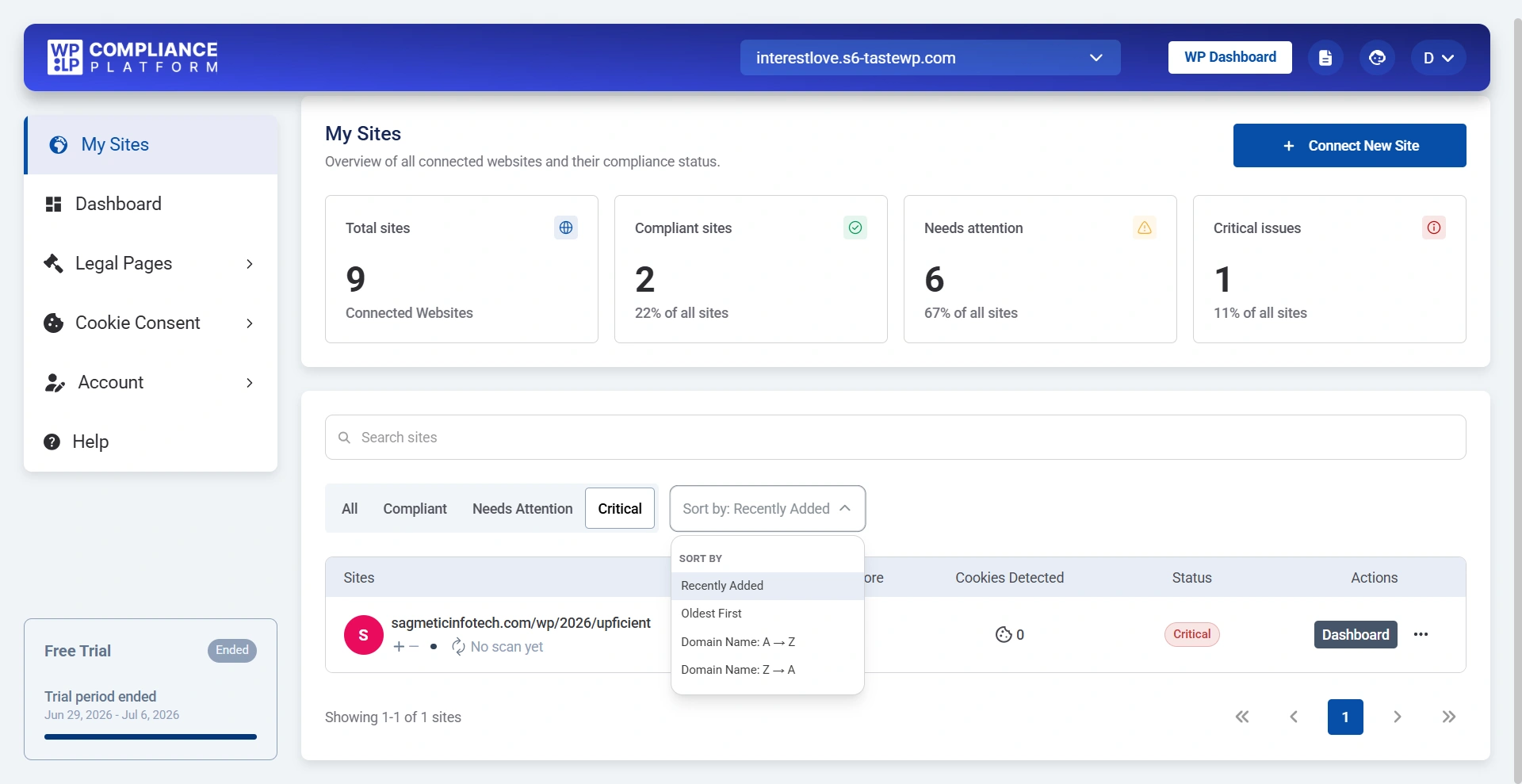
The Multi-site Dashboard gives you a centralized view of all the websites connected to your WPLP Compliance Platform account. Instead of managing each website individually, you can monitor their compliance status, identify issues, and quickly access each site’s dashboard from a single interface.
To connect additional websites, click Connect New Site and follow the setup instructions. If you need help connecting multiple sites, refer to the Compliance Setup Wizard Guide.
At the top of the dashboard, you’ll find a summary of your connected websites, including:
- Total Sites: Displays the total number of websites connected to your account.
- Compliant Sites: Shows how many websites currently meet your compliance requirements.
- Needs Attention: Lists websites that require action to improve their compliance score.
- Critical Issues: Highlights websites with urgent compliance issues that should be addressed immediately.
This summary helps you understand the overall compliance health of all your websites at a glance.
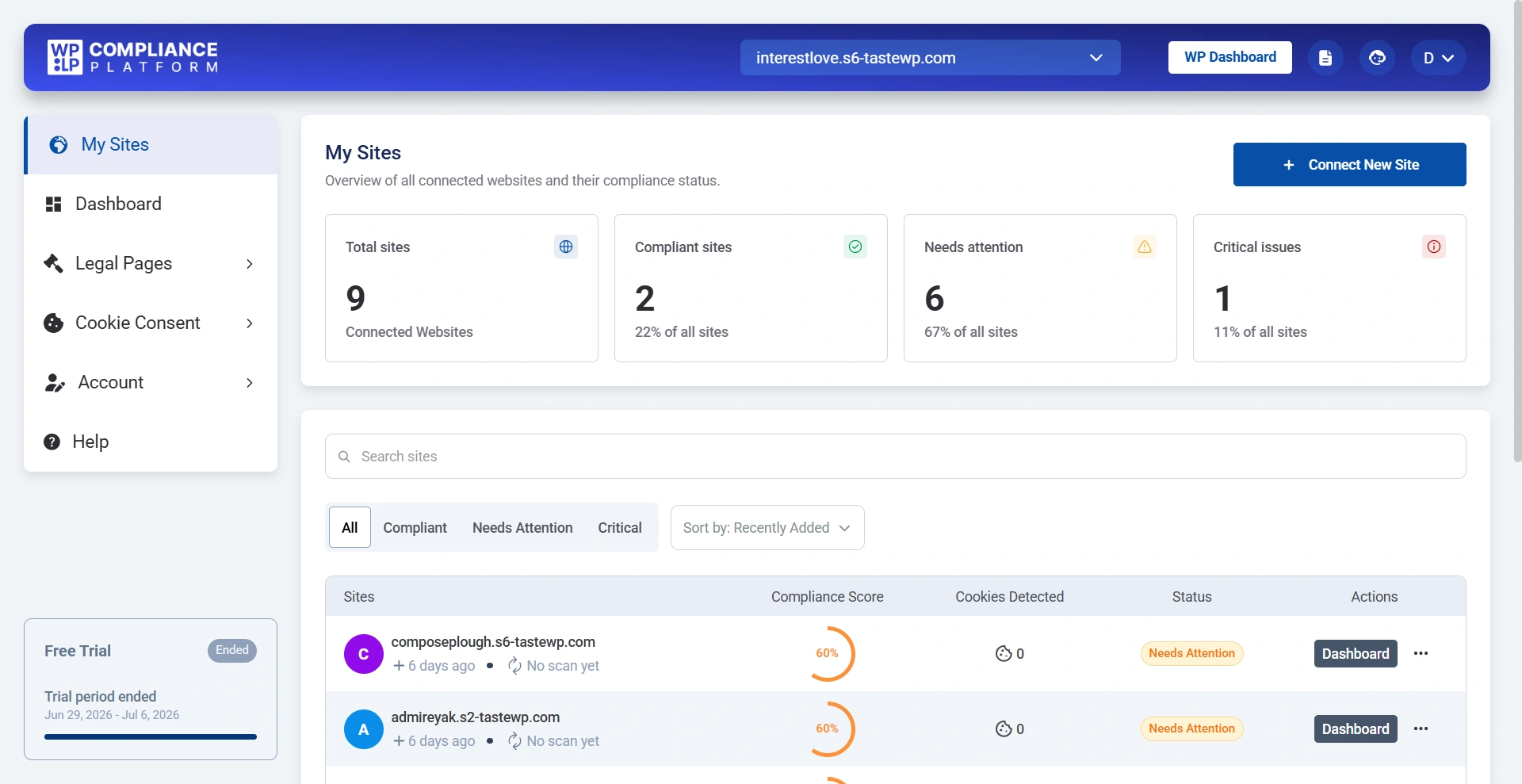
The website table displays important information for every connected website. Each website is assigned a status to help you identify what action is needed.
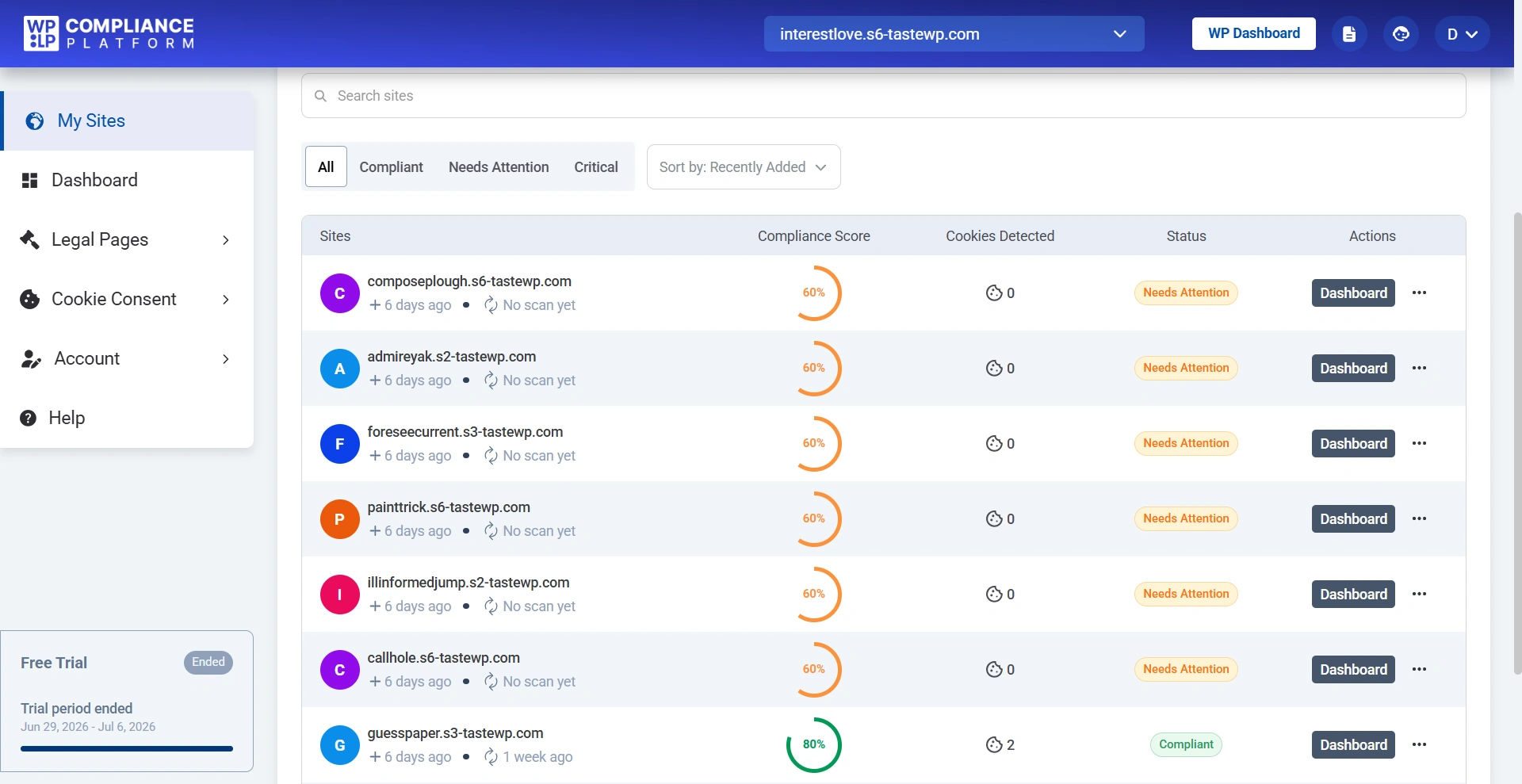
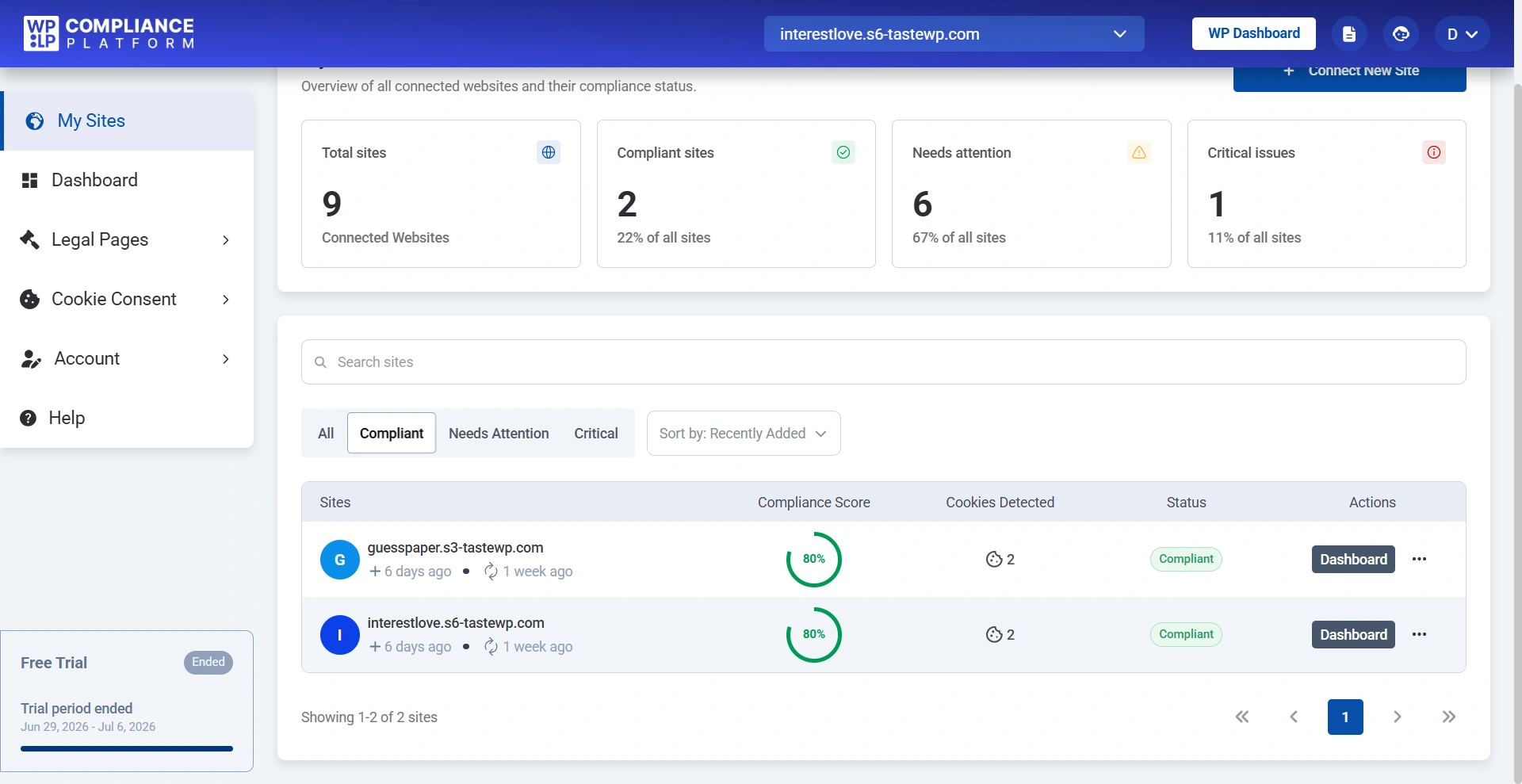
Websites are grouped into the following categories:
- Compliant – The website has completed the required compliance setup.
- Needs Attention – The website requires additional configuration or updates.
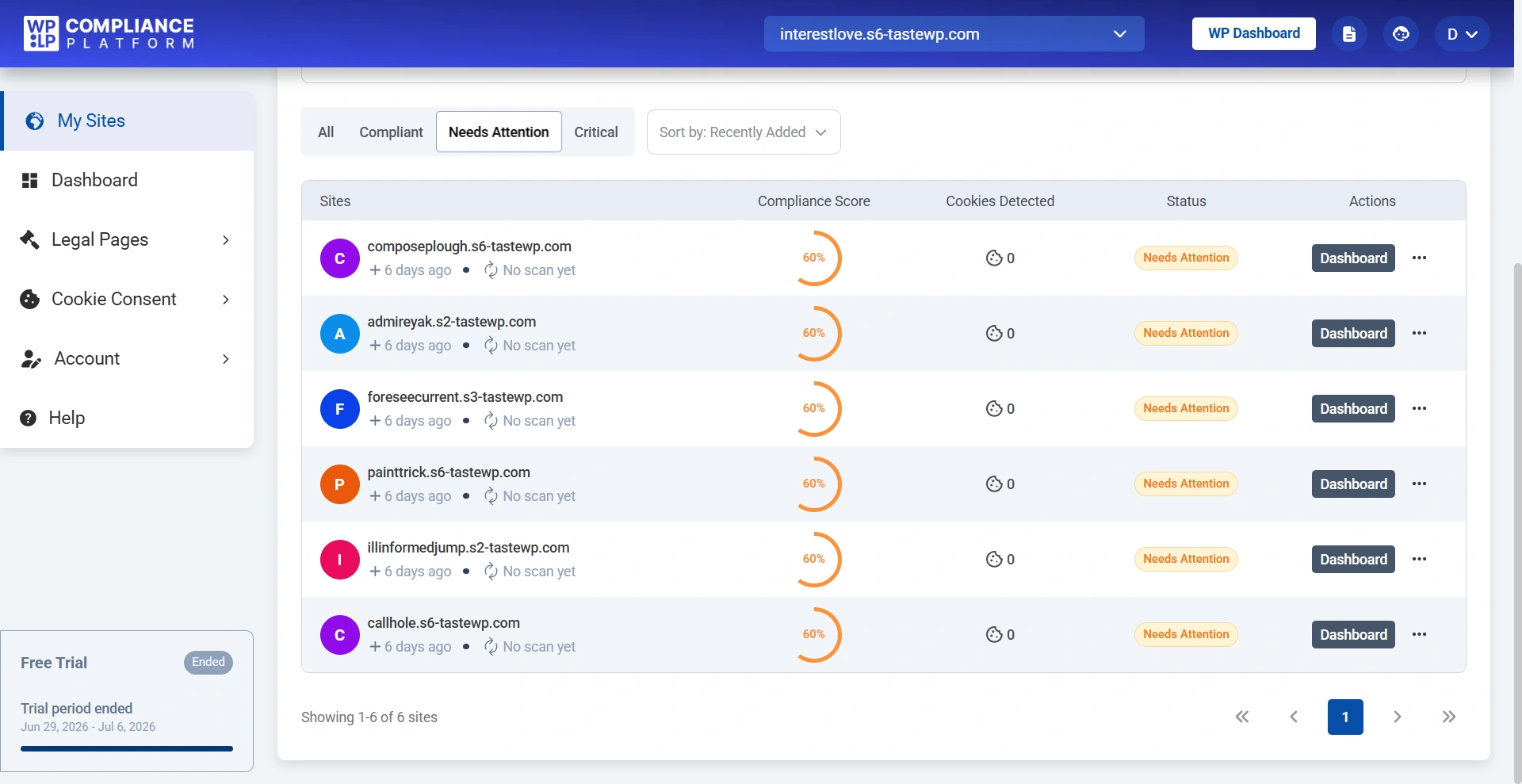
- Critical – The website has important compliance issues that should be resolved immediately.
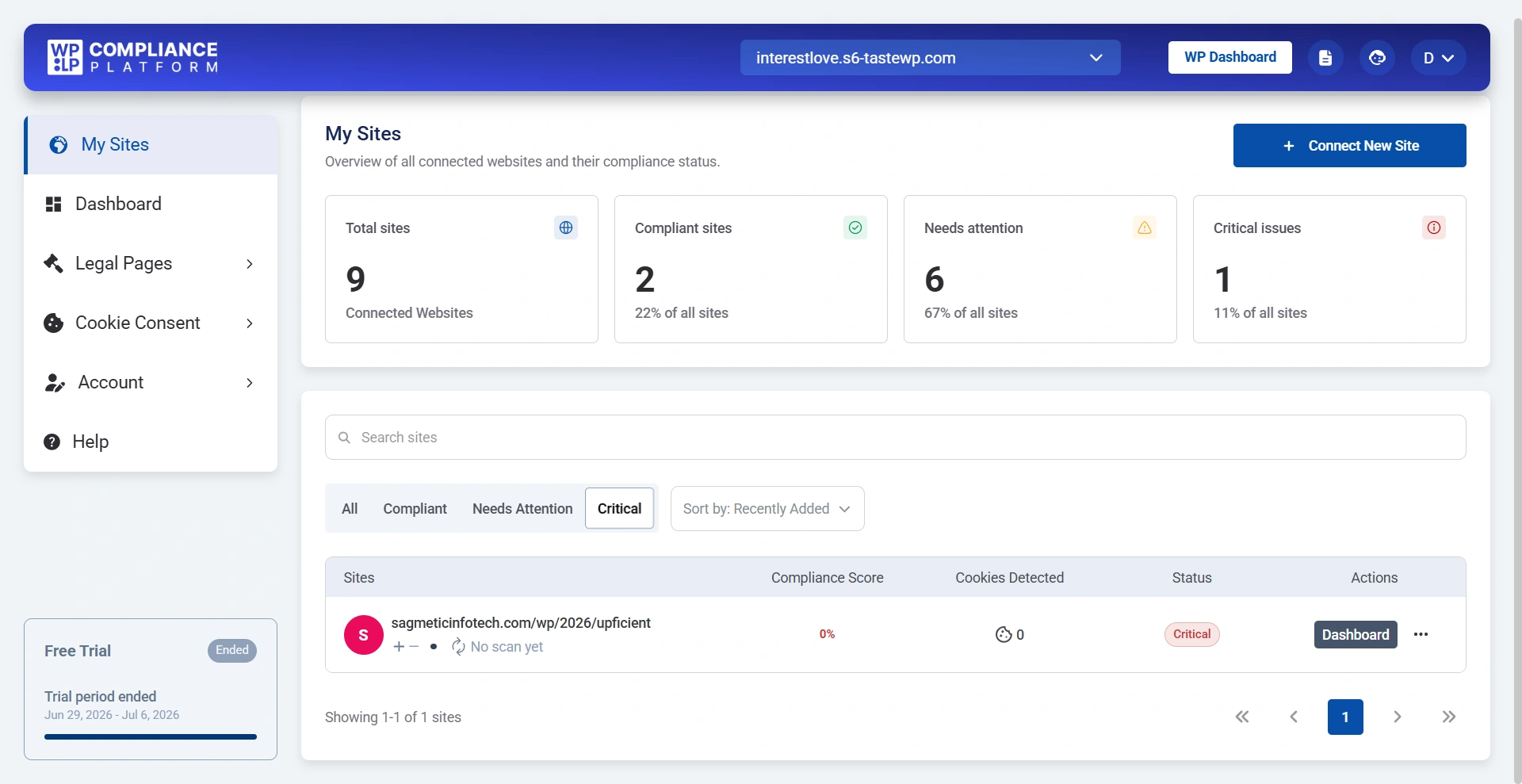
You can also sort your website list using different criteria, such as:
- Recently Added
- Oldest First
- Domain Name (A–Z)
- Domain Name (Z–A)