
Follow these steps to enable DSAR Form.
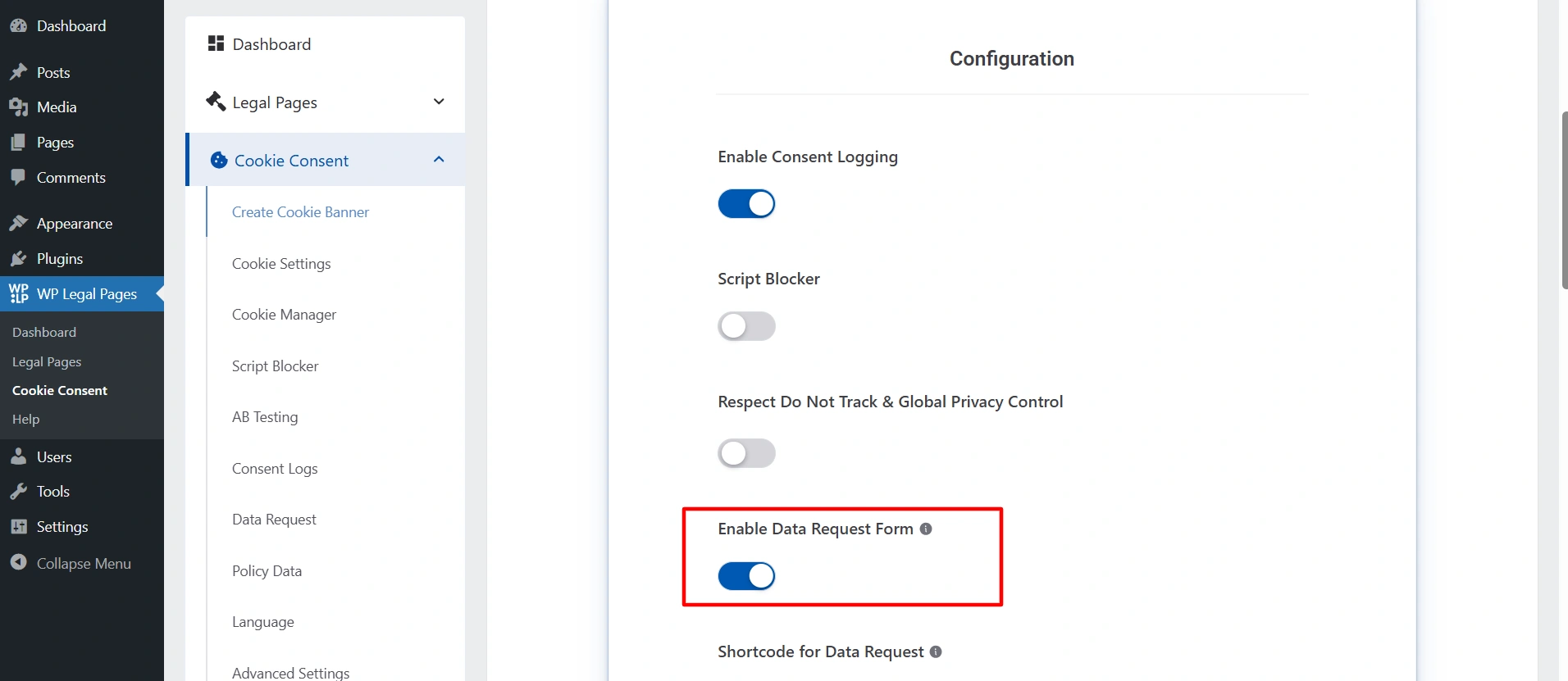
- Navigate to your WordPress dashboard, and click on Cookie Banner > Create Cookie Banner.
- While you are creating the cookie banner, you will get the option to enable the DSAR form. Enable the option if you want your users to send you data requests.
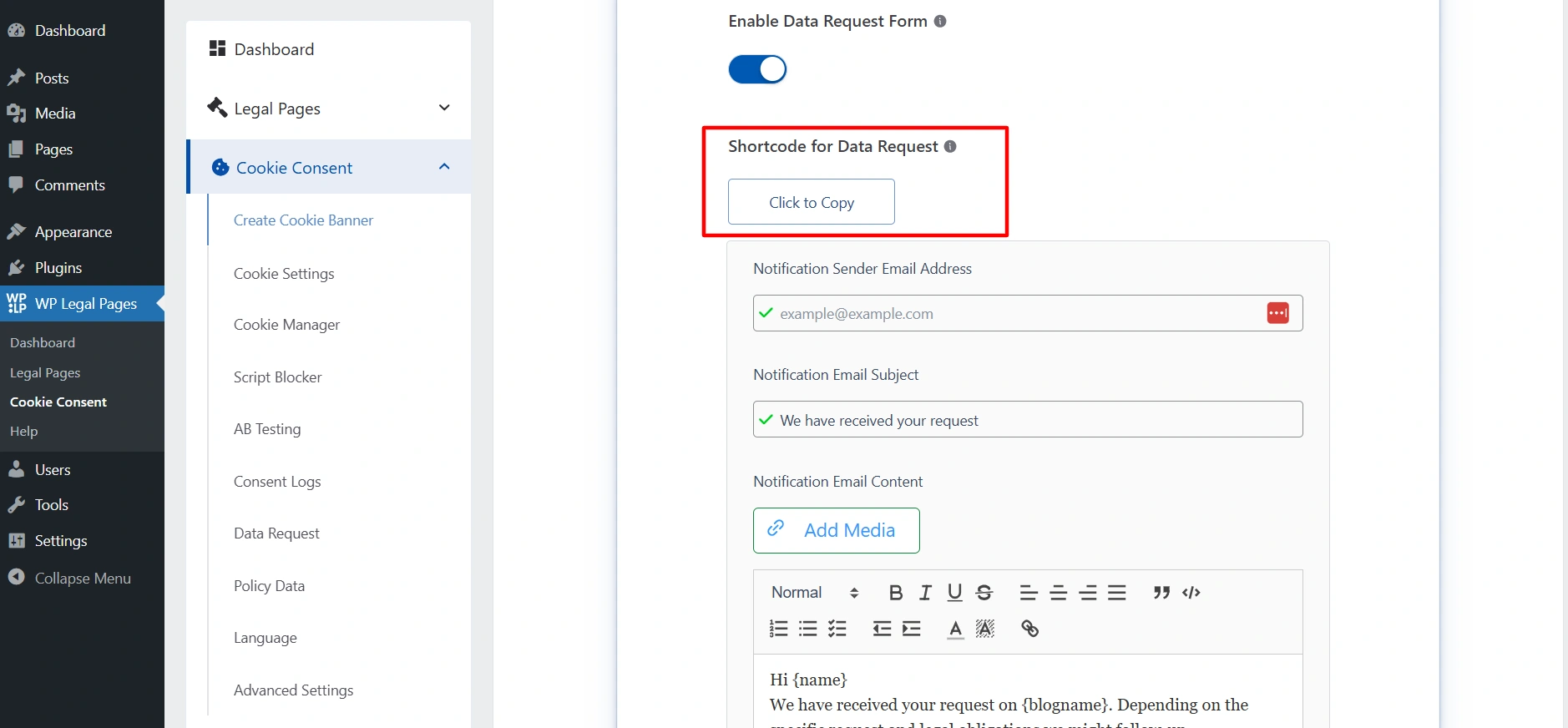
- Copy the short code.
- Create the new page where you want to show the DSAR form.
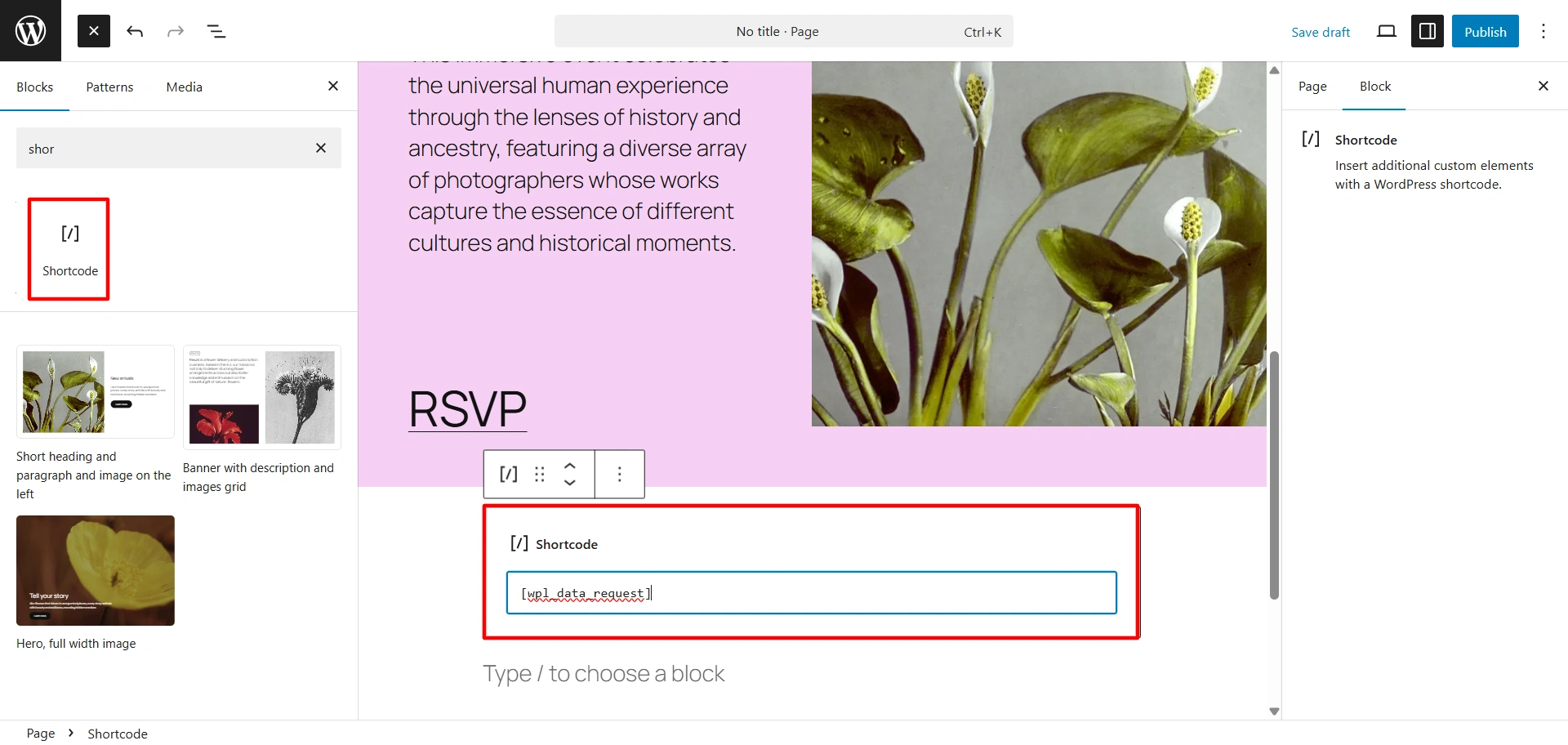
- Click on the block icon. Search for the shortcode and drag and drop the block.
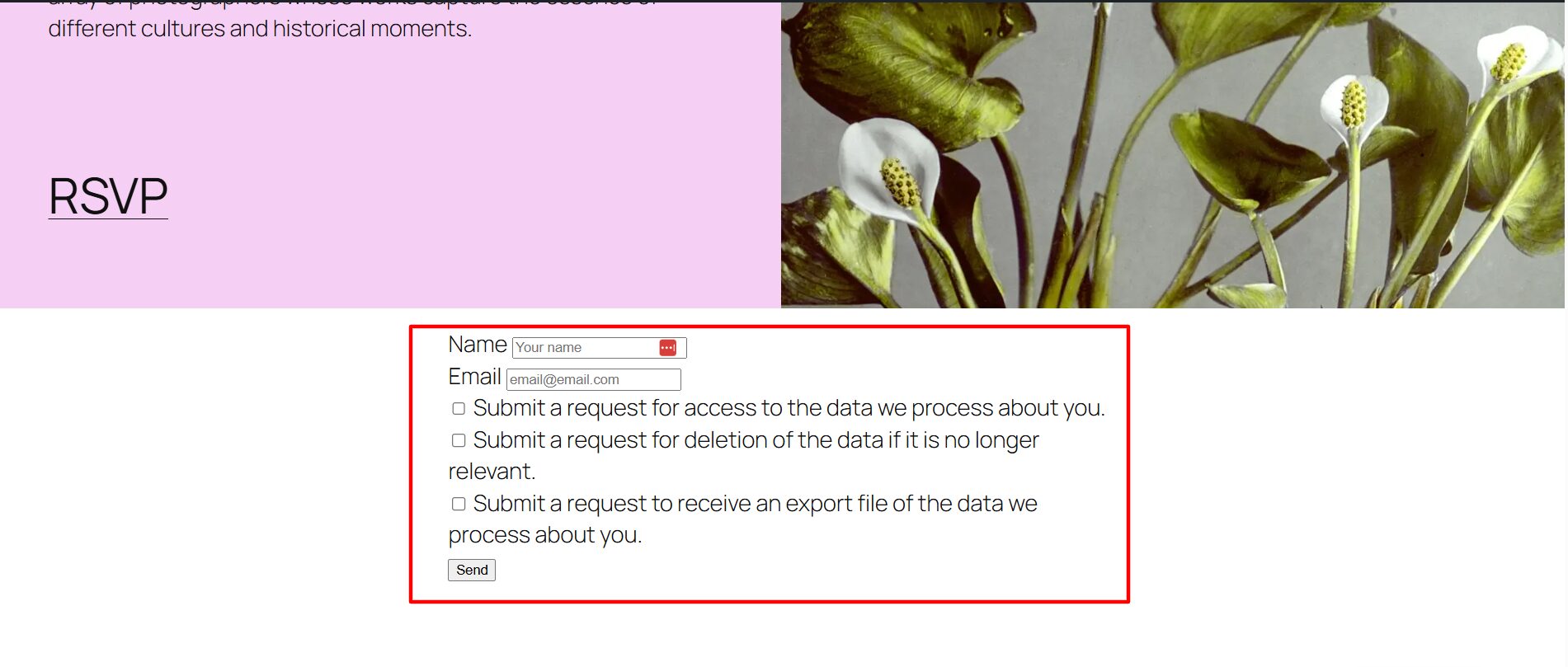
- Paste your shortcode in that. And published the content.
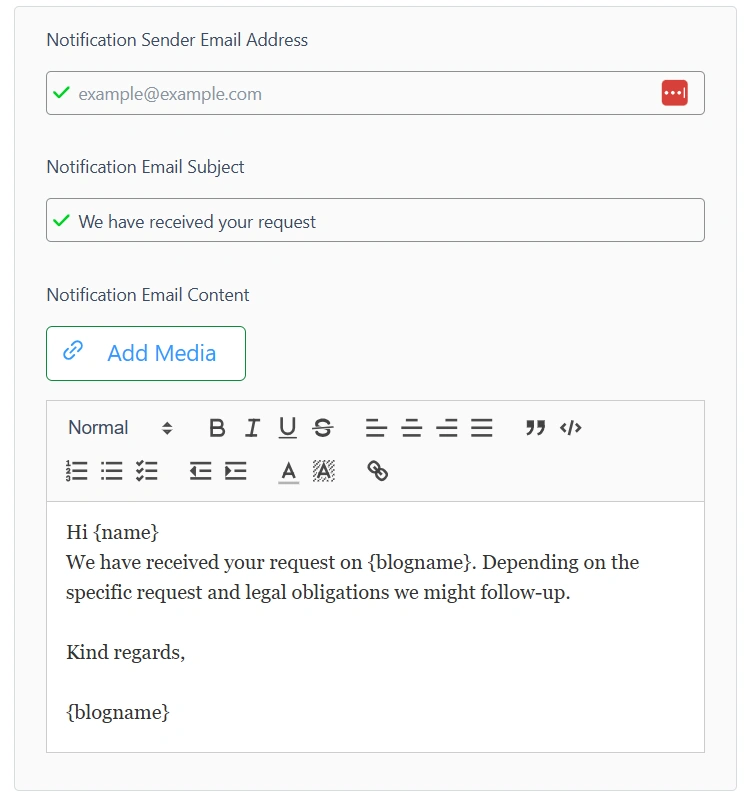
In the Notification sender address, put the email address through which you want to send an email to your users when they submit the form.
In the next box, enter the subject line and the email content. Write the mail that you want to send.
You will receive all the requests that are made by the user in the Data Request tab.
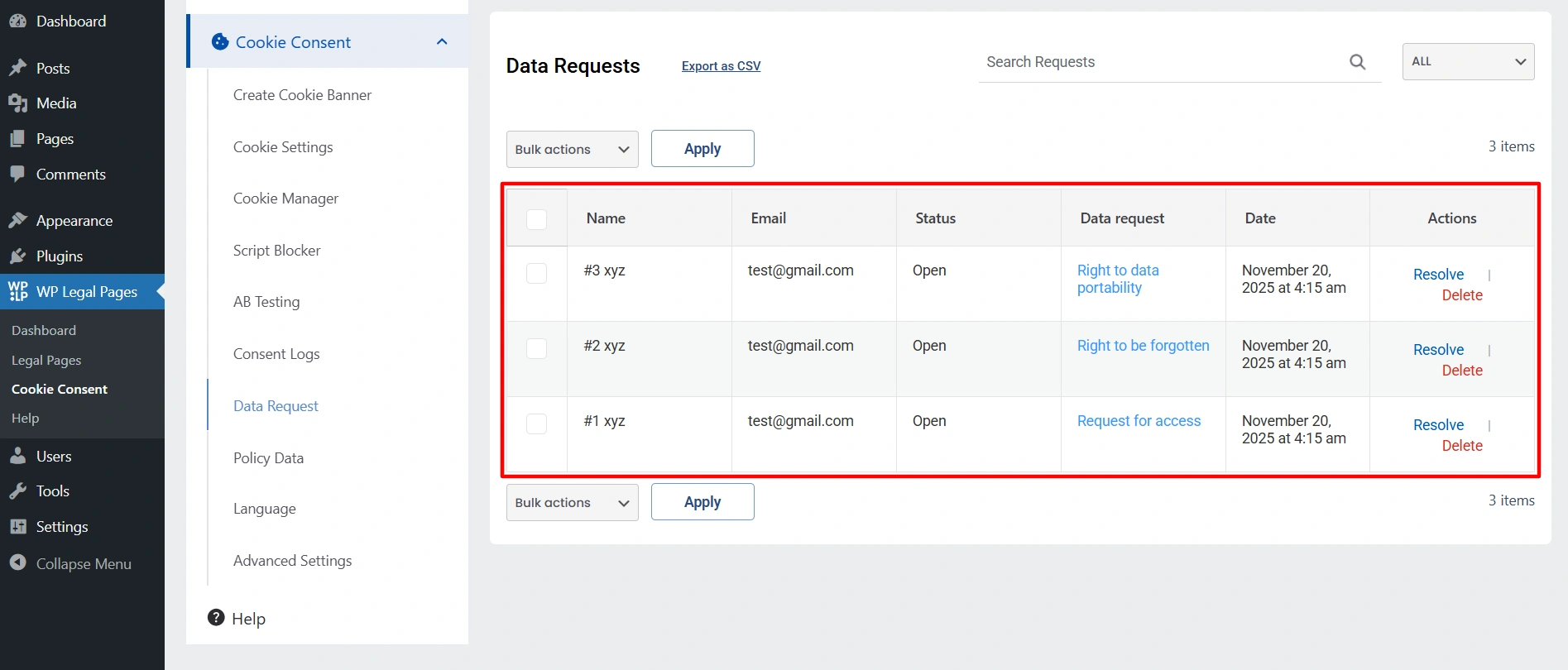
Once you solve the issue, click on resolved or delete it.


