
YouTube Disclaimer Examples & How to Write Yours
Summary
Our article covers essential disclaimers for affiliate marketing, fair use, sponsorships, and legal responsibility. It explains why they matter and how to use them effectively.
Learn how to apply them correctly with useful examples and best practices.
Are you uploading videos on YouTube, without disclaimers?
You need to add a YouTube disclaimer to avoid copyright strikes, legal issues, demonetization to stay compliant.
YouTube disclaimer is now considered essential as it has become a popular learning platform beyond just a source of entertainment.
This article aims to provide an overview of the YouTube disclaimer and some tips on how to write a quality disclaimer for your YouTube channel.
What Is A YouTube Disclaimer?
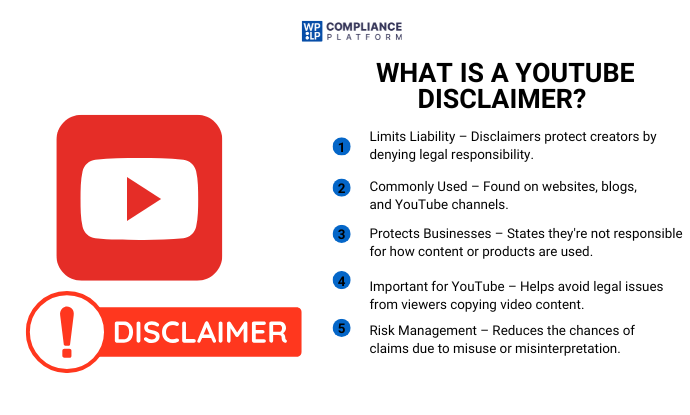
A disclaimer is an official statement that limits an individual or organization’s liabilities by denying responsibility. It usually appears on websites, blog articles, and YouTube video channels to protect against legal issues. Companies use it to state that they are not responsible for any consequences that may arise from using their products or services.
A disclaimer is a statement that you may encounter on a YouTube channel. Nowadays, YouTube has become a popular source of learning for many people. Whether it’s technology or just a recipe, YouTube is often the first platform that comes to mind when people want to watch a video or learn something new.
The reason for this is simple: YouTube provides a visual step-by-step guide. However, there is always a risk of unwanted incidents occurring when viewers try to imitate the process they see on YouTube. As a result, YouTube channels must publish a disclaimer to avoid unnecessary claims by users.
YouTube Disclaimer Example
Here are some examples of YouTube disclaimers you can use for your videos:
1. Affiliate Disclaimer
This video contains affiliate links. I may earn a commission at no extra cost to you.
2. Sponsored Content Disclaimer
This video is sponsored by [Brand Name]. All opinions are my own.
3. General Liability Disclaimer
The information provided in this video is for educational purposes only. Use it at your own risk.
4. Medical Disclaimer
This video is not intended to provide medical advice. Always consult a qualified healthcare professional.
5. Financial Disclaimer
This content is for informational purposes only and should not be considered financial advice.
6. Fair Use Disclaimer
This video may contain copyrighted material used under fair use for commentary, criticism, or educational purposes.
When Do You Need A YouTube Disclaimer
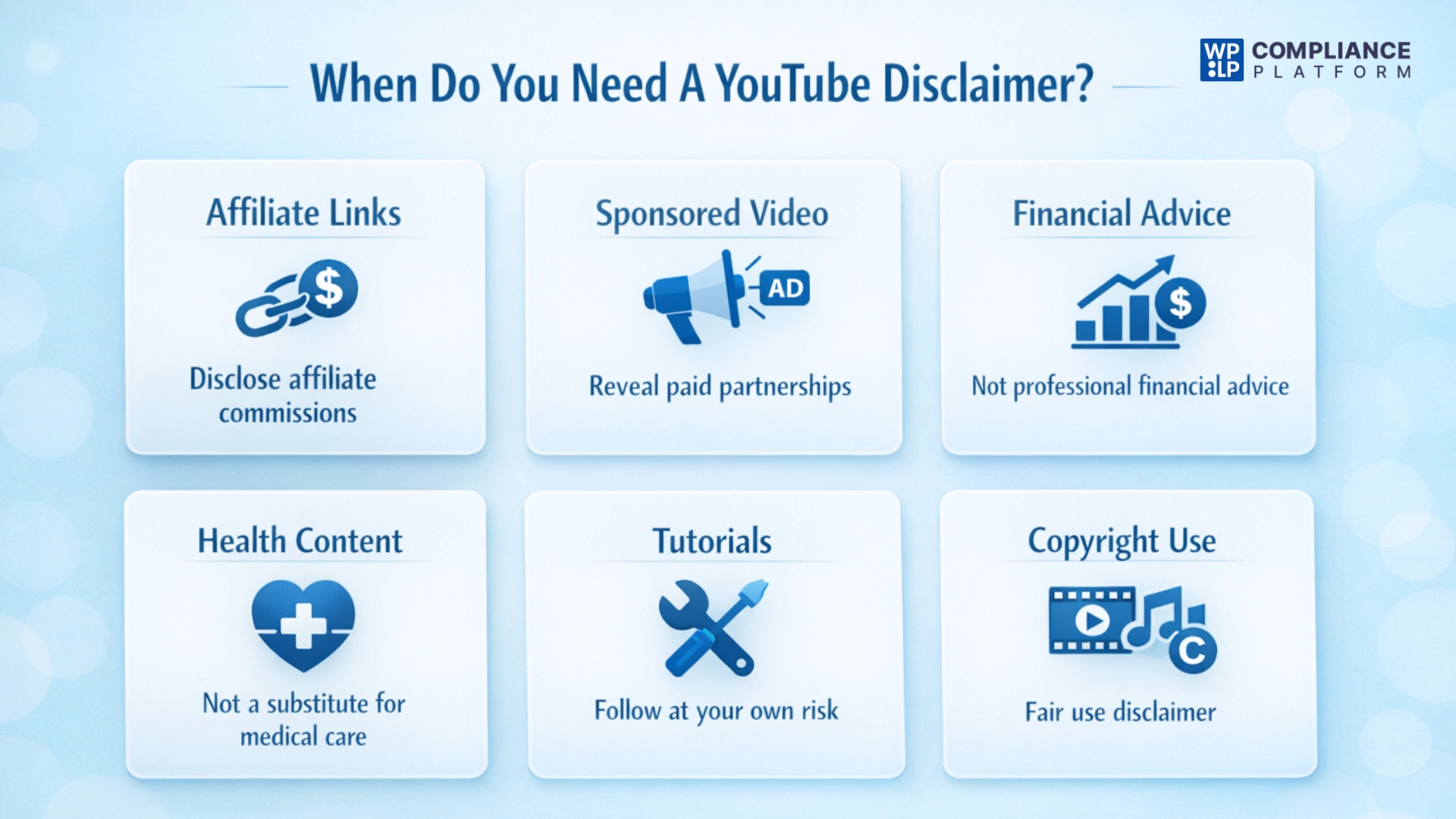
Not every video on YouTube needs a disclaimer, but there are many instances when a disclaimer helps you stay compliant, transparent, and protected from liability. The way YouTube evolves into a learning and money-making platform, it is important that a disclaimer be included based on the type of content you are uploading.
The following list contains some of the most common situations that require a disclaimer:
Affiliate Links
If your video contains affiliate links, you must disclose that you may receive a commission based on an individual making that purchase using the link in the video.
Sponsored Video
When a brand pays you or provides you with product in exchange for publishing a video, you must indicate to your viewer that this is a sponsored video and that your opinions will be expressed freely.
Financial Advice
When you discuss stock trading, investing, or any other tips relating to money, you should include a disclaimer in your video. You must clear out that any information given should only be considered as for informational purposes and should not be used as professional financial advice from a licensed professional.
Health-Related Content
All health, medical, and wellness videos should include a disclaimer. It should indicate that the video is not intended to replace or be used as a substitute for professional medical care or advice.
Tutorials
If you use YouTube and create a video showing viewers how to do something such as, a DIY project, to fix something technically, or any potential risk. Include a disclaimer saying that your audience follows your instructions at their own risk.
Using Copyright Materials
If your video contains clips, music, or images you don’t own, include a fair use disclaimer so you can explain what you’re doing and lessen the chance of getting into copyright trouble.
By adding these disclaimers, you protect yourself legally and develop trust from your audience through transparency around your content.
How To Write a YouTube Disclaimer?
Crafting a disclaimer for your YouTube channel is not simple. It requires clear communication of your message to your audience. A well-written disclaimer should provide a comprehensive understanding of your content, with no room for confusion or ambiguity.
However, once you understand the format, creating a quality disclaimer should only take a few minutes.
Here are some tips to write a good YouTube disclaimer –
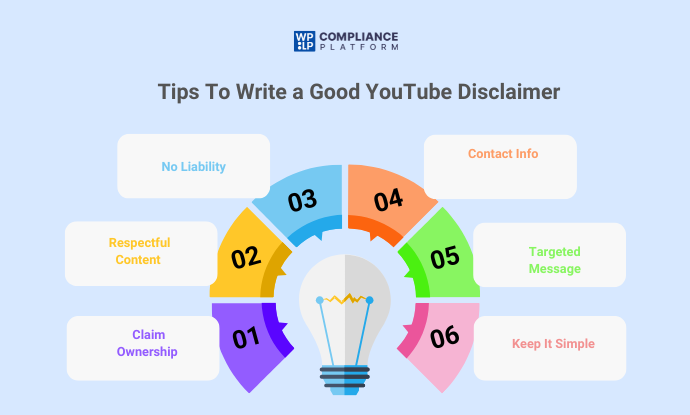
- Claim ownership of the channel.
- State that your videos do not intend to harm or disrespect anyone or hurt any sentiments. Also mentioned is that you create safe and inclusive content for all.
- Deny that you cannot accept responsibility for any adverse outcome or inconvenience caused by your content.
- Include your contact information
- Make it target-specific
- Ensure that your message is brief, easy to understand, and concise.
Who Needs a YouTube Disclaimer?
All YouTube channel owners need a disclaimer. It protects you legally and makes your image clean and transparent to users. What kind of disclaimer you need entirely depends on the content of your videos.
For instance, if you offer legal advice, it is always better to clearly state that users should consult a lawyer before using it. Sometimes, this may cause some trouble because your advice is generic.
You don’t know the ground reality of all the viewers. Everybody’s problem is different. A disclaimer saves you from the claims that can arise if some viewer faces problems following your guidance.
How to Create a General Disclaimer

Now that you know the importance of a disclaimer. You must be thinking of creating one for your website. However, creating one manually or with the help of legal experts can be difficult and time-consuming.
You can also use WP legal pages. WP Legal Pages is a free privacy policy generator for WordPress. It helps to create a professional privacy policy, terms of use, terms & conditions, eCommerce returns & refunds policy, affiliate disclaimers & more.
Let’s go through the steps of creating a general disclaimer using the WP Legal Pages Plugin.
Step 1: Installing WP Legal Pages Plugin
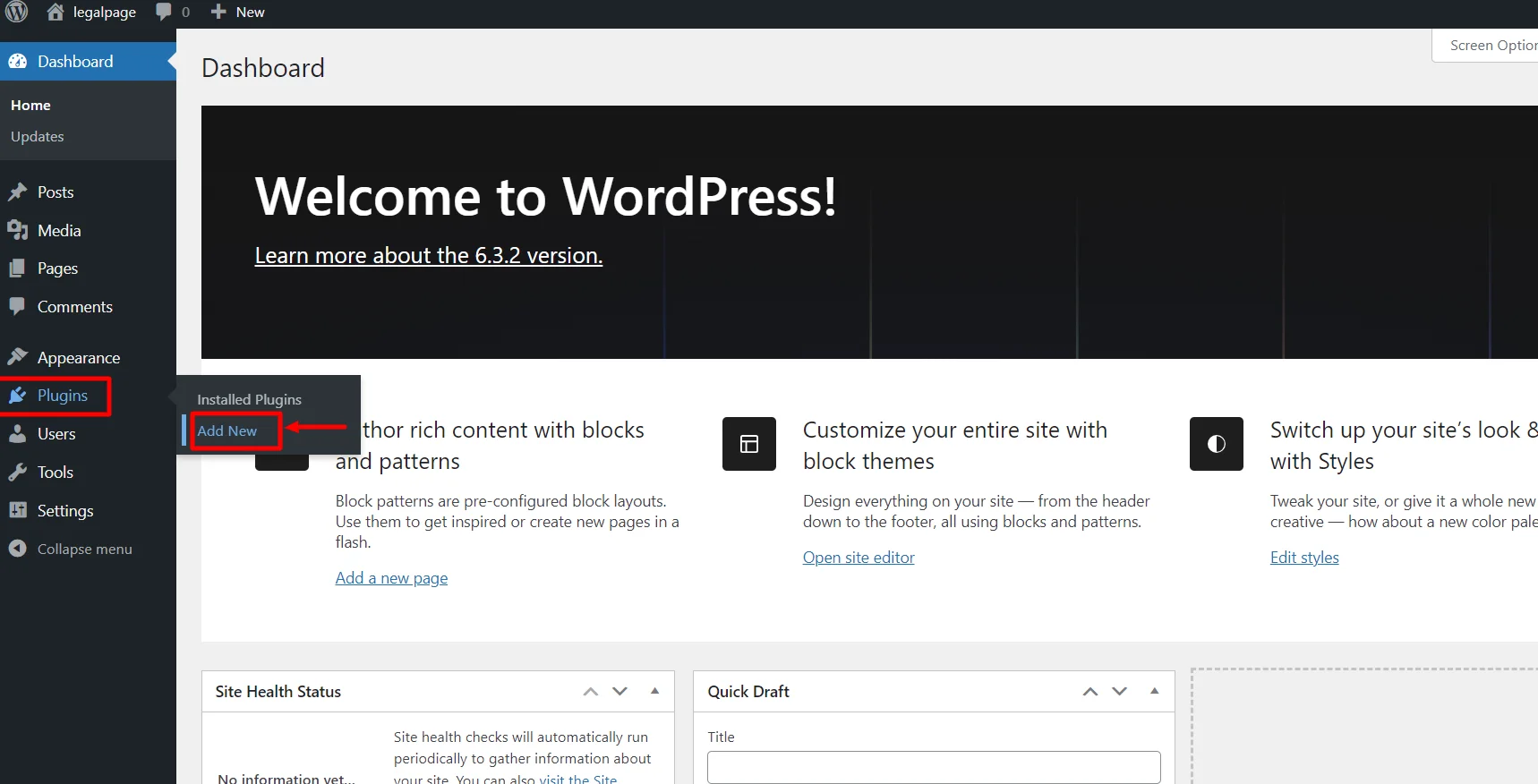
From your WordPress Dashboard, click on Plugins > Add New.
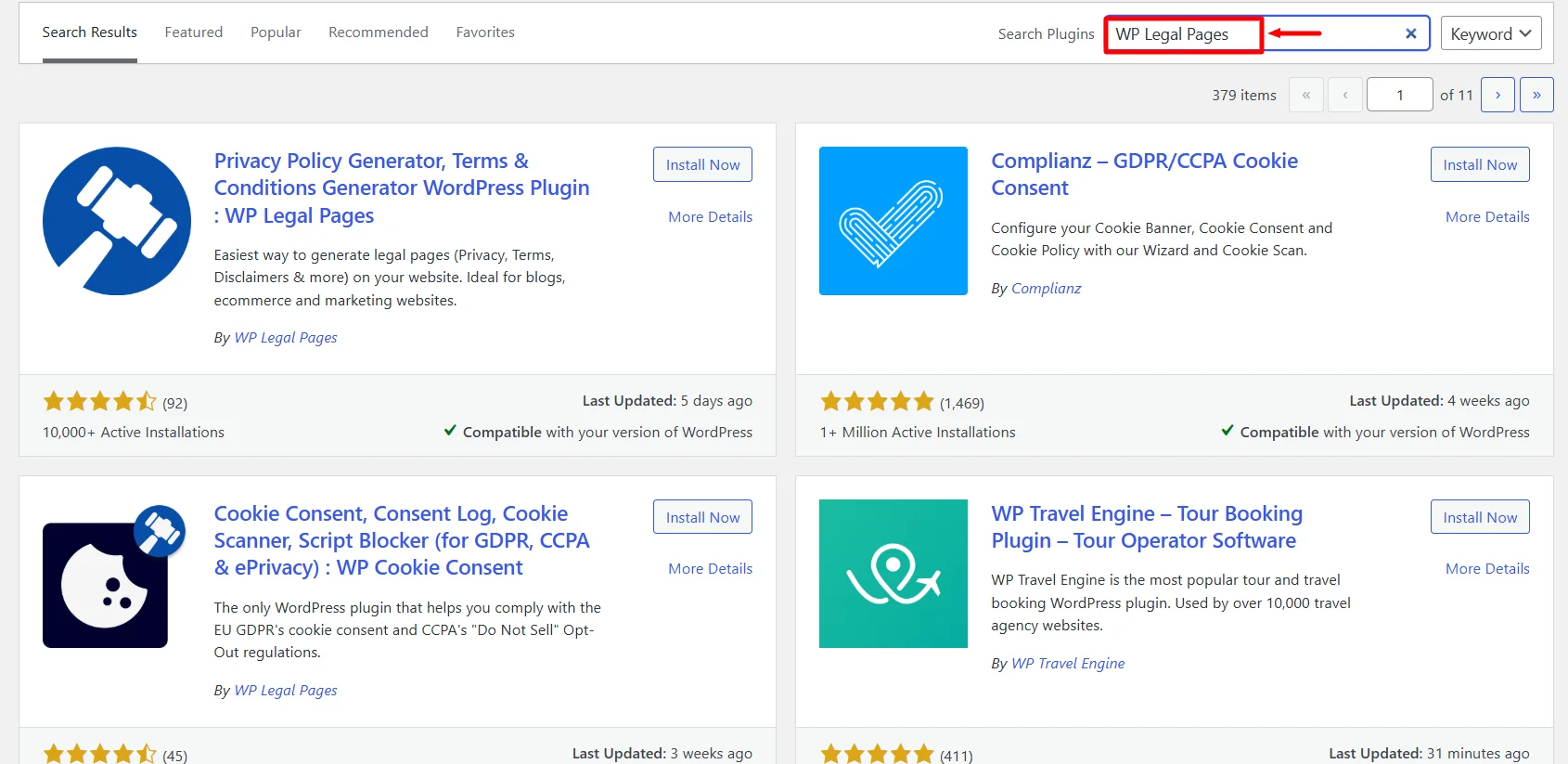
Search for WPLegalPages in the search bar.
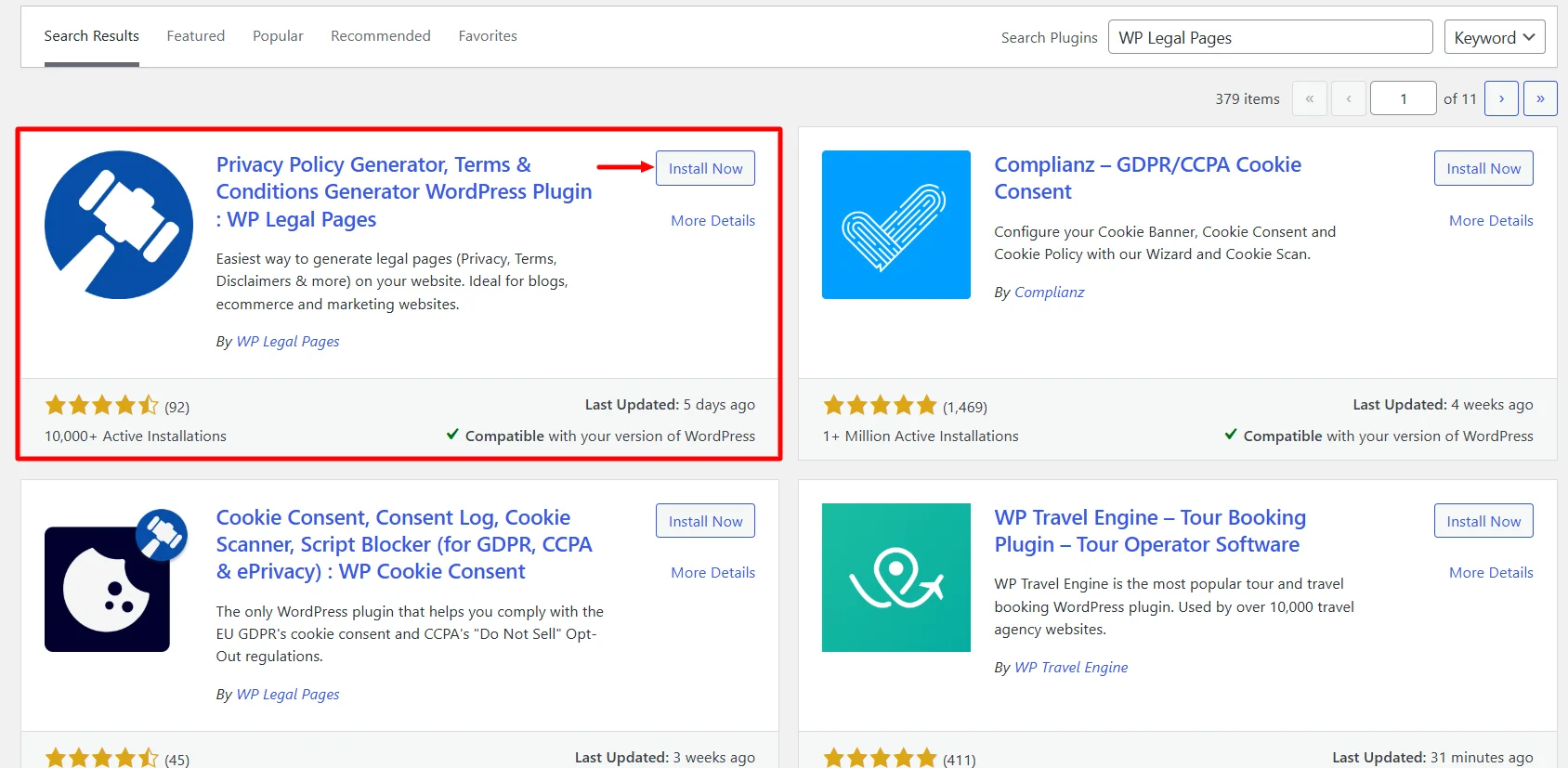
Click on the Install Now Button
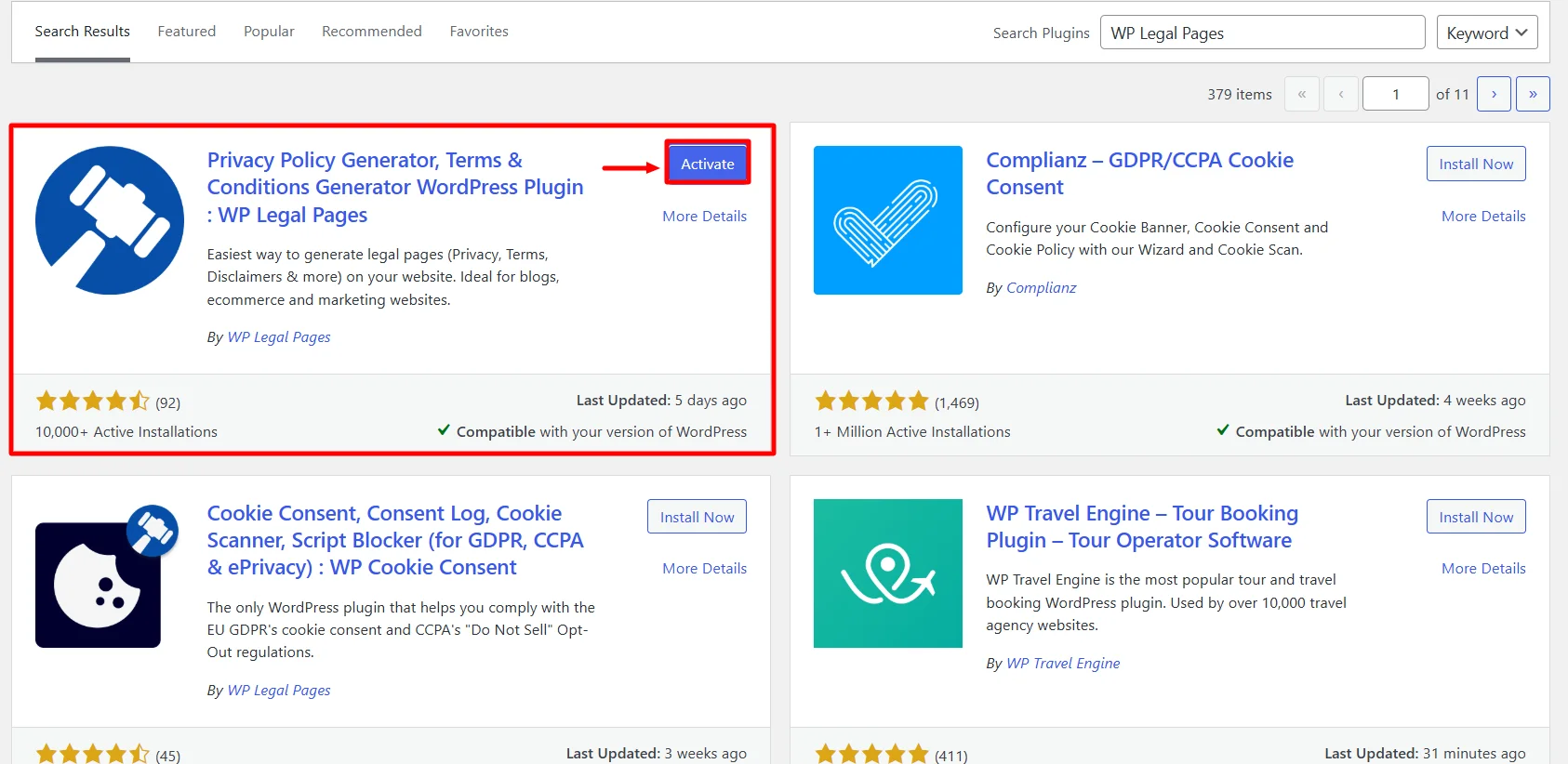
Activate the WP Legal Pages plugin by clicking the Activate button.
Step 2: Configuring WP Legal Pages Plugin
Once you have activated the plugin, you can access it directly from the Dashboard.
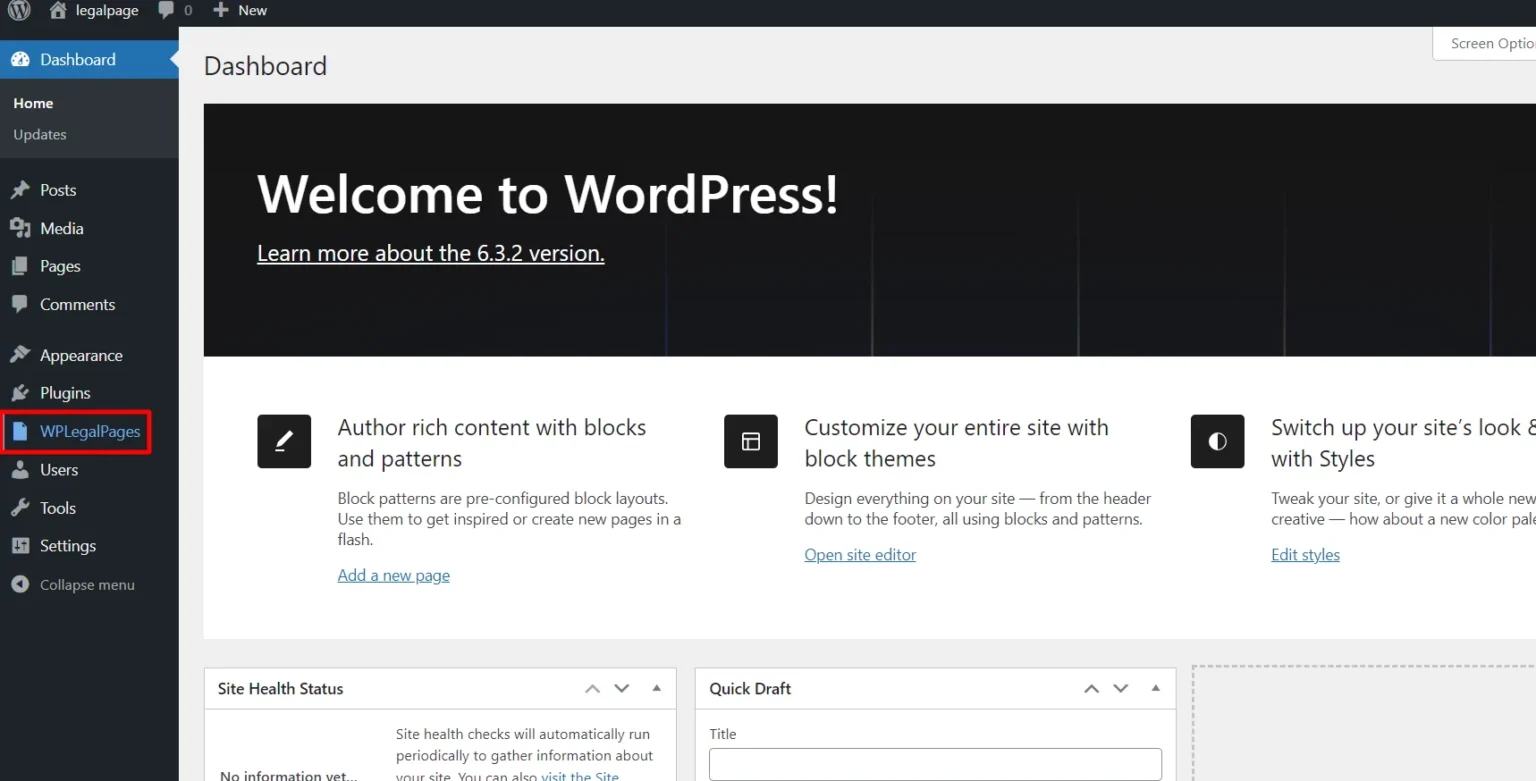
Next, Accept the terms of use of the WPLegalPages plugin.
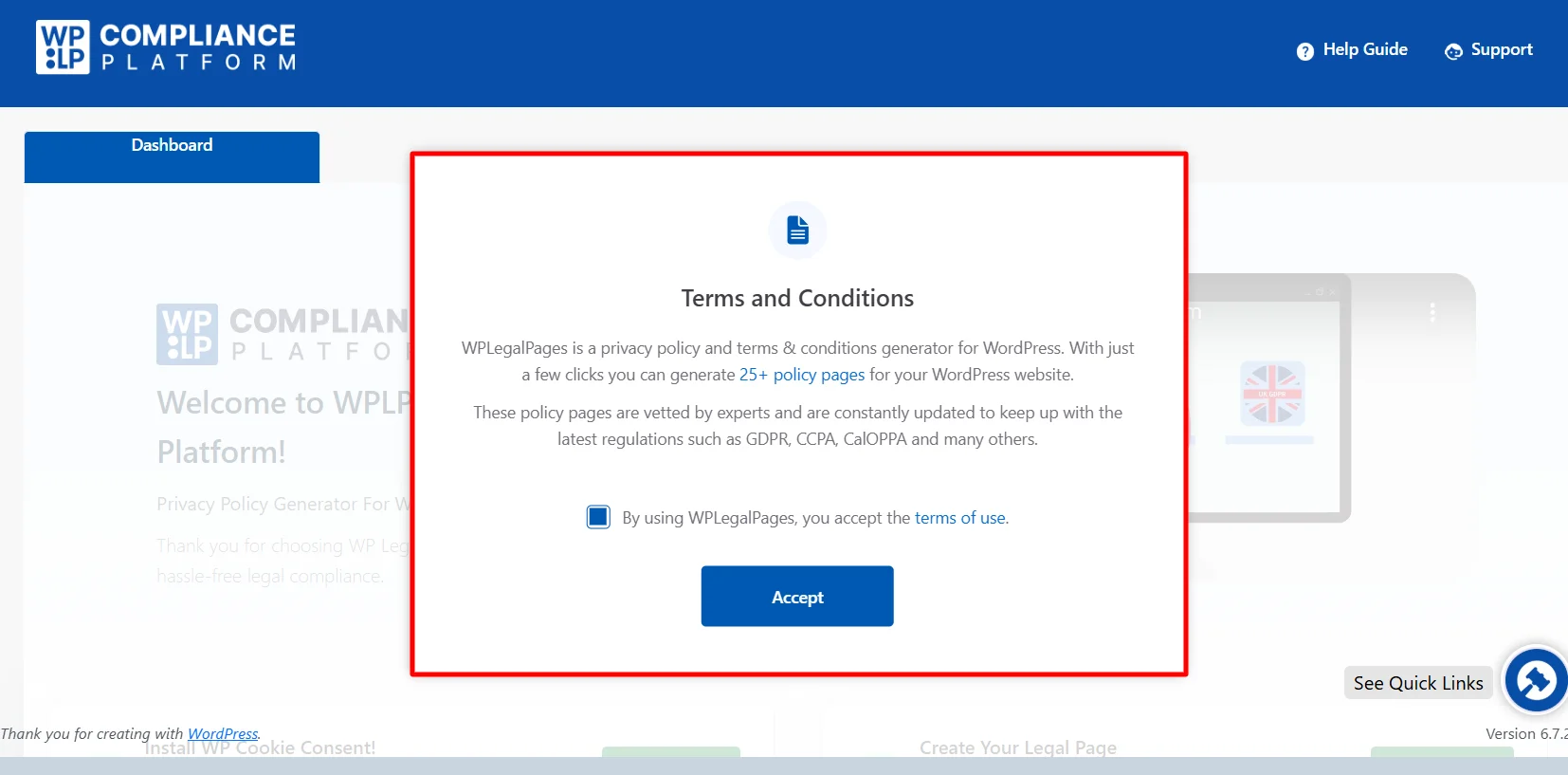
Step 3: Create an Account with WP Legal Pages Plugin
To generate legal pages for your website, scroll down from the dashboard and click Create Page.
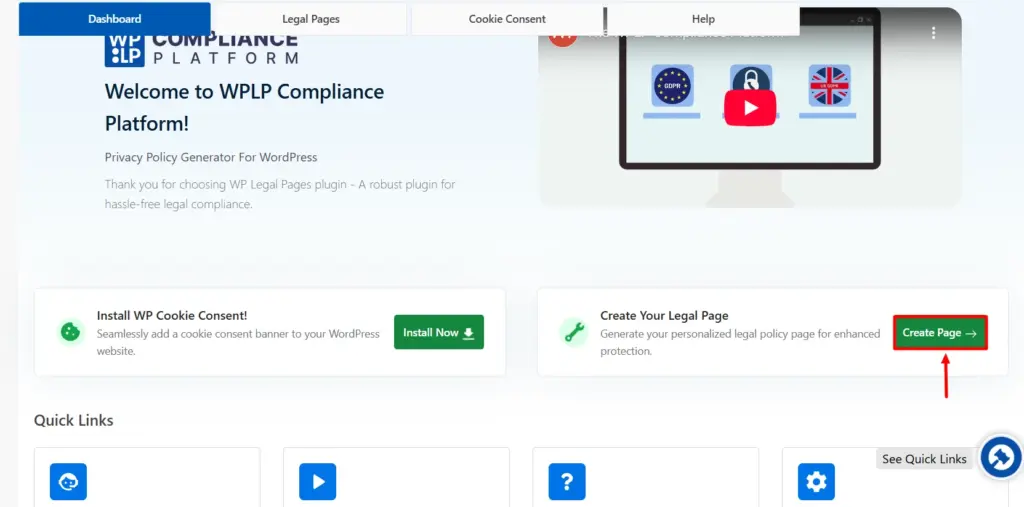
This will open the WPLegalPages wizard. From the WPLegalPages wizard, choose the Standard Privacy Policy template and click the Create button.
Once you click Create, a popup will appear, asking you to create a new account. Click on New? Create an account.
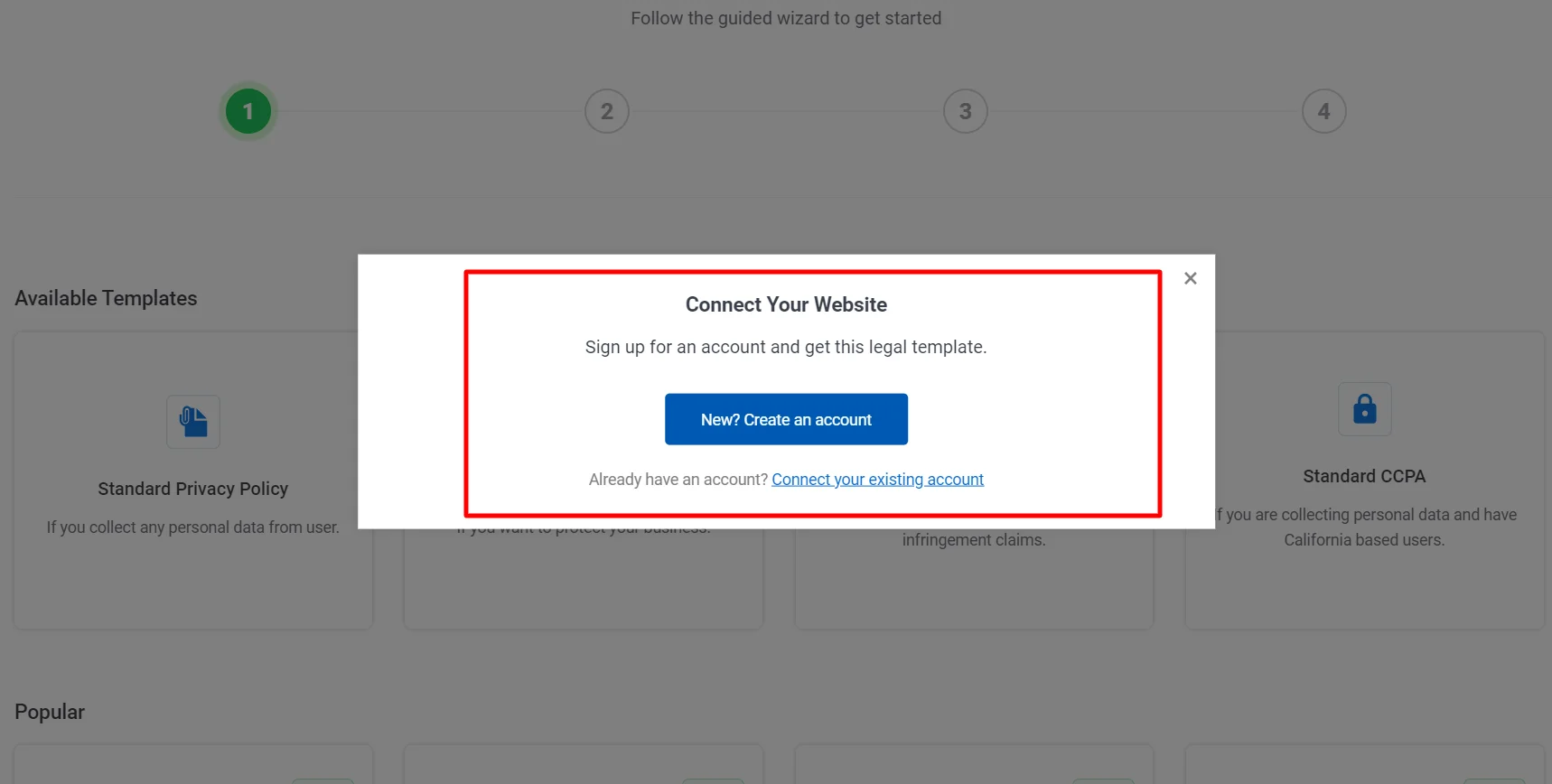
Once you Sign up, your account will automatically connect to your site, and you can start creating legal pages for your website.
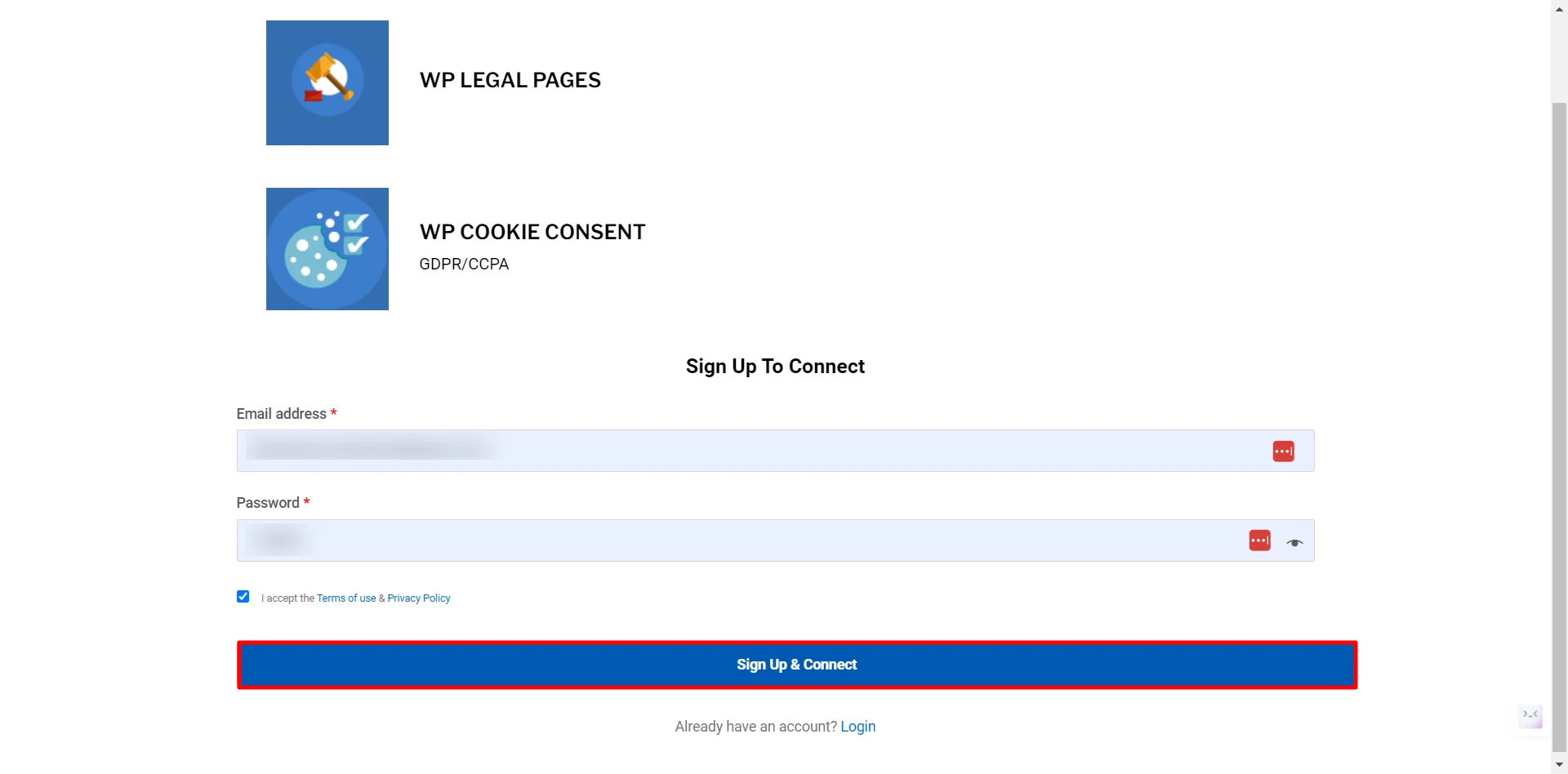
That’s it. You have created an account and can now start creating your website’s Legal Pages. Let’s see how we can create a YouTube disclaimer for your websites.
Step 4: Creating a YouTube Disclaimer for Your Website.
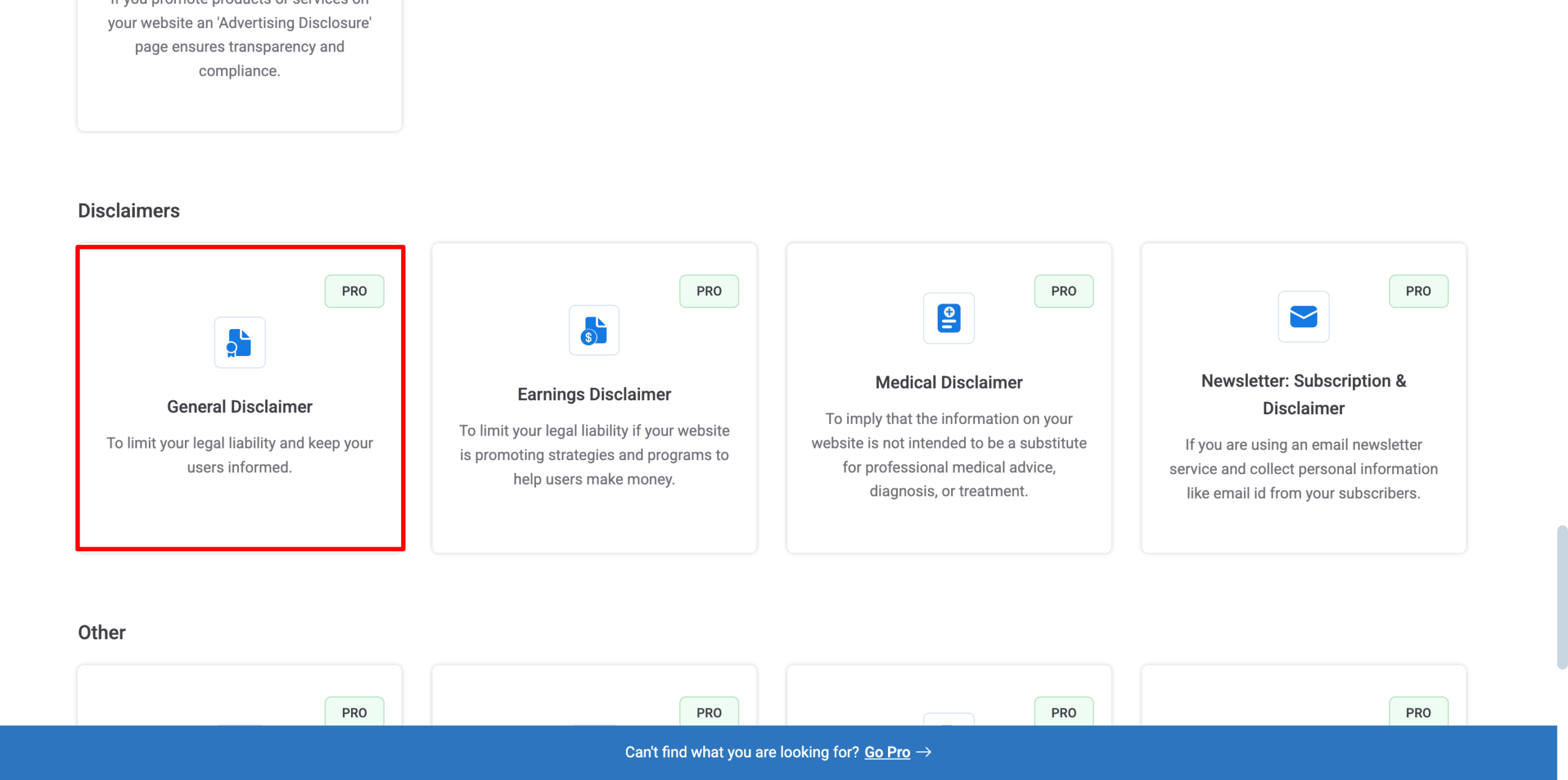
You will now see a few Templates available. Click on the general disclaimer option to create a YouTube disclaimer for your website.
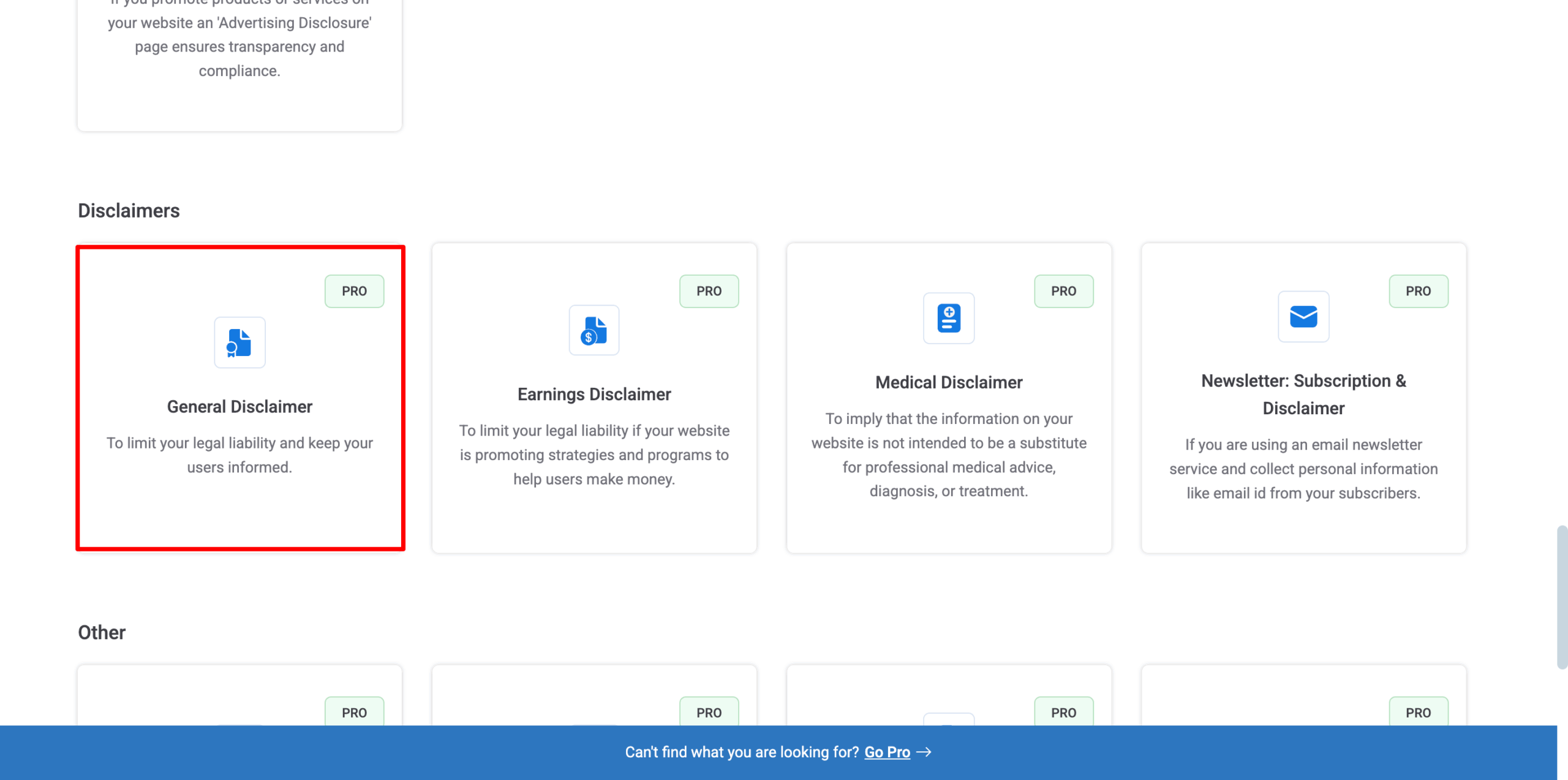
(Note that to create a General Disclaimer, you will need WP Legal Pages Pro)
Change the settings if needed and click NEXT.
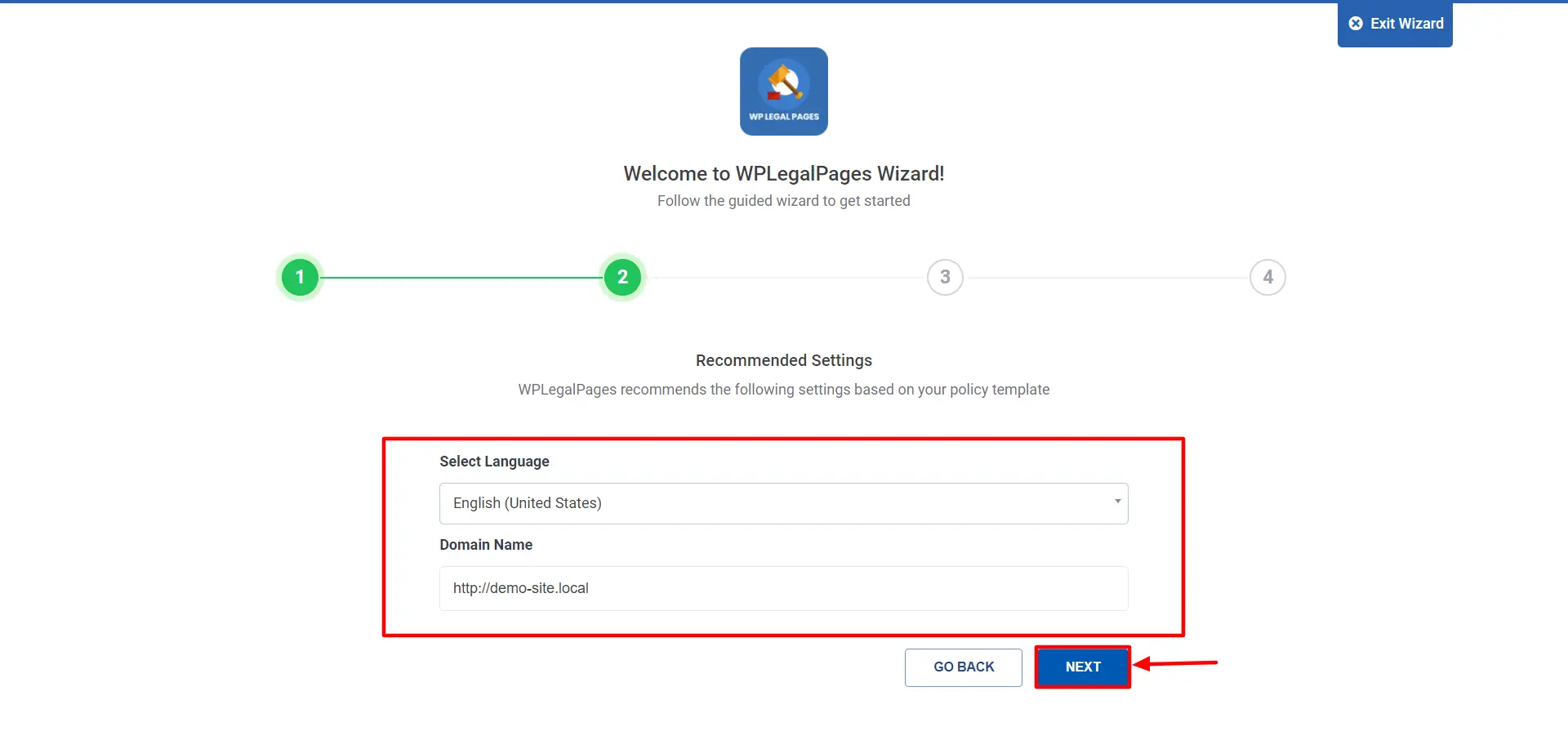
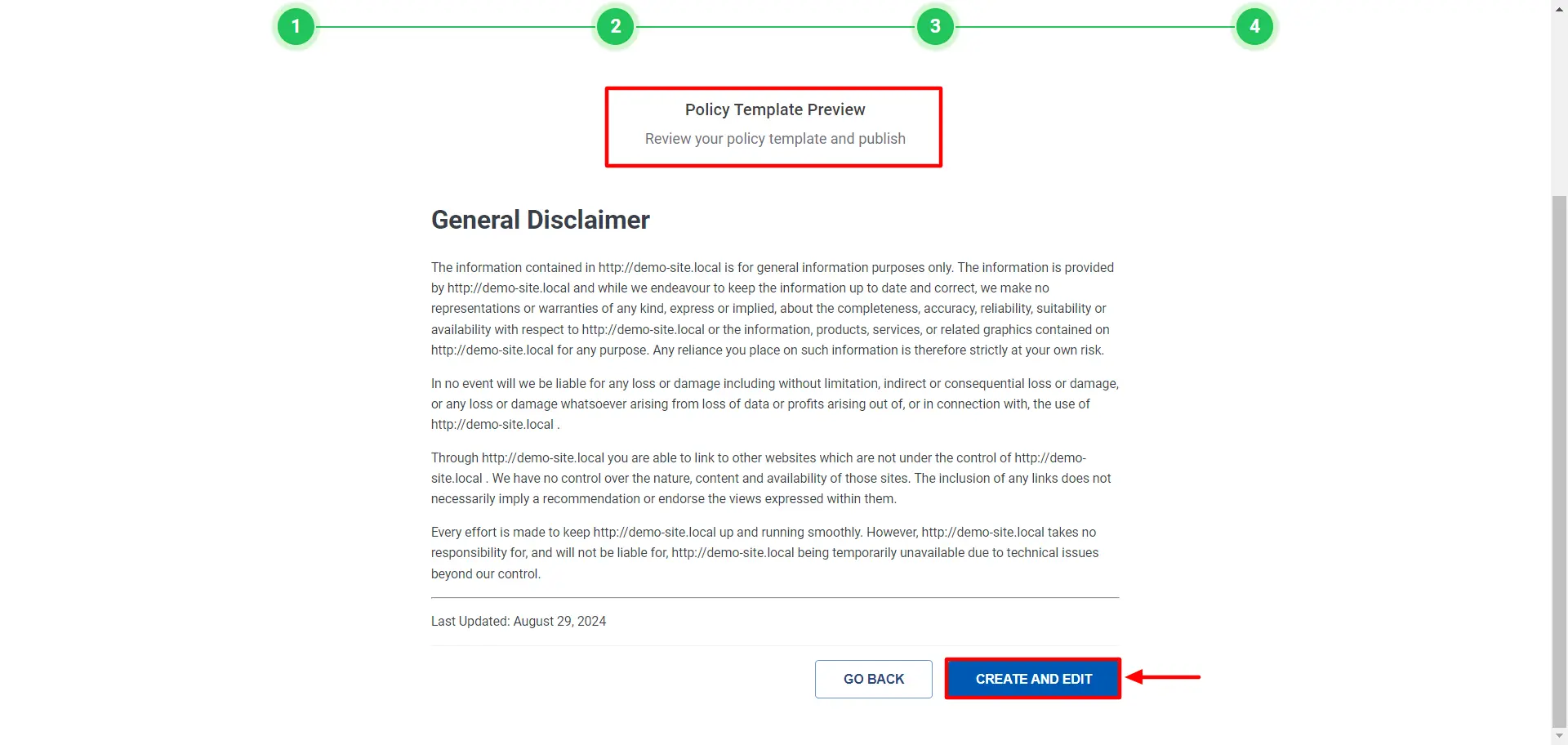
Review your Policy Template and click CREATE AND EDIT.
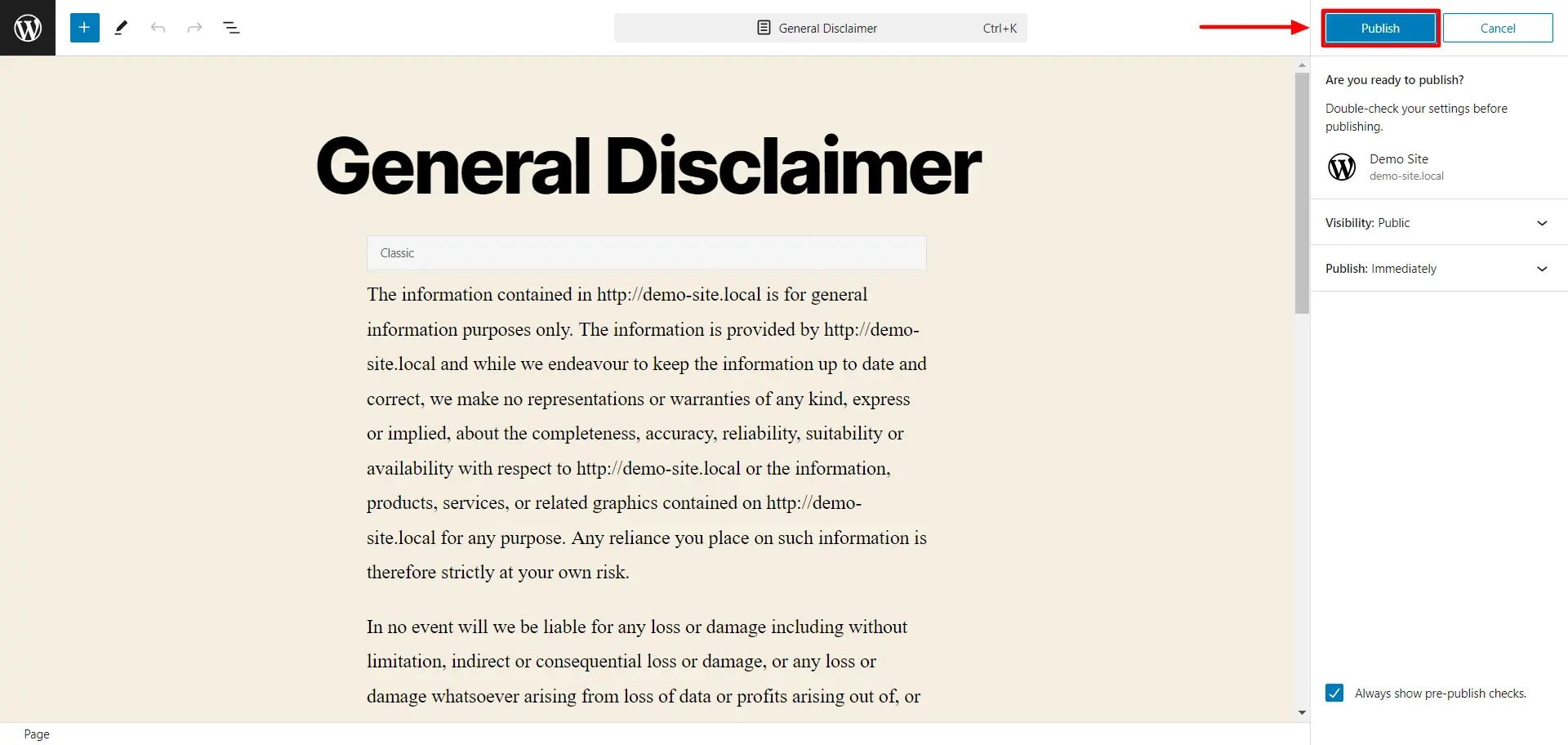
Edit your disclaimer template. Once done, click on Publish.
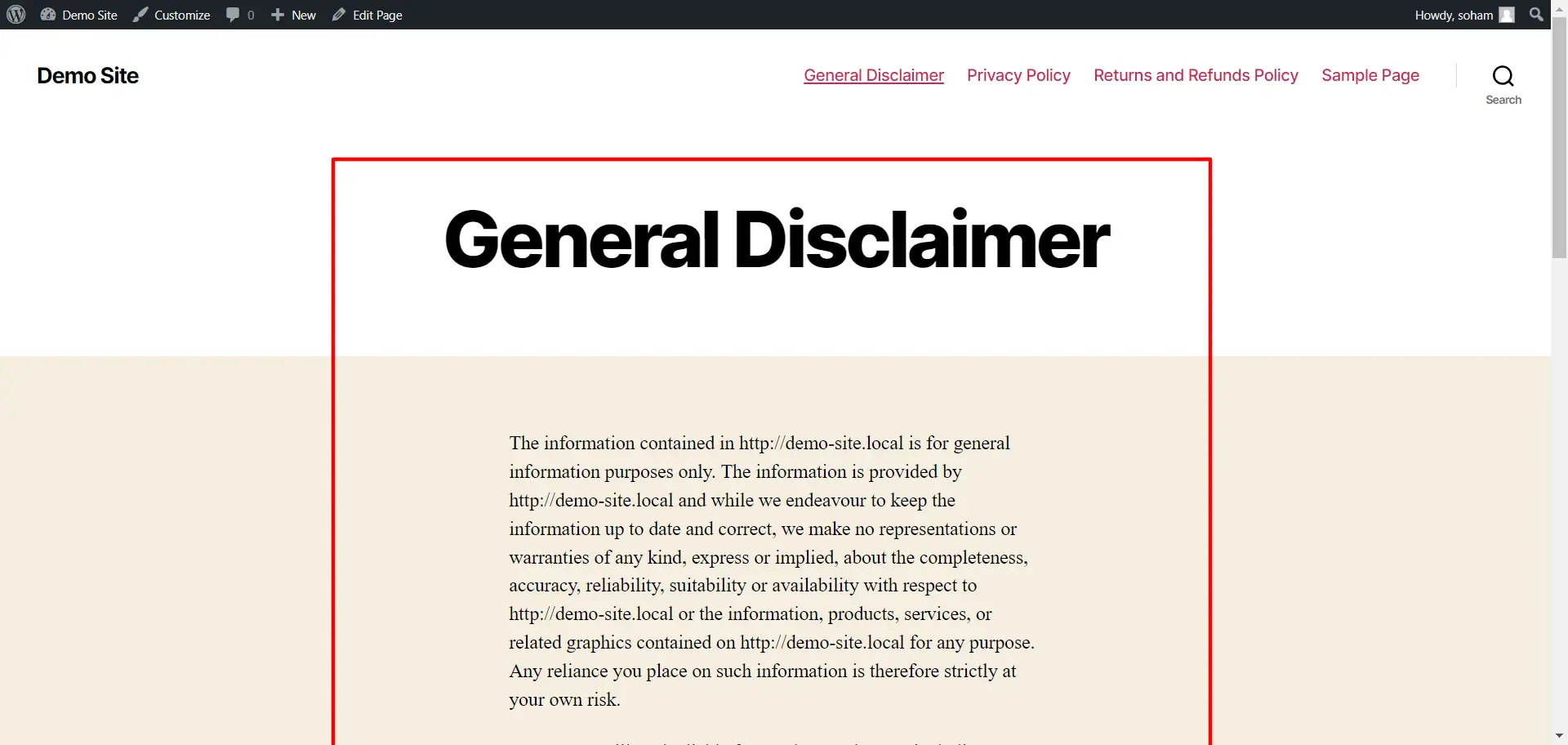
Thats it! Your General Disclaimer is live on your website.
One-Line vs Full Disclaimer
A successful YouTube disclaimer strategy is not only about legal compliance, but also about the ease with which your viewers are able to read and comprehend your disclaimers. The best way to do this is to incorporate a thin version of your disclaimer into your video and provide a link to the complete and full version of your disclaimer at the bottom of the video description.
Short version (for video description):
This video has affiliate links and I may earn through affiliate programs without any additional cost to you if you purchase from them.
Full Version (for legal page):
This video and description may contain affiliate links, and I may receive a commission if you purchase from an affiliate link, at no additional cost to you. I only recommend products that I use or would use myself, and I only recommend products and services that I believe will benefit my audience. All opinions expressed in this video are my own.
By using this method, you make it possible for your audience to quickly read through and find the information they need. And simultaneously you stay within all guidelines related to disclaimers for legal purposes.
Customization Tips
Disclaimers that are generic are enough. However having a customized disclaimer is more beneficial because it creates a better reassurance for your audience.
- Your name or channel should be included in the disclaimer so it becomes a specific and relevant legal document to you.
- Your country should be stated within the disclaimer so anyone reading will know which laws apply to the disclaimer i.e. UK, USA. This is especially true for any financial or legal disclaimer.
- Be specific to your niche. Keep your disclaimer based on what type of videos you upload on YouTube. For example if you are making finance videos, then you would need to be careful with your wording. While if you are making a tutorial video you could speak more freely in your disclaimer.
Where Should You Place The Disclaimer?
YouTube disclaimers are generally found on the channel’s official website or the owner’s web pages. They may also be placed on the channel’s homepage or individual videos.
If placed on a video, the disclaimer should be added at the beginning or end. Most people prefer adding a disclaimer at the beginning. Regardless of where you place it, ensure it is noticeable and not easily missed.
You should be careful when deciding on the placement of the disclaimer. Additionally, it should be easily distinguishable from the other contents of the page, such as:
- In the video description box
- On the About’ section of the channel
- The terms and conditions agreement posted on your website
- Verbally stated in the actual content of your video.
FAQs
YouTube disclaimers are statements that clarify your content’s intent, partnerships, or potential legal risks. In 2025, they’re crucial for maintaining transparency with viewers, complying with legal and platform policies, and avoiding demonetization or penalties.
Not necessarily. Disclaimers are typically needed if your video includes sponsored content, affiliate links, medical or financial advice, sensitive topics, or content not suitable for all audiences.
You must disclose your affiliate relationships clearly, such as: “This video contains affiliate links. I may earn a commission at no extra cost to you.” This is required by the FTC and many international advertising standards.
Disclaimers should be placed in both the video description and verbally mentioned or shown on-screen within the video to ensure visibility and compliance.
Final Thoughts
If you upload videos on YouTube, including disclaimers, it can help limit your legal responsibilities, safeguard your original content, or express your fair use of copyrighted materials. You can clarify that any action taken based on your video is at the viewer’s risk.
If you want to use copyrighted material in your video but don’t have permission, you can rely on a fair use exemption. We recommend using the WP Legal Pages plugin to generate a YouTube disclaimer. It helps create legal pages quickly.
If you’ve liked reading this article, check out our other engaging articles as well:
- How To Add Copyright Text To A Website
- Do I Need A Privacy Policy For My Website? – A Beginner’s Guide
- Understanding Privacy Statements and Simplifying Compliance
Want to create legal pages for your website or YouTube channel? Grab the WP Legal Pages Plugin now!