Summary
This article will explain how WordPress plugins that use AI handle your personal information. As well as what types of privacy risks are common while using AI. Additionally, providing practical recommendations for staying transparent and compliant with your users.
We’ll see how tools like WPLP will aid website owners in keeping their policies updated. And still having the confidence to utilize AI powered capabilities within their plugins.
Wondering how your WordPress plugins with AI features manage user data?
With the rise of AI, many WordPress users enjoyed the plugins that speed up and automate, but were concerned about user privacy.
As a result of how these tools process the user’s input, privacy awareness has become a higher priority than ever before.
This article will give you a general overview of how AI processes data through WordPress plugins, and steps to keep your users safe. You will also see how some plugins, such as WPLP, keep you compliant without creating additional work for you.
How AI Is Shaping WordPress Plugins
AI has already started affecting WordPress more than most users realise. It’s now embedded into many of the tools you use every day to operate your WordPress site.
Developers who develop plugins are racing to produce more intelligent features. For which, AI is becoming a go-to upgrade. It is used to enhance performance by reducing the amount of manual labour and increasing the overall experience of users.
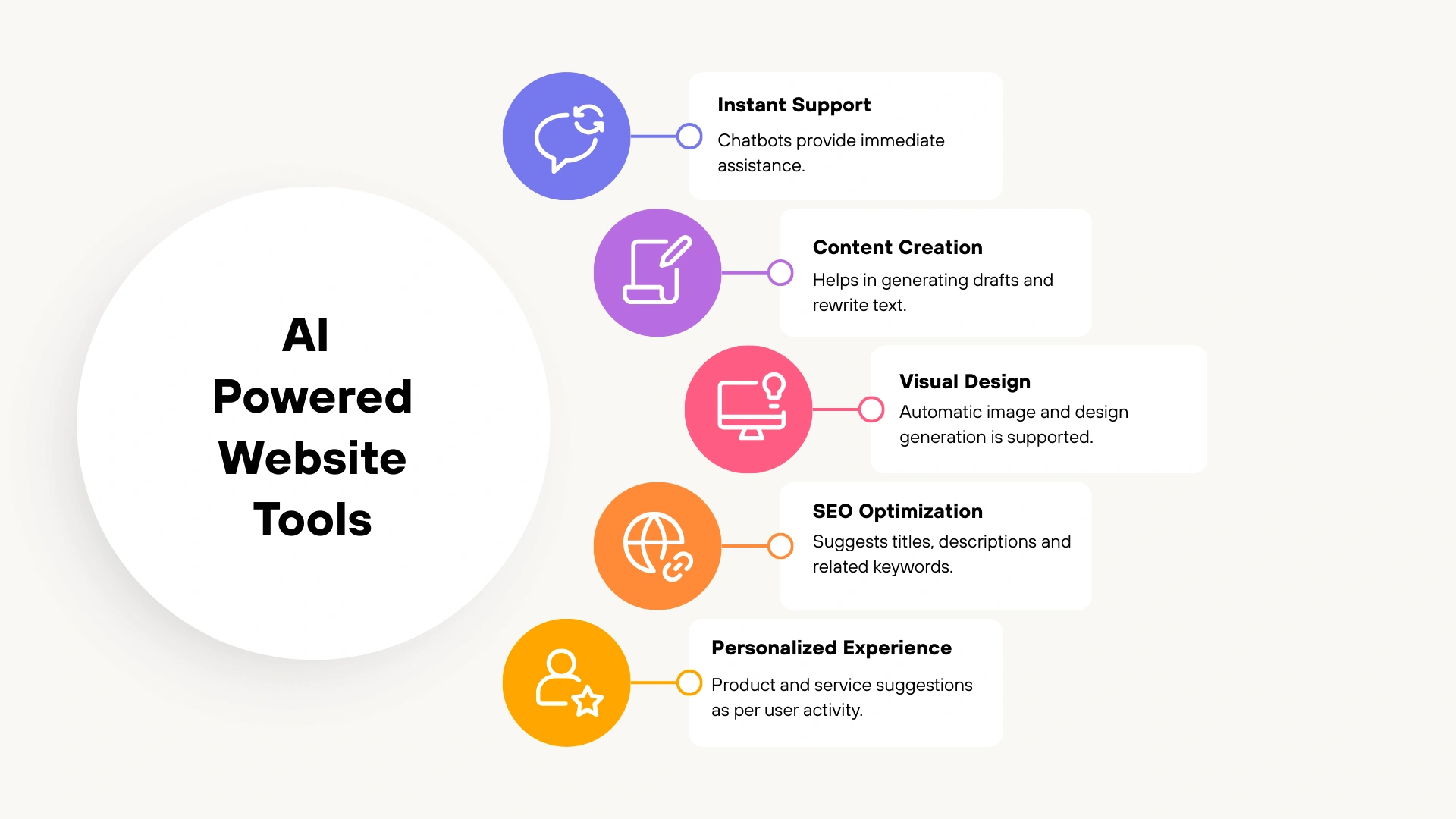
Here are a few popular AI supported features used these days:
- Chatbots & Support Tools: Chatbots powered by AI provide instant results for visitors, meaning visitors don’t need to wait for a human to respond.
- Content & Writing Tools: There are many editors today using AI to produce drafts of posts or rewrite text within a few seconds.
- Image & Design Generators: There is currently an abundance of image and design generation tools powered by AI that will automatically provide you with professional images with very minimal user effort.
- SEO Plugins: The modern SEO plugins use AI to provide automatically created titles, descriptions, and keyword suggestions that align more closely to the user’s intent.
- Personalisation Plugins: There is a growing number of plugins powered by AI that provide personalisation options for content. They also suggest product recommendations based on user activity to drive increased engagement.
Why AI is Widely Adopted
The use of AI in WordPress has become increasingly popular due to its ability to save time. With AI, you get to create content more quickly, respond to customers immediately, and customize experiences without any additional staff.
As AI operates on the same platforms that you are familiar with, it is put to use by actual site managers.
The following are some common examples of how AI is utilized in today’s world:
- When running a blog, AI provides tools that allow bloggers to quickly draft articles and provide suggestions for headlines. Thus, bloggers can publish more frequently without being burned out.
- For those who operate small business websites, AI-powered chatbots can answer users’ common queries instantly. This allows owners to dedicate their time to processing orders and supporting customers who require human assistance.
- Designers who build websites for clients, AI-provided prototyping tools allow them to develop ideas more efficiently. It helps in creating polished webpages without extended periods of time spent designing.
Therefore, AI is practical and beneficial for daily operations. It affect your decision-making process for content creation, customer support, and design.
Understanding How AI Uses and Processes Website Data
What Data AI Plugins May Receive
The types of input that AI plugins can accept are numerous. It includes various types of inputs capturing different types of data.
For instance:
- Chat widgets will capture any typed question and some level of personal identification, such as email addresses.
- Content assistants will store text copied and pasted into an editor.
- Image-based tools will receive visual content that has been uploaded to the tool.
- Personalization systems are able to gather behavioral data from users, such as pages visited and products clicked.
In essence, anything that can be typed, uploaded, or tracked from your own website can be sent as an AI request.
Therefore, please consider auditing each plugin to determine specifically what types of input fields the individual plugin may provide outside of your own website.
How AI Systems Process or Store This Input
Generally, AI plugins take the user’s input and send it to an external API (third-party server).
When the provider receives the request, they will process it and send the answer back to your website. As a part of this process, the provider may keep logs of requests, caches of answers, and examples of the responses.
Some providers will also retain input data indefinitely for further training/fine-tuning of their models unless the user specifically chooses to opt out.
Other providers may keep short-term logs of requests made for the purposes of debugging and performance monitoring. In addition, processing can take place in different jurisdictions, and therefore, there are different legal frameworks that apply to the data processed.
Why This Matters for User Privacy
When you send user data to third-party vendors, you change your legal and ethical responsibilities. Users expect transparency in how their data is handled. They should know if an AI has accessed their input and whether the input will be saved or reused.
When you retain user data and transfer it outside of your country, you may also create additional legal obligations to comply with applicable laws. This requires user consent and user access to delete or modify their data.
In practice, neglecting to inform users about how their data will be used by an AI may erode user trust and create serious consequences.
Major Privacy Risks in AI-Powered WordPress Tools
With the new features, AI is making it easier for people to use WordPress. However, it also adds new risks that users must understand and prepare for to manage themselves.
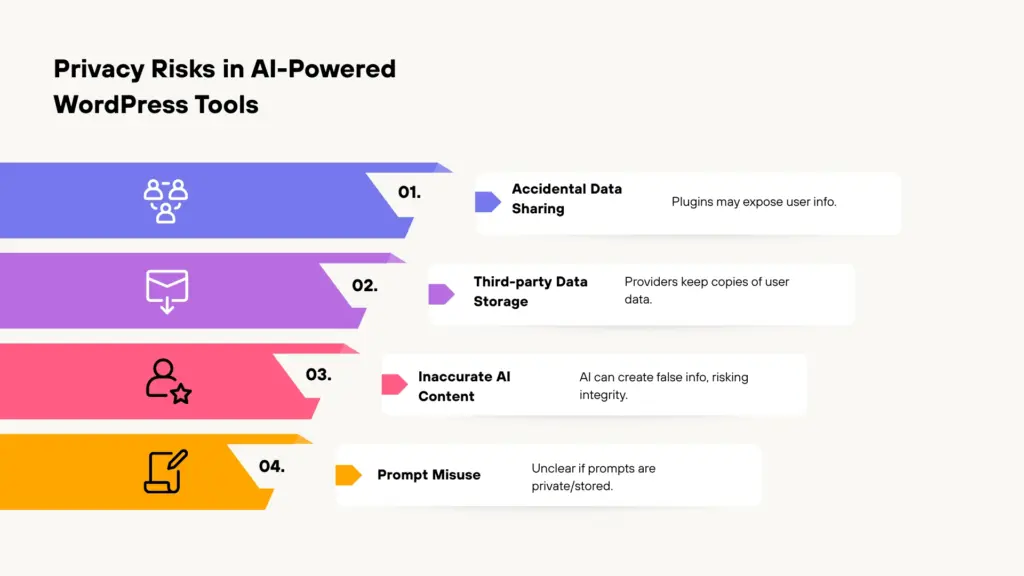
- Accidental data sharing: When generating a response, many AI plugins may unintentionally expose more information about a user than necessary.
- Third-party AI providers storing user info: Many AI platforms use third-party servers for the processing of requests. The majority of these maintain temporary copies of all user input provided to them by users.
- Inaccurate AI generated content: Often, AI creates inaccurate or misleading content. Therefore, users who share this type of content without accepting accountability for it risk losing their company’s integrity and confusing their customers.
- Prompt misuse: There is no mechanism available to users while using prompts. This leads to confusion about whether their prompt contains private information that may be processed or stored.
- Real-world examples:
- Chatbots that summarize customer complaints may accidentally send personal emails to AI
- Photo uploaders may store user photos.
Best Practices to Keep AI Features Privacy-Safe
When it comes to privacy while using AI for WordPress, it doesn’t have to be negative. As long as you understand how to use AI responsibly, you can experience the benefits of automation. All this while implementing a transparent, responsible, and compliant approach.
Here are the best practices to safeguard your privacy while using AI features:
1. Collect what is needed
Always only send data that is needed to your AI tools. Avoid sending personal or sensitive information unless you absolutely have to send that information.
2. Transparency with AI generated content
Always notify users about responses or recommendations that are generated by AI. So that the users understand where that content originates from.
3. Using trustworthy AI providers
Use AI vendors that provide a thorough description of their data handling, security controls and privacy standards. Also, provide users with the option to opt out of the service.
4. Review your plugin settings regularly
When reviewing your plugin settings, determine how long you should retain data, how much logging will need to be performed. And make sure to have a track of information you are sharing with third parties.
5. Revise your privacy policy with AI usage disclosure
Review your privacy policy and clearly describe how your AI is collecting data. How that data is used and which third party is involved.
6. Control for users
If possible, allow users to opt out of using AI features or provide them with manual options or control of their preferences regarding their information.
By following these guidelines, you can establish trust in your AI integrated WordPress site and continue to grow your successful business.
Simple Ways to Stay Compliant with WPLP
Complying with AI privacy requirements can be overwhelming because of the numerous changes. Many WordPress users do not fully understand how to keep their policies up to date. Sometimes, they don’t have an idea of the level of detail required to comply with the latest regulations.
Since many sites have multiple versions of their policies, a methodical approach is the best way to stay compliant. Many site owners are unsure what type of information they should disclose and how AI fits into their compliance framework.
To help fill this need, WPLP has updated its Privacy Policy templates. It now includes an AI clause. It clearly explains how the AI processes data, the third parties, and user rights using clear, user-friendly language.
Another obvious benefit of updating your policies is how easy it is. As soon as any AI tool or plugin changes, you can regenerate your existing privacy policy templates. You can also review those changes. It ensures that the information you are disclosing in your existing policy matches your site.
Rather than manually tracking legal compliance, the use of adaptable pre-built templates is more convenient. WPLP helps you keep the process of maintaining compliance simple and lowers the risk of not updating an important aspect of the privacy policy.
FAQs
Yes, some AI features contained in WordPress plugins may collect user inputs such as text, images, emails, etc.
In order to do so, users should thoroughly review the WordPress plugin documentation or the plugin settings.
Yes, it is important to mention in your privacy policy how your website collects information and processes it through third parties.
By utilising privacy policy templates that include AI clauses. The team at WPLP provides these templates, ensuring compliance with all privacy obligations.
Conclusion
AI driven plugins are transforming how WordPress sites create content, connect with users, and automate daily processes. It is crucial to understand how the AI features on your site handle data, identify privacy risks, and follow best practices.
When used wisely, AI can provide tremendous benefits. While also providing users with the confidence they need to trust your site.
Therefore, use WPLP to simplify compliance. It makes the process of reviewing plugins and updating privacy policy much easier.
If you found this helpful, consider reading:
- Interactive Privacy Centers: Making Compliance User-Friendly
- How to Create a Privacy Policy For Your Business Website
- Do I Need A Privacy Policy For My Website? – A Beginner’s Guide
Review your current WordPress plugins today with the WPLP Compliance Platform!
Disclaimer: This article is only for information purpose. It does not content any legal advice.