Summary
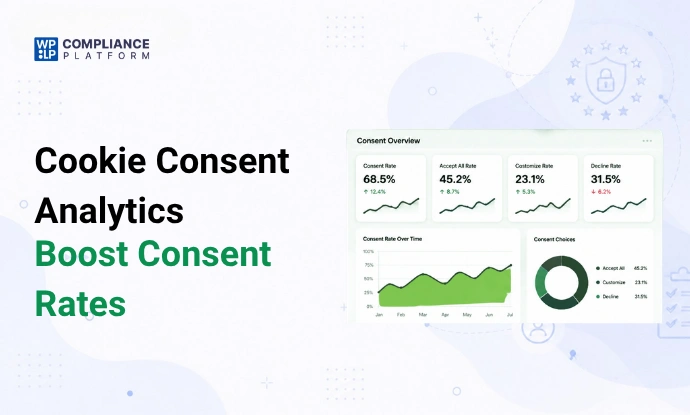
Cookie consent analytics help you understand this early behaviour through real data instead of guesswork. In this blog, we explain key consent metrics and what they reveal about user intent.
You’ll learn how design, wording, timing, device experience, and regional expectations influence consent choices, and how the WPLP Compliance Platform helps you turn these insights into better consent performance.
Around 70% of users say privacy choices affect their trust online. That trust forms very early, often before users explore the page or read the content.
Cookie consent analytics help you understand this early behaviour more clearly. They show you how a user responds when a consent choice appears in front of him/her.
You can see who accepted, who rejected, and who simply ignored the cookie banner you placed. This is where cookie consent analytics, along with tools like WPLP Compliance Platform, can come in handy to you.
In this blog, we explain how these metrics work, what they reveal about user intent, and how to use those insights to improve your cookie banner. Let’s get into it!
Understanding Cookie Consent Analytics
So, what is cookie consent analytics? It generally refers to the user behavior on the cookie consent banner. Cookie consent analytics helps you see how users react to your banner. It shows you different user actions, such as
- Accepting the banner
- Rejecting the banner
- Leaving without taking any action
It helps you understand how users think when they see the banner. And also, shows whether the banner builds trust or creates doubt.
Many site owners guess these things. Cookie consent analytics comes in handy here because it removes guesswork and gives clear proof through numbers.
It also connects your site with strong privacy rules. Laws like GDPR, CCPA, and ePrivacy expect
- A clear choice for the user
- Open and honest details
- Simple control over consent
Your consent data helps you show this in a clean way. Each response can be recorded in exportable consent logs. You can prove users had a real choice. This keeps your site safe and shows that you take user rights seriously.
What are the Key Metrics That Show User Consent Behavior
In this section, we will look at important metrics that show user consent actions clearly.
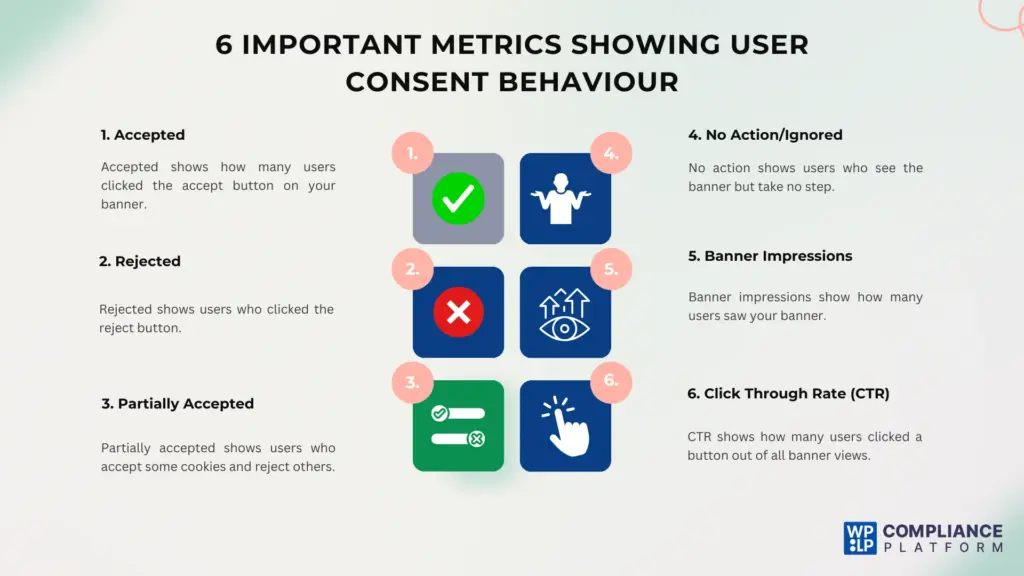
User Consent Response Metrics
Let’s see the metrics that show the main actions users take on your cookie banner when they visit your site:
- Accepted – It shows how many users clicked ‘Accept’ on your cookie banner. This metric tells you that users trust your site and understand your message. Tracking acceptance over time helps you see if changes improve consent rates. The higher the number, the more effective the banner.
- Rejected – It shows how many users clicked ‘Reject’ on the cookie banner. In general, we can assume that the wording or design of the banner is weak if the rejection rate is higher. Tracking this ‘reject’ data helps you test changes to make the banner more effective.
- Partially accepted – As the name suggests, it shows users who partially accepted the cookies. That means they accepted some cookies and rejected the rest. It helps you understand which cookies users trust and which they avoid. This metric shows that users want control but would still need simpler guidance for complete acceptance.
- No action/ignored – It shows users who see the banner but don’t click any option. We can interpret that users might be hesitant or confused about your banner. High numbers of this metric show cases the poor placement of the banner, text being unclear or hard to understand, or timing issues.
Banner Visibility and Interaction Metrics
If you’re a marketer or a website owner, there is a high chance that you might have already come across these metrics. It’s the same as the ones you find in the Google Search Console or Google Ads, just applied to cookie consent.
- Banner impressions – This metric shows the number of times visitors saw your cookie banner. It helps you understand the total reach of your banner. Tracking impressions shows if the banner is visible on all pages and devices. Low impressions can reduce overall consent rates and affect trust.
- Click-through rate (CTR) – We can understand this with a simple formula: Clicks upon impressions multiplied by 100. It gives you an idea of the number of users who interacted with your banner out of all the impressions it got. It clearly measures the effectiveness of your banner.
What Influences Cookie Consent Rates
In this part, we’ll look at the main factors that shape user choices on the cookie banner and guide their actions.
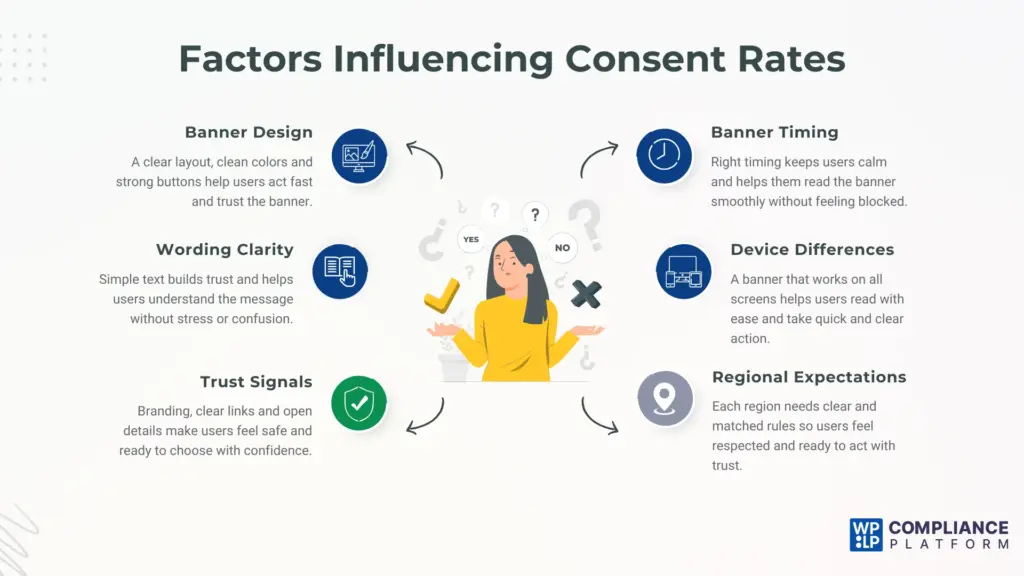
Clear and Simple Banner Design
The design of the banner plays a major role in user behavior. A clear UI/UX will always make it easy for users to go through the content on the banner.
The banner’s colors are also important. The website’s color palette should match that of the banners. It’ll make the banner feel like a part of their site, instead of some alien block. On top of this, you should always see that there is a clear layout and the right font size is used for ease of navigation.
Also, ensure that the buttons on the banner stand out well. Clear buttons help users pick an option quickly without having to search for them. This steers clear of the confusion and makes the user comfortable. A crowded design can confuse users and slow their actions.
A simple design feels smoother for the users. They get to act faster when they see clearly drafted sections and simple buttons to click on.
Easy to Understand Wording
Clear wording helps users understand what they’re giving consent to. Keeping the texts as simple as possible is important. Hard terms can create fear and doubts in the user. It’s obvious that anybody would want to read the sentences that are short, crisp, easy to read, and have no complex vocabulary.
For example, a study by CookieInformation showed that one site had low consent due to confusing banner text. Many users ignored it and moved on. After they switched the wording from complex to simple, their consent rate drastically rose from 72 to 82 percent.
Short lines with calm words help the users to read with ease. A clear message also shows that you’re transparent and respect the users without complicating things. Strong clarity often leads to higher consent and better trust.
Visible Trust Building Signals
Trust plays a big part in user action. Users feel safe when they see clear signs of care. Always make sure your website branding is on the cookie notice. This’ll help the users rest assured that they aren’t taking any actions on an alien block. Simple branding can build comfort, increase trust, and support a clear call to action.
When you’re using a third-party plugin to create a cookie notice for your site, make sure that it’s flexible enough to customize the banner to your needs. You should be able to change colors, text, layout, font, and logo without any issues.
Small trust signs also show that you value user rights. These signs include a link to your policy and contact details. When users feel safe, they’ll have the liberty to make better choices.
Well-Timed Banner Display
Timing shapes how users react to the banner. A banner that appears at the wrong time comes with multiple disadvantages.
Firstly, it can affect a web page’s load speed if it loads too fast. If the cookie notice clashes with the elements on a webpage, the page may load more slowly.
You can give some time to load the elements on the webpage first. You can do this by checking the page’s LCP and INP in Page Speed Insights. And make sure the banner is loading after them.
Secondly, it can cause stress in the users. If it shows up too early, users may feel blocked. They wouldn’t have any time to go through what the page is trying to show. They’d feel that they’re bombarded and blocked by the banner.
It should also not show up too late. This will lead to a loss of interest and skipping the banner without any engagement.
Many sites show the banner when the page loads. Some show it once the user scrolls a bit. Smooth timing helps users read the text at a calm pace. It also helps them feel ready to act.
Good timing also keeps users on your site longer. When timing feels right, users take quick action, and consent rates improve.
Device Friendly Banner Experience
Users act in different ways on different devices. They’d be expecting a seamless experience across all the devices.
Mobile screens are small compared to desktop screens. If your cookie notices are not optimized for mobile devices, the layout will look broken. Even the content will become crowded, making it difficult for the users to read.
Desktop screens, on the other hand, give more space. Users can read the message with ease because of its huge real estate.
So, it’s important for the banner’s design to work well on both screens. Clear text and large buttons help on mobile. Smooth spacing helps on the desktop.
Users also hold phones and laptops in different ways. On phones, users use thumbs. Buttons must be easy to reach. On a desktop, users click with a mouse. When banners suit each device, users act smoothly. Device care helps boost consent and user comfort.
Region Aware Consent Expectations
Users in each region have different rules and comfort levels. Some regions have stronger privacy laws (like the EU), while some regions feel more relaxed about cookies (like the US).
Users in strict areas would want clear details and more control over their data. They’d like simple, clear text and straightforward options to choose from. While the users in relaxed regions may accept faster, they would still expect clarity.
A banner must match the rules and culture of each area. This helps users feel safe and respected. It also keeps your site ready for all laws.
Even if you were to choose a plugin to create a cookie banner, you must pick the one that has a geo-targeting feature. That means it’ll automatically match the banner with the country-specific data privacy rules.
When you match the region, users feel understood. It can, in turn, show respect and build trust with each one of them.
Using Analytics to Improve Cookie Consent Performance
Improving your cookie banner starts with a clear look at your analytics. Data is the most valuable thing. Each number in the data tells a small part of a big story. It’s crucial to build the ability to read these widely spread out numbers and draw insights.
When you’re able to read these numbers together, you’ll start to understand what your users are feeling on your site.
Using analytics isn’t about guessing; it’s about reading signals and taking calm action. Each update you make should be backed by a clear insight. Over time, these small changes create a strong banner that users trust.
How You Can Do This Easily With WPLP Compliance Platform
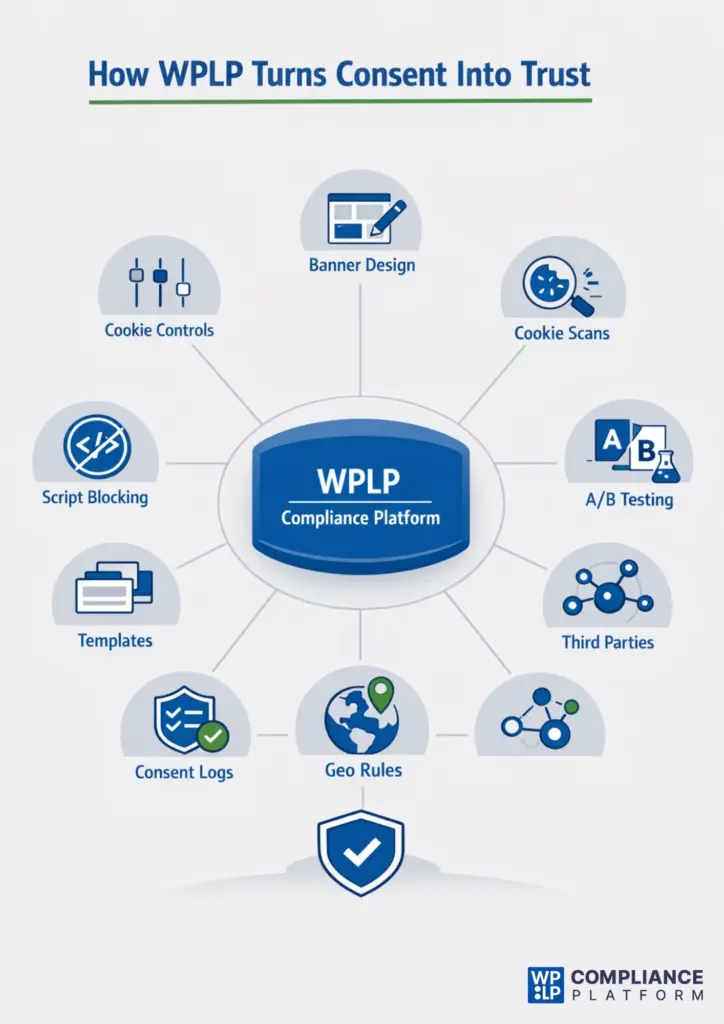
Analyzing various metrics and dimensions may take up a lot of time. You may need different tools for scanning cookies, checking logs, testing banners, reading user behavior, or more.
The WPLP compliance platform brings all these tasks into one simple dashboard.
You get a clean space where you can study your data, test new ideas, and improve your banner without stress.
Each feature that you find in this plugin provides you with accurate numbers that help you make your changes fast.
Here’s how each feature of WPLP can help you improve your consent rate:
Flexible Cookie Settings Control
You get control over banner timing, layout, placement, and behavior. You can test different times & positions, and fix the issues like early pop-ups or late displays. This will help in reducing ignored actions of the users and improve user flow.
Clear Cookie Banner Design
In here, you’ll get a live preview of layouts, colors, spacing, and button styles. It can let you fix unclear designs very fast.
Detailed Cookie Scanning Insights
This is one of the most important features. After scaling the cookies on your site, you’ll find the total cookies, categories, scan date, and next scan. You can update your banner text based on the cookies you come across to improve the clarity.
Smart Consent A/B Testing
This feature allows users to compare the performance of two cookie banners. This will help you identify which banner design, wording, or placement is more effective in gaining user consent.
Protective Script Blocking
This means the list of third-party scripts that get blocked until consent is given. Users trust banners that protect them; this will lead to a higher acceptance.
Transparent Consent Log Access
You get to see the log that contains users’ IP addresses, their country, consent status (accepted, rejected, or partially accepted), and the date they visited. Using this data, you can understand which regions need clearer text. You can also see how trust changes across devices & locations.
Accurate Geotargeting
As discussed before, geo-targeting refers to region-based display rules. You can show detailed banners in strict areas & simple banners in relaxed areas.
Ready to Use Banner Templates
They’re the ready-made designs that follow the best design rules you can use in one click. You can avoid amateur design mistakes and get a clear banner quickly.
Clear Third Party Details
Here, you’ll get clear info about each third-party cookie. You can write simple explanations, making use of this data. Users understand the purpose and start trusting your choices more.
FAQs
The following are the best practices that help you create a good cookie banner.
• Use short text
• Use soft colors
• Add clear buttons
• Keep the layout clean
• Give simple control
Let’s look at the common errors that make users skip your cookie banner:
• Long text
• Hard words
• Poor timing
• Small buttons
• Crowded design
You can right-click a page and check the cookies used in a webpage – go to inspect > Application > Cookies. But the thing is, this takes time and feels very slow. A tool like the WPLP Compliance Platform makes this work easy. It shows clean logs & simple charts in one place.
Yes, Google Analytics uses cookies to study user behaviour. It uses these cookies to track visits and page views. In your reports, look at Reports > Engagement > Events. Even though GA4 doesn’t show a cookie count directly, you’ll see user and session metrics that are driven by cookies & client-IDs.
Cookie tracking helps you understand how users move on your site. It shows what they view and what they click. This helps you improve pages, fix weak areas, and build a smoother UX.
Conclusion
We’ve unpacked quite a lot. Now, let’s quickly revise what we’ve covered so far.
We’ve looked at:
- The main parts of cookie consent analytics.
- We’ve seen how each metric shows real user behavior.
- Then, we’ve seen how clear insights help you make smart changes.
You now know how design, text, trust, timing, device care, and region play a strong role in user choice. You also know how data helps you study each area in a simple way.
The key takeaway from this blog should be that small & steady changes can improve your banner. You should maintain a clear text, clean layout, right timing, and simple control. This can increase the user’s trust significantly.
Trust is what we need to establish with the users at the end of the day. When users feel safe, they act fast and make honest choices. A clear banner can help you create that experience for your visitors.
If you found this article helpful, you should also go through the following.
- Will the ePrivacy Regulation Update Replace the Cookie Directive?
- Understanding If the Analytical Tools Can Be Privacy-Friendly.
- Strictness of Cookie Consent Laws in Asia-Specific Regions.
Scan your site cookies and fix your banner with ease using the WPLP Compliance Platform today!