Building a website that collects user data? If so, then you must know about implementing a cookie consent solution.
Data is the new oil that fuels every digital business to sustain in the long run. It helps you analyze past data and user behavior, and find patterns about specific user actions.
While you might wonder how your website can also gather users’ data, cookies are the solution. If you are wondering how your business can fetch similar data? Then you might also consider implementing cookies on your website as the best solution.
Although implementing cookies is relatively simple, it is essential to follow a set of guidelines as you are directly interfering with users’ personal and behavioural privacy.
In this guide, you’ll learn the best practices for implementing cookie consent including banner design, consent management, and compliance essentials.
Want to implement cookie consent easily?
Use the WPLP Compliance Platform, a compliant, plug-and-play solution that gets you set up in minutes.
Get WPLP Compliance Platform →
Best Practices for Cookie Consent
Below are a few best practices for Cookie Consent.
1. Use Clear & Visible Cookie Banners
- Place banner at the top or bottom of the page
- Use simple, jargon-free language
- Avoid dark patterns that obscure the reject option
- Ensure accessibility: keyboard navigation, screen reader support, high contrast
2. Provide Granular Consent Options
- Essential: required for the site to function
- Analytics: tracks user behaviour and performance
- Marketing: enables targeted advertising
Users must be able to choose — no pre-checked boxes, no forced acceptance.
3. Allow Easy Consent Withdrawal
- Add a persistent “Cookie Settings” link (e.g., in the footer)
- Let users update or withdraw consent at any time
- Withdrawal must be as easy as giving consent
4. Block Cookies Before Consent
- Non-essential cookies must not fire before the user approves
- Only essential cookies should run by default
- Test your setup to confirm no leakage
5. Maintain Consent Logs
- Record the timestamp of each consent action
- Log which preferences were selected
- Required for GDPR audits and enforcement responses
6. Link to Your Cookie Policy
- Banner should link directly to a full cookie policy page
- Explain what each cookie type does and who it’s shared with
- Keep the policy updated as your cookie usage changes
What is Cookie Consent?
Have you ever gone to a website and surfed around on it for a bit, then discovered the advertisements for the same website popping up on search and social sites in just half an hour?
If you are curious how this occurred, it’s due to website cookies.
Similarly, various cookies have different functions. They are little computer data files containing information stored on machines that record users’ activity, browsing habits, and behavior.
Although websites have the right to gather cookies, as long as they have gained the legal permission of users. (theoretically referred to as cookie consent)
Importance and Relevance of Cookie Consent
Cookie consent is a core standard of international data privacy law that guarantees transparency and user control regarding the collection of personal information.
1. General Data Protection Regulation (GDPR)
Article 7 (Conditions for Consent) and Recital 32 of the GDPR highlight that consent should be unambiguous, specific, informed, and freely given.
It requires websites within the European Union to provide explicit notice of the use of cookies and enable users to accept or refuse them in an opt-in mode that requires explicit user consent prior to cookie use.
2. Consumer Privacy Rights Act (CPRA)
Under Section 1798.120 of the Consumer Privacy Rights Act (CPRA), Calafornia businesses are mandated to offer opt-out choices for non-essential cookies, promoting transparency and user control over their information.
It permits businesses to collect users’ data by default, as long as they have to provide users with the choice to opt out of data collection.
3. Personal Information Protection and Electronic Documents Act (PIPEDA)
Similar to CPRA, Canada’s Fair Information “Principle 3” (Consent), as laid down by legislation, the Personal Information Protection and Electronic Documents Act (PIPEDA), also mandates meaningful consent such that people have full comprehension of data collection’s purpose, nature, and effects.
The legislation is opt-out, yet it compels organizations to publish clear and intelligible information about their cookie usage.
4. LGPD Brazil’s General Personal Data Protection
Similar to the other listed laws, Brazil’s General Data Protection Law (Lei Geral de Proteção de Dados) gives cookie consent top billing under Article 8, which emphasizes the need to seek explicit and informed consent from Brazilian residents before personal data is processed, including through the use of cookies.
How To Comply with the Cookie Consent Regulations?
You probably might have understood by now how crucial cookie consent is and the role it plays.
If you are creating a new website and are aware of the legal requirements, one easy way to comply with the regulations is to use a cookie consent solution.
A cookie consent solution is essentially a consent management platform that provides website owners with control over the collection of users’ data and ensures compliance with global data protection laws.
Best Practices for Implementing a Cookie Consent Solution
While I mentioned that a cookie consent solution can help you comply with laws and also facilitate data collection, there are certain components that you must take into account.
Every cookie consent solution offers a range of features and functionalities, with some providing a few unique ones.
If you are wondering what features you should look for to align with the best practices to implement a cookie consent solution, then I would recommend that you primarily focus on two key factors: Cookie design and placement, and user consent management.
Let’s now discuss these in detail
1. Cookie Banner Design and Placement
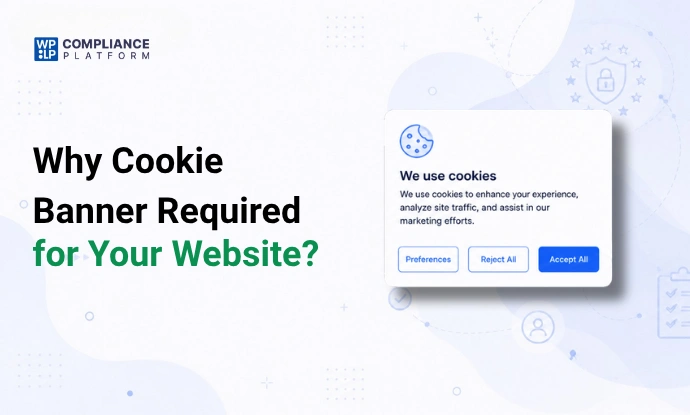
When a user lands on your website, the best way to inform them about your use of cookies and tracking their data is to do so via an opt-in pop-up and banner.
It serves as the primary interface through which users learn about cookie usage and are prompted to provide their consent.
As previously mentioned, almost every law highlights the importance of visibility and clarity of consent solutions. The primary feature of an innovative cookie consent solution is its banner design and placement, which boasts essential features such as clarity, visibility, and accessibility.
- Your cookie banner on your website should be readily accessible and highlight significant content or navigation options. The optimal place to put the cookie banner is at the top or bottom of a webpage so that users will see it at once.
- Moreover, the banner must be unambiguous in terms of the language employed as well. The banner must employ clear and simple language that does not incorporate technical jargon and lengthy descriptions that can confuse visitors.
- Accessibility is yet another necessity of a cookie banner, even accessible to people with disabilities. It should be able to work with a keyboard, be compatible with screen readers, and have good color contrast to allow for easy reading.
2. User Consent Management and Preferences
User consent management is a crucial component of any effective cookie consent solution. It should allow users to control their data privacy, including features like:
Granular Consent Options: Users should be able to choose which types of cookies they want to accept or decline. This includes options for essential cookies (required for the website to function), analytics cookies (used to track user behavior), and marketing cookies (used for targeted advertising).
Preference Center: A dedicated preference center allows users to modify their cookie settings at any time. This is a necessary functionality that ensures transparency with users to easily update their choices without leaving the website.
Simple Withdrawal of Consent: Global laws mandate that users should be able to withdraw their consent as easily as they provided it. A consent solution must provide users with straightforward opt-out options, ensuring they can manage their privacy preferences without confusion or difficulty.
Documentation of Consents: Businesses must maintain a record of user consent, including details of who provided the consent, when it was given, and what information was shared at that time.
3. Other Required Key Component
Another key component to consider when selecting a cookie consent solution is the types of cookies it offers. You should look for a solution provider offering essential cookies, like essential, analytical, and marketing cookies.
- Essential Cookies, as the name suggests, are crucial for a website to function properly. Without them, the site cannot perform basic tasks like moving between pages or accessing secure areas. (e.g., session cookies, authentication cookies).
- Analytical cookies collect information about how users interact with a website. They track metrics such as page views, user time spent, and heatmaps of user behavior patterns. This data helps website owners understand performance and improve the user experience.
- Marketing cookies, on the other hand, track users across different websites, which helps businesses show ads that match users’ interests and browsing habits and fosters running paid ads across various channels.
Technical Steps for Cookie Consent Implementation
Now that you know the best practices for implementing a cookie consent solution, let’s take a deep dive and understand the technical steps involved in its implementation.
Below are the primary technical steps necessary to successfully put a cookie consent solution into practice:
1. Identifying and Categorizing Cookies on Your Website
To set up a cookie consent solution, start by examining the cookies on your website. This includes identifying cookies and keeping records.
- You should find all the cookies your site uses, understand their purpose, and group them into categories.
- You should additionally maintain a detailed log of each cookie’s purpose, duration, and any involvement with third parties. This log is essential for creating your cookie policy and ensuring compliance with regulations such as GDPR and CCPA.
2. Integrating a Consent Management Platform (CMP)
A CMP helps manage user consent for collecting and tracking data, ensuring that organizations respect user privacy and follow the law.
Using a Consent Management Platform (CMP) is important for organizations that want to comply with data privacy laws like GDPR and CCPA.
3. Setting Up Automatic Cookie Blocking Before Consent
To comply with regulations such as GDPR, you must ensure that non-essential cookies are not activated until you obtain user consent. You can do this by:
- Develop a system that prevents non-essential cookies from being set until the user explicitly confirms their acceptance. This usually means changing the cookie-setting script to check for user consent first.
- Test your setup thoroughly to make sure all non-essential cookies are blocked until consent is given. Only essential cookies should work during this time.
4. Logging and Storing User Consents
Keeping track of user consents is important for a cookie consent system. This practice helps ensure compliance with data protection laws like GDPR and CCPA.
It also builds user trust by showing that you are transparent about how their data is handled.
How to use the WPLP Compliance platform?
If you have a WordPress website, the WPLP Compliance platform can be a robust solution for implementing cookie consent.
It is a suite of WordPress tools that features two powerful plugins, including a privacy policy and Cookie Consent management. , which is IAB TCF v 2.2 certified and a registered Google CMP partner.
Step 1: Installing the Cookie Consent Management Plugin
To get started, go to your WordPress dashboard and follow these steps:
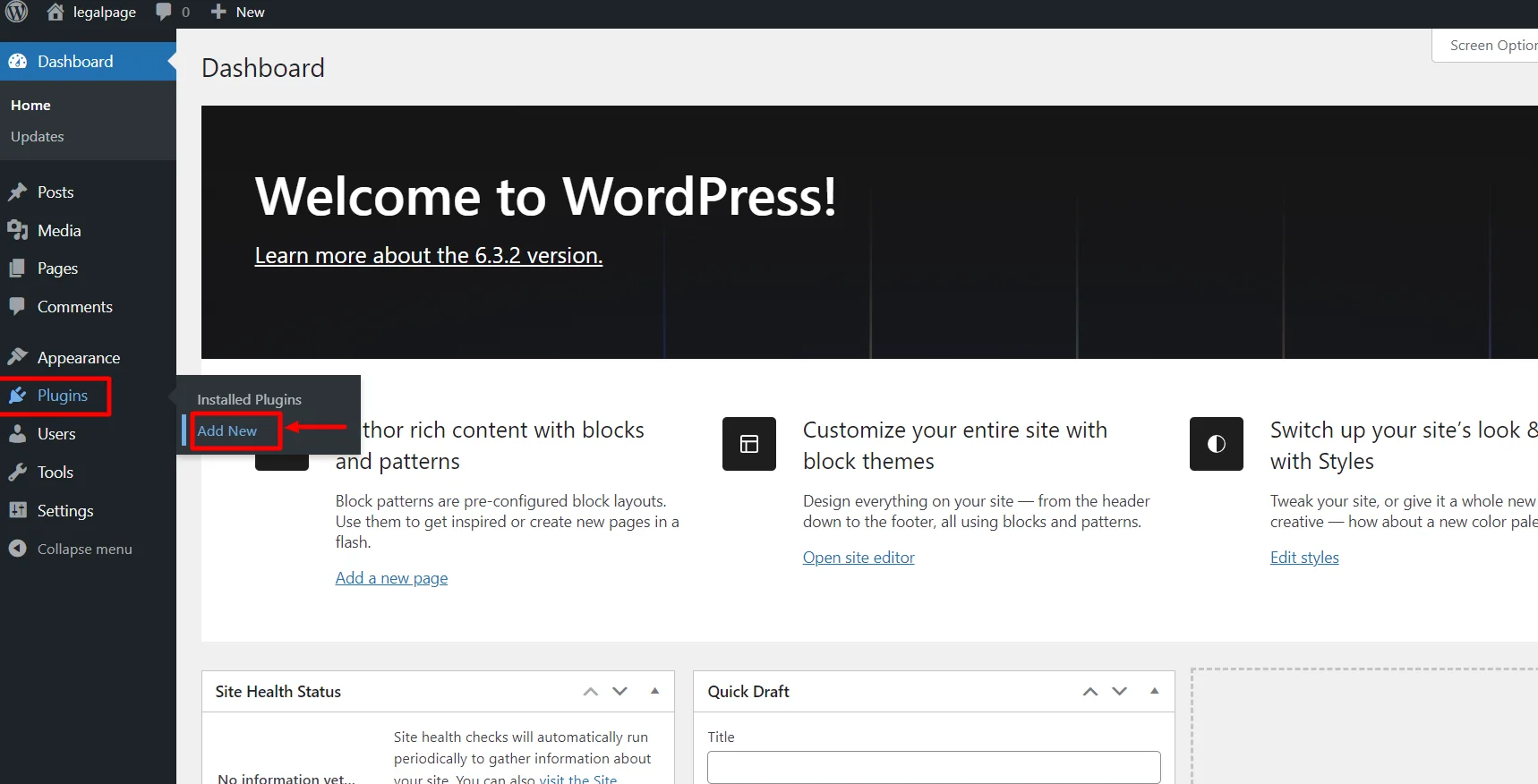
Navigate to Plugins > Add New
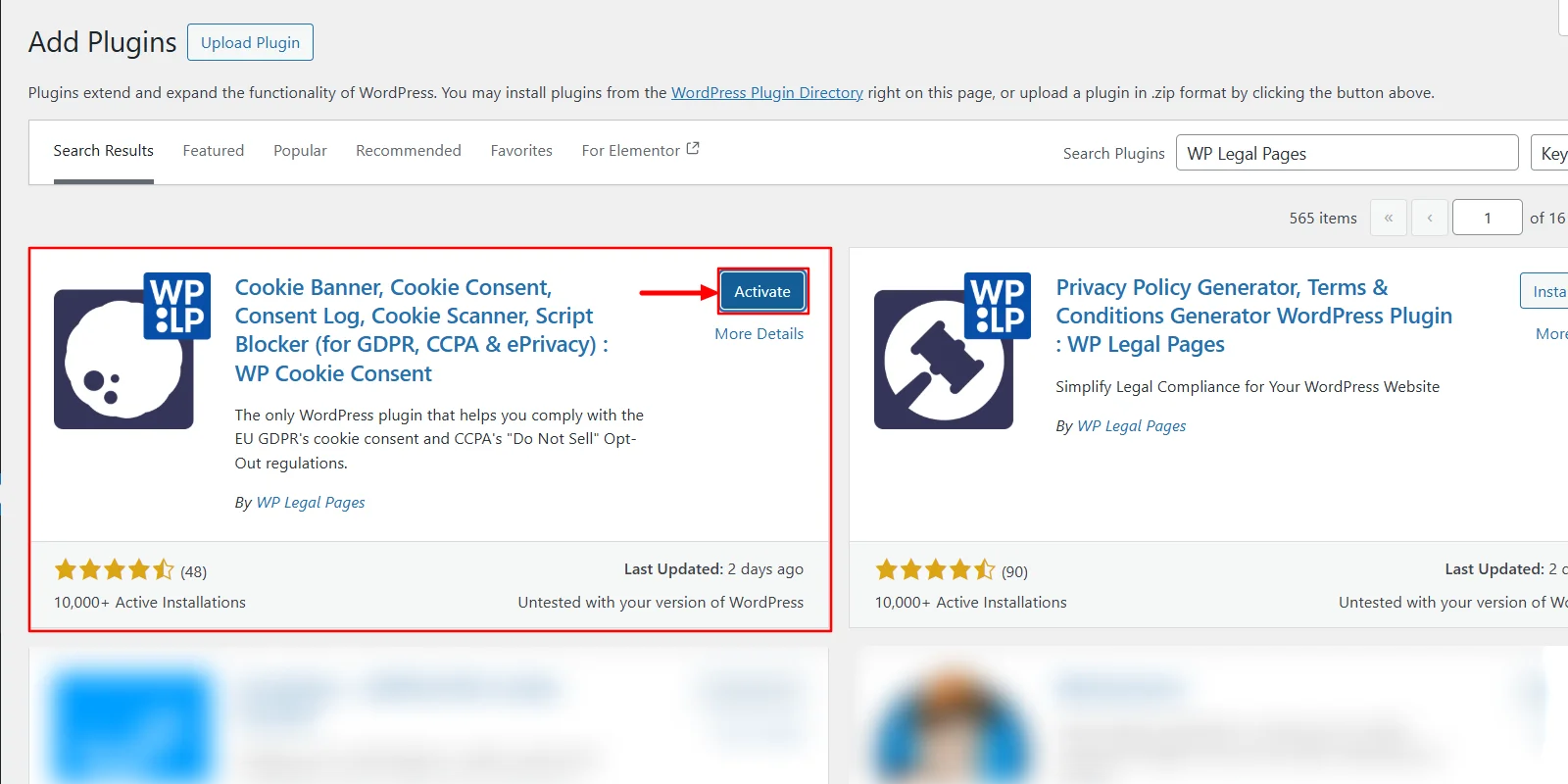
In the search bar, type WPLP. Click the Install Now button to begin the installation. Once installed, select Activate to enable the plugin.
Step 2: Create an Account on WPLP
Now that your plugin is active, it’s time to configure your cookie settings:
From your admin dashboard, head to Cookie Consent. To access advanced features like Cookie Scanner, Advanced Dashboard, and Geo-Targeting, click on New? Create a free account.
A pop-up will appear, prompting you to create an account. Clicking this will redirect you to app.Wplegalpages.com.
Fill in your details to sign up and then click the Sign-up & Connect button.
Finally, select Connect site to WP Cookie Consent plugin, and you’re all set!
That’s it! Your free account has now been created, giving you access to enhanced functionalities for better cookie management.
Step 3: Setting Up Wizard
In this step, we will get started with the Cookie Consent Wizard.
To access the Wizard, go to the WordPress dashboard and navigate to Cookie Consent.
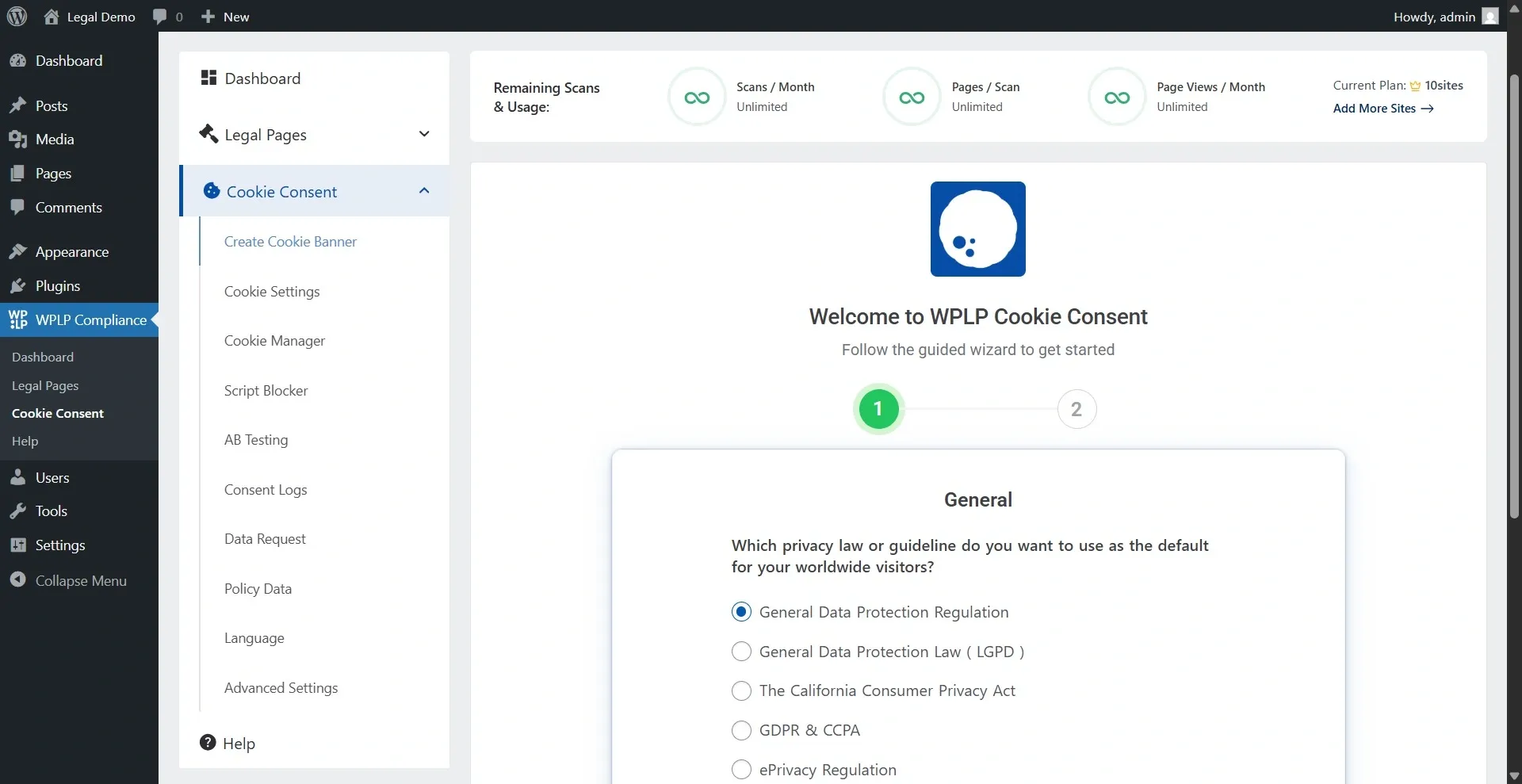
Select the privacy law you want your banner to comply with, and the next question you receive will vary depending on the privacy law you selected.
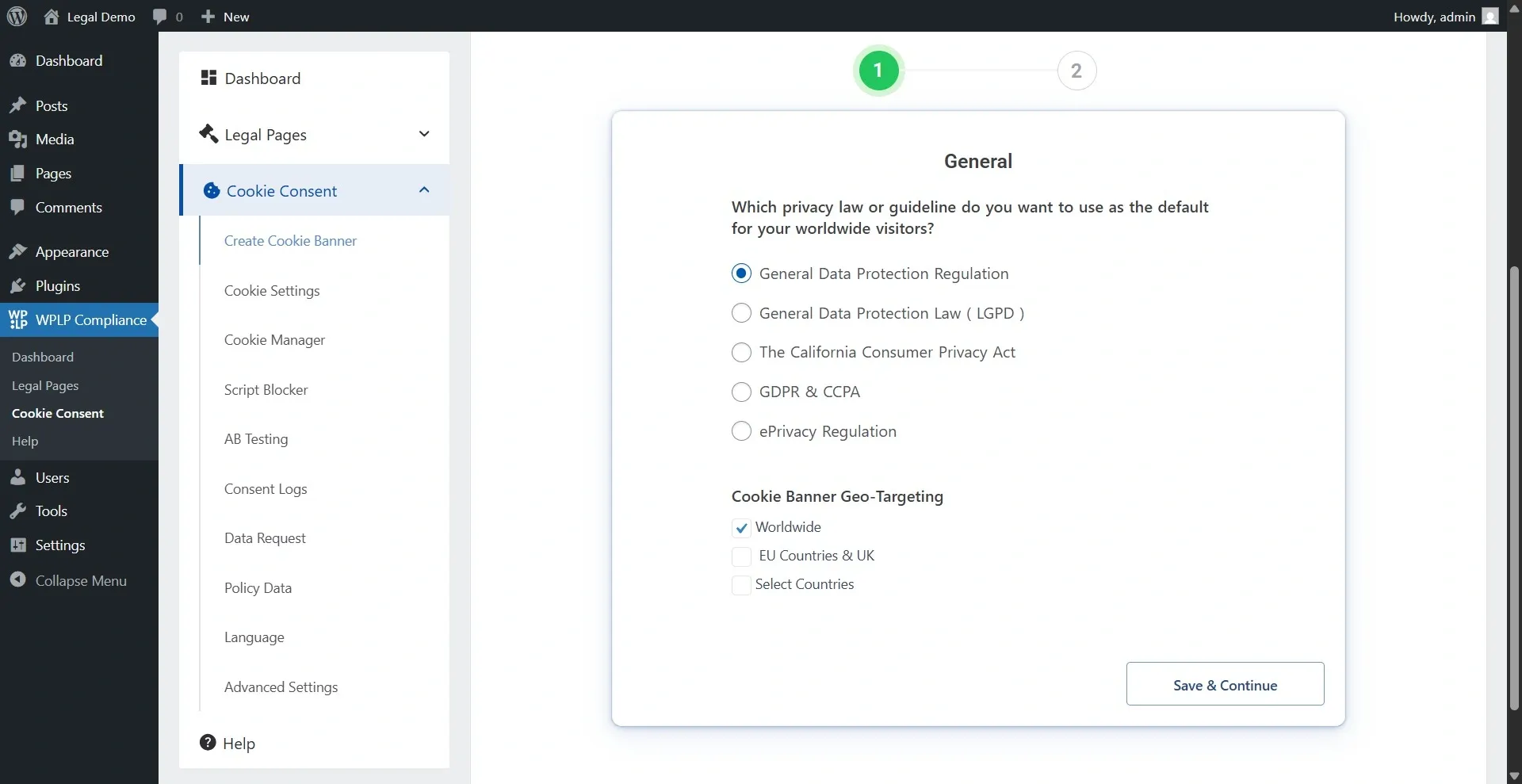
Please note that Geo-targeting settings are limited to users with a premium subscription.
- Once you’ve selected the option, click on Save & Continue.
- This will take you to the Configuration tab.
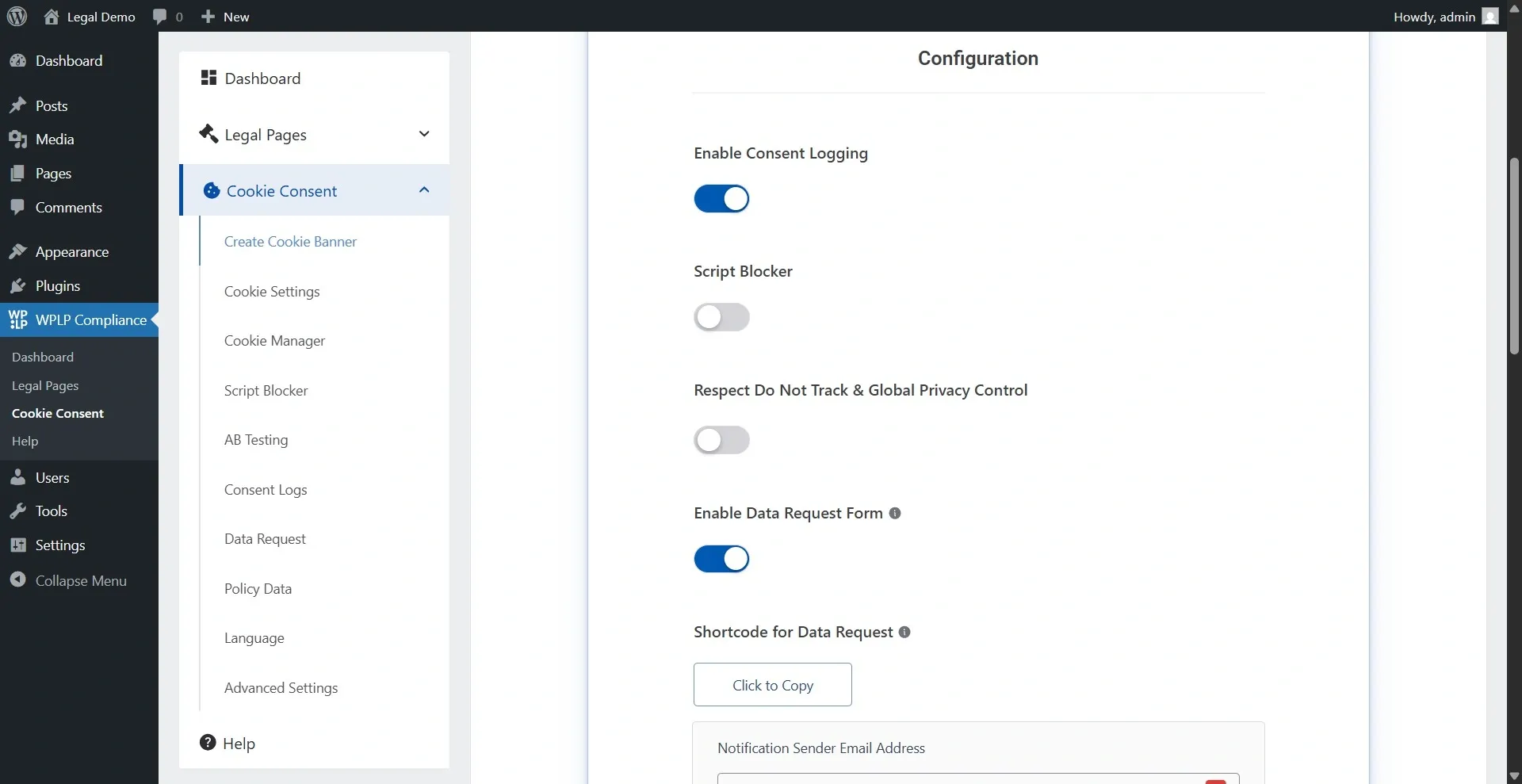
Now you will get options like:
- Enable Consent Logging records and track user consent choices regarding data collection and website processing. It is like recording when people say ‘yes’ or ‘no’ to using cookies or collecting their data on a website. Users can see and change their privacy settings with it.
- Script Blocker lets users control which website scripts related to cookies they want to allow or block. This helps users manage their privacy preferences in line with GDPR, enhancing privacy and security by preventing unwanted tracking and ads.
Congratulations, your banners are now live!
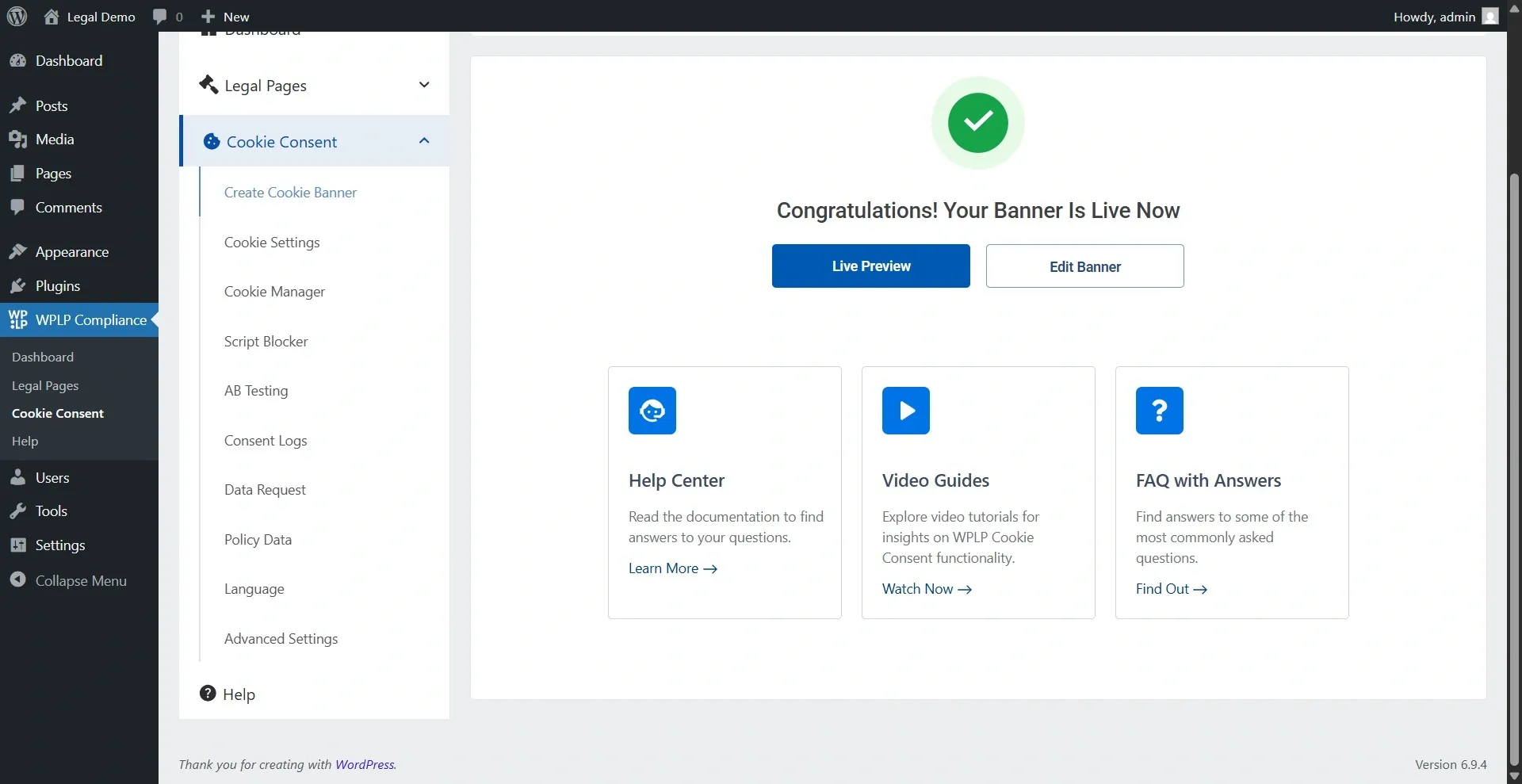
And there you go, your banner is live now.
FAQ
The primary purpose of cookie consent is to inform users about the use of cookies on websites and obtain their permission before placing cookies on their devices.
To make your WordPress site cookie compliant, you can use tools like WP Legal Pages and Cookie Consent plugins to create a cookie policy. Set up a consent banner and keep track of user preferences.
WP Legal Pages for policies regarding cookies and the Cookie Consent plugin for managing banners, tracking consent, and handling preferences.
Conclusion
Implementing a robust cookie consent solution can help you align with global laws and regulations, ensuring your business adheres to best practices for compliance.
By following the best practices in this guide, organizations can manage user consent effectively, improve transparency, protect sensitive information, and deliver a better user experience.
If you liked the article, you can also consider reading:
- Ultimate Guide to Make Your WordPress Website Cookie Compliant
- Step GDPR Compliance Checklist You Need To Follow
- What Are Functional Cookies? – An Ultimate Guide
Grab the Cookie Consent Compliance Platform now!