Summary
The article shows how to add and display Privacy and Cookie Policies correctly in WordPress, including the best placement for compliance. These pointers will help website owners stay transparent, user-friendly, and legally compliant.
Creating Privacy and Cookie Policies for a WordPress website can feel confusing and overwhelming.
Many site owners copy policies from other websites, rely on outdated templates, or use complex legal language they don’t fully understand -putting their website at risk of non-compliance and user distrust.
Here’s the problem: if your policies aren’t clear, accurate, and legally compliant, visitors may refuse consent, abandon your site, or worse, regulators may consider your site non-compliant under laws like GDPR and CCPA.
In this article, you’ll learn what Privacy and Cookie Policies are, why they’re required, how they differ, and step-by-step how to create them correctly for your WordPress site, including best practices to stay compliant as your site grows.
Why every Website needs a Privacy & Cookie Policy
Many website owners mistakenly believe that if they aren’t selling products, they don’t need a privacy policy, but this is not true.

Governments around the world have created strict data protection laws to protect user information, and many of these laws apply even if your business is based in another country.
This means that even if you run a US-based blog, you must comply with EU laws if visitors from the EU access your site. In addition to legal requirements, most third-party tools mandate a privacy policy in their Terms of Service.
Platforms like Google AdSense require you to explain how cookies are used for advertising, Google Analytics requires disclosure of user tracking practices, and Amazon Associates explicitly demands specific affiliate disclosures.
Beyond compliance, a clear and professional Privacy Policy helps build user trust. Transparency reassures visitors that their data is handled responsibly, leading to higher conversion rates and lower bounce rates.
Global Privacy Laws Affecting Websites
Many international privacy laws have been passed to safeguard people’s rights to privacy policies as worries about data security and privacy continue to pose a threat.
These regulations impose obligations on businesses based on their size, the kind of data they gather, and their location.
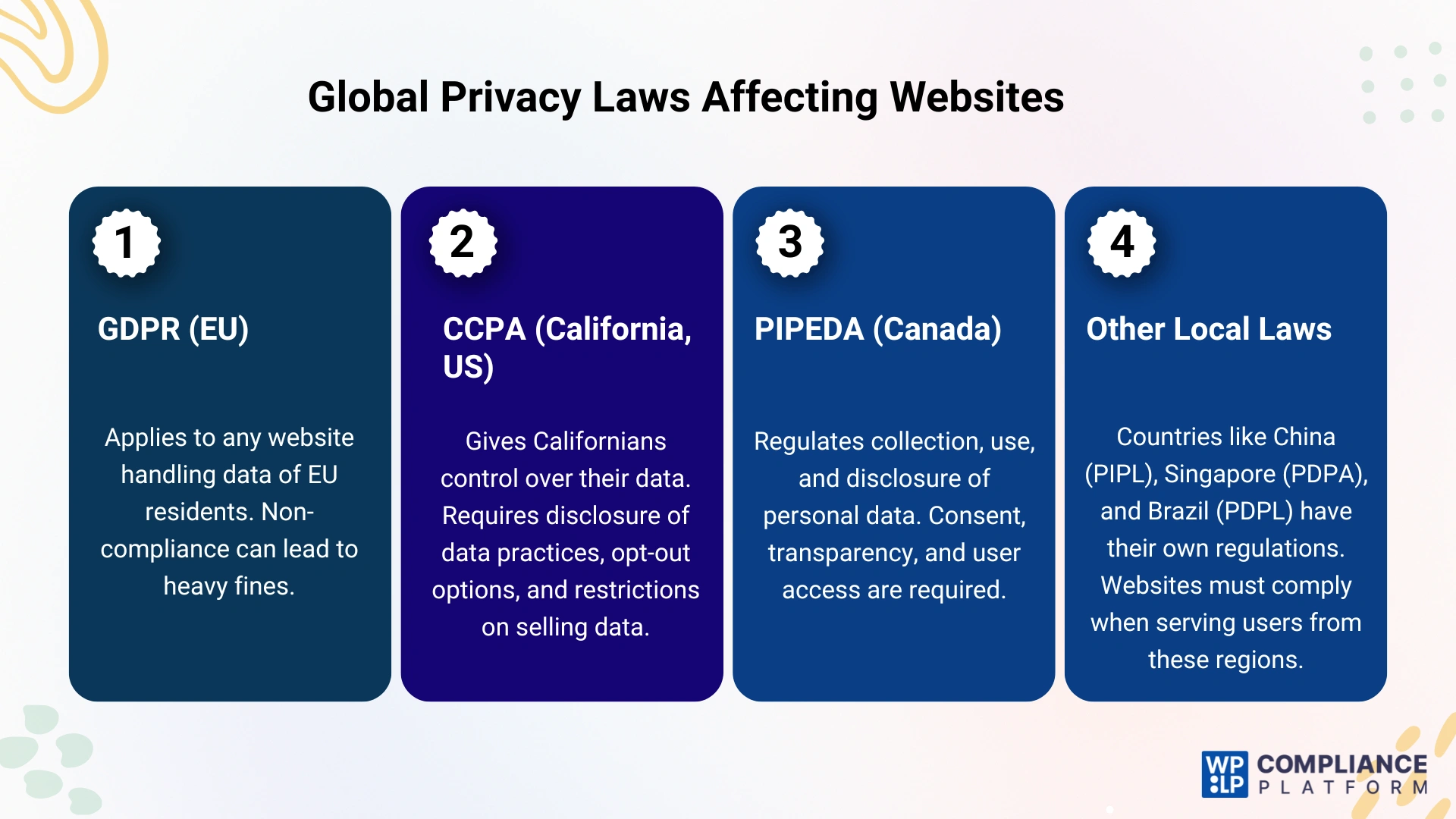
1. General Data Protection Regulation (GDPR)
One of the world’s most extensive data privacy regulations is the General Data Protection Regulation (GDPR), maintained by the European Union (EU). It applies to any entity worldwide that manages personal data for EU residents.
Business websites that collect data from EU citizens must comply with GDPR; otherwise, they might face hefty fines and legal repercussions.
2. California Consumer Privacy Act (CCPA)
Due to the California Consumer Privacy Act (CCPA), Californians have significant control over the data businesses store. This law has a considerable economic impact, as it applies to businesses that handle data belonging to Californian individuals or operate in the state.
Websites that market their business in California must comply with the California Consumer Privacy Act (CCPA). These regulations require them to disclose their data collection practices, provide opt-out options, and refrain from selling personal data without authorization.
3. Personal Information Protection and Electronic Documents Act (PIPEDA)
The federal privacy law of Canada, known as PIPEDA, regulates the collection, use, and disclosure of personal data. While it pertains to Canadian-based firms, businesses that manage the data of Canadian citizens may fall under its extraterritorial jurisdiction.
It entails obtaining consent before processing their data, explaining why it is being collected, safeguarding personal data, and allowing people to access it.
4. Other Local Regulations
Many nations have established their own data protection rules in addition to these crucial international privacy legislations. Examples of such laws are the Personal Information Protection Law (PIPL) in China, the Personal Data Protection Act (PDPA) in Singapore, and the Personal Data Protection Law (PDPL) in Brazil.
Businesses catering to visitors in these countries must abide by their respective privacy legislation to prevent legal ramifications.
Is It Necessary To Create a Privacy Policy for My WordPress Site
Developing a privacy policy for your WordPress site is critical and necessary for compliance with applicable law.
1. Legal Compliance
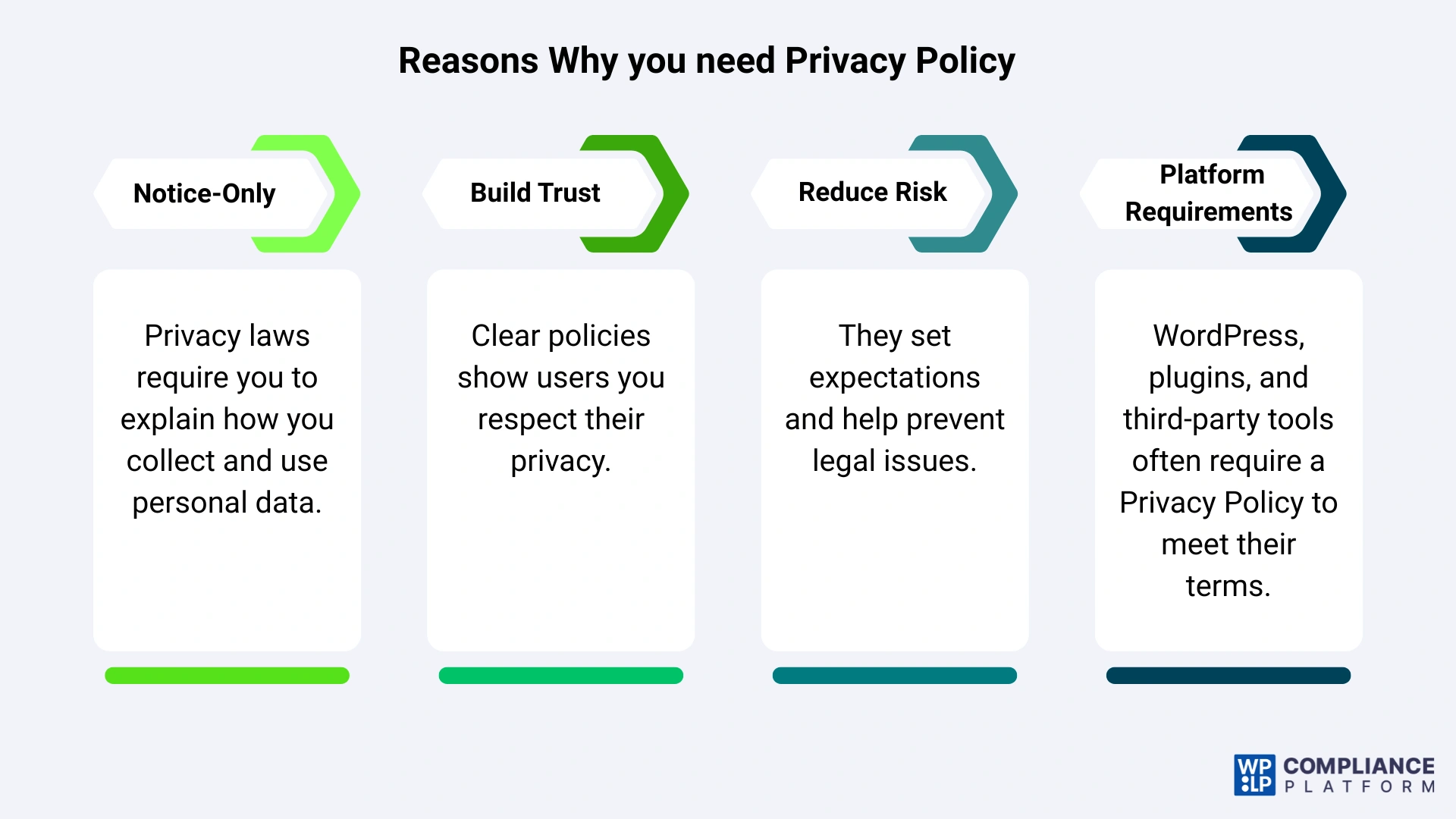
If your site is collecting personal information in multiple states, you need a privacy policy. Often ,this is a state or national requirement if you are governed by various laws, such as the General Data Protection Regulation (GDPR) in Europe, and the California Consumer Privacy Act (CCPA) in the United States.
If you collect any personal data, including names, emails, or payment information, then you are required to notify users of how you create and store that data.
2. Building Trust
Having a privacy policy communicates your respect for your users and their data.
By explaining your collection of data and user privacy, you are demonstrating the value you place on their privacy, meaning a policy is important when using tools like Google Analytics or when using any advertising networks.
3. Lowering Legal Risks
Having a privacy policy also limits your risks. The privacy practices in the policy are what the users agree to, which might protect them against any legal problems. A simple policy can be seen as a contract describing the above practices and expectations about data.
4. Following WordPress Terms of Service
Because WordPress is used for your site, it does not mean that you need to be compliant with specific applicable laws, including laws governing data protection. Failure to comply with a privacy policy, either in your own policy or WordPress’ Terms of Service, may violate the terms of service.
Factors to Consider Before Crafting a WordPress Privacy Policy
When drafting a privacy policy for your WordPress website, think about the essential elements that will provide clarity for your users and build their trust in your content.
1. Information You Collect
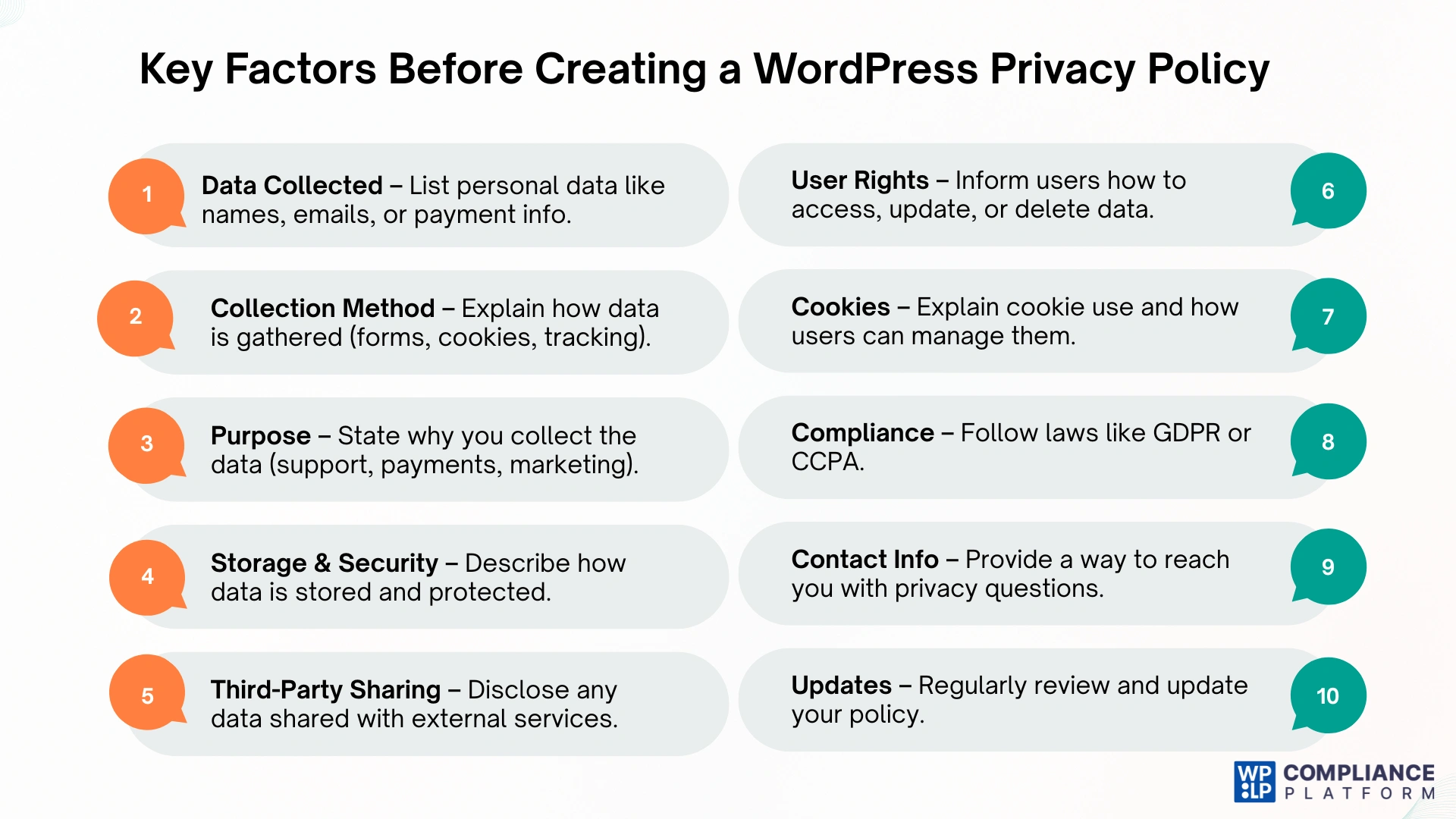
Indicate what personal information your site collects from users, such as name, email address, payment information–anything that may identify a user as an individual. Transparency in what you collect will allow your users to trust you, and it usually complies with privacy laws such as GDPR or CCPA.
2. How You Collect Information
Clarify how you collect information. Often, this will be by the users filling out a form, but it could also be with cookie tracking or other technologies. Users should have an idea about how and even why they are tracked (and be given the opportunity to consent to it).
3. Why You Collect Data
List the purpose of your data collection. This could be to process a payment, to provide user support, to enhance services, or even to advertise. Clearly stating your purpose provides users with a more well-rounded view of how you will potentially use their data.
4. How You Process and Store Data
Tell users how you plan to process, store, and protect data. Include the steps you will take to keep their personal information secure, and document how you will keep it safe from unauthorized access and attention.
5. Sharing Information with Others
If you will be sharing some portion of user information with third-party services, such as advertisers or providers of other services, an explanation of what is shared, and even whether it will be individually identifiable, will show users your willingness to be transparent.
6. User Rights
Inform users so they are aware of their rights regarding their personal data. This may include accessing, correcting, or deleting personal data, along with clear explanations of how users can exercise these rights to comply with laws like GDPR.
7. Cookies and Tracking Technologies
An additional section should be included outlining how your site uses cookies and tracking technologies. You should include how cookies and tracking technologies function, and how users can administer their cookie preferences and settings.
8. Following the Law
Ensure that your privacy policy complies with the applicable privacy legislation imposed by the audience you are conveying it to. You will also need to recognize and describe any specific rights that users have or requirements of the laws.
9. Contact Information
Just to put the user at ease, be transparent and let them know who to contact if they have questions about privacy. This may be a contact form or your email address where users can ask you about their personal data.
10. Keep It Updated
You should have a plan in place to regularly audit and update your privacy policy to reflect how you collect, use, or handle data as well as to comply with new legal requirements.
What a Privacy Policy must include
To be legally compliant, your Privacy Policy shouldn’t be a generic block of text. It must be specific to your business operations. Every policy should cover:
- Information Collection: What data do you collect? (Names, emails, IP addresses, credit card info).
- Method of Collection: How do you get it? (Contact forms, cookies, user registration).
- Purpose of Processing: Why do you need this data? (To send newsletters, to improve UI, to process orders).
- Third-Party Disclosure: Do you share data with Mailchimp, Google, or Facebook?
- Data Retention: How long do you keep the data?
- User Rights: How can users access, edit, or delete their data?
- Contact Information: A physical address or email for privacy inquiries.
What a Cookie Policy must include
A Cookie Policy is often a subsection of the Privacy Policy, but for GDPR compliance, it is best handled as a standalone document or a very clearly defined section.
What are Cookies? Cookies are small text files stored on a user’s browser. They remember login details, shopping cart items, and tracking preferences.
Essential vs. Non-Essential Cookies
- Strictly Necessary: Required for the site to function (e.g., keeping a user logged in).
- Analytics/Performance: Tracking how users move through the site.
- Marketing/Targeting: Used by Facebook Pixels or AdSense to show relevant ads.
Your policy must include:
- A list of the types of cookies used.
- The purpose of each cookie.
- Instructions on how users can change their cookie settings or “Opt-out.”
Examples of Different Niches
Generic templates often fail because different industries handle different types of data. But if you are using the WPLP Compliance Platform, you can create legal pages for different websites such as:
Gym & Fitness Websites
If users’ personal information is collected on your gym website and you are subject to data privacy rules, you should have a privacy policy.
Personal data is frequently collected when a user joins a class, registers for a membership, and provides their name and email address to receive a newsletter or make purchases on a gym website.
However, having a privacy policy is also great since it promotes a more positive, trustworthy connection by informing your consumers about what information you gather from them and how you use it.
E-commerce & Business Websites
Business websites handle financial transactions. Your policy must name the payment processors (Stripe, PayPal) and state that you do not store credit card numbers on your own servers (if applicable).
Your business needs a privacy policy because it is essential to comply with data protection laws. Not having a privacy policy will incur a heavy fine on your website.
SaaS (Software as a Service)
SaaS companies track “Usage Data.” You need to disclose if you are tracking clicks, time spent on features, or IP addresses for security and licensing purposes.
How to add the Policy in WordPress
Installing the tool is an easy process. Simply follow the steps below, and you’ll finish instantly.
Step 1: Install the WP Legal Pages plugin
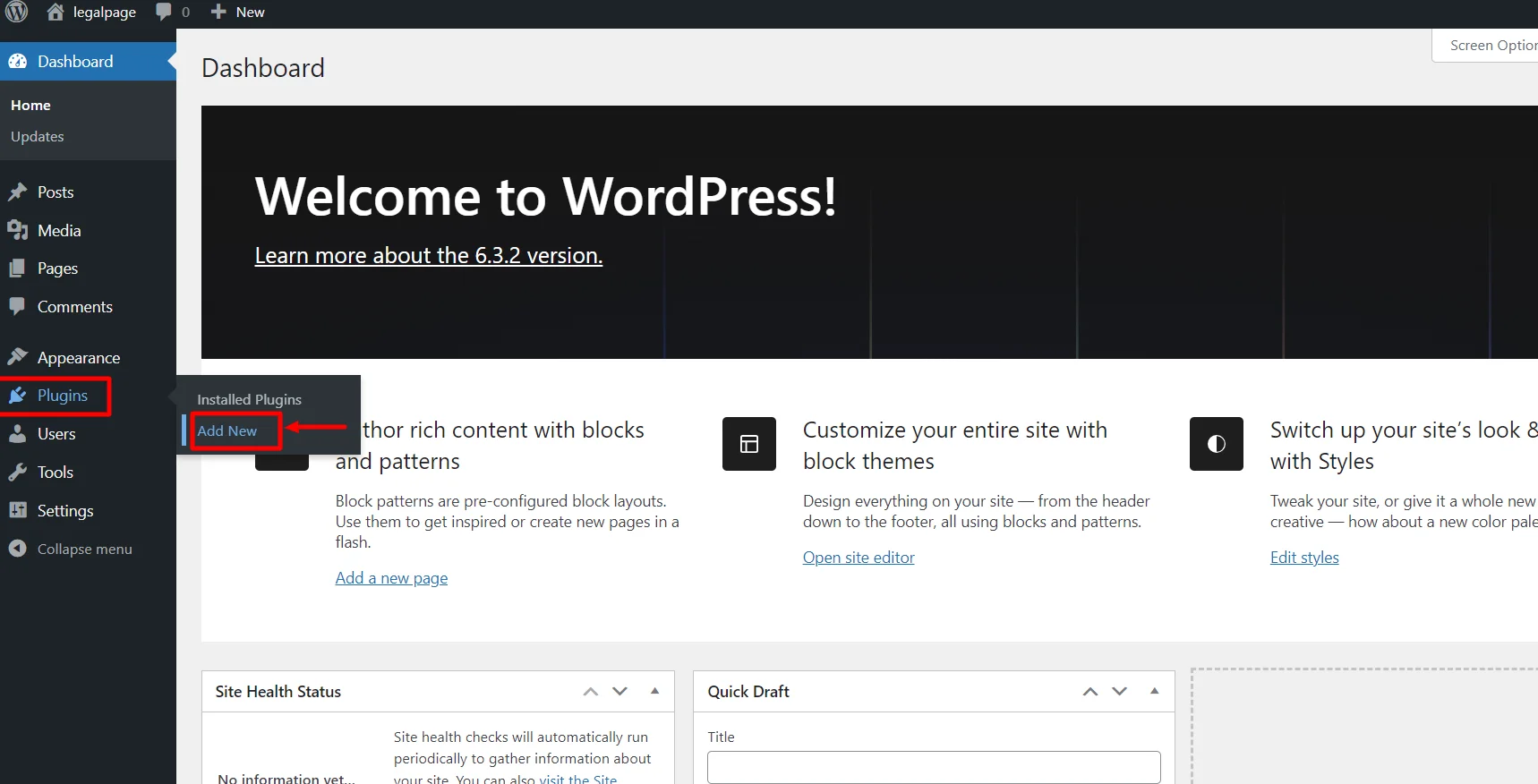
From your WordPress Dashboard, click on Plugins > Add New.
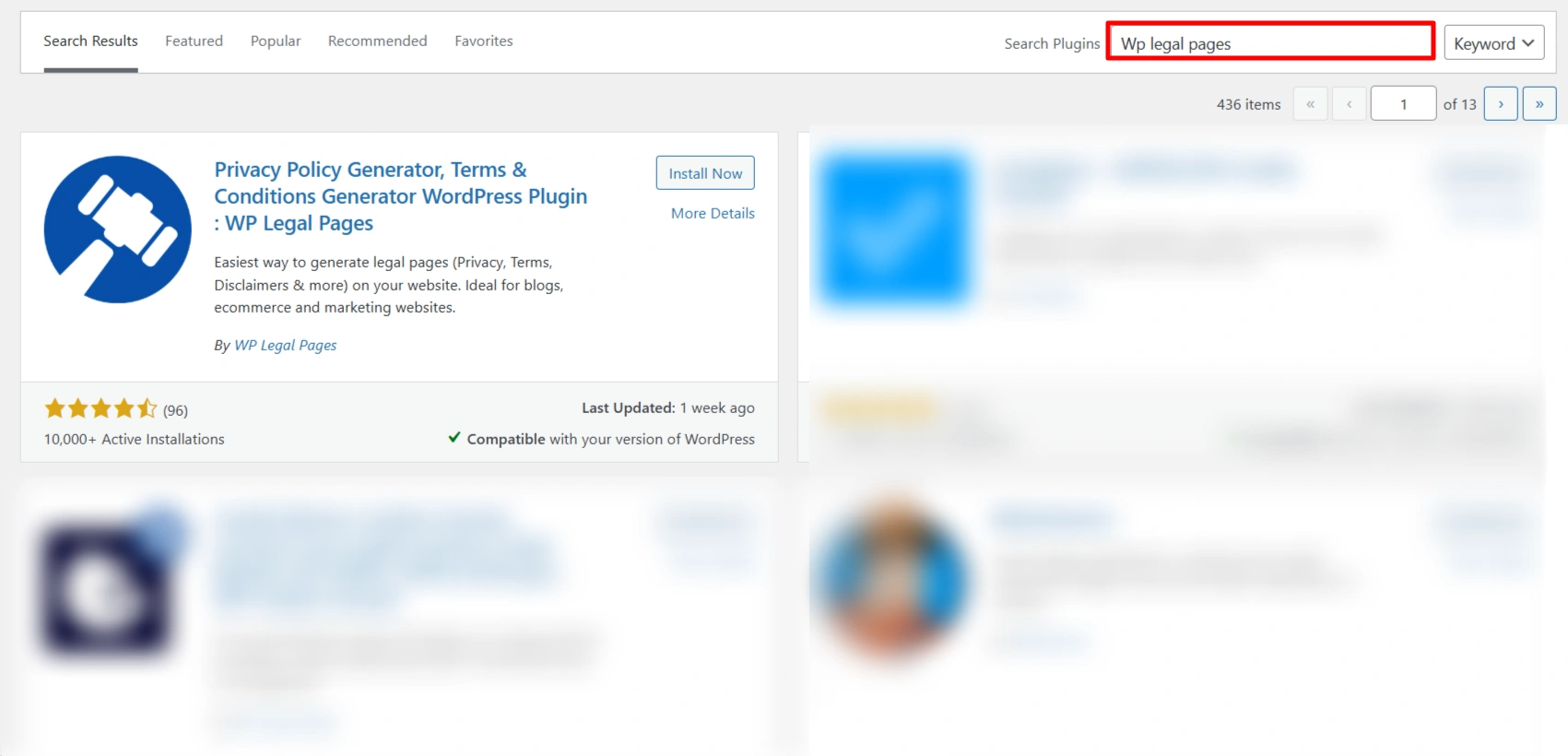
Search for WP Legal Pages in the search bar.
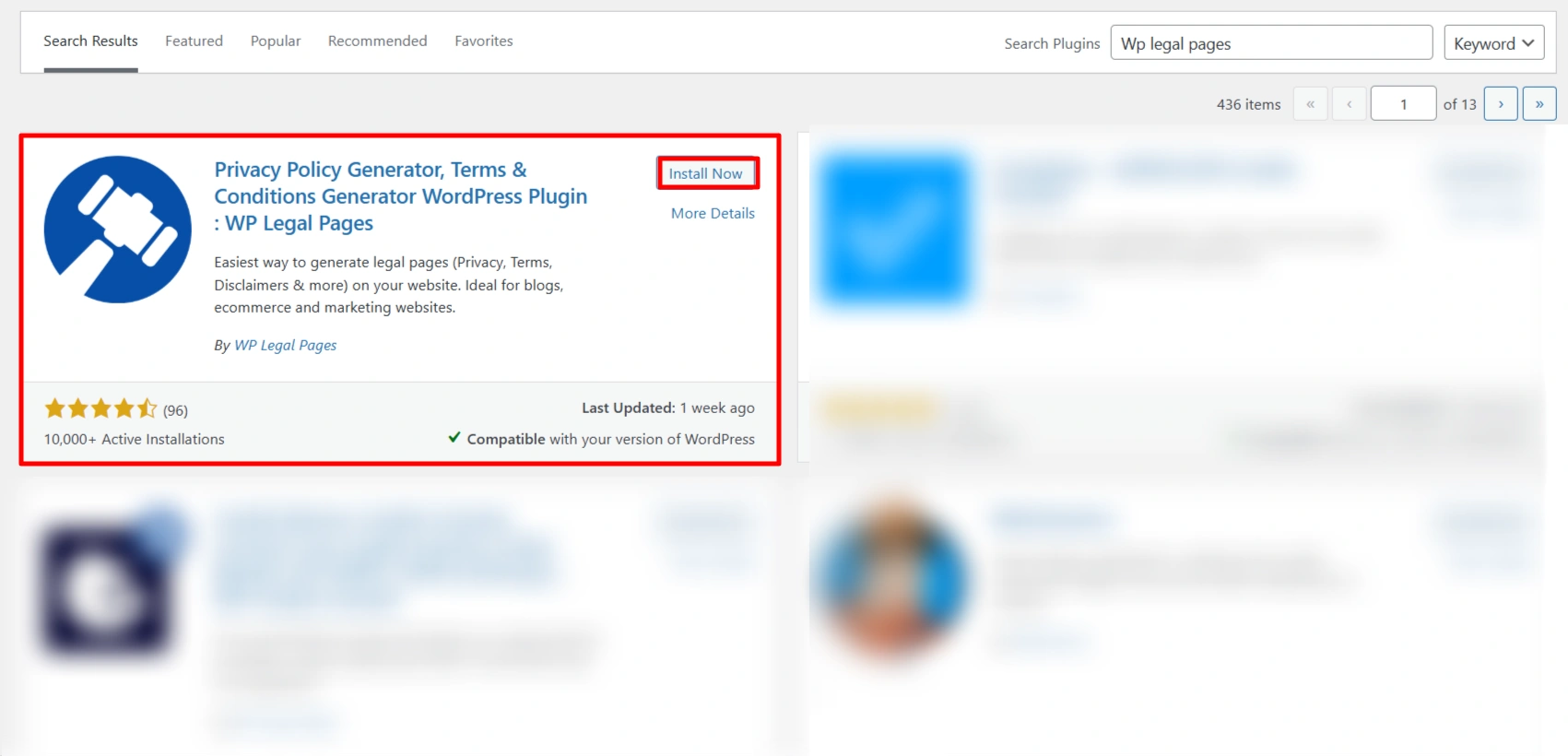
Click on the Install Now button.
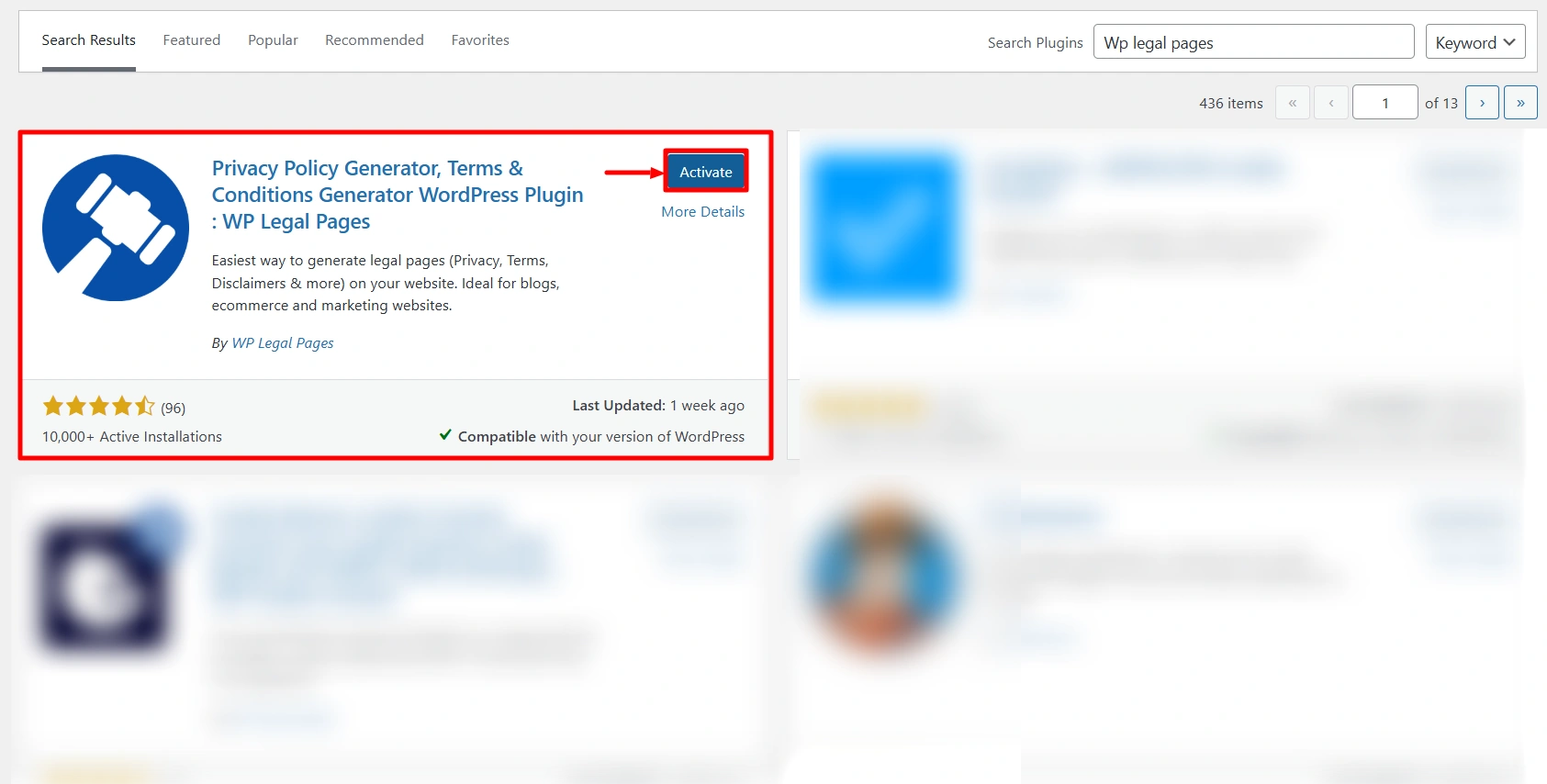
Activate the WP Legal Pages plugin by clicking the Activate button.
Step 2: Configuring WP Legal Pages Tool
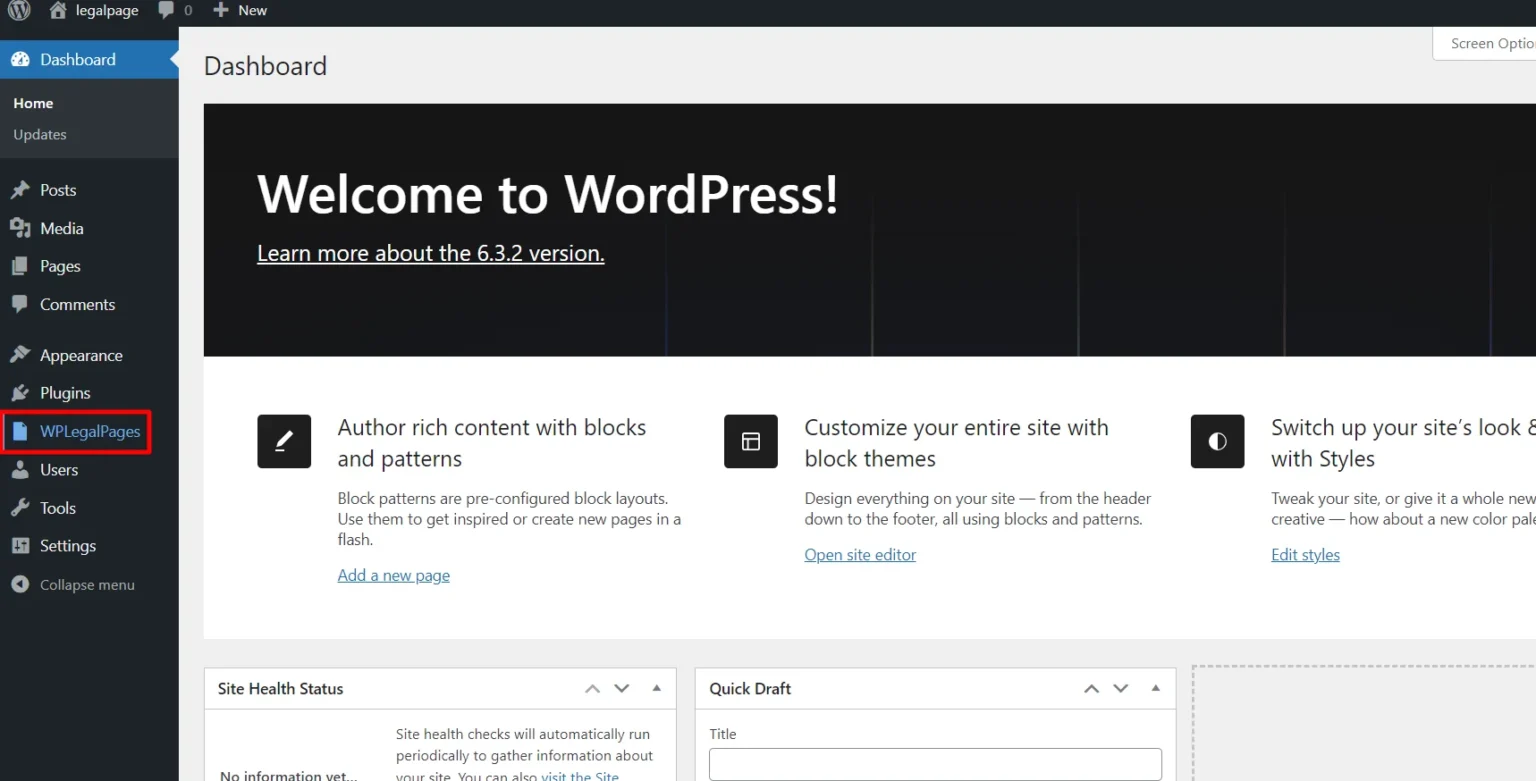
Once you have activated the plugin, you can access it directly from the Dashboard.
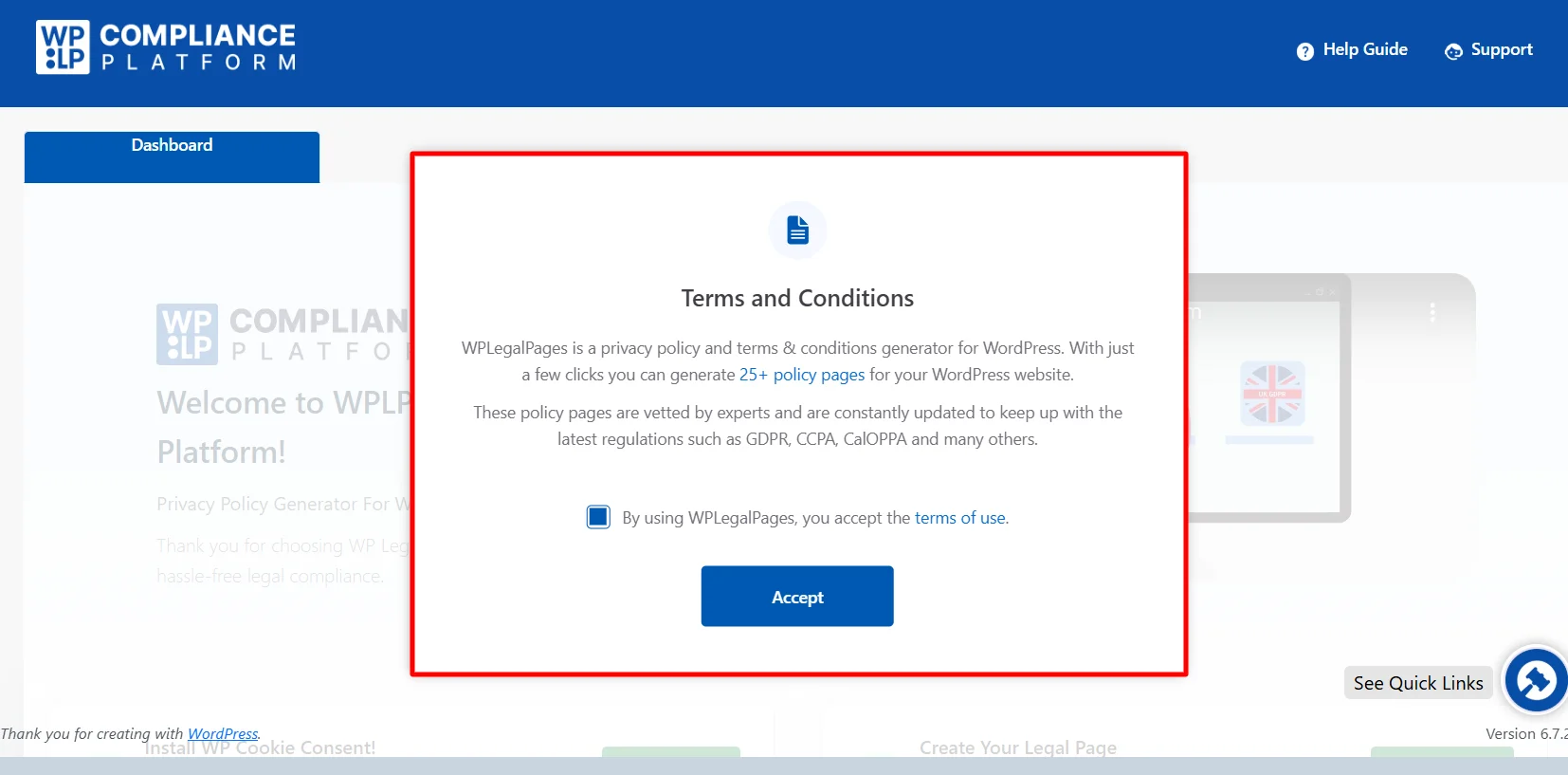
Next, Accept the terms of use of the WP Legal Pages tool.
Step 3: Create an Account with WP Legal Pages Tool
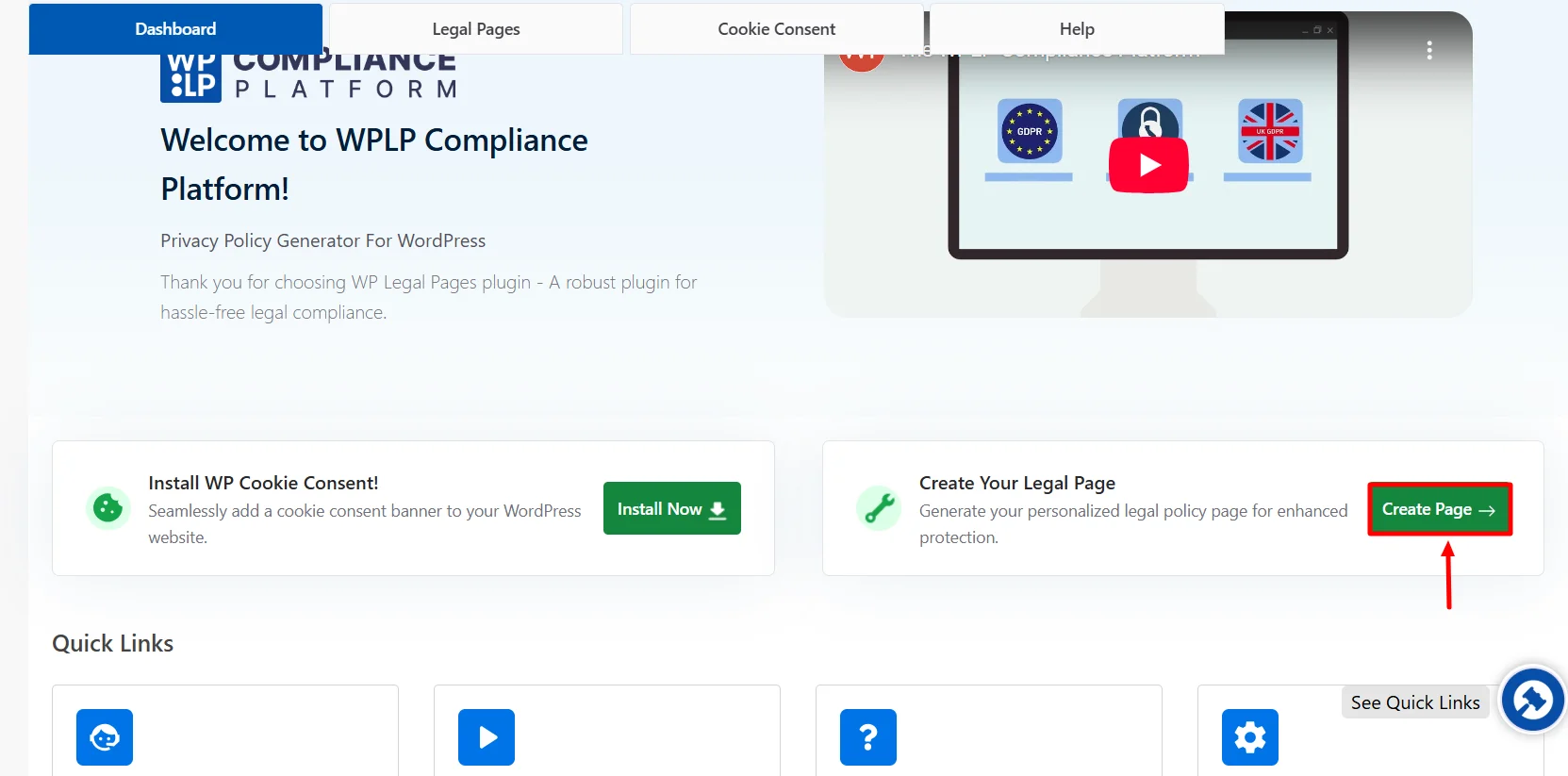
To generate legal pages for your website, scroll down from the dashboard and click Create Page.
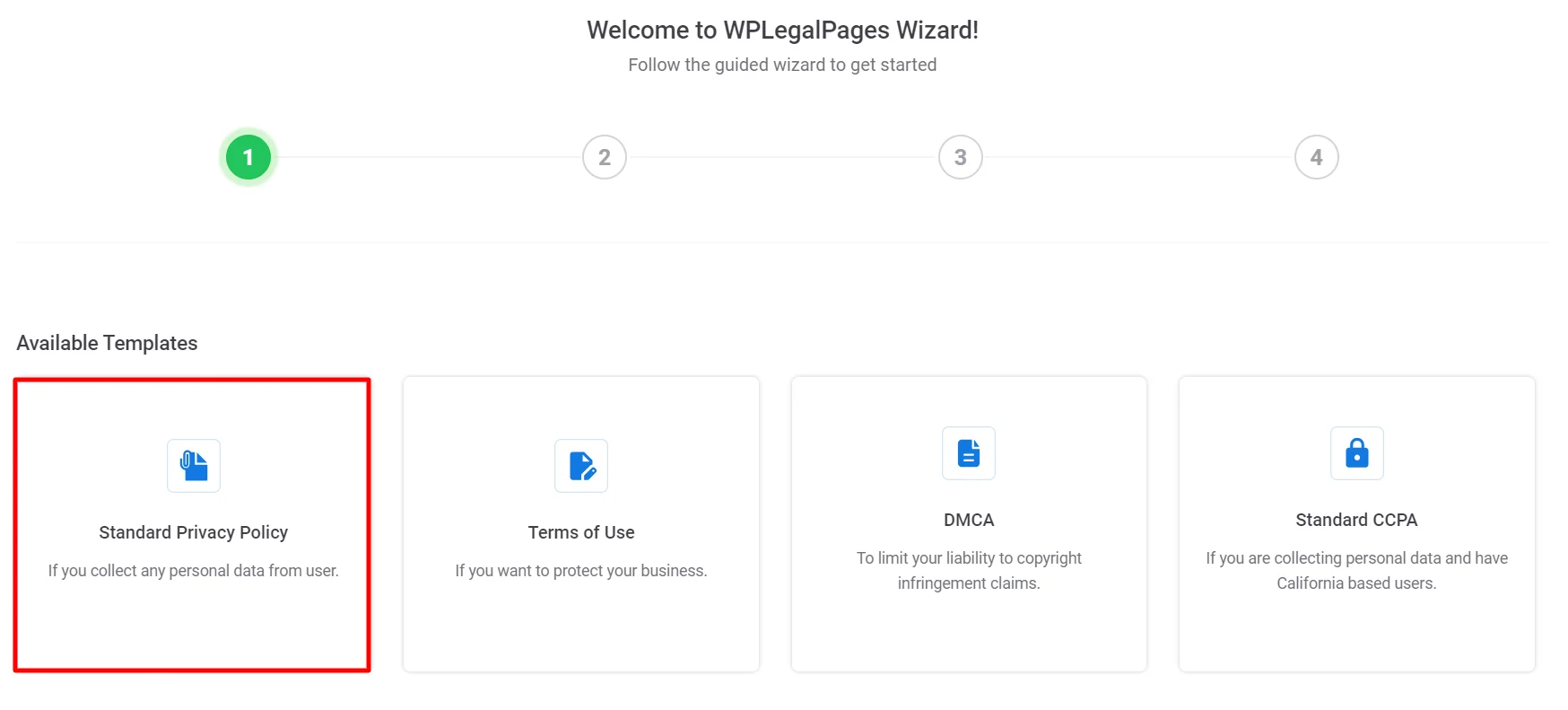
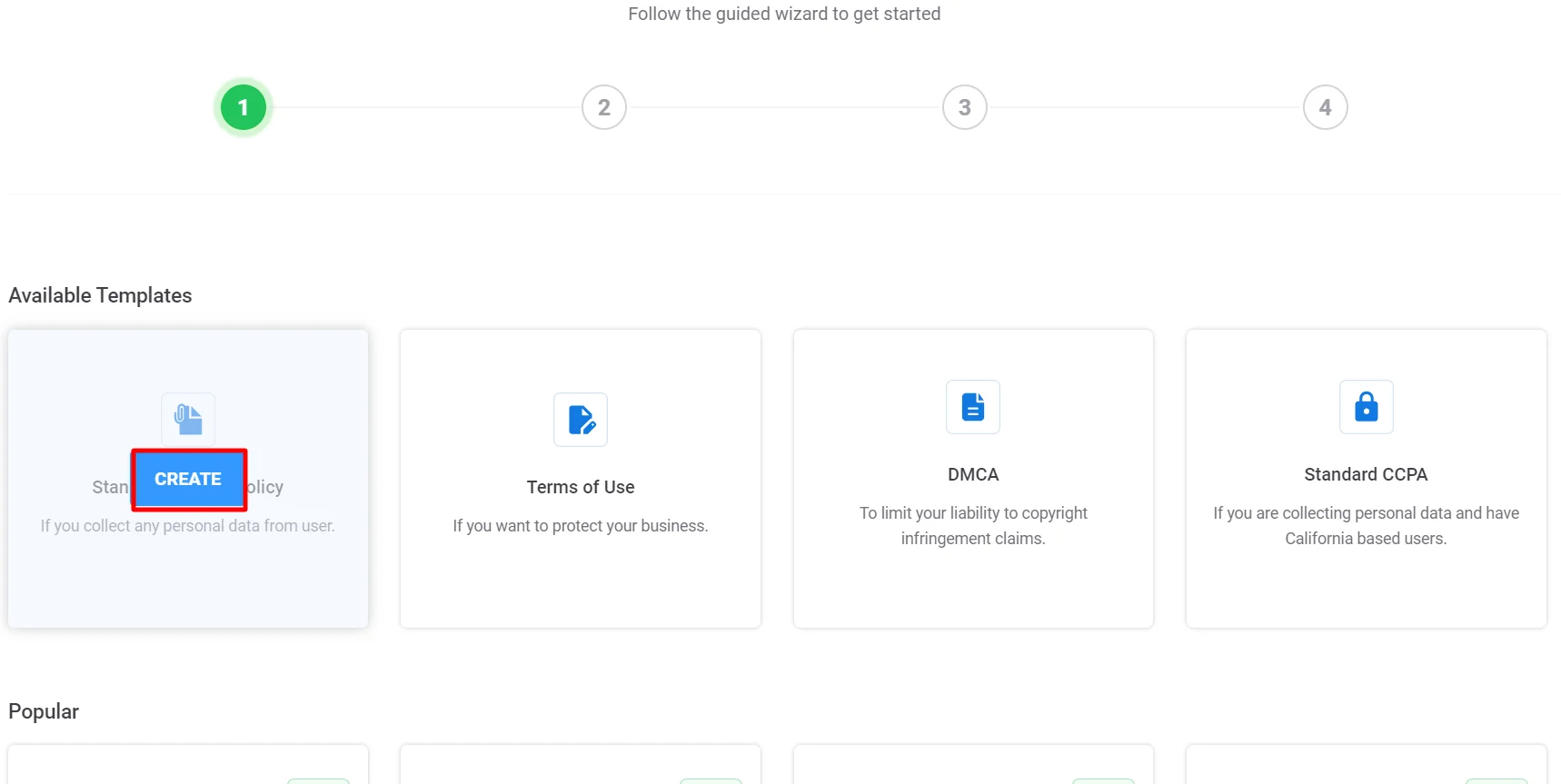
This will open the WP Legal Pages wizard. From the WP Legal Pages wizard, choose the Standard Privacy Policy template and click the Create button.
Once you click Create, a pop-up will appear, asking you to create a new account. Click on Create an account.
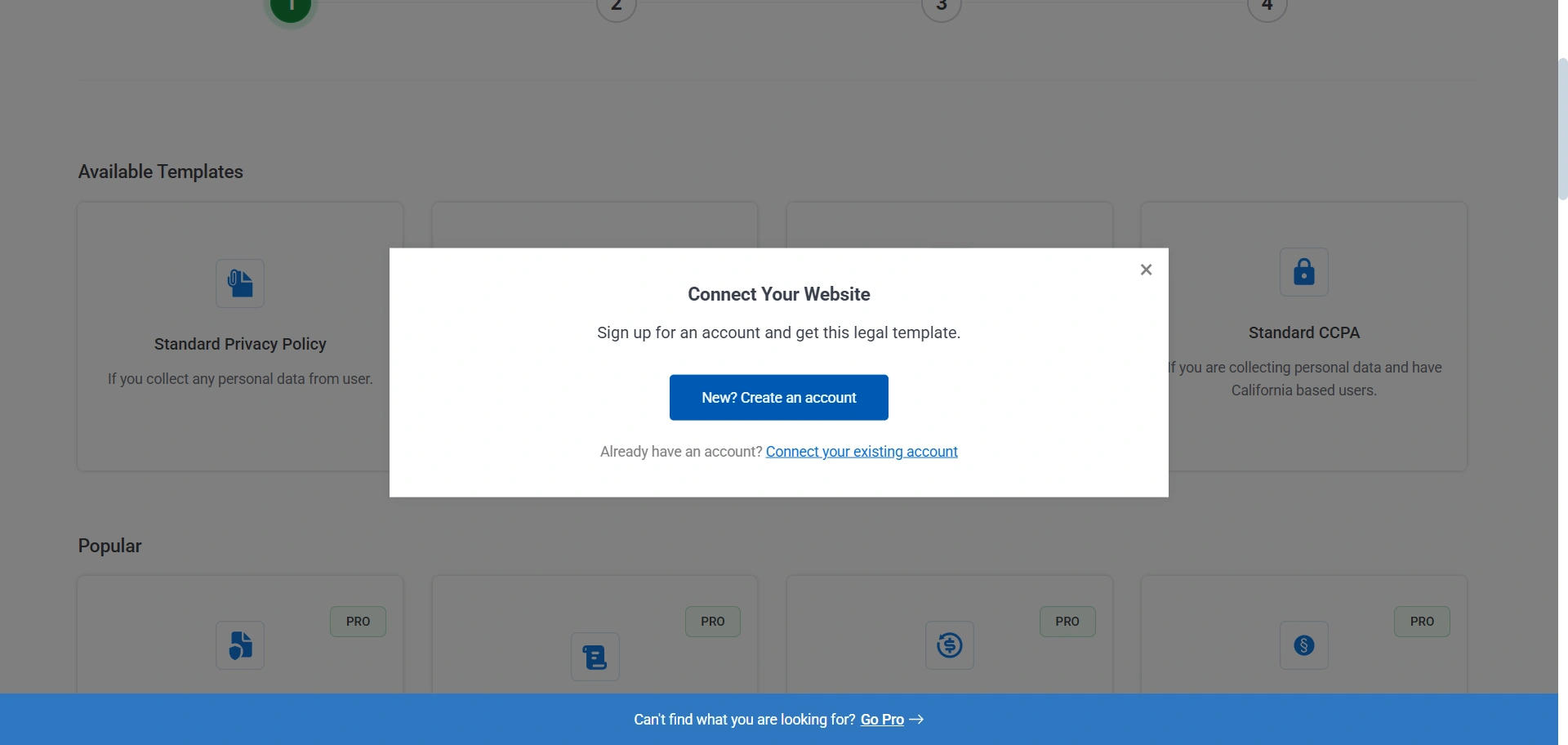
Once you sign up, your account will automatically connect to your site, and you can start creating legal pages for your website.
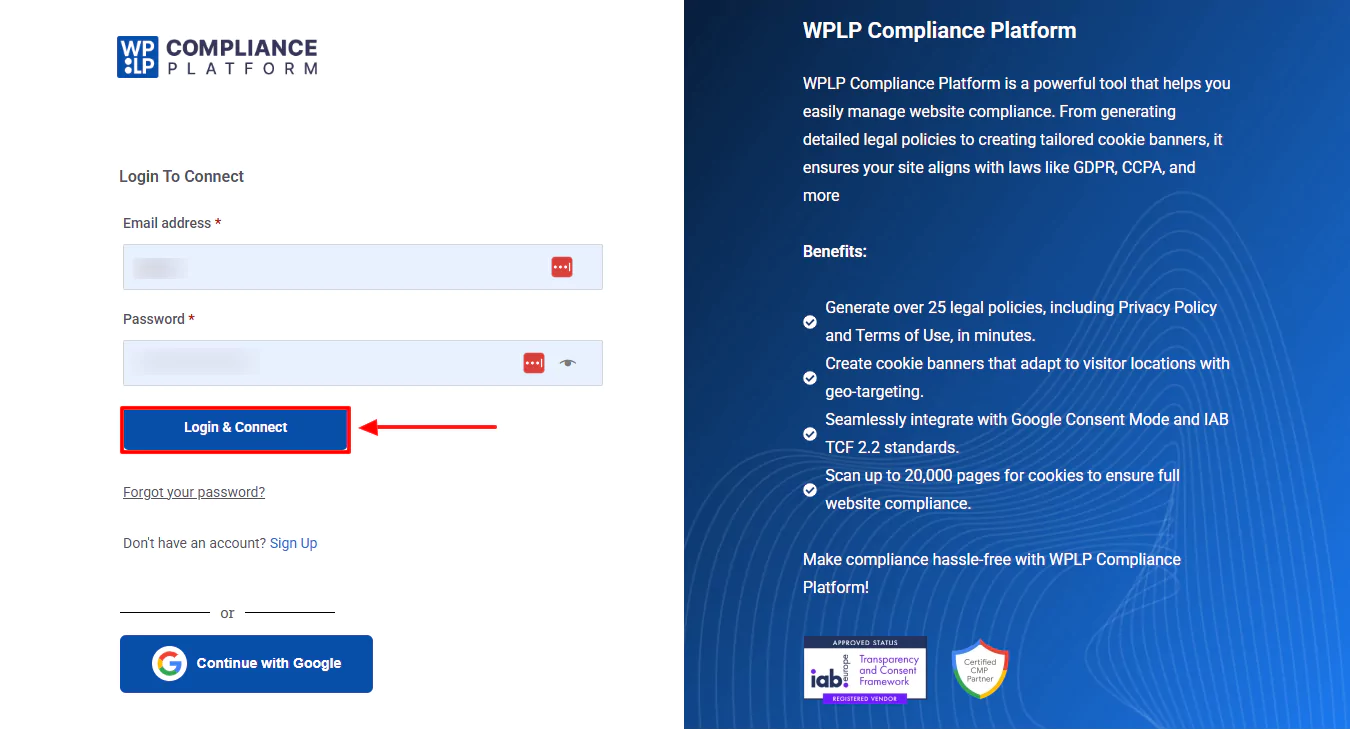
That’s it. You have created an account and can now start creating your website’s Legal Pages.
Step 4: Making a Privacy Policy for a Website
You will now see four templates available in the free version. Click on the Standard Privacy Policy option to create a privacy policy for your website.
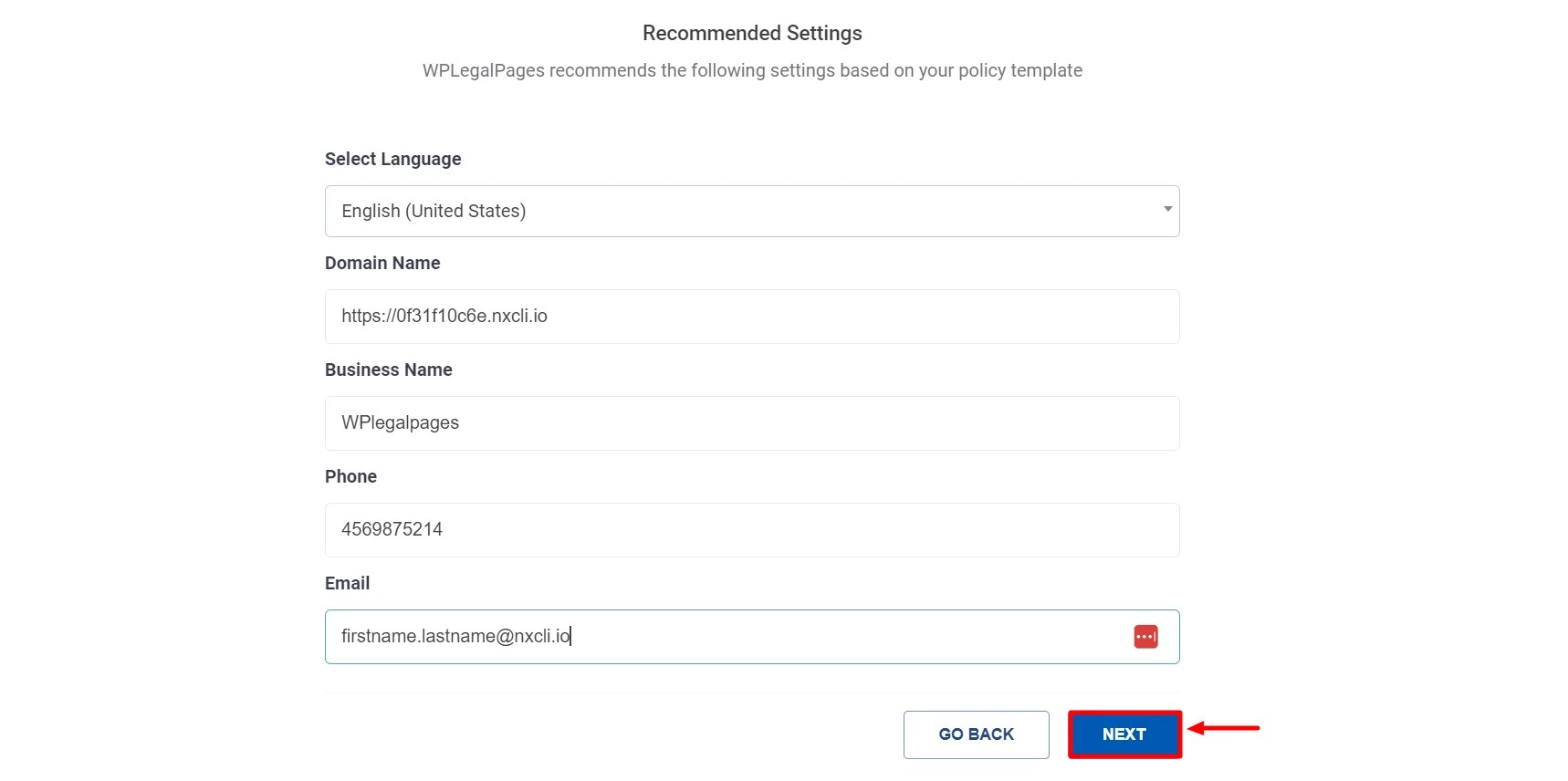
Fill in the basic details and click Next.
Select the appropriate section for your legal policy, then click Next.
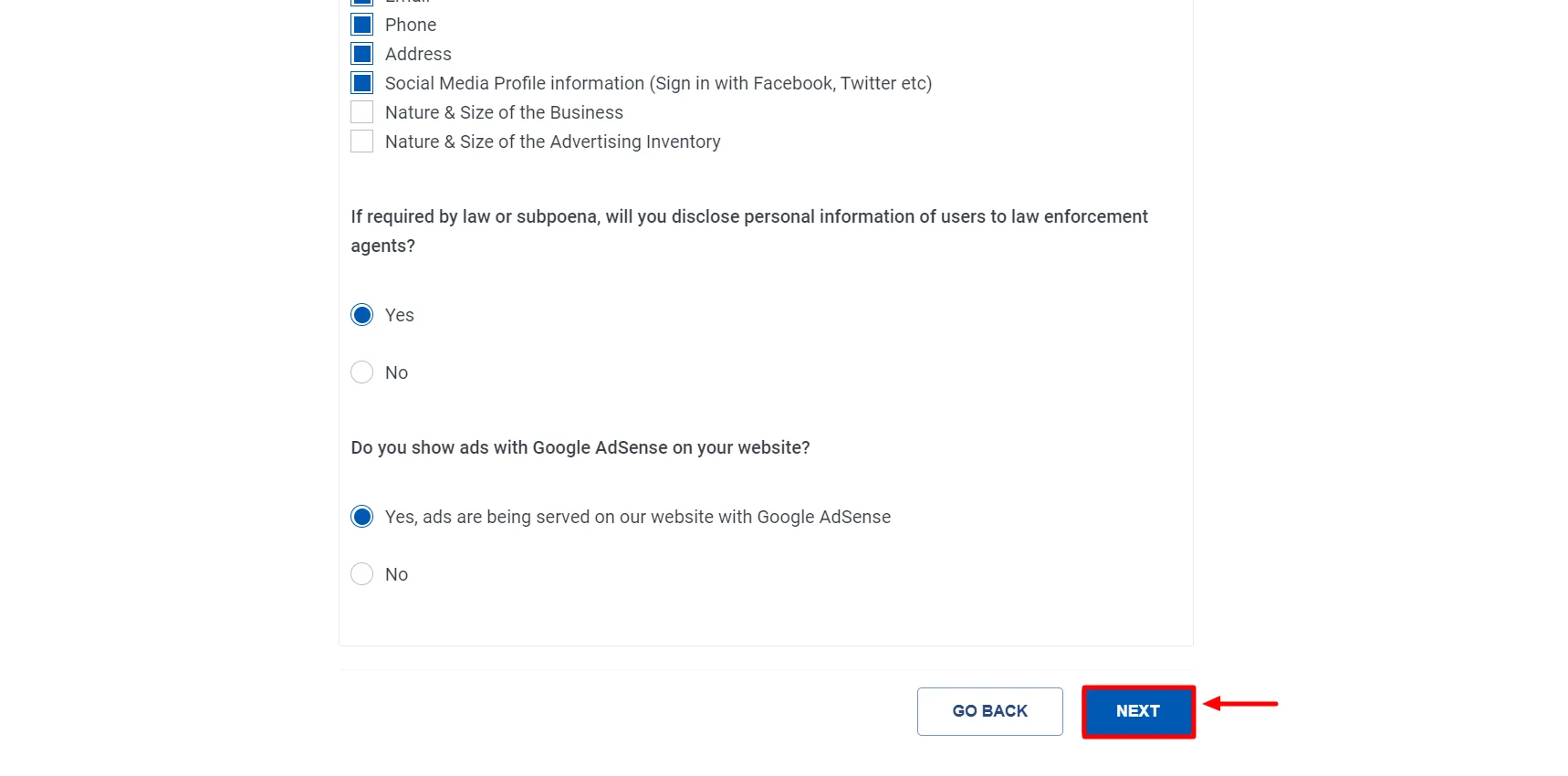
Click the Create and Edit option to edit or add additional information to your privacy policy.
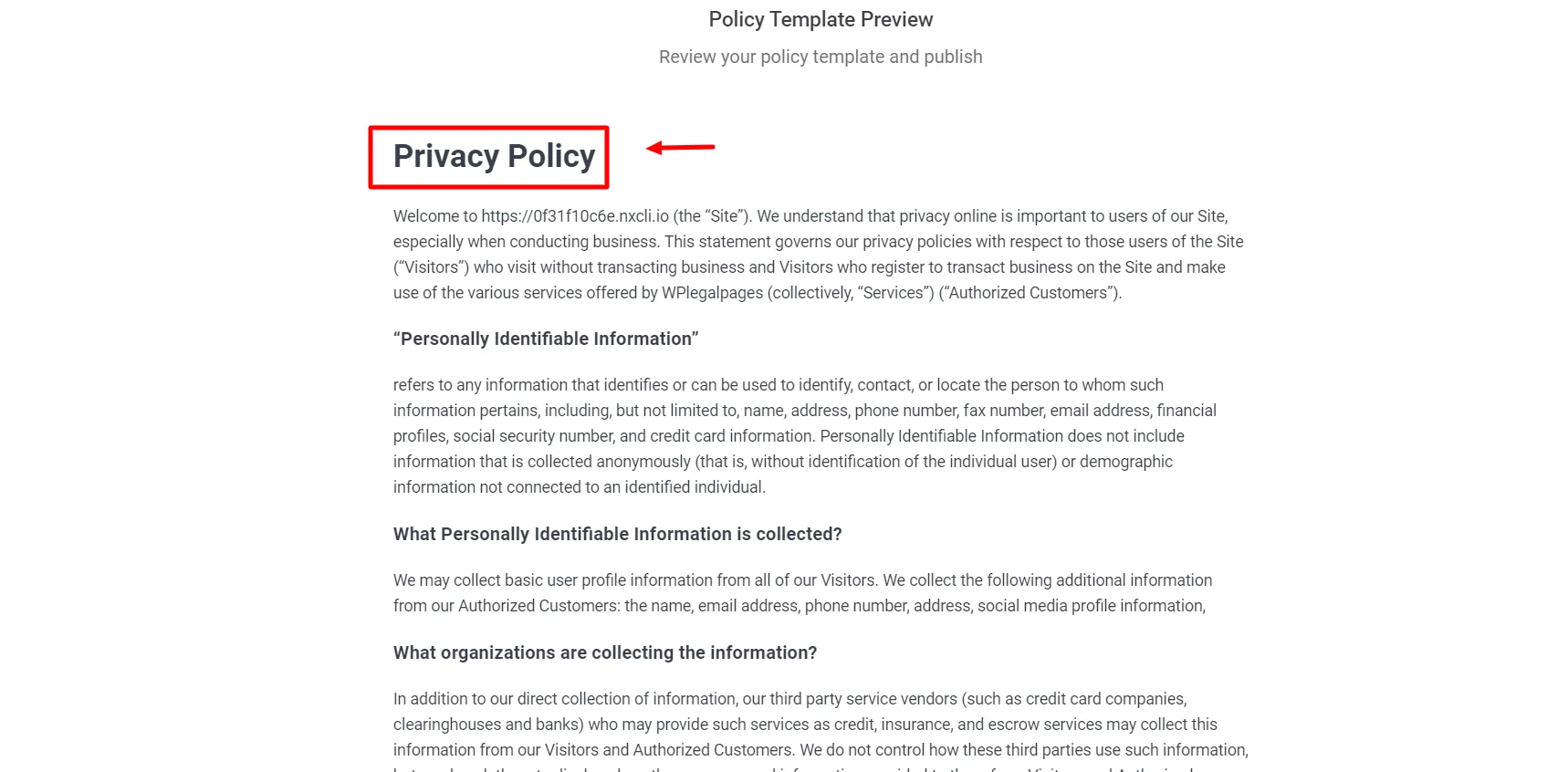
After you have made the necessary changes, click on Publish.
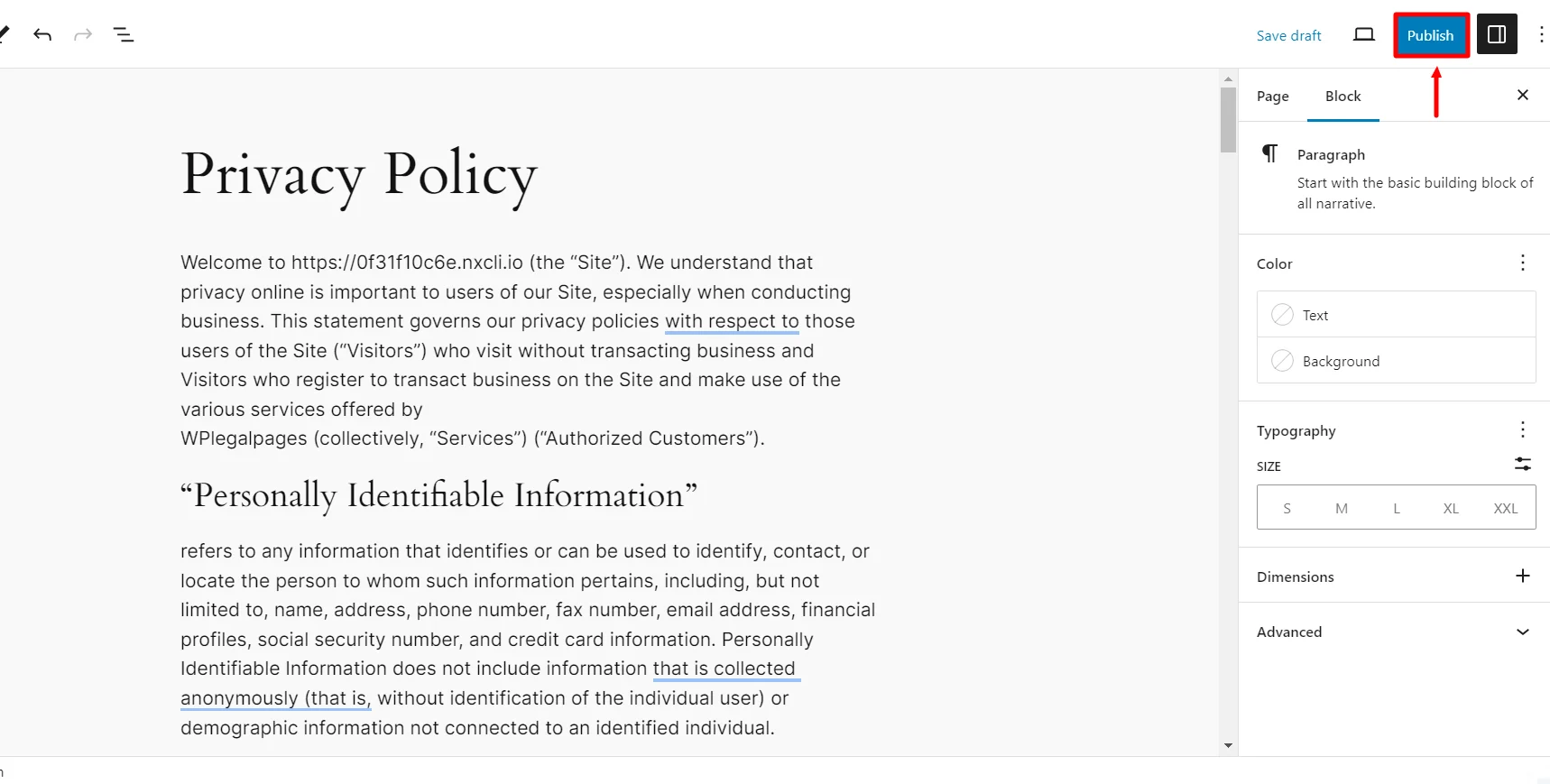
That’s all! Your Standard Privacy Policy is ready with just a few clicks.
Where to display the Privacy Policy on your Website?
The privacy policy on your website must be visible and readily available.
Generally, it’s a good idea to provide a link to your privacy policy in your website’s footer so that it appears on all pages. This guarantees that users can quickly locate and view the privacy statement on your website from any location.
Furthermore, consider including a link to the privacy statement on any form that gathers personal data, such as registration pages or contact forms. This will ensure that users who submit information know your data privacy regulations.
How to Display Your Cookie Policy for Compliance
To remain compliant, your cookie policy should be readily accessible. Here are some good locations to place it:
- Website footer – Include a link to your cookie policy at the bottom of each page.
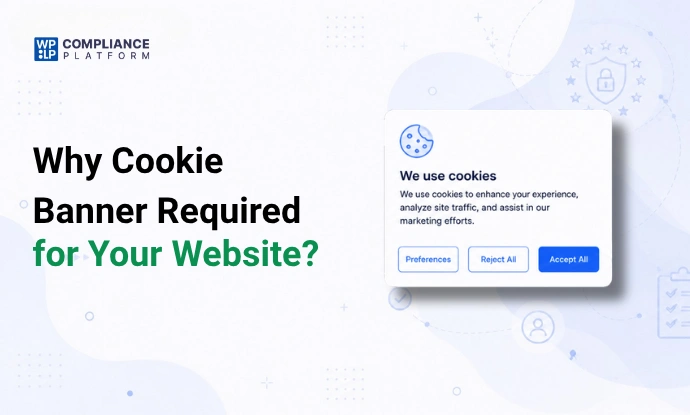
- Cookie banner – Display a cookie consent banner when a visitor comes to your site. Use plugins such as WPLP Compliance Platform to make this easy.
- Privacy policy page – Link your cookie policy within your privacy policy.
- Pop-up notice – Include a basic cookie notice to describe how cookies are utilized.
FAQ
Absolutely! You can create your privacy policy, but it’s important to ensure it aligns with the necessary regulations, like GDPR or CCPA, depending on your users’ location. Crafting a thoughtful policy builds trust and keeps you compliant and informed.
Yes, you can create a privacy policy for free using the WPLP Compliance Platform.
A Privacy Policy gives the big picture of how you handle personal data, while a Cookie Policy focuses only on cookies stored in a user’s browser. Under the EU ePrivacy Directive, websites must clearly explain cookie use and obtain opt-in consent.
In the EU and many US states, consent is required before cookies are set. The policy explains cookie use, while the banner blocks cookies until the user clicks “Accept.”
Conclusion
Privacy and Cookie Policies are no longer optional for WordPress websites. They are essential for legal compliance, user trust, and transparency. With privacy laws like GDPR and CCPA applying globally, even small websites and blogs must clearly explain how they collect, use, and protect user data.
By creating clear, accurate, and up-to-date policies and displaying them correctly, along with a proper cookie consent banner, you reduce legal risks and improve user confidence.
Using the right tools and plain language makes it easier to stay compliant as your website grows, helping you protect both your users and your business.
If you like this article, you might also like reading:
- How to Add a Cookie Banner to Your Website?
- How to Create a GDPR-Compliant Privacy Policy for Your Website?
- Biggest GDPR Fines: Key Cases and How to Avoid Penalties
Ready to secure your site? Explore WPLP Compliance Platform Templates today and get compliant in under 5 minutes.
Disclaimer: This article is for informational and reading purposes only and does not constitute legal advice.