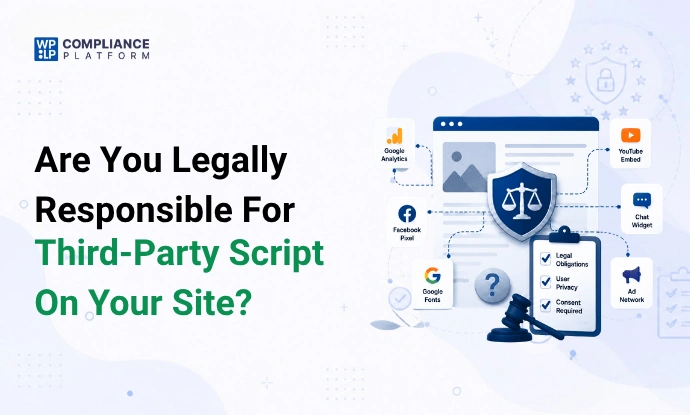
Most websites today run between 5 and 20 third-party scripts. There’s a chance that you’re already using them on your site. You might be using them for analytics, chat widgets, heatmaps, and many more.
The third-party scripts loading in the background don’t cause any harm. But the problem arises when we start to look at it from a privacy standpoint.
This article explains the legal risks of third-party scripts and the vulnerabilities of third-party scripts. We’ve also covered why these scripts matter and how a website owner like yourself can reduce this risk without overcomplicating things.
What Are Third-Party Scripts
In simple words, third-party scripts are small pieces of code given by other companies or software, which you embed on your site. These scripts aren’t built or hosted by you, but they run on your site and may collect or transmit user data.

You may wonder why we allow external scripts to run on our websites. The reason is functionality. We rely on third-party services because building these tools from scratch isn’t practical.
We can understand this in a better way using the example. The most common examples include analytics tools, ad pixels, chat widgets, email signup tools, social media buttons, and A/B testing tools. So, whenever any user enters your site, these scripts automatically load in the background.
Why These Third-Party Scripts Matter Legally
Most website owners don’t understand what these scripts can access or how. Depending on their function, these scripts can access a lot of things like IP addresses, device details, page behavior, location, etc. This data is then directly shared with the third-party vendors.
As you must know, privacy laws are really strict about data collection. If a script is collecting users’ personal data, the laws ask simple questions like “who allowed the script to run?”,” Who decided when the script will load?”, and “Who is benefiting from the data collected by scripts?”
You can see that most of the answers are pointing back to the website owner. Even though the scripts belong to an external entity, you were the one who chose to install them on your site. This choice is what creates legal responsibility.
Let’s discuss this in more detail in the next section.
Are Website Owners Legally Responsible for Third-Party Scripts
The straightforward answer to the question is “yes.” In most cases, website owners are legally responsible for the third-party scripts on their site.
So far, you might be assuming that scripts are owned by some other company, so the responsibility wouldn’t fall on you. But privacy laws don’t work that way. All that matters is who is controlling the data flow, not the one who wrote the script.
You should understand that under privacy laws, control usually means responsibility. When you’re managing a site, you make many decisions that directly affect user data:
- When a third-party vendor processes the data, you were the one who let the processing carry on in the first place.
- If a marketing pixel fires when a webpage loads, you were the one who allowed it.
- If a chat widget collects IP addresses without consent, responsibility may fall on the site owner.
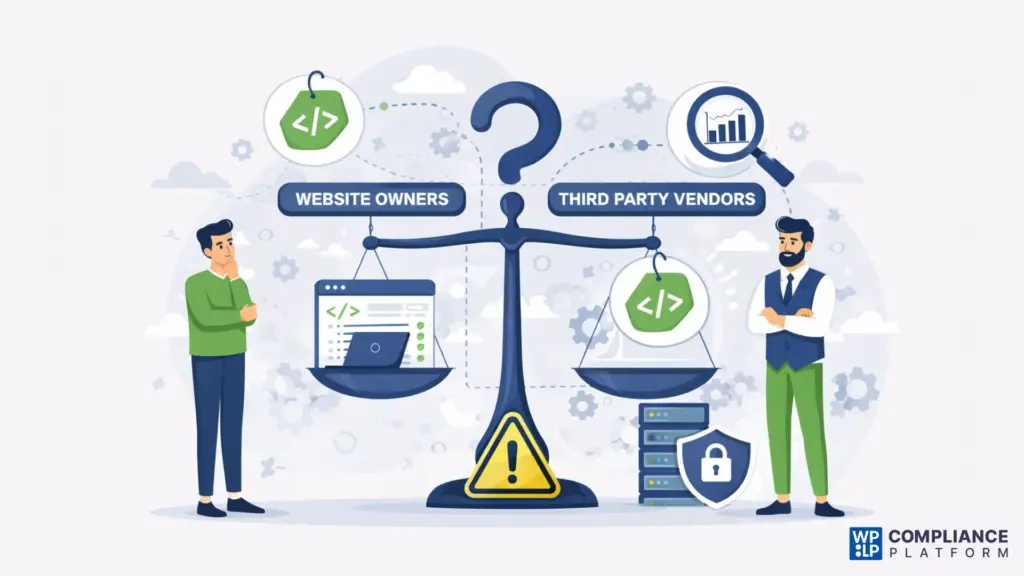
This is why you shouldn’t blindly trust the third-party vendors, whose code you’re embedding on your site. You should clearly understand what data they’re collecting if they’re coming under the compliance of the laws. And, not breaking any law, even in a minor instance.
You should understand that delegating a task does not transfer legal responsibility.
What Privacy Laws Say About Third-Party Scripts
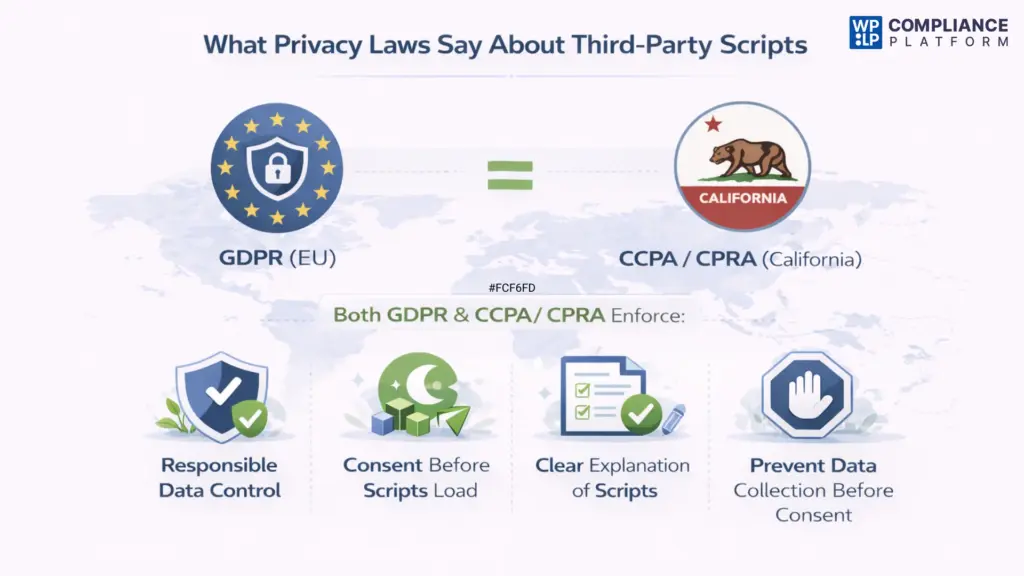
Let’s look at some famous privacy laws like GDPR & CCPA/CPRA, and what they’re saying about third-party scripts on websites.
GDPR’s Take on Third-Party Scripts
The General Data Protection Regulation (GDPR) is a privacy law in Europe. It mainly cares about how you collect data from users on your site. So, it has set some ground rules for all the websites about how they collect, use, and share personal data from users.
So, regarding the third-party scripts, GDPR focuses on control. If your website decides which third-party scripts run, load, and collect the data, you’re usually considered a controller.
That means you must have a lawful basis for the data processing. You should be able to explain the scripts clearly to users. And, when needed, you should also be able to prevent data collection before consent.
CCPA / CPRA (California) Take on Third-Party Scripts
The California Consumer Privacy Act (CCPA) (which is updated by the CPRA) is a privacy law in the US. Like how GDPR is in the EU. It plays a similar role to GDPR, but for businesses operating in California.
Under the CCPA, website owners must know & control how third-party vendors use personal data. Scripts must only share data for allowed purposes, and vendors must act as service providers where applicable.
Even with contracts in place, businesses are still responsible if scripts do something shady for user rights or opt-out choices.
This regulatory trend can be seen across the globe. In this, the regulators of the privacy laws look at when & how the script is loading. They’ll see if the script is loading before consent, ignoring user choices, or collecting unnecessary data.
A strict action for breaching the privacy of users can be taken against both you and the third-party vendors because the liability of facing consequences of privacy laws is often shared between you and them. But you’ll be held accountable before anyone else.
Case Studies Where Third-Party Scripts Created Legal Issues
We’ve brought you two real-world cases where third-party scripts created legal issues for the websites.
Fashion ID – Facebook “Like” Button Case
For those who don’t know, Fashion ID is a German online fashion retailer. It sells clothes through its eCommerce website. The mistake it made was embedding Facebook’s “Like” button on its website.
In the backend, even if visitors didn’t click that button, didn’t have a Facebook account, or even explicitly didn’t give permission to their personal information, the script was still automatically collecting the personal data.
The data, like IP addresses and browser details, was being sent to Facebook as soon as the web page was loaded.
So, the Court of Justice of the EU gave a verdict saying that the Fashion ID was equally responsible for the data collection. As discussed in the previous sections, the key reason here was also control. Fashion ID chose to embed the button and benefited, even though the data is handled afterward by Facebook.
US Hospitals and the Meta Pixel Case
In 2022, a few of the investigative reports surfaced online by the Markup. The reports showed that many major US hospitals were using Meta Pixel on their site.
This script of Meta Pixel was sending sensitive data like patients’ medical conditions and their appointment details to Meta. Here, both Meta and the hospitals faced scrutiny due to data-sharing practices. Just like what happened with the Fashion ID, the regulators and media here also focused on the hospitals’ implementation choices.
Common Compliance Mistakes Websites Make with Third-Party Scripts
Now, let’s look at some of the common compliance mistakes website owners make when they’re dealing with third-party scripts.
- Many people who handle websites make the mistake of assuming that consent tools work automatically. And, they end up never verifying the scripts and are actually blocked before consent.
- Not being wary of the scripts that are often labelled as analytics, even when they also support ads or cross-site tracking.
- Assuming tag managers enforce consent on their own. They’re not control systems in reality.
- Only checking if the script has the “Accept all” button and avoiding how it behaves after a rejection.
- Despite having a multi-region site, they maintain a global setup for all the sites. They’re forgetting the fact that privacy rules differ by region.
- Not monitoring the updates in the scripts made by the vendors. There’s a chance that the behaviour changes completely after the updates, and they’re not adhering to the privacy laws like before.
- Trusting third-party vendors blindly and not actively auditing and understanding how and why they’re collecting the user data.
- Not maintaining the logs of user consent. They will end up seeing that logs are either incomplete or missing when audits or complaints arise.
How to Reduce Legal Risk from Third-Party Scripts
We’ve given a checklist in the following that you can follow in order to reduce any legal risk from third-party scripts.
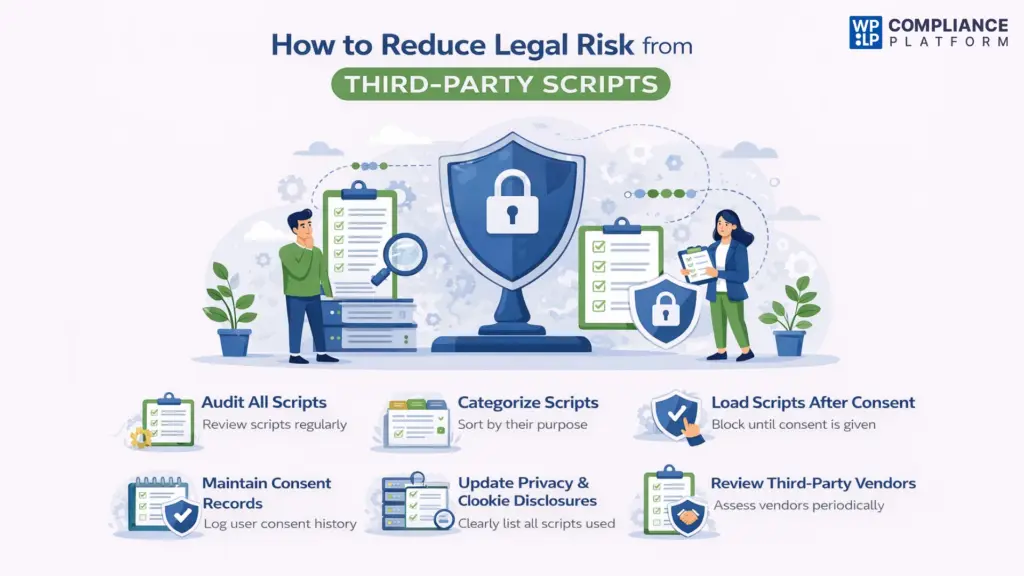
Audit All Scripts on a Regular Basis
Start by reviewing every script running on your website. By every script, I mean those added through plugins, tag managers, and themes, too. Remove anything that’s falling under the grey zone of your region’s privacy law. Also, remove the ones that you no longer use or cannot clearly explain.
Categorize Scripts by Their Purpose
It’s essential that you categorize your scripts by function. You should know which script is doing what. Some common categories include necessary, analytics, marketing, or functional. Doing this will help you align each script with the correct consent requirement.
Load Scripts Only After Proper Consent
Always ensure you let the scripts on your site load after a proper consent. For this, you’ll have to configure your site so that only non-essential scripts load after a user gives consent. You shouldn’t rely on banners alone; you’ll have to verify that the scripts you come across are technically blocked before consent.
Maintain Clear Consent Records
It’s a really good practice to store logs of the clear consent records. It will let you know when and how consent was given, changed, or withdrawn by the users. They can come in handy when you’re going through important audits of the site, complaints raised by users, or any regulatory inquiries.
Update Privacy and Cookie Disclosures
Make sure your privacy policy and cookie notice accurately list the scripts you use. They should clearly tell what data they collect, and why they are needed.
Review Third-Party Vendors Periodically
Re-evaluate vendors when scripts change, plugins update, or laws evolve. Confirm that vendors still meet your data-protection requirements.
How WPLP Compliance Platform Can Help You Manage Third-Party Scripts
The WPLP Compliance Platform makes the process of managing the third-party scripts on your site easier.
There is a dedicated feature called Script Blocker in the WPLP. Its main role is to stop these non-essential scripts from running before the explicit consent of a user.
This means things like analytics tools and ad pixels won’t collect any data unless consent is given by the user. This feature is positioned such that you don’t need to have technical prowess to follow privacy rules.
All you have to do is go to the admin dashboard of your site > Install the WPLP Compliance Platform plugins > Go to the Script Blocker > Enter the scripts that you want to block so that they don’t run until consent is given.
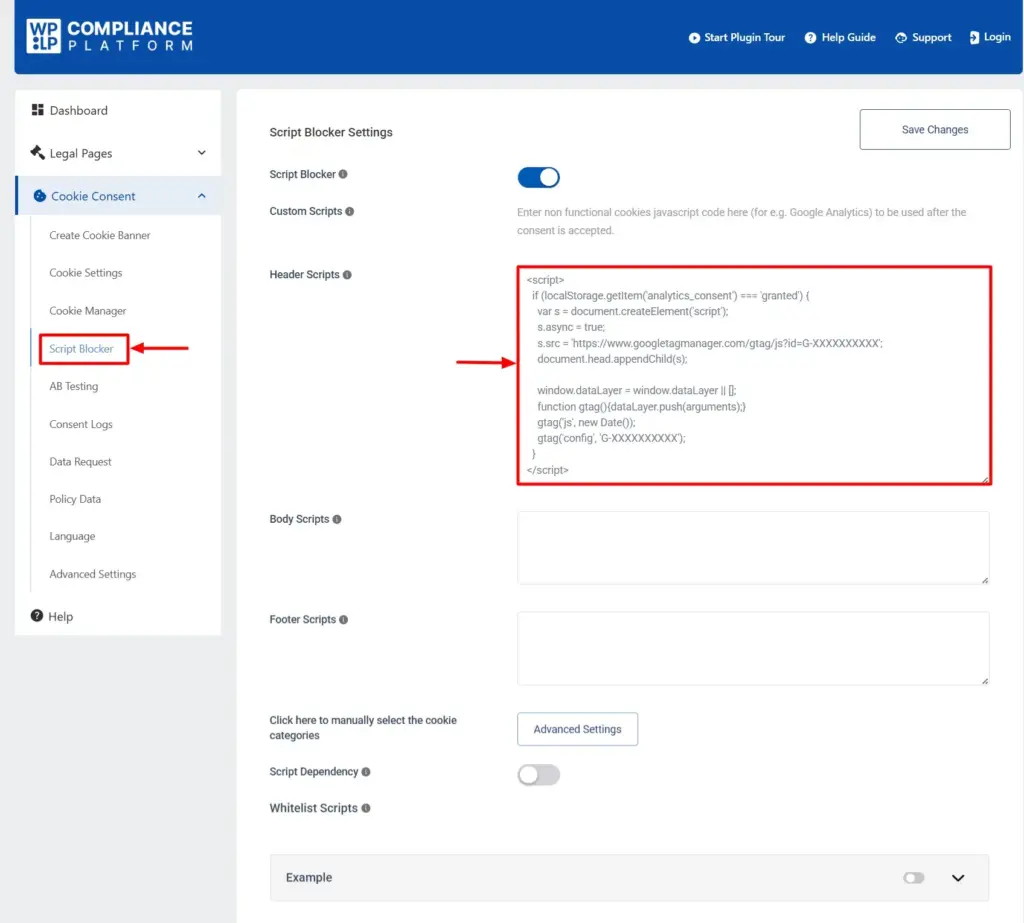
In the same tab, you’ll also come across the Whitelist script feature. This means you will allow that particular script to run regardless of whether the user has given consent or not.
You should take note that adding a script to the whitelist will always execute, even if the script is blocked by the script blocker.
WPLP also helps you identify cookies and scripts used on the site. You can easily go through them and decide clearly which ones need consent and which ones do not.
We keep a record of user consent choices (consent logs). This is very useful, especially when you have any questions or audits come up later. We also support modern consent standards like IAB TCF and Google Consent Mode v2, used by popular analytics and advertising tools.
FAQs
No. Only non-essential scripts, such as analytics, marketing, and tracking scripts, require consent. Essential scripts usually do not.
No. Cookies are data files, while third-party scripts are code. However, many scripts place or read cookies, which is why they are closely connected.
You can inspect your site using browser developer tools, script scanners, or compliance platforms that detect scripts automatically.
Conclusion
To summarize what we’ve gone through so far.
Firstly, we’ve learned why and how these scripts function. We then saw how privacy laws across the globe, like GDPR and CCPA, have a common opinion on one thing: Responsibility is followed by control.
You’re the one in charge of deciding which scripts to run, when they will load, and how they behave on your site. You’ll be accountable for all the third-party scripts’ actions.
If you found this one helpful, you should also check out the following.
- How to create cookie privacy and cookie policies for WordPress.
- Introduction to server-side tracking for GDPR compliance.
- A complete guide on Data Subject Access Requests.
Manage third-party scripts responsibly with the WPLP Compliance Platform.