
Implied vs Explicit Cookie Consent: What’s Legal Under GDPR, ePrivacy, and CPRA?
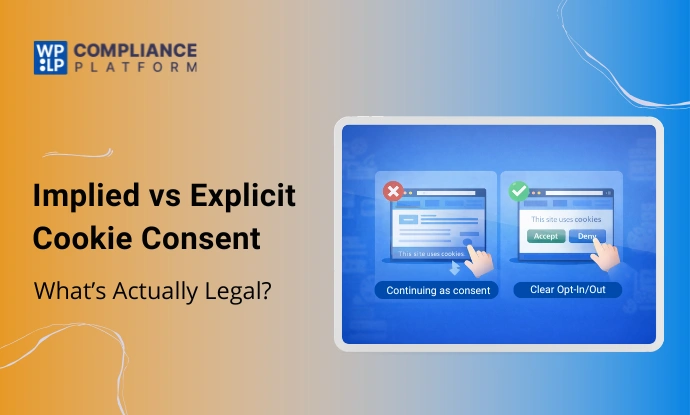
Summary
It also highlights common non-compliant cookie consent practices and shows what explicit consent looks like in practice.
Many websites believe they are compliant just by displaying a cookie banner, but the real issue lies in how they collect consent, not in the banner itself.
Many outdated practices are still common, including treating scrolling as consent, using pre-checked cookie options, and forcing users to accept cookies.
This creates confusion for website owners, marketers, SaaS founders, and WordPress users who rely on analytics and tracking tools. The enforcement of laws such as GDPR, ePrivacy, and CPRA is becoming stricter and will require explicit consent rather than implied consent.
In this blog, we explain the difference between implied and explicit cookie consent, what privacy laws actually require, and how to implement a compliant, user-friendly consent setup in practice.
What Is Implied Cookie Consent?
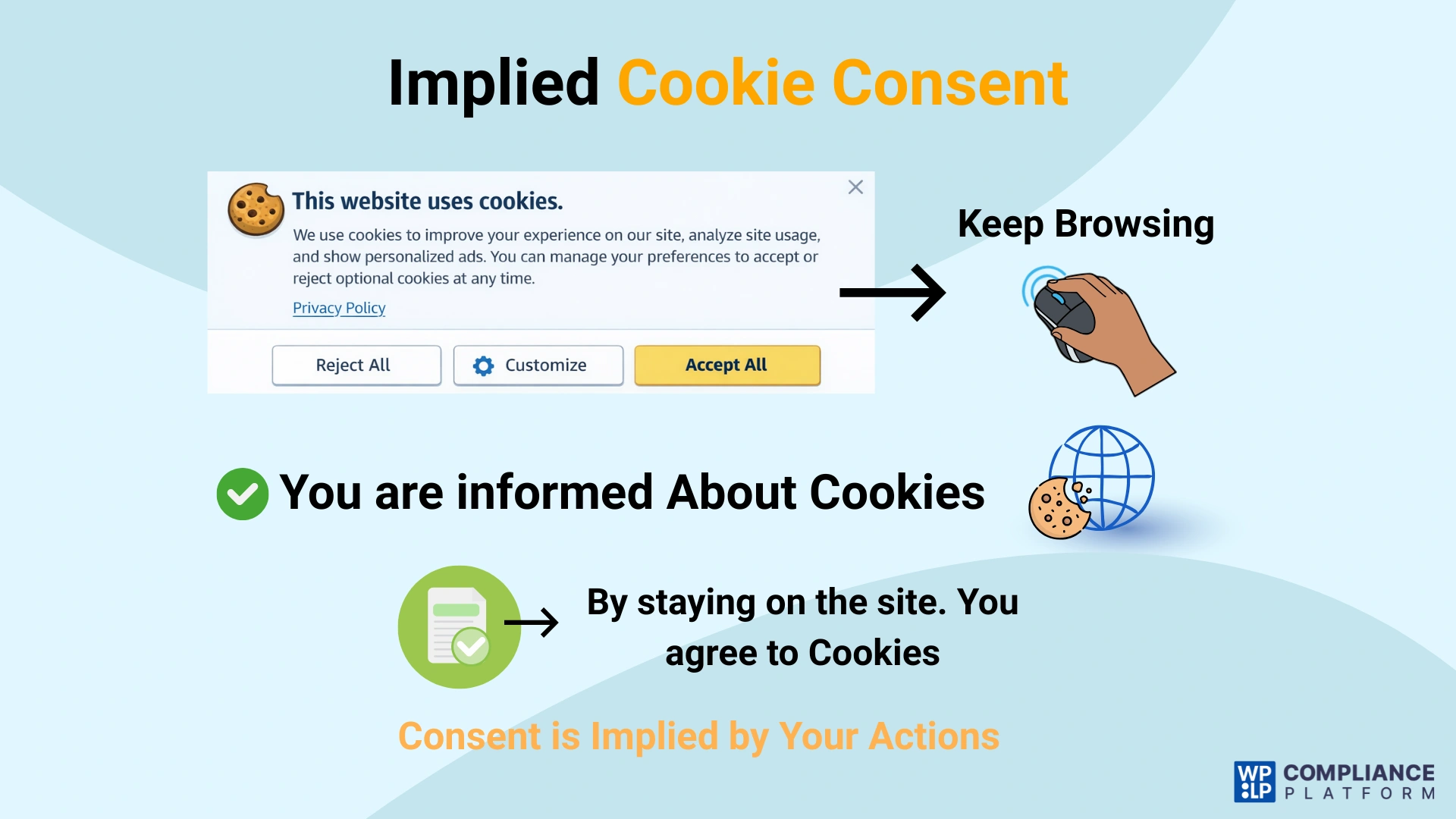
Implied cookie consent assumes that the user has accepted your cookie banner and given consent if they continue to use the website without providing any further input.
In simple terms, the user does not actively interact with the banner to give consent. Because of this, implied consent does not satisfy many privacy regulations governing consent for cookies. Where those laws apply, consent must be collected in a specific, explicit way to meet a company’s legal obligations.
Why does this matter?
Well, the method a business uses to obtain consent matters when discussing compliance. Only consent obtained through clear, deliberate user actions qualifies as explicit cookie consent.
For instance, consider visiting a website and spotting a notice at the bottom mentioning the use of cookies. This notice might read, “By continuing to use our site or scrolling, you agree to our use of cookies.”
When a user scrolls down the page or clicks another link without dismissing the notice, the website treats that action as consent to use cookies.
What Is Explicit Cookie Consent?
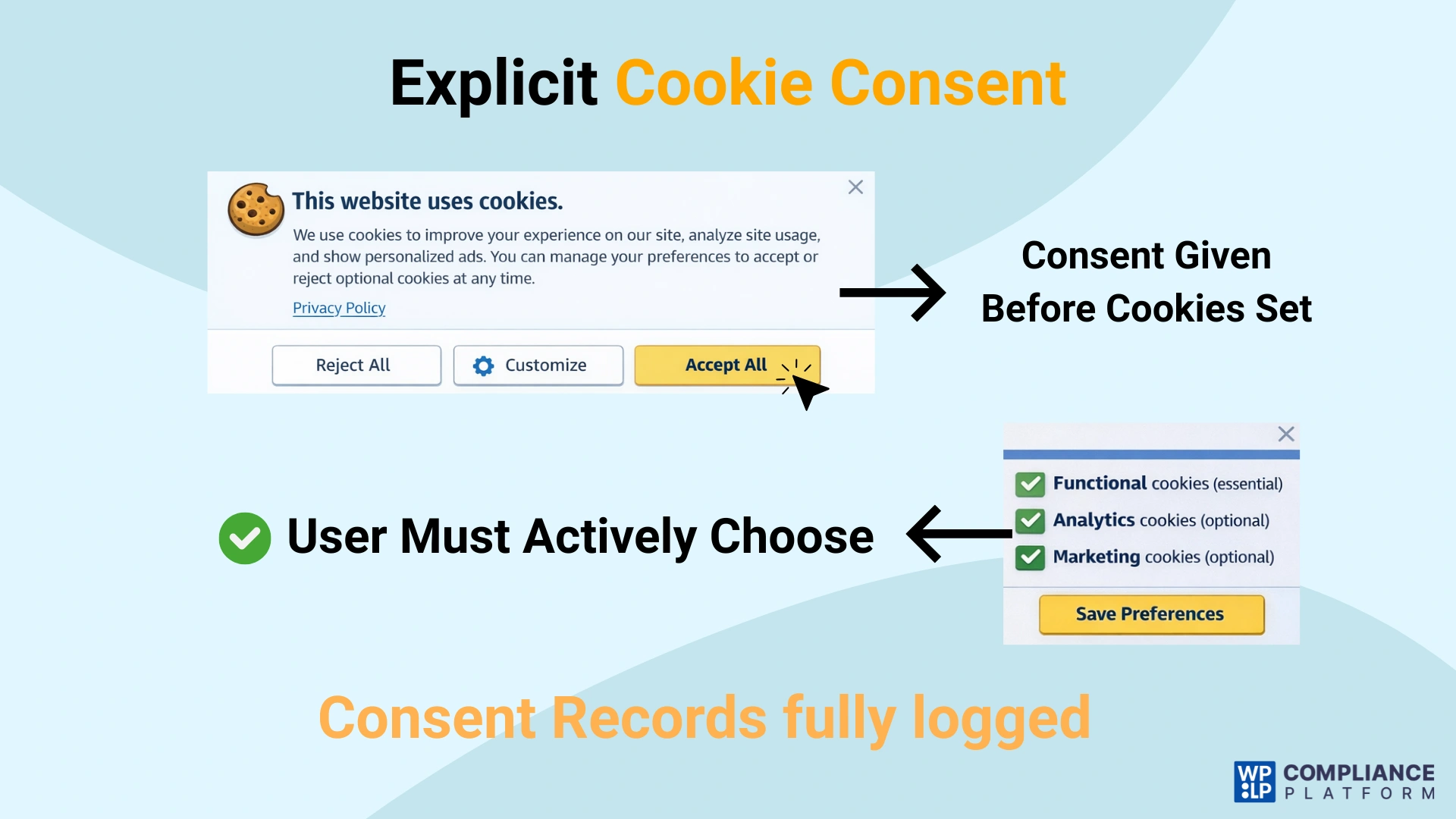
Modern privacy regulations like the General Data Protection Regulation (GDPR), ePrivacy Directive, and California Privacy Rights Act (CPRA) all require you to obtain explicit consent from your users before placing non-essential cookies, as required under GDPR and ePrivacy obligations.
Explicit consent does not rely on assumptions. Users must know what they are consenting to and should know about it.
Key Elements of Explicit Cookie Consent
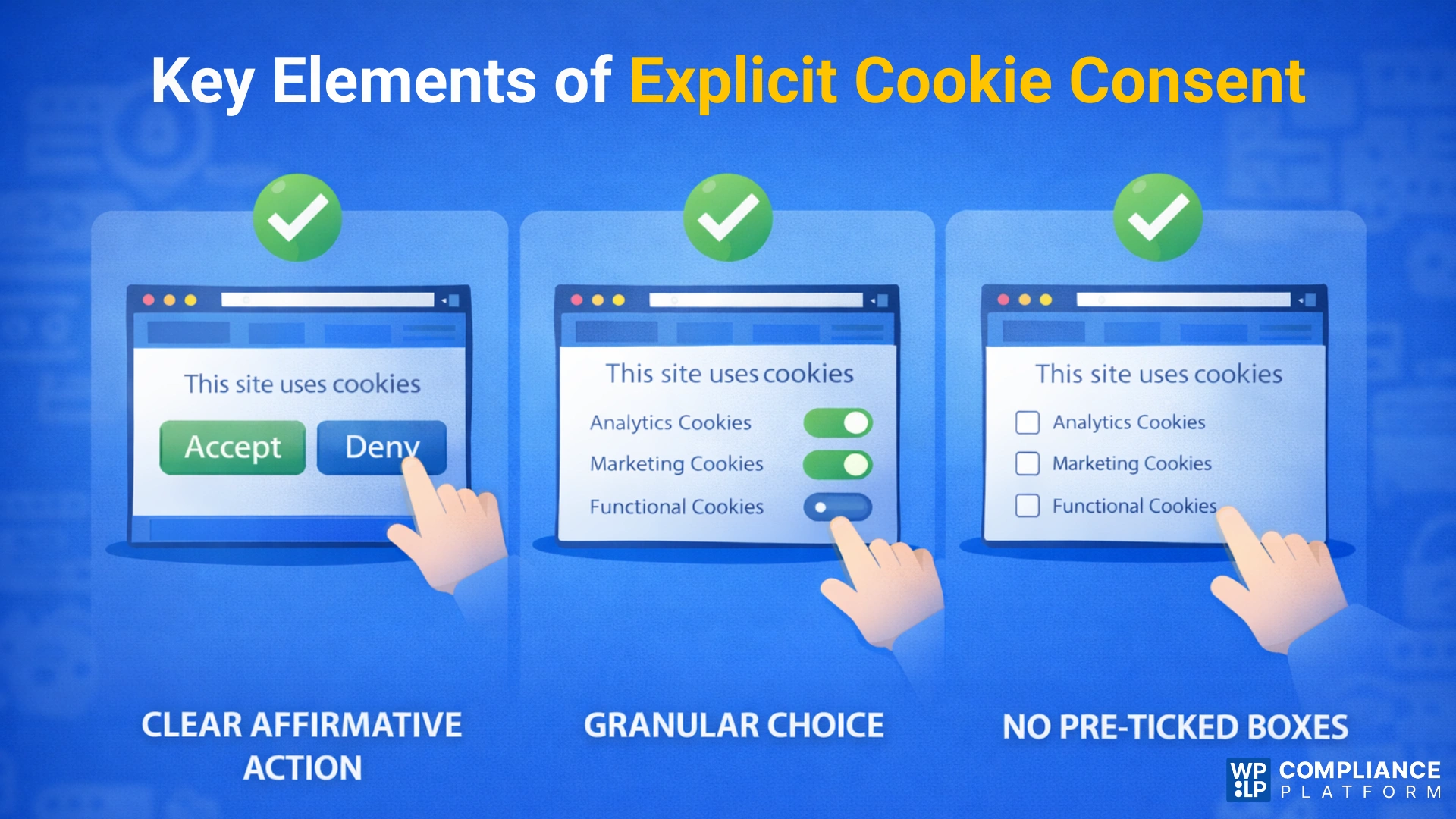
1. Clear Affirmative Action
Users must give consent through a deliberate action, such as clicking an “Accept” button or enabling a cookie category. Passive actions like scrolling, continuing to browse, or closing a banner do not clearly show intent and are not valid forms of consent under cookie banner legal requirements.
2. Granular Choice
Users must be able to control their consent at a detailed level. This means allowing them to accept or reject different categories of cookies (for example, analytics, marketing, or functional) rather than forcing a single “accept all” option, aligning with opt-in vs opt-out cookies compliance models. Granular choice ensures consent is informed and meaningful.
3. No Pre-Ticked Boxes
All non-essential cookies must be disabled by default. Pre-selected checkboxes or enabled toggles assume consent and violate privacy requirements. Users must actively opt in by turning on the categories they agree to.
So why does Explicit Consent matter?
Explicit consent allows users to maintain their privacy, establish trust in a website’s use of cookies, and comply with the ongoing changes in privacy legislation. It creates transparency about how cookies are collected and used, and empowers users with real control over their own data.
Let’s break down what the law requires you to take explicit consent from users.
What Do Privacy Laws Actually Require?
Websites do not need complex systems to comply with privacy laws, but businesses must be transparent about how they collect and use user data and obtain consent clearly and accurately under modern cookie banner legal requirements.
Here’s what the laws actually require, explained in plain language.
1. GDPR Consent Requirements
Under GDPR, consent must be a real choice. Users must be fully aware of what personal data will be collected about them, the reason for collecting their data and how it will be used. Most importantly, consent must be unambiguous, meaning users must take a clear action, such as clicking “Accept” to show agreement.
2. ePrivacy Rules on Storing and Accessing Data
ePrivacy regulations define what cookies and other tracking technologies are and how websites can use them. ePrivacy laws require website owners to obtain the user’s explicit consent to store or access any data on the user’s device, except for cookies strictly required for the website to function properly. To put it simply, non-essential cookies must not be placed on the user’s device without his or her explicit consent, in line with cookie consent ePrivacy obligations.
3. Why “Assumed Consent” Fails
Assumed consent, such as scrolling, continuing to browse, or pre-enabled cookie settings, fails because it does not clearly show user intent. Users may not notice a banner or understand what they are agreeing to. Since there is no clear, informed, and intentional action, this type of consent does not meet legal standards.
Is Implied Cookie Consent Legal?
| Jurisdiction | Is Implied Consent Allowed? |
|---|---|
| EU & UK | Not allowed |
| US (California) | Increasingly restricted |
| Strictly necessary cookies | No consent required |
In practice, implied consent fails to satisfy legal requirements for the use of tracking technologies under modern privacy laws.
There are some limited cases where tracking technologies do not require consent at all. It applies only to strictly necessary cookies, such as those used to keep items in a shopping cart, maintain user sessions, or protect the site from security threats. Because strictly necessary cookies are needed for a website to work, websites can use them without asking for consent under the cookie consent rules.
The rules governing non-essential cookies differ significantly from those governing essential cookies. All tools that gather data, such as Google Analytics, Facebook and Meta Pixels, various advertising trackers, heatmaps, and session recording software, require clear, affirmative user consent, and that consent cannot be assumed.
As stated in the GDPR and ePrivacy frameworks, implied consent is not acceptable in either the EU or the UK, reinforcing the distinction between implied vs explicit cookie consent modes.
In the US, and especially in California, the same growing trend is being observed with both the California Consumer Privacy Act (CCPA) and the California Privacy Rights Act (CPRA).
Both state regulators expect a mechanism to clearly opt-in or opt-out of consent based on how the collected data will be used. Therefore, websites cannot rely on implied consent for tracking cookies at this time, which poses considerable compliance risks.
Common Cookie Consent Practices That Are Not Legal
Many websites believe they are compliant because they use a cookie banner or a popular WordPress plugin. However, there are sites that rely on outdated consent methods that no longer meet legal standards.
If your site uses any of the practices below, it is likely non-compliant under modern privacy laws.
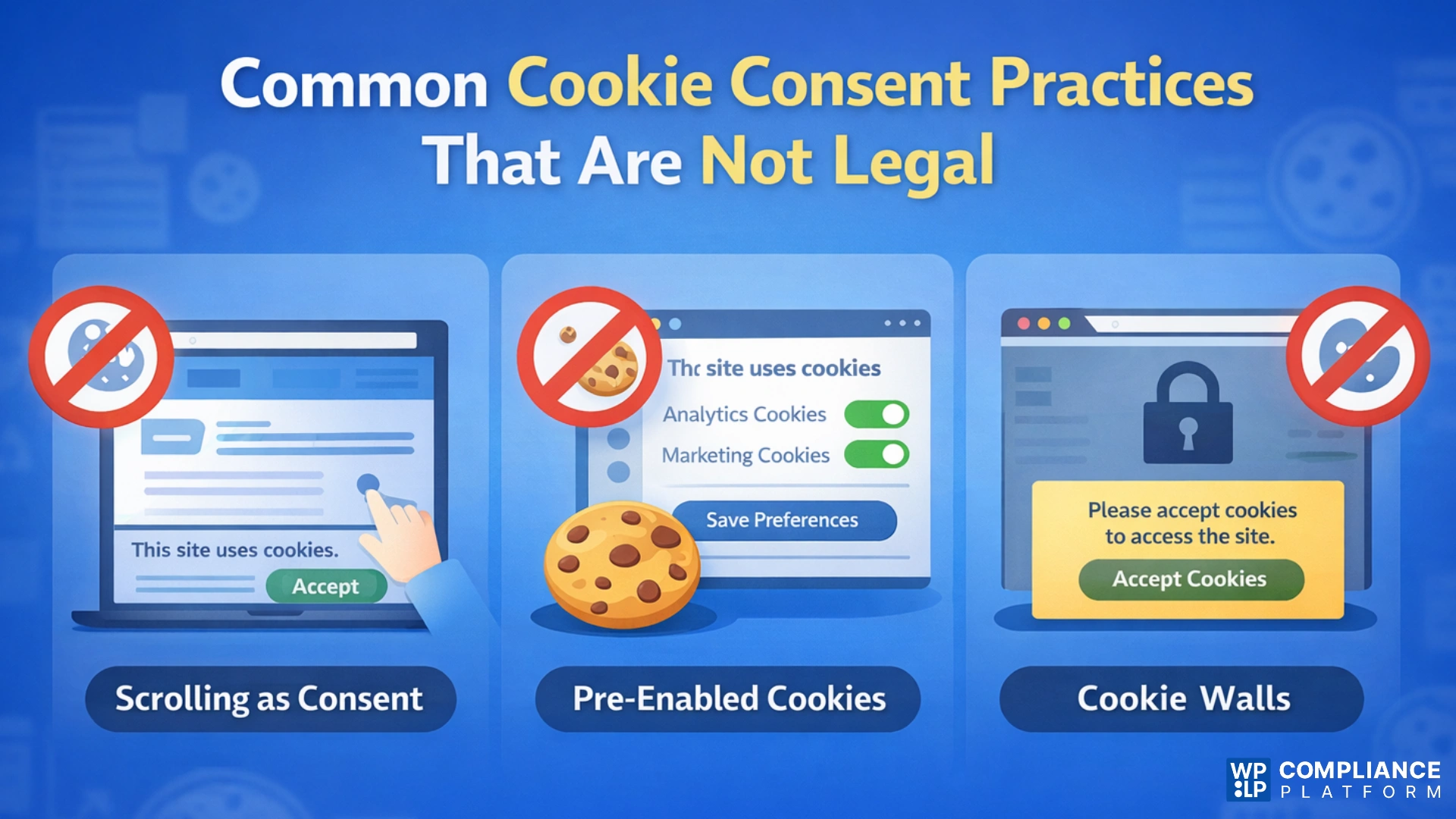
1. Scrolling or Continued Use as Consent
Scrolling or continued use as consent is not legally valid. Regulators have clearly stated that passive actions such as scrolling, clicking anywhere on the page, or continuing to browse do not demonstrate a clear intention to agree to cookies.
Users may scroll without noticing the banner at all, which makes this method ambiguous and fails the requirement for an affirmative, intentional action.
2. Pre-Enabled Tracking Cookies
Pre-enabled tracking cookies also violate consent requirements. If analytics or marketing cookies are switched on by default in your cookie settings, you are using an opt-out model.
Privacy laws require an opt-in approach, where all non-essential cookies remain disabled until the user actively enables them. Consent cannot be assumed just because a user did not turn something off.
3. Cookie Walls Without Choice
Cookie walls without a real choice are another common compliance issue. When a website blocks all content unless the user clicks “Accept,” the user is effectively forced to consent in order to access the site.
Because there is no genuine alternative, this consent is not considered freely given and is therefore invalid under most privacy regulations.
What Explicit Consent Looks Like in Practice
If your website is still relying on implied consent (such as scrolling or continued browsing), moving to explicit consent is essential for legal compliance. The transition doesn’t have to be disruptive, but it must be intentional and structured.
Use the checklist below to close compliance gaps safely and effectively.
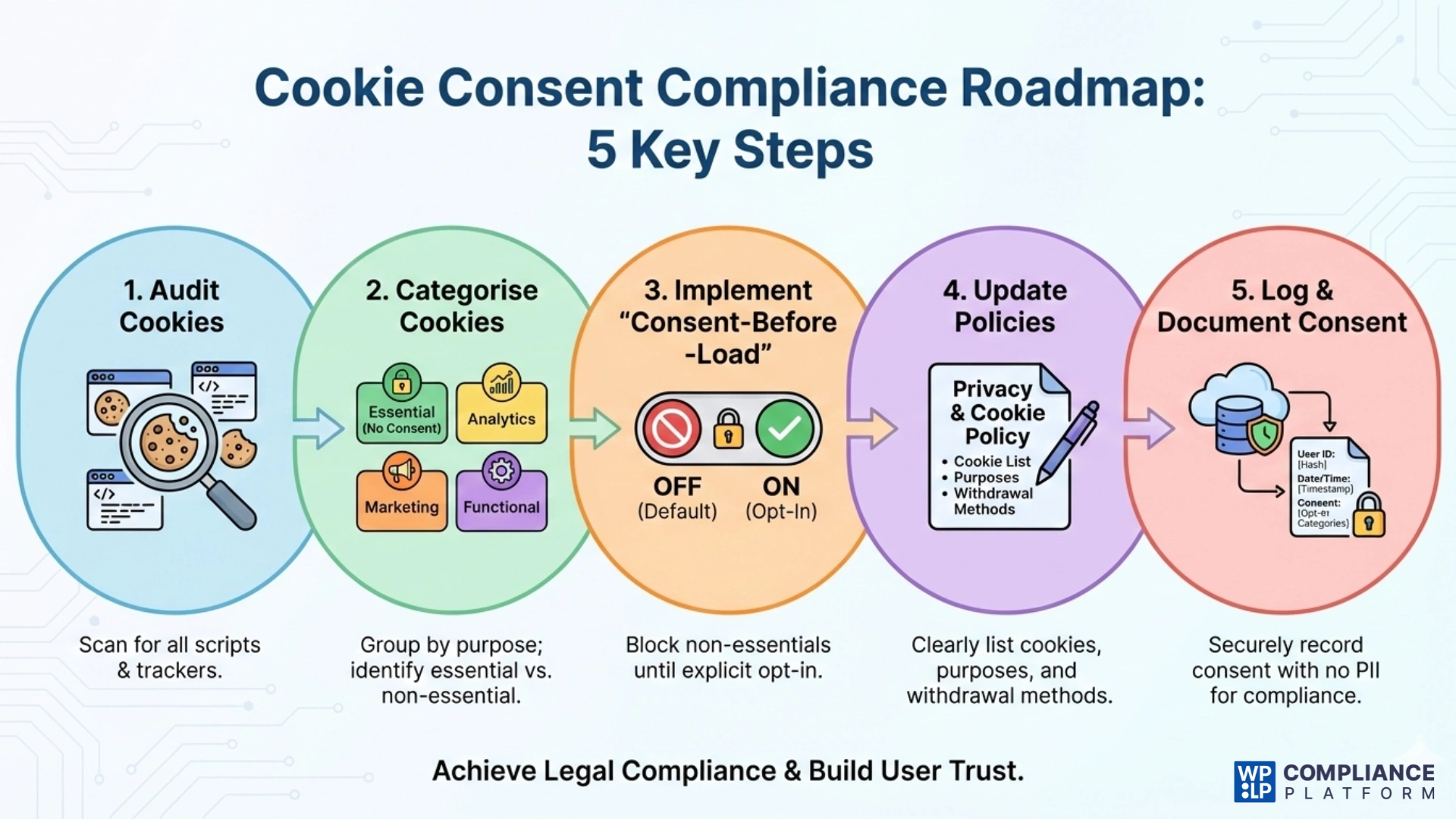
1. Audit Your Cookies
Start by checking the cookies and scripts on your website. Different cookie and script scanners can help you find analytics tools, advertising pixels, embedded content, and third-party services. Many websites run trackers without realising it, which can lead to unintentional non-compliance.
2. Categorise Cookies Correctly
Once you’ve identified all your cookies, put together all strictly necessary cookies into one group, and then the analytics, marketing, and functional cookies into their own respective groups.
Strictly necessary cookies are those required for the operation of the website and do not require customer consent. All other categories require the user’s consent. The correct designation of the cookies listed above will ensure that you comply with the consent regulations in your jurisdiction.
To make this process easier and more accurate, you can use the WPLP cookie scanner, which automatically detects cookies and helps you categorize them correctly, reducing the risk of misclassification and non-compliance.
3. Implement “Consent-Before-Load”
Make sure that you configure your site not to load non-essential cookies and scripts until the user gives explicit consent. Non-essential cookies and all forms of “tracking” should be disabled initially and only enabled once the user has opted in through the cookie banner. You should not rely solely on displaying a banner to obtain consent to collect user data. Instead, wait for the user’s consent before collecting any actual data.
4. Update Your Cookie & Privacy Policy
Your Cookie Policy should clearly list every cookie and third-party service used on your site, along with their purpose and function. Explain this information in simple, plain language so users can easily understand what they are agreeing to. The policy should also explain how users can manage or withdraw their consent at any time.
5. Log and Document Consent
Keep a backend record of the time, date, and methods used to collect consent. The records should not include any PII (personally identifiable information) and should provide clear, logged records of each user’s choices. Consent logs will also allow you to demonstrate compliance in case of any requests from regulators or the user themselves for proof of their consent.
You can use a consent management platform (CMP) to manage and store consent logs for your website. Platforms like WPLP can significantly simplify this process.
By following these steps, you can smoothly transition your website’s cookie banner from implied consent to explicit consent in a way that aligns with real-world privacy law requirements.
FAQ
You do not need to get consent for strictly necessary cookies. All other cookies require explicit consent under GDPR and ePrivacy rules.
In most cases, no. Analytics are not essential for website functionality, and regulators have ruled that tools like Google Analytics require explicit user consent.
No. GDPR and ePrivacy require clear, affirmative user action before placing non-essential cookies, making implied consent methods like scrolling invalid.
Yes, if you have EU or UK visitors, GDPR applies regardless of where your business is based. US laws like CCPA/CPRA and VCDPA also apply, and while they are mostly opt-out, they increasingly require greater transparency and user control.
This is called a “cookie wall.” Under GDPR, it is generally illegal because consent must be freely given. If users are forced to accept tracking just to access content or make a purchase, the consent is not valid.
Key Takeaways for Website Owners
A cookie consent notice has now become an important legal requirement. If you are using implicit consent methods, such as scrolling or continuing to use a site, you are exposed to vulnerabilities for not complying with the latest privacy laws.
The new privacy laws, such as GDPR, ePrivacy, and CCPA/CPRA, require website owners to obtain explicit, informed user consent for any cookie that is not considered “essential.”
By understanding what explicit consent looks like in practice and fixing common mistakes, website owners can stay compliant without harming user experience. A clear consent banner, proper cookie categorization, consent-before-load setup, transparent policies, and consent logging all work together to create a compliant and user-friendly system.
Besides the importance of respecting user choice, it is important for all website owners to build user trust while remaining compliant over the long term and to be able to build a long-term relationship.
If you like this article, consider reading these articles.
- How to Create Privacy & Cookie Policies for WordPress
- Server-Side Tracking For GDPR Compliance
- What is a Data Subject Access Request? A Complete Guide
Make your site compliant with the WPLP Compliance Platform, and add a cookie banner that makes user consent count.
Disclaimer: This article is for informational and reading purposes only and does not constitute legal advice.