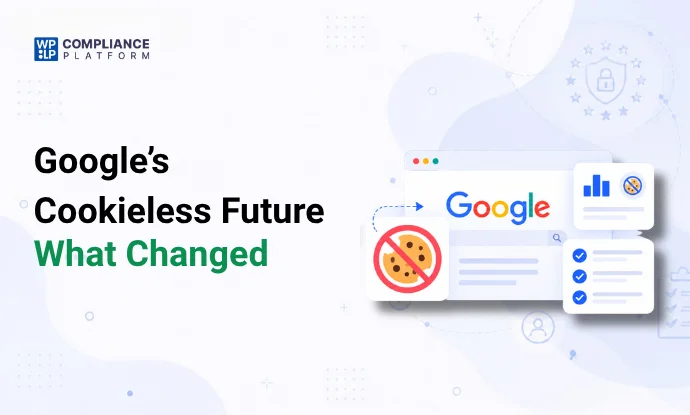
Google’s plan to remove third-party cookies from Chrome is off. After years of deadlines and delays, Google confirmed in April 2025 that Chrome will keep its current approach to third-party cookies, with no new opt-in prompt.
That doesn’t mean you can ignore cookie privacy.
Safari and Firefox already restrict cross-site tracking. Chrome users can block third-party cookies. And privacy laws still decide how your website stores information and tracks visitors.
For a WordPress site, the job is no longer to prepare for one big cookie shutdown. It’s to know what your site collects, get valid consent where the law requires it, and run measurement and ads that don’t depend only on cross-site tracking.
This guide covers what changed, what happened to Google’s Privacy Sandbox, how browsers handle cookies, and what to do on your WordPress site.
Key takeaways
- Third-party cookies stay in Chrome. Google dropped the phase-out. Users still control cookies in Chrome’s settings.
- Other browsers still restrict tracking. Safari and Firefox block or limit cross-site tracking by default.
- Most of the Privacy Sandbox is gone. Google retired Topics, Protected Audience, Attribution Reporting, and other ad APIs.
- Cookie consent still matters. Chrome’s policy doesn’t override the GDPR, the ePrivacy rules, or other privacy laws.
- WordPress sites need regular cookie checks. Plugins, analytics tools, ad pixels, and embeds all add cookies and trackers.
- First-party data and contextual ads help. Both cut your reliance on cross-site tracking.
What happened to Google’s third-party cookie phase-out?
For several years, Google planned to phase out third-party cookies in Chrome as part of its Privacy Sandbox project. The idea was to reduce cross-site tracking and offer other tools for ads, measurement, and audience targeting.
The plan changed again and again.
Google’s third-party cookie timeline
| Date | What happened |
|---|---|
| August 2019 | Google announced the Privacy Sandbox |
| January 2020 | Google said Chrome would phase out third-party cookies within 2 years |
| January 2022 | Google replaced its first proposal, FLoC, with the Topics API |
| January 2024 | Chrome turned off third-party cookies for 1% of users, as a test |
| July 2024 | Google dropped the phase-out and proposed a user-choice prompt instead |
| April 22, 2025 | Google dropped the prompt too. Chrome keeps its current approach to third-party cookies |
| October 17, 2025 | Google announced it would retire most Privacy Sandbox technologies |
| January 2026 onward | Chrome started removing selected Privacy Sandbox APIs, starting with Chrome 144 |
The April 2025 announcement was the turning point. Instead of removing third-party cookies for everyone, Chrome kept letting users manage cookies in their browser settings.
What this means for you: don’t assume every Chrome visitor has third-party cookies turned on. Some block them in settings, with privacy extensions, or in Incognito mode. Your site should work when third-party cookies are missing.
Sources: Google’s April 2025 announcement and Google’s October 2025 update.
What happened to Google’s Privacy Sandbox?
The Privacy Sandbox was Google’s set of browser APIs for ads and measurement without traditional cross-site tracking.
In October 2025, Google said it would retire most of them because of low adoption.
Privacy Sandbox technologies: what’s changed
| Technology | What it was for | 2026 status |
|---|---|---|
| Topics API | Interest-based ads | Retired, being removed |
| Protected Audience | Remarketing auctions in the browser | Retired, being removed |
| Attribution Reporting | Ad conversion measurement | Retired, being removed |
| Shared Storage | Cross-site storage for limited uses | Retired, being removed |
| Private Aggregation | Summary measurement | Retired, being removed |
| IP Protection, Related Website Sets | Hiding IP addresses, linking related domains | Retired |
| CHIPS | Partitioned third-party cookies | Still supported |
| FedCM | Federated sign-in (“Sign in with…”) | Still supported in Chrome. Other browsers don’t support it yet |
| Private State Tokens | Fraud and abuse checks | Still supported in Chrome |
The difference matters.
CHIPS lets a third-party cookie be partitioned by the top-level site. The cookie works on your site, but it can’t be used to follow someone across unrelated sites.
FedCM lets the browser handle federated sign-in. Google’s feature status page lists it as supported in Chrome but not yet in other browsers, so don’t treat it as a cross-browser standard.
What this means for you: don’t build your privacy or ad plans on the idea that the Privacy Sandbox will replace third-party cookies. Check which technologies your site actually uses, and whether they work in the browsers your visitors use.
What are first-party and third-party cookies?
Before looking at your site, it helps to know the 2 main types of cookies.
First-party cookies
The website the visitor is on sets these. For example, when someone signs in to a WordPress membership site, a first-party cookie keeps them logged in.
Common uses:
- Keeping people logged in (session cookies)
- Keeping a shopping cart
- Saving language settings (functional cookies)
- Remembering preferences
- Running the site’s own analytics (analytical cookies)
First-party cookies aren’t automatically exempt from privacy rules. Their purpose, and the law that applies, decide whether you need consent.
Third-party cookies
A domain other than the one the visitor is on sets these, through a script, pixel, or embed. Common sources:
- Ad networks and retargeting platforms (Google Ads cookies, for example)
- Social media buttons and feeds
- Embedded videos and maps
- Other outside tracking tools
Example: a visitor looks at a product in your store. Later, they see an ad for the same product on another site. A third-party ad cookie connected those 2 visits.
That cross-site tracking is why third-party cookies get so much privacy attention.
First-party vs third-party cookies
| First-party cookies | Third-party cookies | |
|---|---|---|
| Set by | The site being visited | An outside domain |
| Main use | Site functions and preferences | Ads, tracking, embedded services |
| Cross-site tracking | Not on their own | Yes, that’s their main use |
| Browser limits | Fewer, though Safari shortens some | Blocked or partitioned in Safari and Firefox |
| Consent | Depends on purpose and the law | Usually needed under EU and UK rules |
How browsers handle third-party cookies
Google’s decision doesn’t mean every browser treats third-party cookies the same way. Your visitors use a mix of browsers.
Google Chrome
Chrome still allows third-party cookies, but users can block them. Incognito mode blocks them by default. So a site that relies only on third-party tracking won’t get the same data from every Chrome visitor. You can check cookies in Chrome yourself to see what your site sets.
Safari
Safari uses Intelligent Tracking Prevention (ITP). It blocks third-party cookies by default. It also limits some first-party cookies: cookies set by JavaScript, such as Google Analytics’ _ga, expire after 7 days at most. So a returning Safari visitor can look like a new one after a week.
Mozilla Firefox
Firefox uses Enhanced Tracking Protection and Total Cookie Protection. Total Cookie Protection gives each site its own separate storage for third-party cookies. A third-party cookie set on site A can’t be read on site B, so it can’t follow people across sites. First-party cookies work as normal.
Browser comparison
| Browser | Third-party cookies by default |
|---|---|
| Chrome | Allowed. Users can block them. Blocked in Incognito |
| Safari | Blocked. Script-set first-party cookies capped at 7 days |
| Firefox | Partitioned per site, so they can’t track across sites |
| Edge | Tracking Prevention blocks known trackers, based on its settings |
Browser behavior changes between versions, and settings or extensions change the result too. For current details, see MDN’s third-party cookie documentation.
Does Google’s decision change cookie consent rules?
No.
Google controls Chrome. It doesn’t decide whether your website follows privacy law.
If your site uses cookies or similar tools to store or read information on visitors’ devices, check the privacy and electronic communications rules that apply to you.
GDPR and ePrivacy
For sites with EU visitors, the GDPR and the ePrivacy rules work together.
The ePrivacy Directive generally requires clear information and consent before non-essential cookies are stored or read on a visitor’s device. Each EU country applies it through its own law. Technologies that are strictly necessary for a service the visitor asked for are exempt.
The GDPR also applies when cookies or trackers process personal data.
Keep in mind:
- Not every first-party cookie is exempt from consent.
- Not every analytics cookie is essential. A few countries allow narrow exceptions. France, for example, lets some carefully configured audience measurement run without consent.
- A cookie banner alone doesn’t prove valid consent. Visitors need a real, informed choice.
- Non-essential technologies shouldn’t run before you get the consent you need.
What about visitors outside the EU?
Cookie rules differ by country. Depending on where your visitors are, you may also need to check:
- UK GDPR and PECR. Since February 2026, the UK exempts some low-risk statistics and functionality cookies, with conditions.
- California’s CCPA and CPRA, which use an opt-out model.
- Other US state privacy laws.
- India’s Digital Personal Data Protection Act and the DPDP Rules.
- Privacy laws in other countries your site targets.
These laws don’t all ask for the same cookie banner. The right setup depends on where the visitor is, which technologies you use, what you use them for, and which law applies. One generic banner doesn’t prove compliance everywhere.
For how EU regulators judge cookie banners, see the EDPB Cookie Banner Taskforce report.
What does this mean for WordPress websites?
Chrome kept third-party cookies, but you still need to know how your site collects visitor data.
A typical WordPress site uses several outside services:
- Google Analytics
- Google Ads
- Meta Pixel
- YouTube embeds
- Google Maps
- Live chat widgets
- Marketing automation tools
- Social media integrations
Many of these load scripts, set cookies, or send data to the provider. And you may not know which cookies each plugin or embed adds.
That leaves you with 3 practical problems.
1. Knowing what your site collects
You can’t make good privacy decisions without knowing what runs on your site. An old ad pixel, for example, can keep loading long after the campaign ended.
Regular cookie scans find these.
2. Stopping tracking before consent
Where consent is required, a banner that doesn’t control the scripts behind it isn’t enough. If a visitor rejects tracking, those technologies shouldn’t run.
Your consent management platform should hold back the scripts and embeds until the visitor decides.
3. Keeping the site working
Blocking every cookie and script can break your site. A checkout needs session cookies. A video player may need a placeholder until the visitor allows it.
Separate what the site needs from optional tracking. Whitelisting the scripts the site needs keeps login and cart cookies working. More: why a whitelist approach works.
How to prepare your WordPress site: a 6-step checklist
Step 1: Audit your cookies and trackers
Find every cookie and script your site loads. For each one, check:
- Cookie name and provider
- What it’s for
- How long it lasts
- First-party or third-party
- Whether it processes personal data
- Whether it needs consent
- Which pages or plugins set it
Use your browser’s developer tools and a cookie scanner. Test more than your homepage: product pages, checkout, forms, and pages with embedded videos. A homepage-only scan misses what loads elsewhere.
Step 2: Sort cookies into categories
Group each cookie by what it does.
| Category | Examples |
|---|---|
| Necessary | Login sessions, shopping cart |
| Preferences | Language and display settings |
| Analytics | Traffic and visitor behavior |
| Marketing | Ad pixels and retargeting |
These categories help you organize. They aren’t legal labels on their own. Sort each cookie by what it actually does and the rules that apply.
Step 3: Set up a consent management platform
A consent management platform (CMP) collects and manages each visitor’s choices. Look for one that can:
- Show a clear cookie banner
- Offer Accept and Reject options with equal weight
- Let visitors choose by category
- Block non-essential scripts until consent
- Record each choice (see consent audit and logging best practices)
- Let visitors change or withdraw consent
- Handle different rules by region
Then test what your site actually does. Installing a plugin doesn’t make every integration compliant on its own. Setup steps: how to add a cookie banner in WordPress.
Step 4: Build a first-party data strategy
First-party data is information people give you directly, through your site or your business. For example:
- Newsletter sign-ups
- Customer accounts
- Purchase history
- Preferences people choose
- Feedback and survey answers
Say why you collect it, how you’ll use it, and how long you’ll keep it. Get consent, or rely on another legal basis, where the law requires it.
First-party data isn’t automatically exempt from privacy law. And it isn’t the same as first-party cookies: you may still store or connect the data with cookies that browsers and consent rules limit. More: how to prepare a WordPress site for the end of third-party cookies.
Step 5: Try contextual advertising
Contextual targeting matches ads to the page, not to a profile of the visitor. An ad for hiking gear next to an article about mountain trails is an example.
It cuts your reliance on cross-site tracking, and it works when visitors block cookies or reject ad tracking. Still check whether your ad setup processes any personal data.
Step 6: Review your analytics and ad setup
Check that your analytics and ad tools behave correctly when visitors decline tracking. Options to look at:
- Privacy-friendly analytics setups
- Server-side tracking, where it fits
- Consent-aware Google tags
- Google Consent Mode
- Summary (aggregated) measurement
- Contextual ads
Google Consent Mode passes consent choices to Google tags. It doesn’t replace a consent management platform, and it doesn’t make your site compliant by itself.
Test your setup to make sure tags follow each visitor’s real choice.
Example: testing cookie consent on a WordPress site
Take a WordPress site with Google Analytics, a YouTube embed, and an ad pixel. Compare what loads under each consent choice.
| Test | What to check |
|---|---|
| Before consent | Non-essential scripts don’t load where consent is required |
| Accept all | The allowed categories turn on |
| Reject non-essential | Optional tracking stays off |
| Customize | Only the chosen categories turn on |
| Withdraw consent | Optional tracking stops again |
| Reload the page | Saved choices are kept |
Run each test in a fresh private window. Check the Network tab, Storage, and Cookies in your browser’s developer tools.
Example: if the YouTube embed loads trackers before the visitor agrees, fix it. A click-to-load placeholder can hold the video back until the visitor allows it.
That tells you far more than checking whether the banner appears.
[PLACEHOLDER: add screenshots from your own test of a WordPress site in Chrome, Safari, and Firefox, with the date and browser versions.]
How WPLP Cookie Consent can help
WPLP Cookie Consent is our WordPress plugin for finding cookies, managing consent, and controlling third-party scripts. It includes:
- Cookie scanning and categorization
- Customizable consent banners
- Script and embed blocking
- Consent preference management
- Consent logs
- Google Consent Mode v2
For example, a scan finds the cookies your plugins and embeds add. You then set the plugin to hold each one back until the visitor allows its category.
No plugin can guarantee compliance on its own. You still need to check your settings, your cookie policy, your legal basis, and what your site actually tracks.
Frequently asked questions
Is Google getting rid of third-party cookies in Chrome?
No. Google confirmed in April 2025 that Chrome will keep its current approach to third-party cookies. Users manage them in browser settings, and Incognito mode blocks them by default.
Is the Privacy Sandbox still available?
Partly. Google retired most of its ad APIs, including Topics, Protected Audience, and Attribution Reporting. CHIPS, FedCM, and Private State Tokens remain supported in Chrome. Check Google’s feature status page before you build on any of them.
What will replace third-party cookies?
No single thing. Most sites combine first-party data, contextual ads, privacy-friendly analytics, and consent-based measurement. The right mix depends on your business, your ads, and the rules that apply to you.
Do I still need a cookie banner?
It depends on the cookies and trackers your site uses, what you use them for, and where your visitors are. If you have EU or UK visitors and set non-essential cookies, usually yes. Google’s decision doesn’t remove those consent rules.
Are first-party cookies exempt from GDPR consent?
No, not as a group. Some first-party cookies are strictly necessary for a service the visitor asked for. Others, such as many analytics and ad cookies, need consent.
Does Google Consent Mode make my website GDPR compliant?
No. Consent Mode sends consent signals to Google services. It doesn’t replace a consent management platform, decide whether you need consent, or guarantee compliance.
How do I check which cookies my WordPress site uses?
Use your browser’s developer tools and a cookie scanner. Check several pages and journeys, including forms, checkout, and pages with embeds. Scan again whenever you add or update a plugin, analytics tool, or ad integration.
What should I do if visitors reject cookies?
Respect their choice. Anything that needs consent stays off. Strictly necessary features keep working.
Conclusion
Chrome kept third-party cookies, but the reasons to manage privacy carefully haven’t changed.
Safari and Firefox still restrict cross-site tracking. Chrome users can block third-party cookies. Privacy laws still decide how you collect and use visitor data.
So know what your site loads, set up consent properly, collect first-party data responsibly, and rely less on cross-site tracking.
Start with a cookie audit. Find what runs on your site, check what needs consent, and test that your consent settings really control it.
Not sure what your WordPress site collects? Run a free compliance audit, then review your consent setup before your next campaign.
This article is general information, not legal advice.
Related reading