Summary
It explains user responsibilities, payment terms, refunds, intellectual property rights, and dispute resolution. Creating a clear agreement helps set expectations for visitors and provides guidance on how your website, products, or services should be used.
A well-structured Terms and Conditions page also supports transparency, builds trust, and helps create a better user experience.
Providing people with a way to agree to your terms of service is one of the best ways not just to protect your reputation but your revenue as well.
If you want to add a Terms and Conditions page on WordPress, you can either do it manually or use a WordPress terms and conditions generator.
In this article, we will show you a step-by-step process to add a terms and conditions page to your WordPress website.
What Are the Terms and Conditions?
Terms and conditions are a document that outlines the relationship between the customer and the service provider.
A WordPress Terms and Conditions page helps website owners communicate these rules clearly to users. This document is a guideline for using the services or the organization’s product.
On websites, terms and conditions can also be referred to as terms of use or Terms of Service. Simply put, it is a document that clarifies the conditions of use of the service.
A quick example of terms and conditions can be an end-of-season sale from an ecommerce store. A store may advertise “Up to 60% Off,” but the offer could apply only to selected products, run for a limited time, or exclude certain brands. The terms and conditions explain these details so customers know exactly what the offer includes.
Are Terms and Conditions Legally Required?
Rules and regulations do not legally require terms and Conditions, but they are highly recommended on your website. Having terms and conditions on your website will help your users understand your website’s rules.
There are several main reasons why websites should have a terms and conditions policy. The primary reason is to maintain control over your websites or services provided to customers. In addition, it also helps to inform the users about the relationship between them and the business.
Setting Up Terms of Service on WordPress
Whether you’re using WordPress terms and conditions plugins or doing so manually, the process will be simple and easy.
Manual Process
To create a Terms and Conditions page for WordPress, open the WordPress dashboard, Pages, and click on Add New.
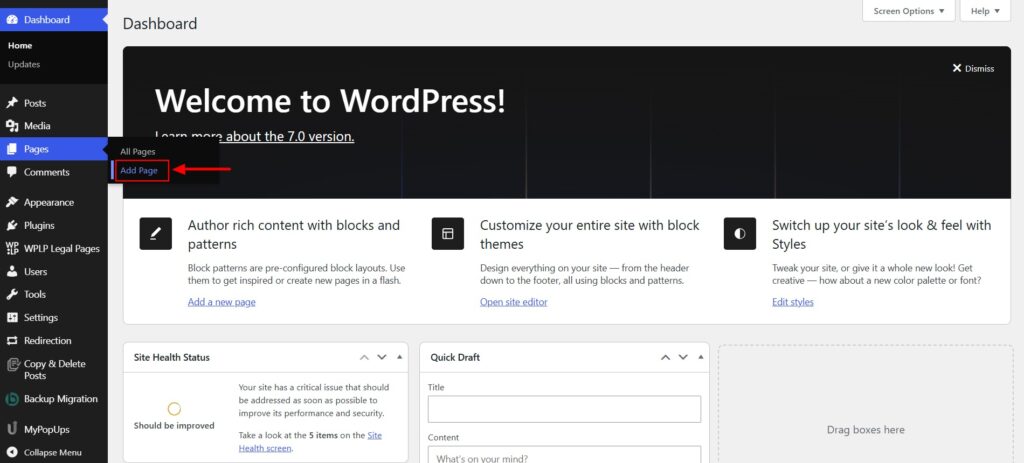
- Now, you can put the title as Terms and Conditions for this page.
- Paste the required content of your terms and conditions in the white space.
- Click Publish once done.
Using Terms and Conditions Plugin
Framing the proper terms and conditions page might be complex if you are not familiar with legal terminology. Hiring a lawyer or spending hours researching legal terms might not be feasible options.
In such cases, we can use the WordPress terms and conditions plugin WPLP Compliance Platform. Using this plugin, you can generate customized terms and conditions for your WordPress and WooCommerce website and get it done in a few minutes.
WPLP Compliance Platform is a generator that helps you create a WordPress Terms and Conditions page and comply with legal requirements.
WPLP Compliance Platform: WordPress Terms and Conditions Generator
The WPLP Compliance Platform is a popular legal page generator that helps you create professional policy pages tailored to your requirements across multiple geographies.
When a website has clearly defined legal policies, users feel reassured and are likely to engage with the site without fear of unexpected legal consequences.
Using the WPLP Compliance Platform, you can create pages for professional privacy policies, terms of use, terms & conditions, ecommerce returns & refund policies, affiliate disclaimers, and more.
Features and Benefits of WPLP Compliance Platform
WPLP Compliance Platform has multiple expert-vetted legal page templates and over 370,000+ downloads. Additionally, bloggers, affiliate marketers, corporate websites, ecommerce stores, and consultants use WP Legal Pages for its ease of functionality and legal compliance.
If you’re using the free version, you’ll have access to some basic options such as Privacy Policy, Terms of Use, DMCA, and CCPA.
However, the Pro version offers you 25+ templates to choose from that cover most compliance requirements. Whether you need disclaimers, refund policies, affiliate agreements, or anything else, the Pro version has you covered.
Let’s explore more features:
- Library of Legal Templates: WPLP Compliance Platform offers a wide selection of pre-designed legal templates, including privacy policies, terms and conditions, disclaimer statements, and more.
- Announcement Banner: Display announcement banners on your website whenever legal pages are updated.
- Responsive Pop-ups: Create functional and responsive pop-ups that can showcase forced agreements or privacy policies to users.
Furthermore, with the WPLP Compliance Platform, you can create multiple customized legal pages for every occasion and ensure total website compliance. Get tailored pages like privacy policies, cookie policies, copyright policies, and more on a single platform.
In short, this terms of service generator plugin is a one-stop destination for your website policy requirements.
How to Install the WPLP Compliance Platform Plugin?
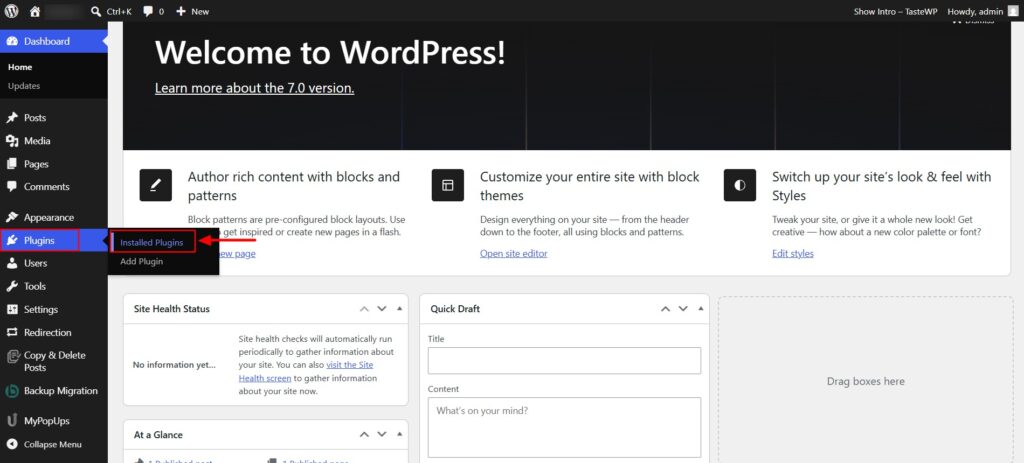
Head over to your WordPress Dashboard.
Step 1: Installing the WP Legal Pages Plugin
Navigate to your WordPress Dashboard and click Plugins → Add New.
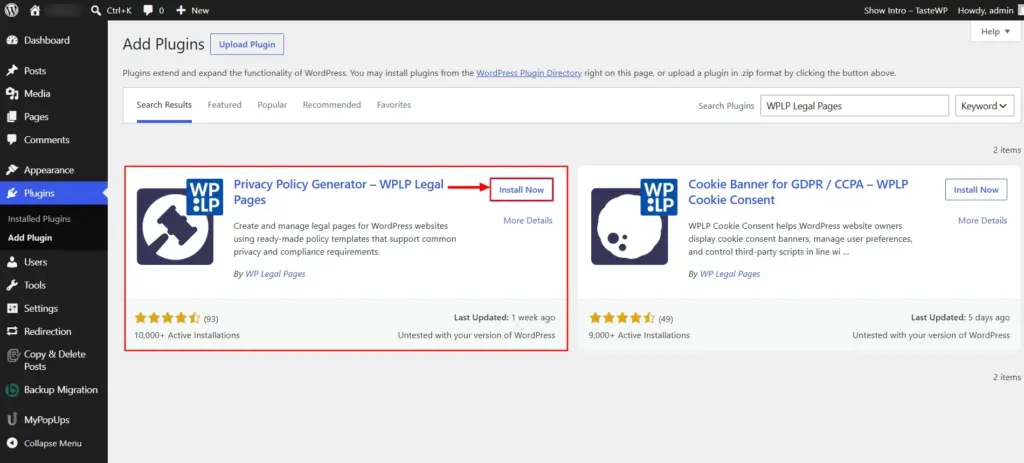
Search for WPLP Legal Pages in the search bar.
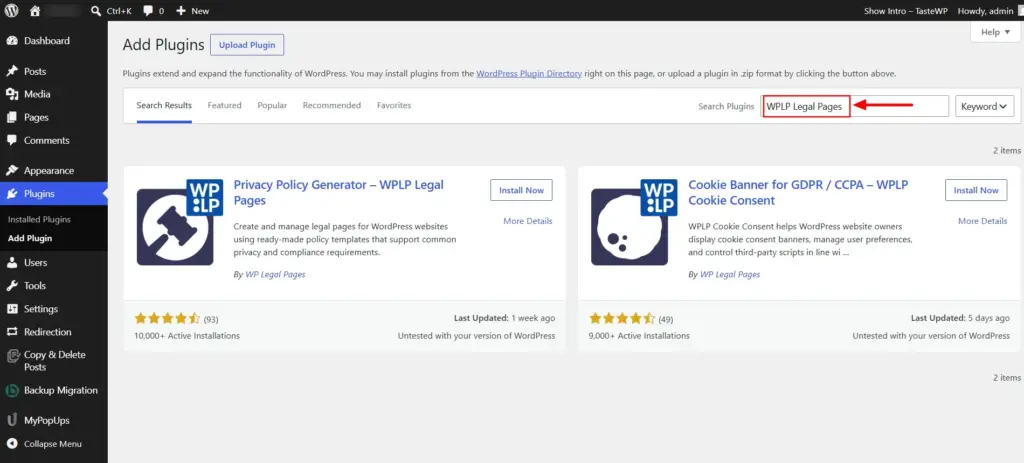
Click the Install Now button.
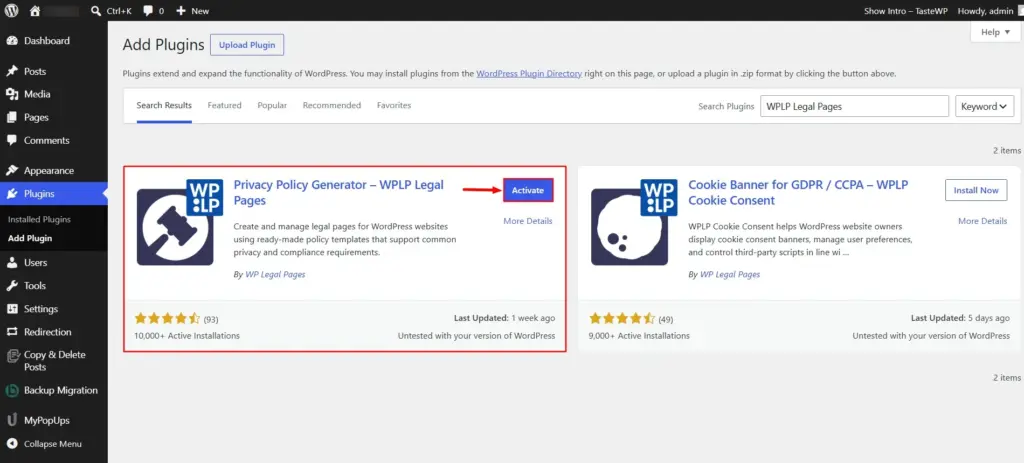
Activate the plugin by clicking the Activate button.
Step 2: Configuring WPLP Legal Pages Plugin
Once activated, access the plugin directly from your WordPress Dashboard.
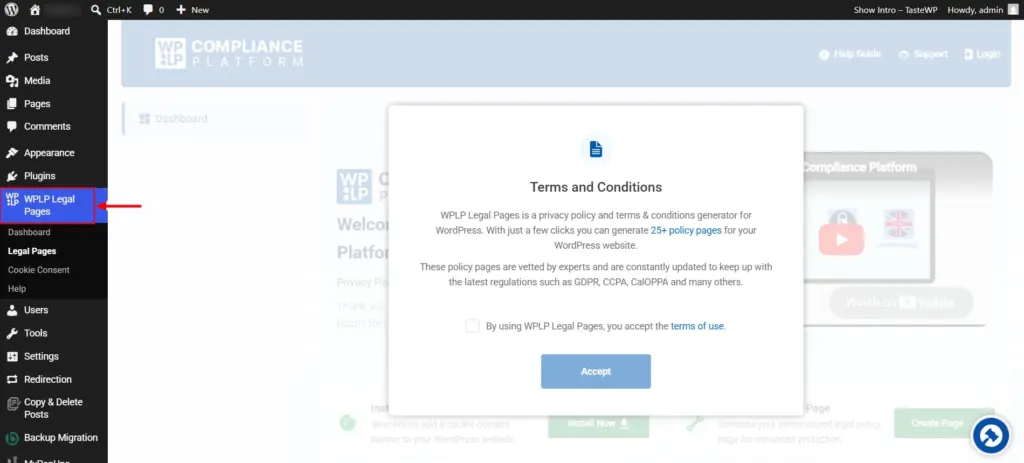
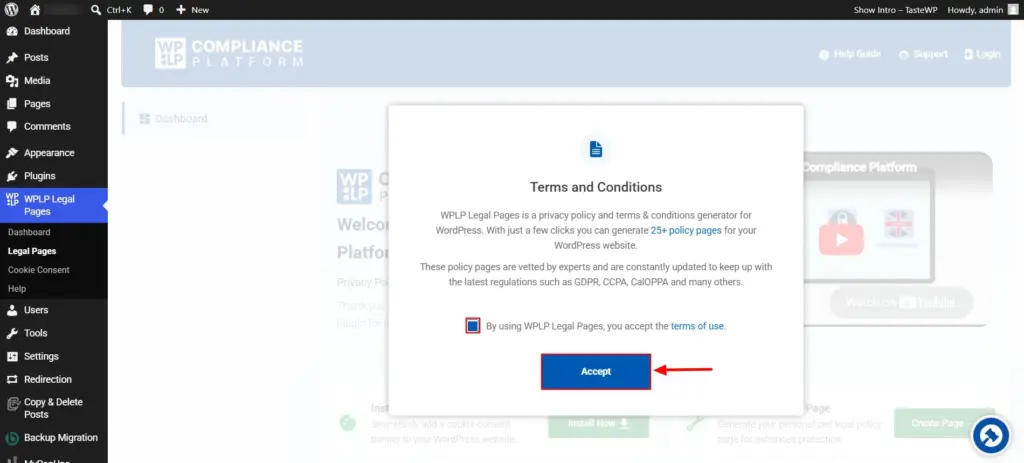
Accept the plugin’s Terms of Conditions to continue.
Step 3: Accessing the Terms and Conditions Template
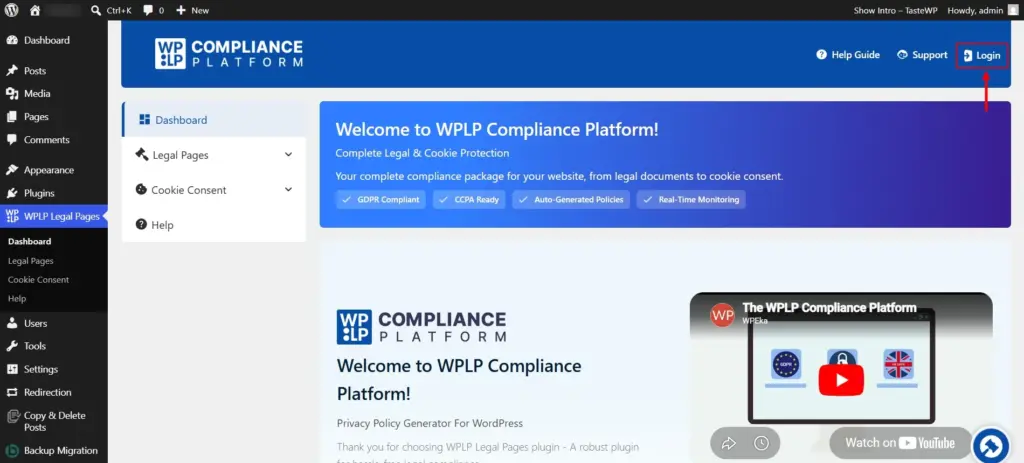
Click on the login button that you can find in the top right corner of the page.
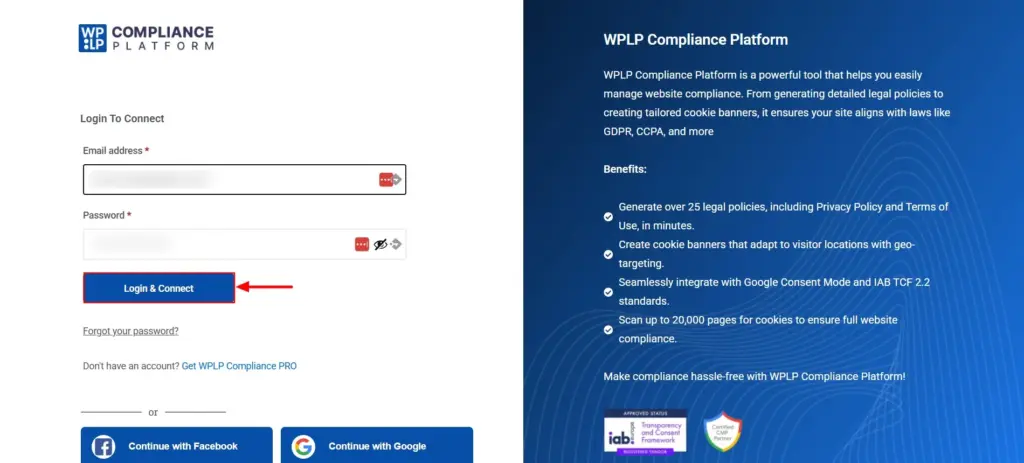
Click on the Get WPLP Compliance Pro on the signup page.
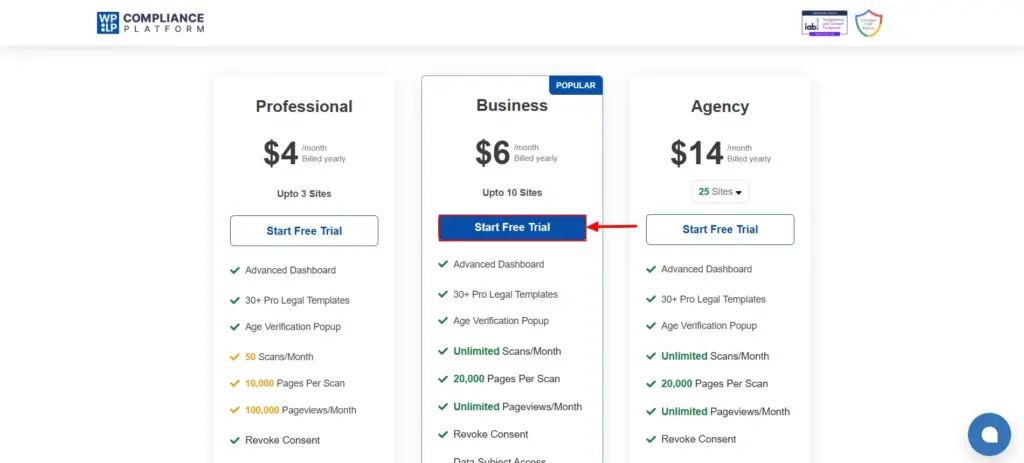
You will be redirected to the pricing page. Select your preferred plan and click Start Free Trial.
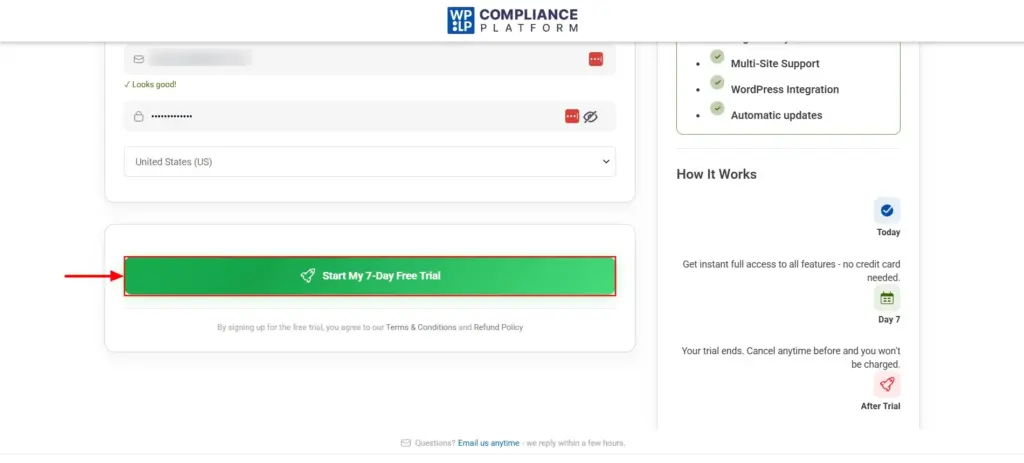
Enter your billing details and click on the Start My 7-Day Free Trial button.
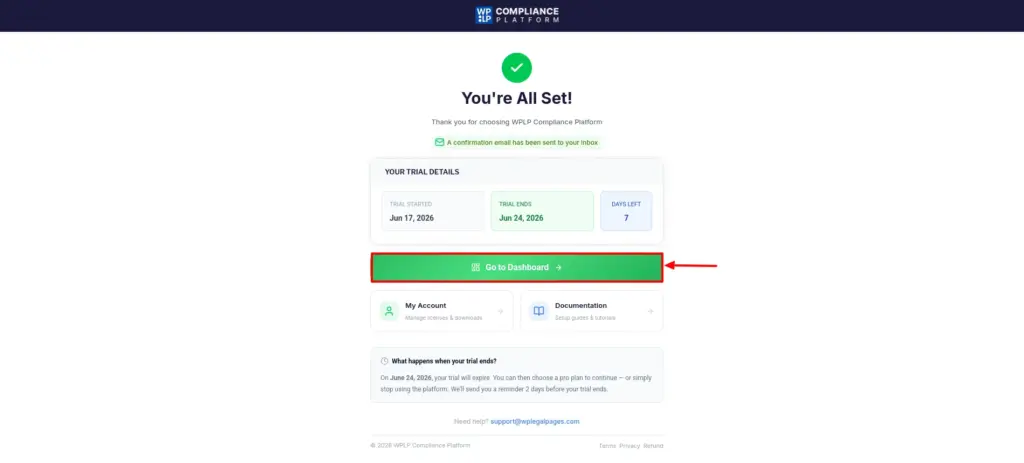
Now, in the Thank You page, you can see that your order is confirmed. Now, click on the Go to Dashboard button.
Step 4: Creating Your WordPress Terms and Conditions Page
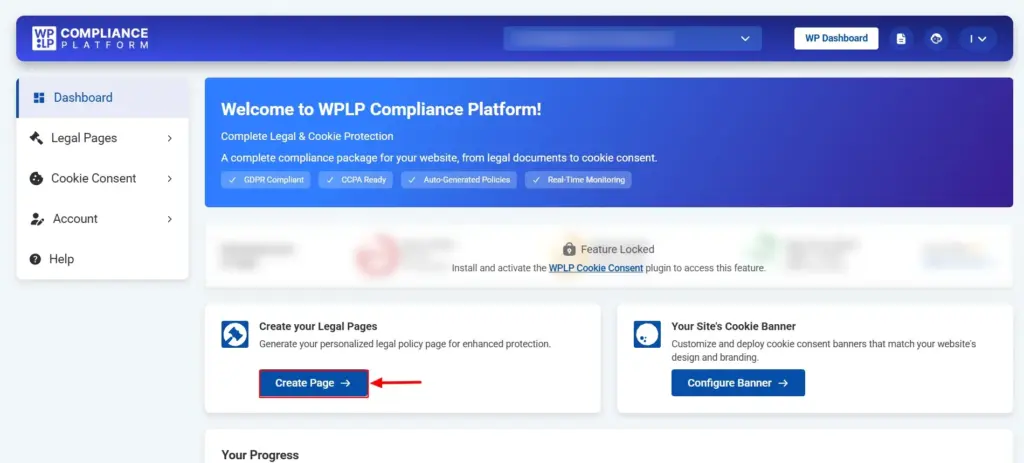
In the dashboard, you can find the Create Page button. Click on it.
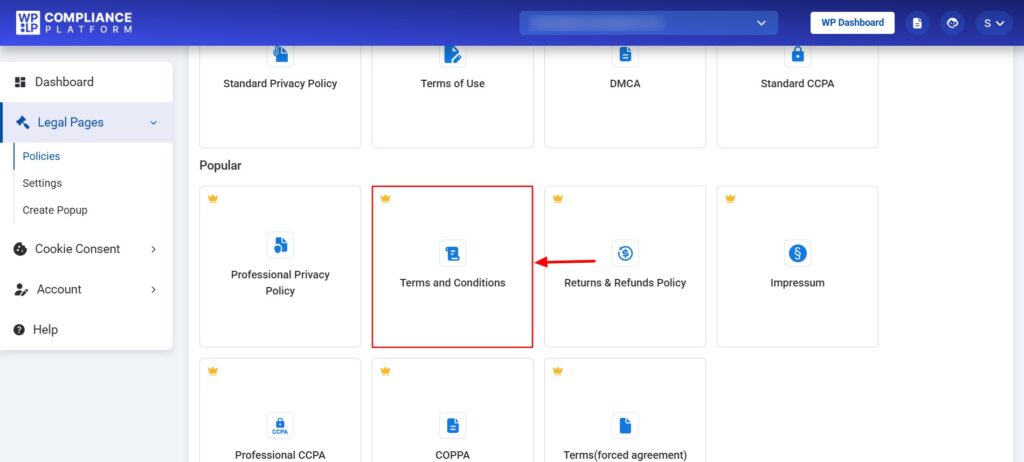
Now, in the legal pages section, you can find multiple legal pages templates. As we want to create a Terms and Conditions page for our WordPress site, let’s go ahead and choose that template.
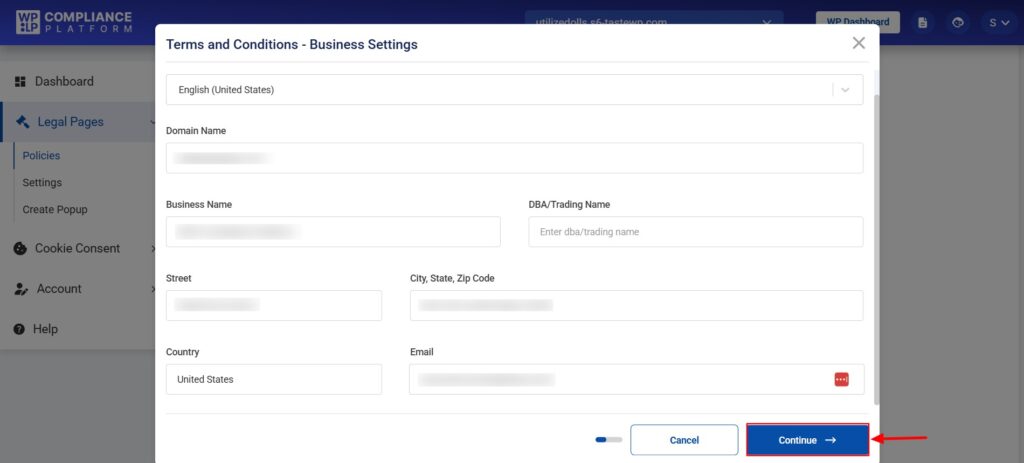
You will see a popup, where you need to enter basic business details and click Continue.
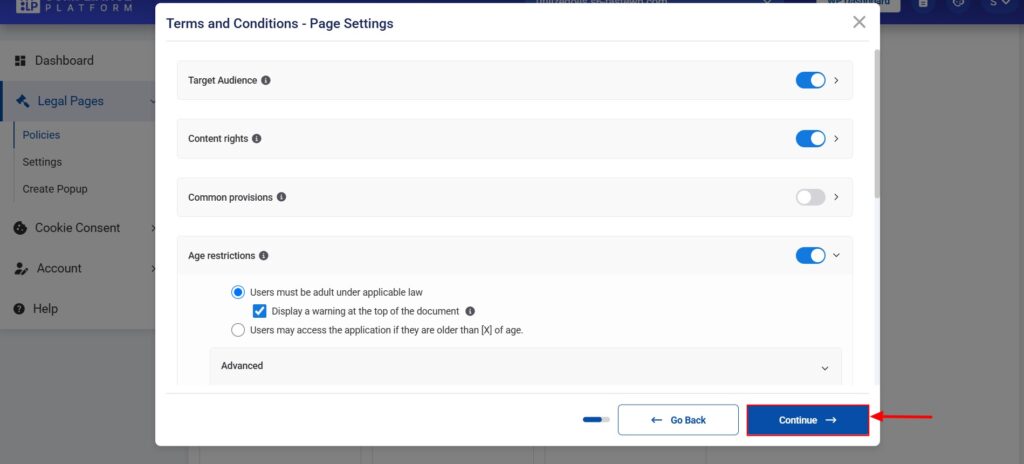
Go through the Page Settings and figure out what aligns best with your business and toggle on the relevant settings.
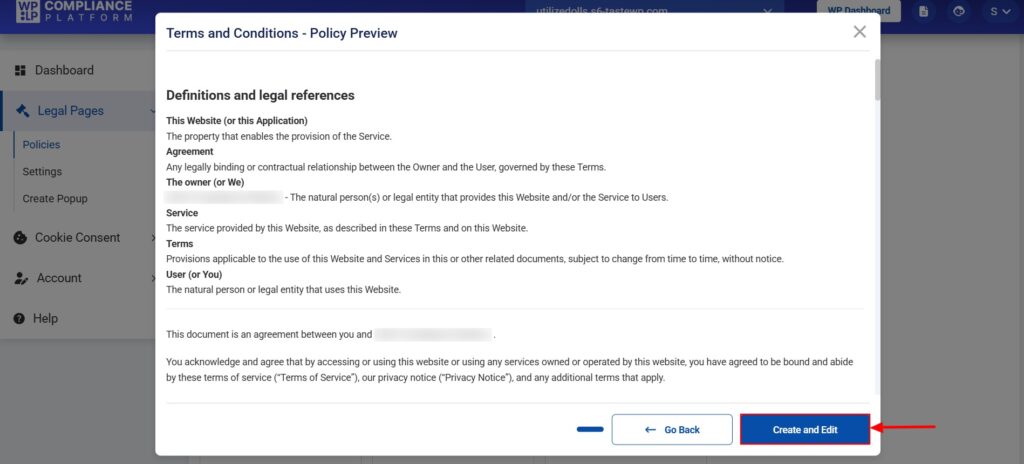
You can now see the preview of the Terms and Conditions. Click on Create and Edit once you feel everything looks good.
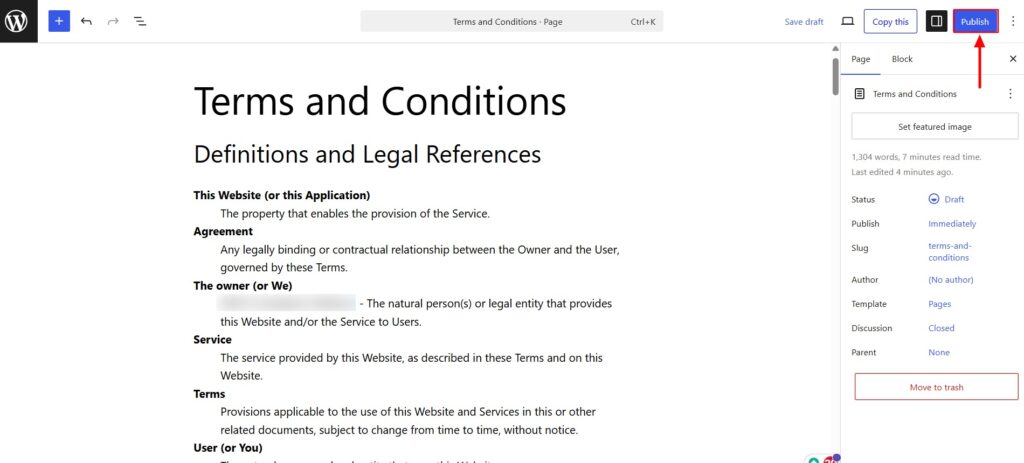
Then, you will be taken to the WordPress Block Editor, where you can edit and make changes to the page that you just created.
Hit Publish when everything is done.
Your new Terms and Conditions page is now updated on your website.
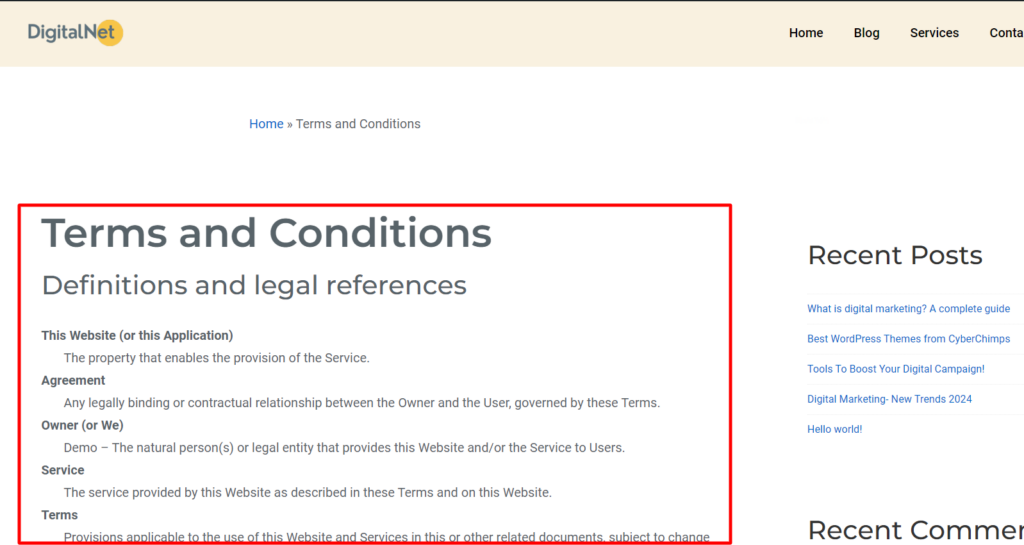
That’s it. No hassle, and done in a few minutes.
Adding the Agreement to the Sidebar or Footer
If you wish to add the agreement link to the sidebar or footer of your website, there are several ways to do it. Making your WordPress Terms and Conditions page easy to access improves transparency and user trust.
If your theme supports widgets, you can add a Custom Menu or Navigation Menu widget and include your Terms and Conditions page link.
If you use a modern block-based WordPress theme, you can add the link through the Site Editor:
- Go to Appearance > Editor
- Open the Footer template part
- Add a Navigation block or Text block
- Insert your Terms and Conditions page link
- Save your changes
If you are using a classic WordPress theme, you can add the link through the footer menu, widget area, or by editing theme files if necessary.
You can also follow the video tutorial below:
Types of Terms and Conditions Pages
A Terms and Conditions agreement is a set of conditions that users have to agree to navigate through your site, buy your products, or use your services.
For example, if you want your visitors to fill out a form or buy a product, you may have to allow your users to agree to the terms manually.
Is Your Terms and Conditions Page Legally Enforceable?
Creating a Terms and Conditions page is important, but how users agree to it is equally important.
There are generally two ways websites present Terms and Conditions:
Browsewrap Agreement
A browsewrap agreement simply places the Terms and Conditions link somewhere on the website, usually in the footer.
Users are considered to accept the terms simply by continuing to use the site.
While this approach is common, it may be harder to enforce because users may never actively acknowledge the agreement.
Clickwrap Agreement
A clickwrap agreement requires users to take an action before proceeding.
Examples include:
- Checking an “I agree” checkbox
- Clicking an “Accept Terms” button
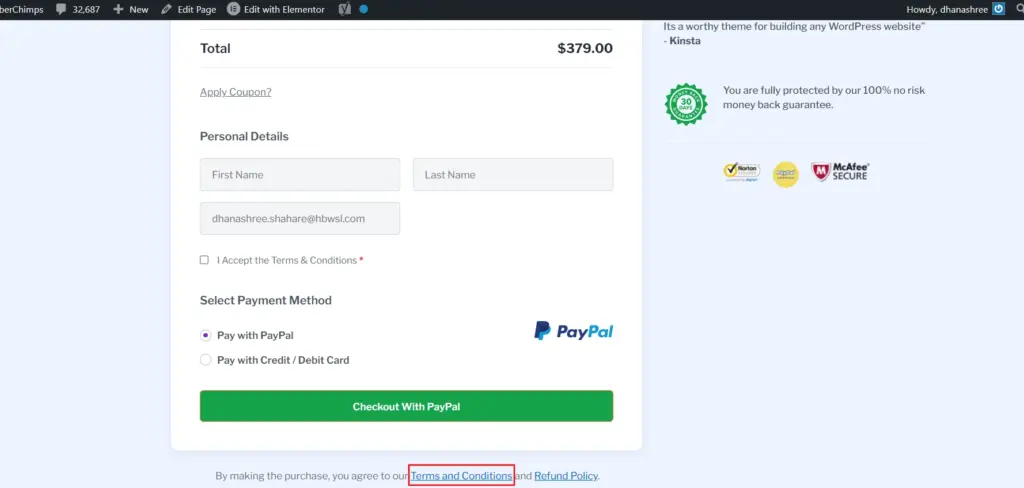
- Accepting terms during registration or checkout
Clickwrap agreements generally provide stronger evidence that a user agreed to the terms.
This is why many ecommerce stores, membership websites, SaaS platforms, and online services use clickwrap agreements during signup or checkout.
With the WPLP Compliance Platform, you can display agreement pop-ups and legal notices that help users acknowledge important policies before continuing.
For eCommerce Stores
If you own an ecommerce store, using an ecommerce terms of service generator will help you immensely. It lets you legally outline and apply rules that your customers need to follow to interact with the site and make purchases.
Along with that, this agreement should also give an opportunity to restrict liability if the product delivered is faulty or if customer dispute scenarios have not been defined. You can opt for an ecommerce privacy policy, return and refund policy, disclaimer, and more based on your products and requirements.
For an ecommerce store, this agreement can:
- Protect the business from liability
- Clarify the checkout process
- Safeguard trademarks and intellectual property
- Explain how disputes are handled and resolved
- Outline payment terms, warranties, shipping, cancellations, returns, and refunds
For Blogs
Generally, blogs require terms and conditions if the owner has specific criteria that visitors must meet.
For instance, most blogs include comment features to connect with users. Thus, bloggers can add a Terms and Conditions policy to explain what types of comments are accepted and what content may be removed.
For a blog, this agreement can:
- Clarify how visitors should behave on the site
- Protect intellectual property
- Reduce legal risks for the site owner
Whatever your requirement, you can easily create one using the WordPress Terms and Conditions plugin.
Reasons to Add a Terms and Conditions Page to Your WordPress Website
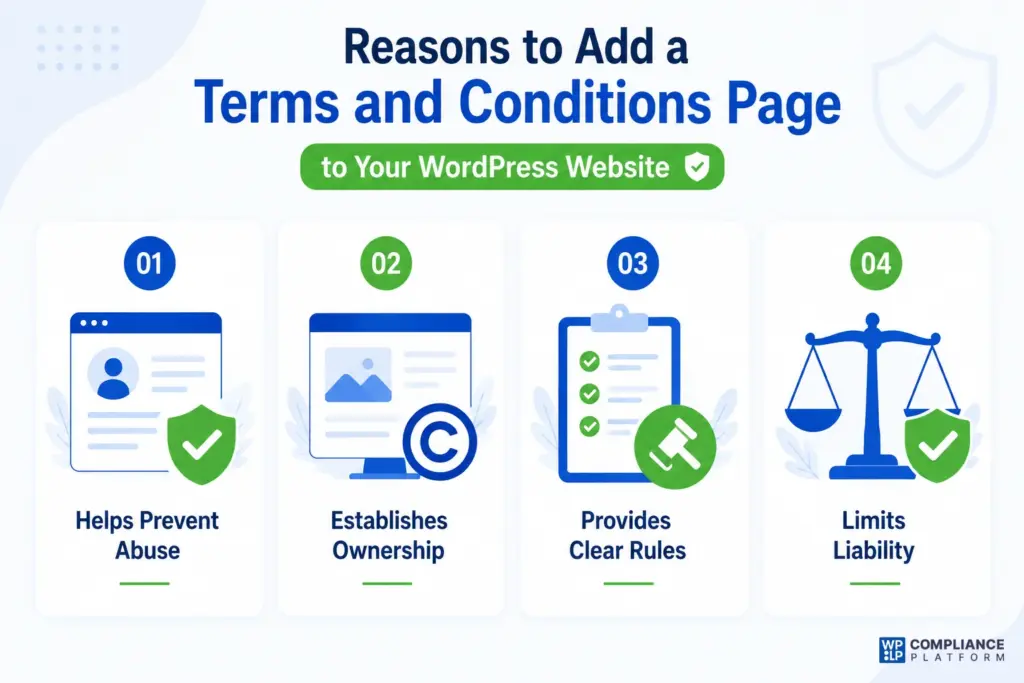
When it comes to the importance of adding a Terms and Conditions page on WordPress, there are plenty of good reasons to do so:
Helps Prevent Abuse
If users have signed up through a registration form, the Terms and Conditions agreement can help prevent abuse such as spam, misleading content, harassment, or other activities that violate your website’s rules.
Establishes Ownership
Adding this agreement makes it clear that the content on your website, including text, images, videos, logos, and other materials, belongs to you. This can help discourage unauthorized use or copying.
Provides Clear Rules
Your Terms and Conditions can explain what users can and cannot do on your website. If someone violates these rules, you can point to the agreement when taking action.
Limits Liability
Terms and Conditions can help reduce legal risks by clarifying the scope of your services and setting expectations for users. This is particularly useful for websites that publish legal, financial, educational, or health-related information.
Now that you understand why a Terms and Conditions page is important, let’s look at what should be included in one.
Clauses to Include in Your Terms and Conditions
The Terms and Conditions should be drafted carefully to reflect your business model and how users interact with your website.
While every website is different, the following clauses are commonly included.
Introduction and Acceptance of Terms
This clause explains that users agree to the Terms and Conditions when they access, browse, register, or use your website.
User Responsibilities
Clearly define what users are allowed to do and what actions are prohibited.
Examples may include:
- Posting harmful content
- Attempting unauthorized access
- Violating intellectual property rights
- Using the website for illegal purposes
Intellectual Property Rights
State that the content, branding, logos, graphics, software, and other materials on the website belong to your business unless otherwise stated.
This helps protect your intellectual property from misuse.
Payment and Billing Terms
If you sell products, subscriptions, or services, explain:
- Accepted payment methods
- Billing cycles
- Taxes and fees
- Failed payment procedures
Refund and Cancellation Policy
If applicable, explain:
- Eligibility for refunds
- Cancellation requirements
- Processing timelines
- Exceptions and limitations
Governing Law
This clause explains which country’s or state’s laws govern the agreement and how legal disputes will be handled.
Limitation of Liability
A limitation of liability clause helps clarify the extent to which your business can be held responsible for damages, service interruptions, or user losses.
Disclaimer Clause
A disclaimer helps explain that information provided on the website should not be treated as professional advice unless specifically stated.
This is especially important for legal, financial, educational, and health-related websites.
Privacy and Data Usage
While your Privacy Policy should remain a separate document, your Terms and Conditions can reference it and explain that users should review it to understand how personal information is collected and processed.
Cookie Usage
If your website uses cookies, mention that cookies may be used and provide a link to your Cookie Policy for additional details.
Changes to the Agreement
Explain that the Terms and Conditions may be updated from time to time and that users should periodically review the latest version.
Although every business may have unique requirements, these clauses provide a solid foundation for most Terms and Conditions agreements.
Where to Post Your Terms and Conditions
Terms and Conditions can be placed in several locations across your website.
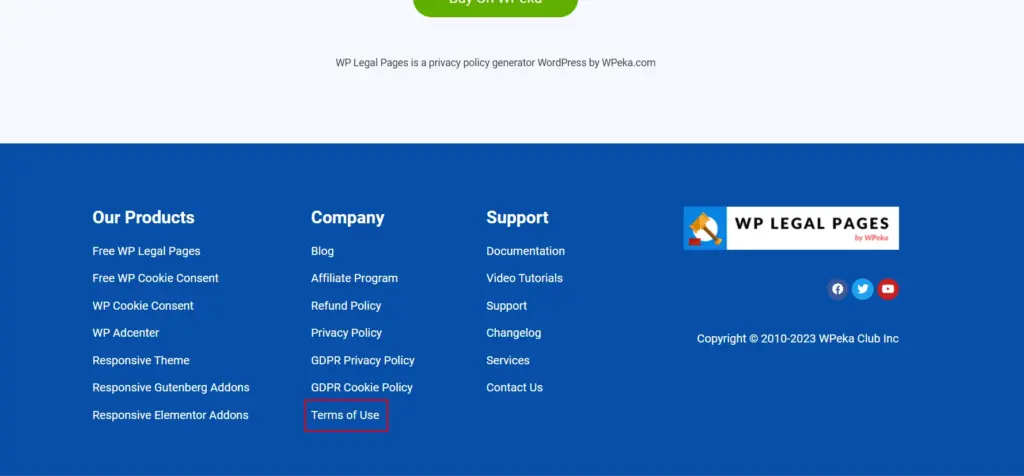
Your WordPress Terms and Conditions page should be easy for visitors to find from any page.
The footer is usually the best place because users expect to find legal documents there and can access them from any page.
In addition, Terms and Conditions links can be added to:
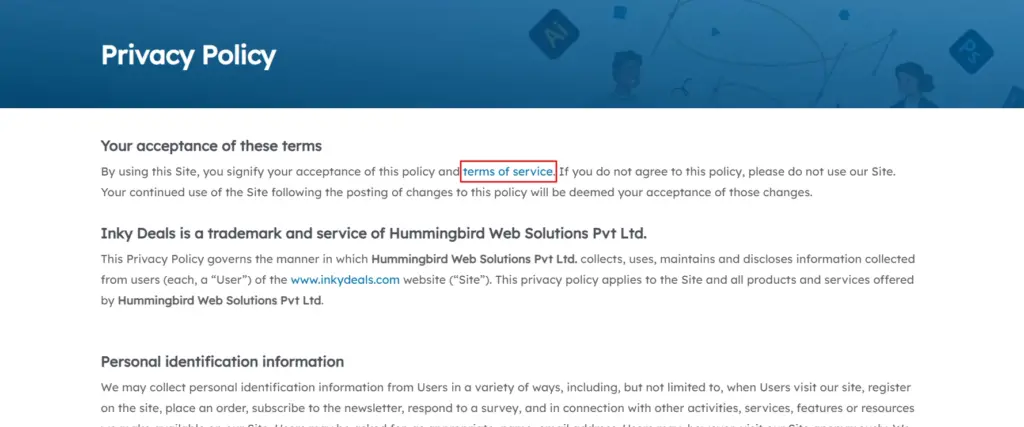
- Privacy Policy pages
- Checkout pages
- Registration forms
- Pricing pages
- Membership signup pages
- Important landing pages
Let’s look at some common examples.
Footer of the Website
Linked to Privacy Policy
Linked to the Checkout Page
Terms and Conditions Examples (WordPress Terms & Conditions Template)
Spotify
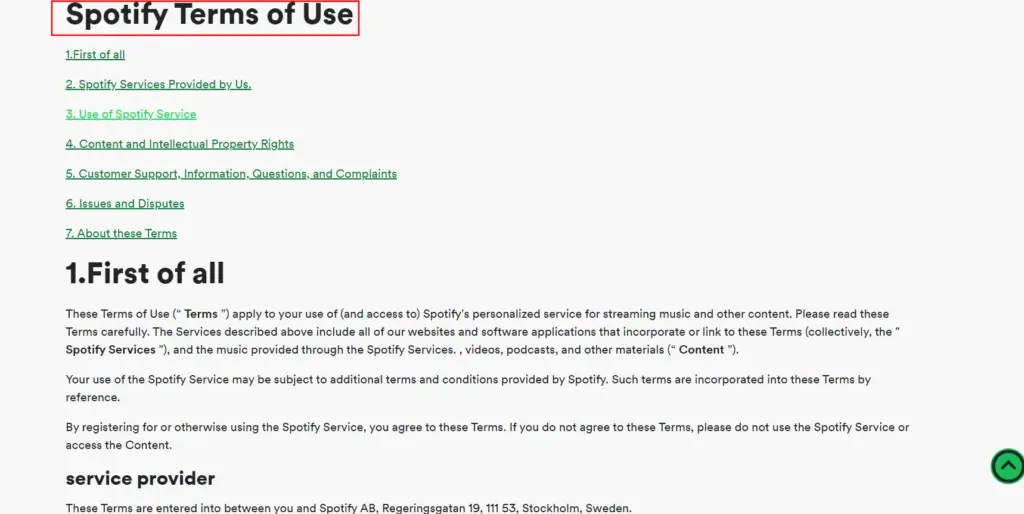
Millions of people use Spotify every day, and because of the nature of the platform, users should understand the rules that govern its use.
Spotify’s Terms and Conditions clearly explain the rights and responsibilities of both users and content creators. The language is relatively easy to understand while still covering important legal topics.
Government of Canada
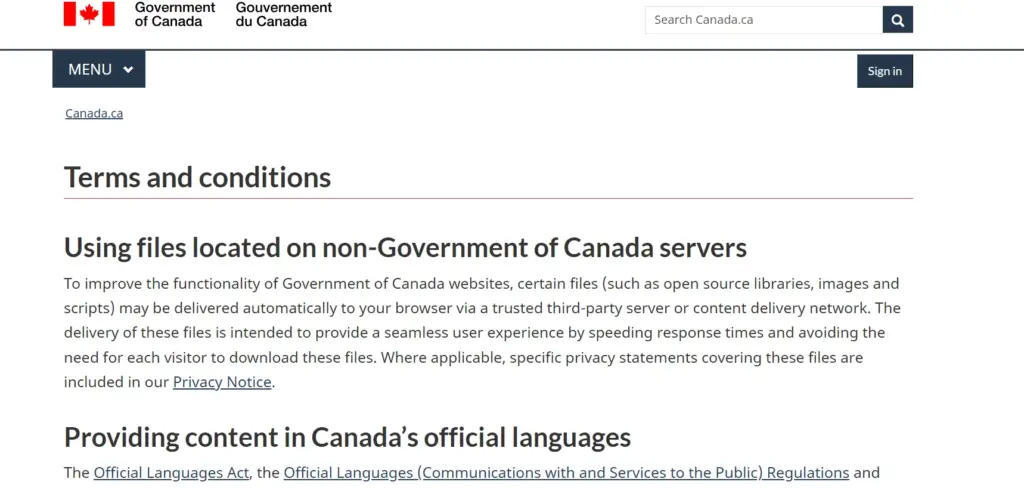
The Government of Canada’s Terms of Use page covers topics such as intellectual property, accessibility, social media usage, user rights, and obligations.
It serves as a strong example of transparency and clear communication.
Disney
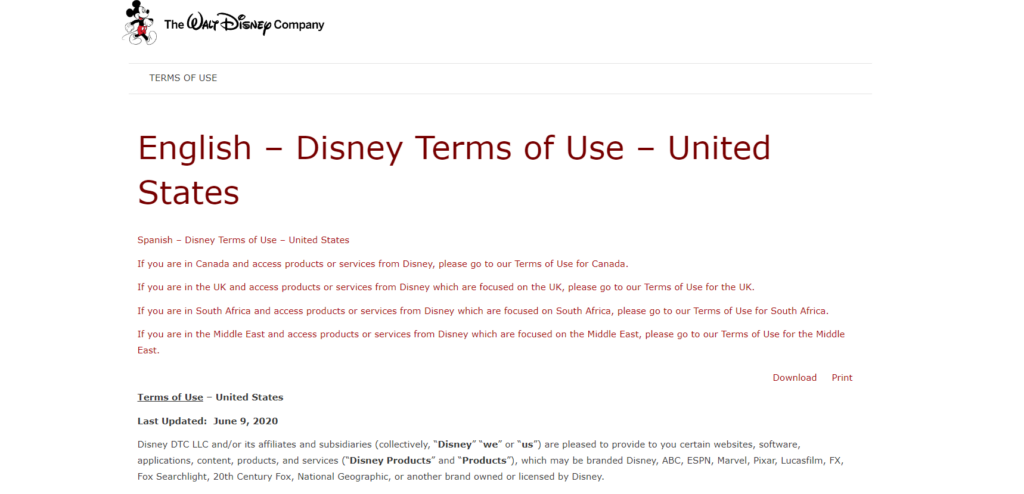
Disney’s Terms of Use cover a wide range of topics, including subscriptions, user-generated content, contests, licensing rights, and liability limitations.
Although it contains more legal language than some examples, it does a good job of outlining how users may interact with its services.
Common Mistakes to Avoid When Creating T&C
The following are some common mistakes people make when creating a Terms & Conditions page.
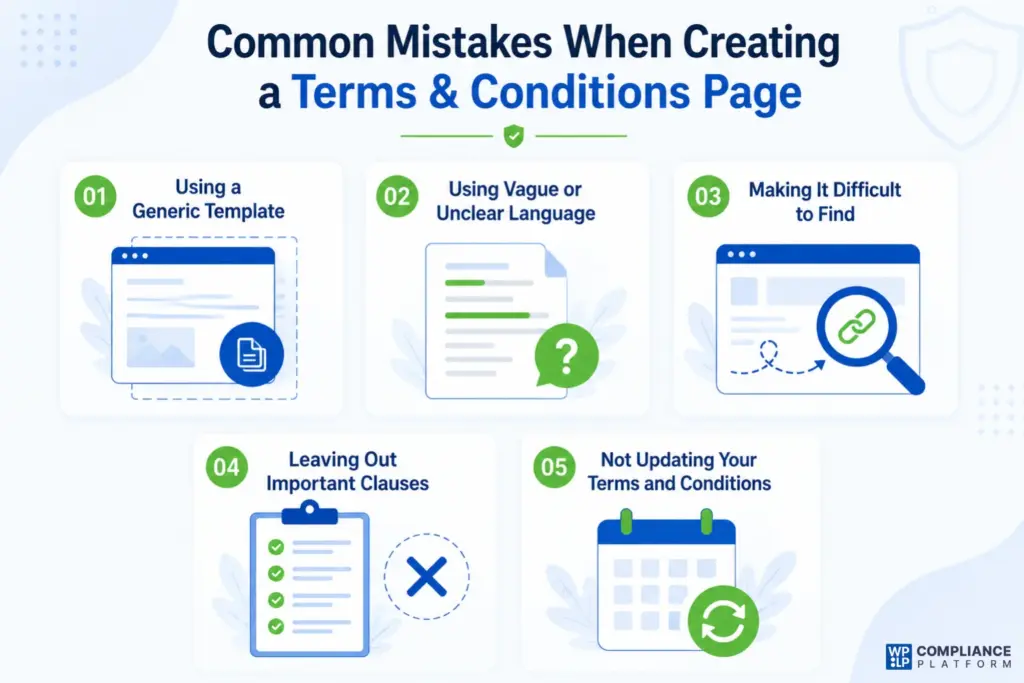
1. Using a Generic Template
While templates can be very helpful, using a one-size-fits-all version without making necessary customizations can create problems later.
Your Terms and Conditions should reflect your business model, products, services, and how users interact with your website.
2. Using Vague or Unclear Language
Legal documents should be clear and easy to understand.
Avoid unnecessary legal jargon, vague wording, or confusing clauses that users may struggle to interpret.
Your Terms and Conditions should communicate expectations clearly while remaining readable.
3. Making It Difficult to Find
Your Terms and Conditions should be easy for users to access.
Most websites place them in the footer, but you should also consider linking them from registration forms, checkout pages, and other important touchpoints.
If users cannot reasonably access the agreement, it may weaken its effectiveness.
4. Leaving Out Important Clauses
A Terms and Conditions page should cover the topics most relevant to your business.
Examples include:
- Intellectual property ownership
- Payment terms
- Refunds and cancellations
- User responsibilities
- Limitation of liability
- Governing law
Ecommerce stores should also include information related to shipping, returns, refunds, and payment processing.
5. Not Updating Your Terms and Conditions
Your website evolves over time, and your Terms and Conditions should evolve with it.
Whenever you introduce new services, launch features, change business practices, or expand into new regions, review and update your legal documents accordingly.
Failing to update them may create compliance gaps and unnecessary legal risks.
Consequences of Not Having Terms and Conditions
Not including Terms and Conditions on your website can expose your business to several risks.
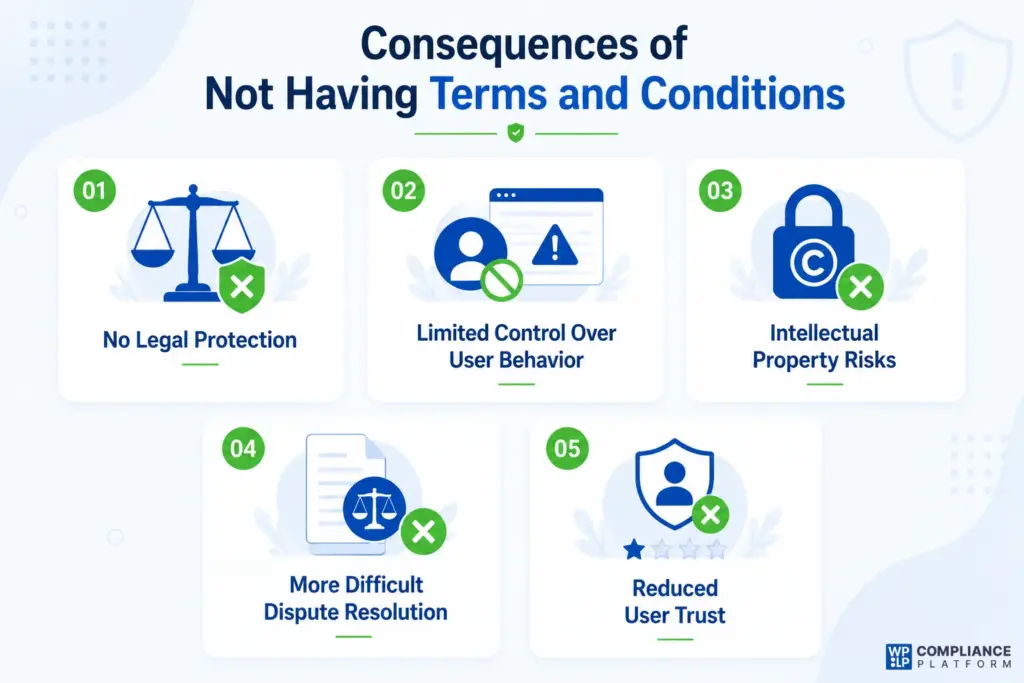
No Legal Protection
Terms and Conditions act as a legal framework between your business and your users.
Without them, it becomes more difficult to protect your intellectual property, limit liability, and establish rules governing the use of your website.
Limited Control Over User Behavior
Without clearly stated rules, it may be harder to take action against users who misuse your website, publish harmful content, engage in spam, or violate community standards.
Intellectual Property Risks
Your content, branding, logos, images, and other assets are valuable business resources.
Without a Terms and Conditions agreement clearly establishing ownership, protecting those assets can become more difficult.
More Difficult Dispute Resolution
Terms and Conditions often define how disputes will be handled and which laws apply.
Without these provisions, disagreements may become more complicated and expensive to resolve.
Reduced User Trust
Many users actively look for legal pages before sharing personal information or making purchases.
A website without Terms and Conditions may appear less trustworthy or less professional.
FAQ
Yes. You can update your Terms and Conditions whenever your business practices, products, services, pricing, or policies change. Whenever significant updates are made, it is a good idea to notify users and publish the latest version on your website.
You can create a page manually through WordPress or use a legal page generator such as the WPLP Compliance Platform. Using a generator can save time and help ensure important legal clauses are not overlooked.
The two most common forms are:
Express Terms – Terms that are clearly communicated and agreed upon by users.
Implied Terms – Terms that may apply automatically through laws, regulations, or the nature of a transaction.
No. A Terms and Conditions page explains the rules for using your website, products, or services. A Privacy Policy explains how you collect, use, store, and protect personal information. Most websites should have both documents.
Yes. Even small blogs, portfolio sites, affiliate websites, and local business websites can benefit from having Terms and Conditions. They help clarify expectations, protect content, and reduce legal risks.
Final Thoughts
Now, you have got it all!
Hope the procedure to add the needed Terms and Conditions page to your WordPress website is quite clear by now.
If you are still unsure about the necessity of having a Terms and Conditions page, remember that the protection and clarity it provides are well worth the effort.
Before publishing your Terms and Conditions, make sure you review every clause carefully and ensure it accurately reflects your business, audience, products, and services.
A well-written agreement helps set expectations, build trust, and protect your website from unnecessary disputes.
If you want to know more about what policies your website may need, check out these guides:
- Top Cookie Consent Plugins for WordPress
- How to Create Privacy & Cookies Policies for Your Website
- Essential Legal Pages Every Website Needs
Need a Terms and Conditions page for your website? Create one in minutes with the WPLP Compliance Platform.