
Major Data Breaches & Cybersecurity Lessons for Website Owners
Summary
The article also highlights the real consequences for businesses and users, including financial losses, legal penalties, reputational damage, and identity theft. It outlines essential cybersecurity lessons for website owners, explains how to detect and respond to a breach effectively, and looks ahead at future cybersecurity trends to help businesses stay prepared and compliant.
Data breaches are no longer rare or limited to large companies. They affect businesses of every size. A single security mistake can lead to financial losses, legal trouble, and long-term damage to user trust.
If you are a website owners, business leader, or developer who want to understand real cybersecurity risks and learn how to prevent them, then this guide is for you.
We’ll explain what data breaches are, examine major real-world incidents, highlight common causes, and share practical security lessons.
- What is a Data Breach?
- Timeline of Major Data Breaches That Shocked the World
- Case Studies: How & Why These Breaches Happened
- Real Consequences for Businesses & Users
- Cybersecurity Lessons Website Owners Must Learn
- Detection and Response: What to Do If You’re Hit
- Future Cybersecurity Trends Every Website Owner Should Watch
- FAQ
- Conclusion
What is a Data Breach?
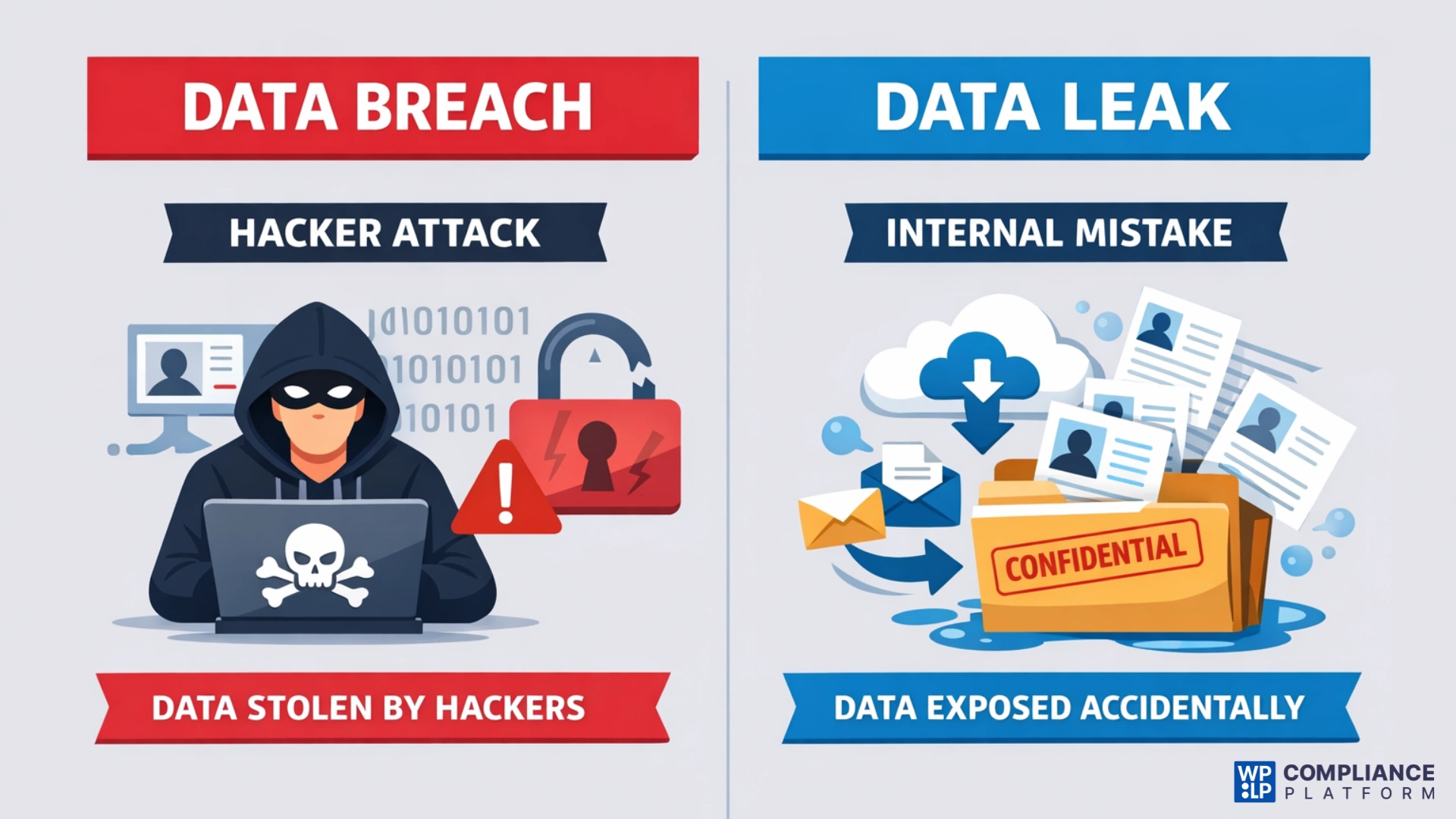
A data breach is a serious security event where an unauthorized party intentionally accesses, duplicates, or exposes private data or confidential information.
Most breaches occur as a result of an active attack by a cybercriminal who seeks to exploit weaknesses in systems, such as weak passwords, unpatched software, or other vulnerabilities, to gain access to personal information, financial information, login credentials, or business-critical data.
Because of this malicious intent, breaches often lead to extreme repercussions, including identity theft or fraud, financial losses, criminal or civil liability, and long-term damage to the reputation of the company that suffered the breach.
On the other hand, a data leak occurs when sensitive data is made available to someone else by mistake, maybe because of human error rather than through a direct targeted attack.
While data leaks typically do not involve any malicious intent, the consequences can be equally as severe as those associated with breaches.
Common Causes of Data Breaches
Some common reasons for data breaches are
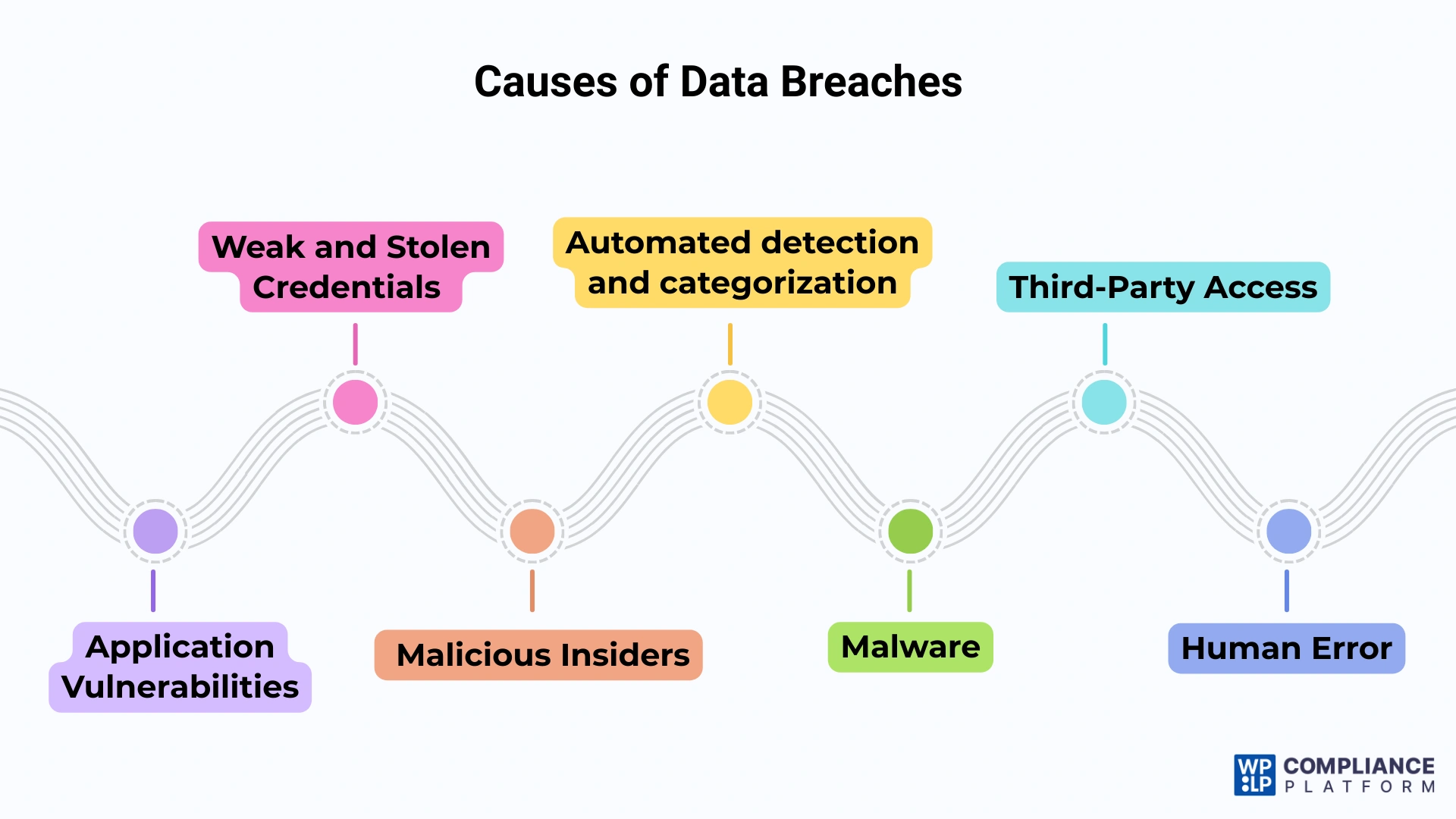
1. Application Vulnerabilities
Hackers exploit vulnerabilities in software applications to gain unauthorized access to systems. Attackers may have the opportunity to exploit poorly designed applications and/or unpatched software as their entryways.
2. Weak and Stolen Credentials
Weak passwords continue to pose one of the most significant risks to data security. Many users continue to use easily remembered and simple passwords and/or use the same passwords across multiple accounts.
Therefore, this type of password allows cybercriminals to gain access to user accounts through brute-force attacks or by obtaining stolen passwords on the dark web.
3. Malicious Insiders
Insider threats may be difficult to detect and manage. Malicious insiders typically use their authorized access to critical systems, and as such, it may be very difficult to identify malicious insider behaviour until a substantial amount of damage has occurred.
4. Malware
Malware is a term for harmful software designed to disrupt, damage, or gain unauthorized access to computer systems.
Attackers frequently deploy malware in conjunction with phishing schemes, where users unknowingly download malicious software by clicking on harmful links or attachments.
5. Third-Party Access
Organizations frequently depend on third-party vendors for various services, which can introduce additional vulnerabilities if those vendors do not uphold adequate security measures. Cybercriminals may use third-party system weaknesses to infiltrate an organization’s network.
6. Human Error
Unexpectedly, human error contributes to a considerable percentage of data breaches. This can involve unintentional actions, such as sending confidential data to an incorrect recipient or neglecting to adhere to security protocols.
Timeline of Major Data Breaches That Shocked the World
The history of data breaches shows a terrifying evolution in scale and sophistication.
1. Aadhaar Data Breach – 1.1 Billion Citizens (India 2018)
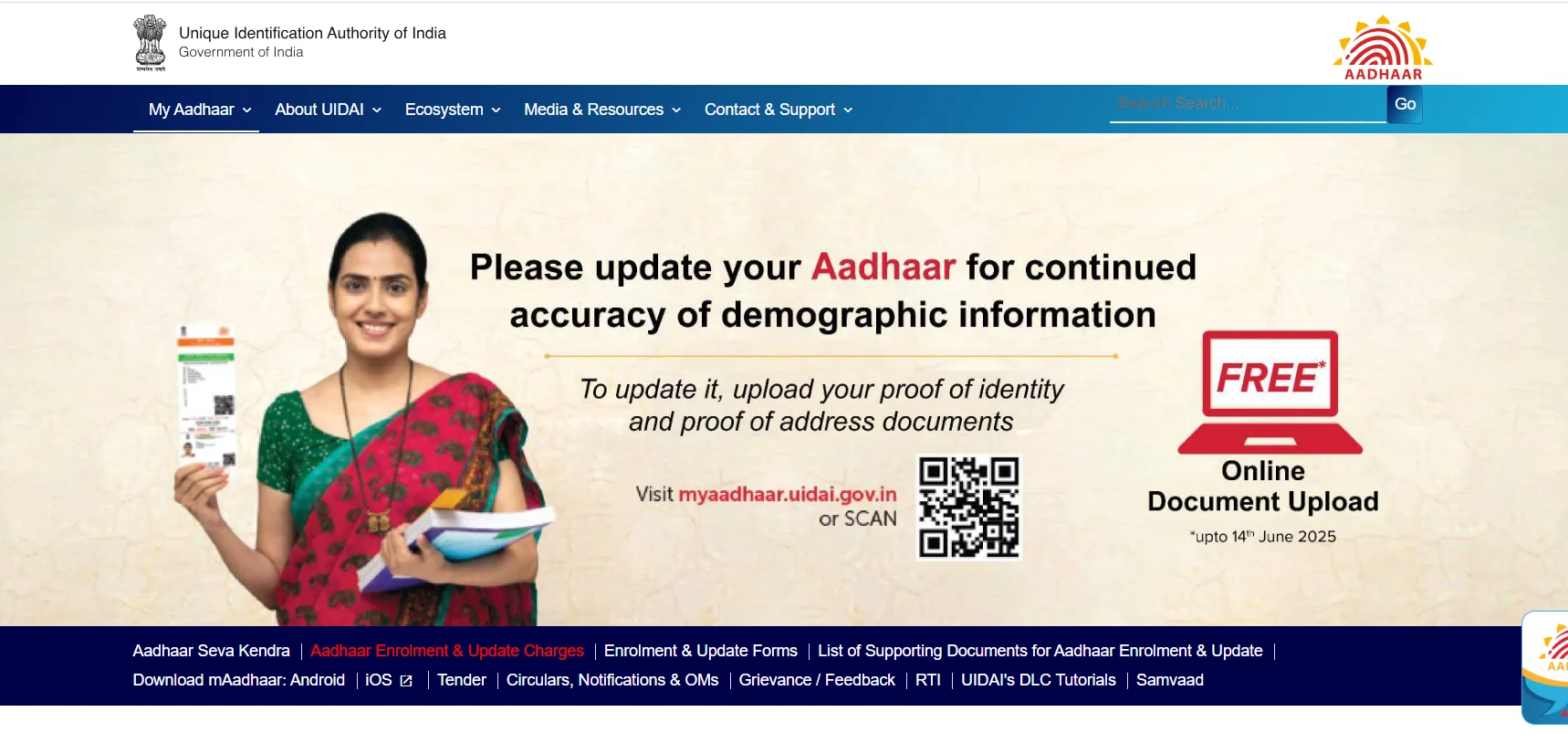
In a security breach, information pertaining to 1.1 billion people in India was compromised, resulting in access to sensitive personal and biometric information (e.g., names, addresses, telephone numbers, email addresses, photographs, fingerprints, and iris scans).
An unsecured API on a government-run utility site that connects to the Aadhaar database was responsible for the data breach. People were said to be selling illegal access to this information using services such as WhatsApp. The breach was not resolved until several months after researchers and others in the cybersecurity community reported it as vulnerable.
2. LinkedIn – 700 Million Users (2021)
Over 700 million users had their data scraped by hackers, and this represents about 93% of the total number of registered users on LinkedIn.
The information collected from LinkedIn includes the user’s First Name, Last Name, Email Address, Phone Number, Username & Password, Location, and Profile Description.
The hackers used LinkedIn’s API to gather this information, which was against LinkedIn’s Terms of Service (TOS). Although LinkedIn has stated that no Personal Identifiable Information (PII) has been accessed by anyone other than the individual user, the data collected by the hackers poses a potential risk to the user’s Privacy.
3. Adobe – 153 Million Users (2013)

Hackers accessed data from over 153 million user accounts. Exposed information included user IDs, passwords, names, and some payment card details.
Source code for products like Acrobat and ColdFusion was also stolen. Initial estimates of the breach were significantly understated.
4. Yahoo – 3 Billion Users (2013-16)
Yahoo reported that the entire 3 billion user accounts were hacked! Among other data types stolen, they included usernames, email addresses, phone numbers, date of birth, hashed passwords, and password answers.
The breaches are attributed to a group of Russian hackers that exploited backdoors into Yahoo’s systems and took advantage of stolen copies/backup files from Yahoo’s servers.
5. JPMorgan Chase – 76 Million Households (2014)

Attackers gained access using stolen employee credentials. Data of 76 million households and 7 million small businesses was exposed.
Leaked information included names, phone numbers, and email addresses. No account passwords or financial data were compromised.
Case Studies: How & Why These Breaches Happened
By examining where organizations failed, we can identify patterns that help prevent future incidents.
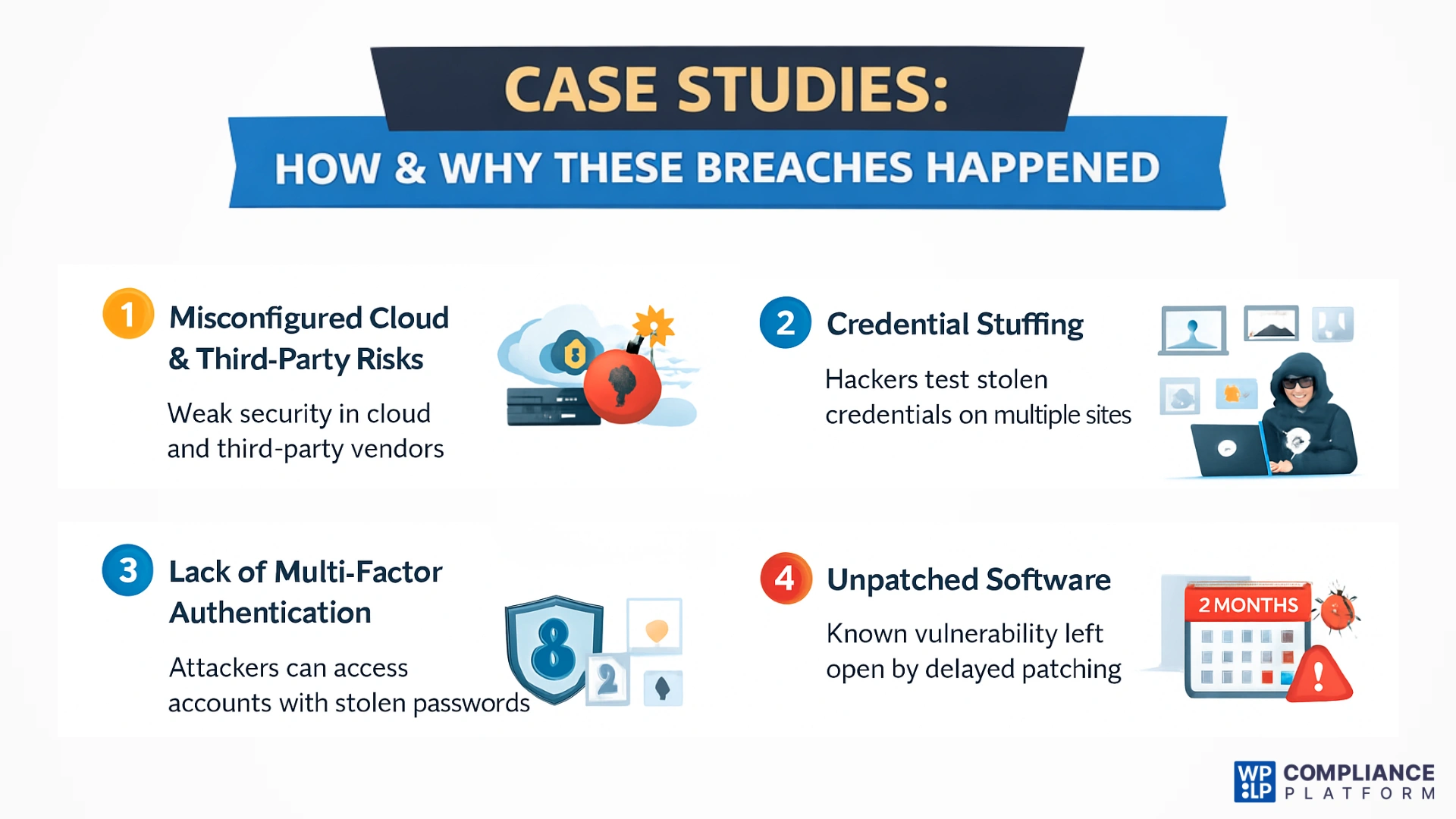
1. Misconfigured Cloud & Third-Party Risks
Weak security measures are one of the major reasons that organizations experience breaches due to their reliance on third-party vendors (cloud providers, analytics software, marketing platforms). If one of those companies suffers a breach, the attacker can use that access point to reach your organization’s data, regardless of how secure your own systems may be.
2. Credential Stuffing
Credential stuffing is what allowed the Snowflake incident to happen. In this attack, hackers build large lists (called “combo lists”) of oversubscribed usernames and passwords through past breaches. And then use automated scripts to test those credentials against multiple platforms. When an individual reuses their password on multiple sites, it creates the opportunity for credential stuffing to be a successful attack method, with the most highly reused passwords falling prey to this attack.
3. Lack of Multi-Factor Authentication (MFA)
MFA has been an industry-wide failure in the fight against cybercrime. In cases of cyber incidents where an individuals’ credentials were stolen, the lack of MFA on their account allowed the attacker to gain access without additional verification. With MFA, the attacker may have the same credentials, but they still need to provide a second factor of authentication.
4. Unpatched Software
The Equifax breach occurred because a known vulnerability in a web framework was left unpatched for months after a fix was available. Attackers exploited this delay to access sensitive personal data, highlighting the severe risks of poor patch management.
Real Consequences for Businesses & Users
Data breaches are a serious issue for organizations in many industries. They can have serious consequences for operations, public image, and finances. Here are the main areas affected by data breaches.
1. Financial Consequences for Businesses
Data breaches cause immediate expenditures, including costs for investigations, system repairs, legal support, and notifications to users. Companies also risk losing revenue from interruption of service and long-term commercial distress due to increased costs related to security, higher expenses associated with insurance, and the loss of customers, which generally hit the hardest against smaller organizations.

2. Legal and Regulatory Implications
Organizations may also incur significant fines, as well as be subject to mandatory audits, investigations, and enforcement actions because they failed to comply with laws that govern the protection of consumers’ private information and did not timely report or respond to breaches.
Further, affected consumers can initiate lawsuits and incur the costs of lengthy, expensive litigation, and be required to comply with continued regulatory requirements.
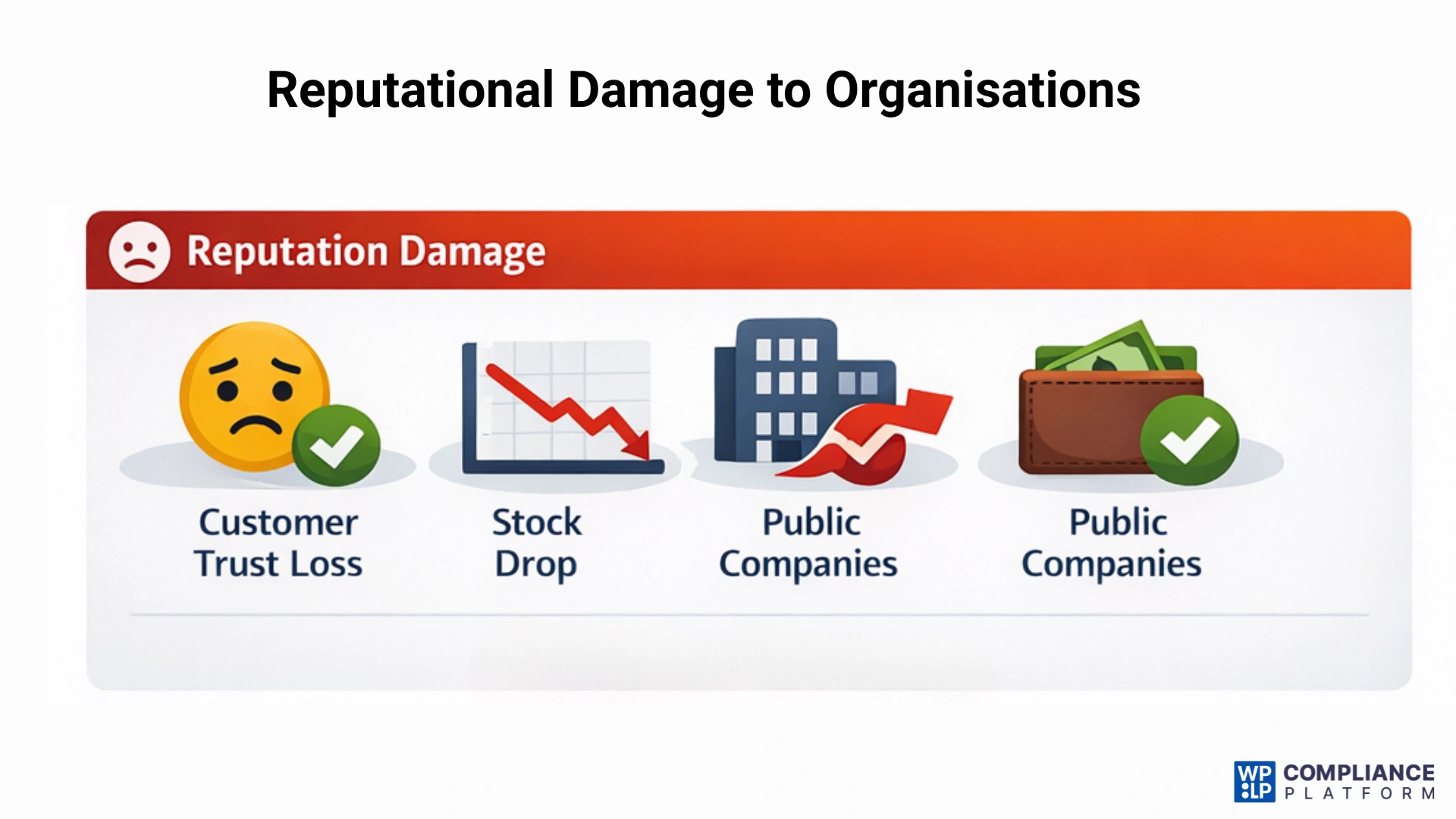
3. Reputational Damage to Organizations
When a breach occurs, businesses can suffer immediate losses in the form of lost customer trust, damage to brand credibility, and other long-term effects. In most cases, customers will begin to abandon companies they do not trust or value and this will result in negative publicity and increased costs associated with repairing the company’s reputation.
4. Effects on Consumers and Individuals
The personal data compromised in a breach can expose individuals to identity theft, financial fraud, social engineering attacks (e.g., phishing), and emotional distress. People who have had their personal data exposed will continue to have risks because the recovered information is still available for others to exploit, even after the breach has been repaired.
For Governments: Breaches of classified information could provide threats to national security. Disloyalty from the public due to the mishandling of confidential data.
Cybersecurity Lessons Website Owners Must Learn
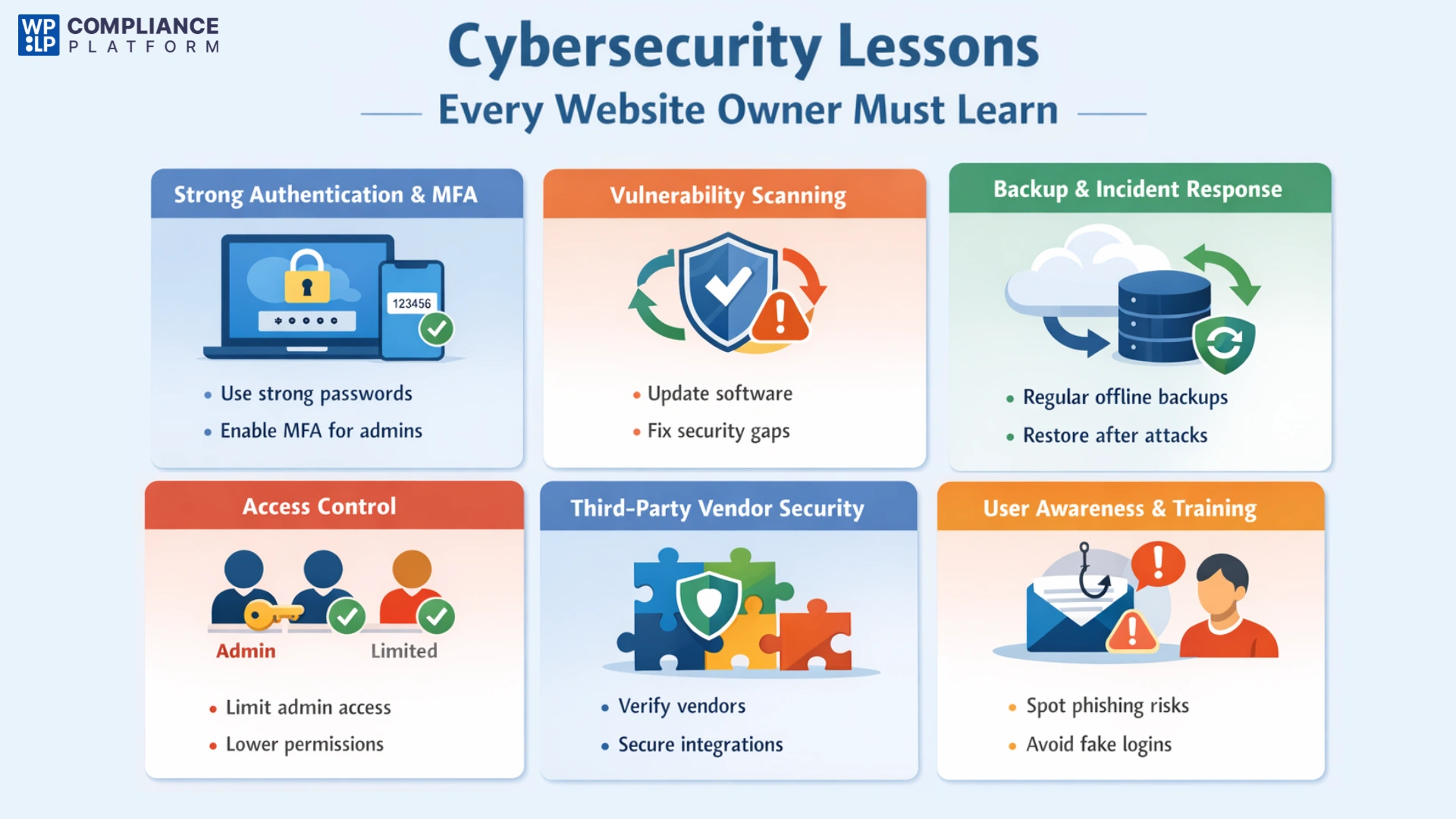
1. Implement Strong Authentication & MFA
Using strong authentication methods to protect administrator accounts is an essential first step in securing your website. All owners of an administrator account should implement multi-factor authentication (MFA), which means that users must complete additional verification beyond entering their password. If someone obtains the login credentials of those accounts, MFA greatly reduces the likelihood of unauthorized individuals being able to log in and access the backend of your website.
2. Regular Vulnerability Scanning
The use of outdated software is one of the factors that gives attackers an entry point. It is important to have the up-to-date version of any CMS you are using, including themes and plugins, as they contain security updates to fix any known vulnerabilities. If you wait too long to update these programs, you give cybercriminals the opportunity to exploit them.
3. Backup & Incident Response Planning
No system is completely unhackable. Creating regular offline backups allows you to restore your business if it is compromised. In ransomware attacks, a clean backup lets you wipe the infected system and restore your website without paying the ransom.
4. Access Control
To maintain the integrity of your business, grant limited access only to those who need it to perform their roles. Thus, any employee or contractor should have access only to the permissions required for their role.
5. Third-Party Vendor Security Checks
Many websites use third-party tools to assist with analytics, marketing or payment processing. This increases the risks associated with adding new services to the website through integrations. Therefore, before utilizing any new service, always ensure that the vendor adheres to robust security best practices, has well-defined and publicly available security documentation, and employs proper data protection and privacy policies.
6. User Awareness
One of the leading causes of security incidents is human error. Educating yourself and your employees to identify phishing emails, untrusted links and/or fake login pages is critical. Ongoing awareness decreases the possibility of an employee mistakenly sharing their credentials and also reduces the chances of successful social engineering attempts.
Detection and Response: What to Do If You’re Hit
When a security incident occurs, speed and clarity matter. Early detection and a structured response can significantly reduce damage, legal exposure, and loss of trust.
1. Signs of Compromise
There are warning signs that will alert you to the possible presence of an intruder. Some of these warning signs include unusual admin logins occurring at odd times, unauthorized changes to user roles, sudden increases in outbound bandwidth usage, unusual actions such as file locking, renaming and/or making files inaccessible, You may also notice that your website’s performance slows down, sends users to unexpected locations, and/or sends email messages that you have not authorized.
2. Tools
Security tools play a critical role in detection. Website security plugins can alert you to malware, file changes, and unauthorized login attempts. Server logs should be monitored regularly to identify suspicious IP addresses, repeated failed login attempts, or abnormal access patterns that indicate a possible intrusion.
Step-by-Step: Post-Breach Protocol
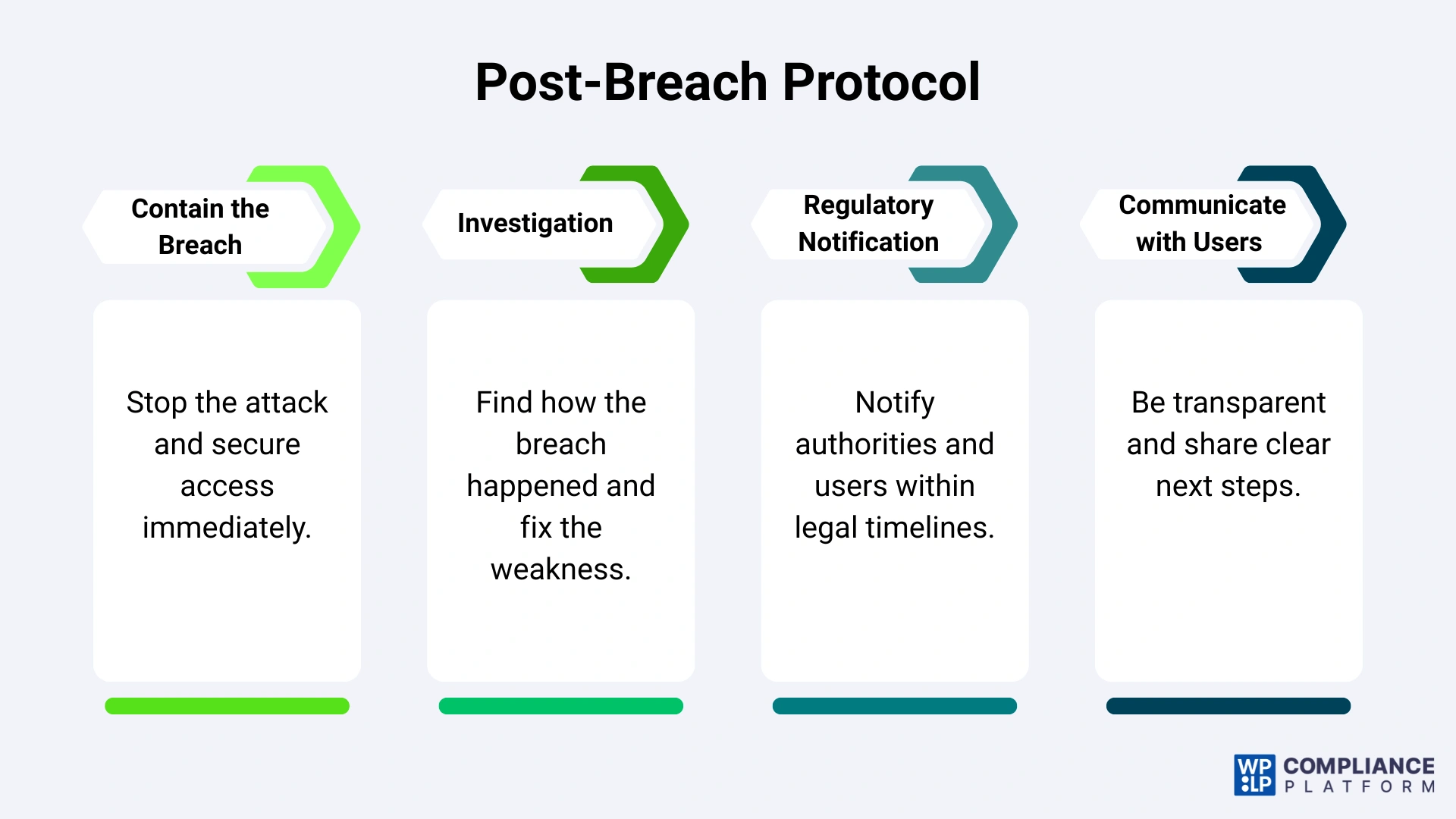
1. Contain the Breach
Your first priority is to stop the spread of the attack. Change all of your passwords including Admin, database, hosting, and FTP credentials. Take the affected website or web server offline until the investigation is completed, so that you do not expose any additional data and preserve evidence for the investigation into the attack.
2. Investigation
After gaining control of the attack, determine how the attacker got into your network. You can identify how the attackers got access by looking at your logs, recent install logs, and scanning for malware and backdoors. Once you know how the attacker entered your network, you can correct the vulnerability and secure your systems against future attacks.
3. Regulatory Notification
Many privacy laws require timely disclosure. Check applicable regulations to determine if you must notify users, regulators, or data protection authorities often within 72 hours of discovering the breach. Failure to comply can result in significant penalties.
4. Communicating with Users
To build and maintain the trust of our users, we need to communicate openly about any breaches that occur. We’ve outlined here the details of this breach, including exact specifics surrounding the data that may have been compromised, as well as steps we are implementing to address this breach. Please follow the instructions above regarding actions to take as a result of this breach and check back regularly for further updates as the situation develops.
Future Cybersecurity Trends Every Website Owner Should Watch
As we move forward, cybersecurity strategies will increasingly focus on two major trends that are reshaping both attacks and defences.
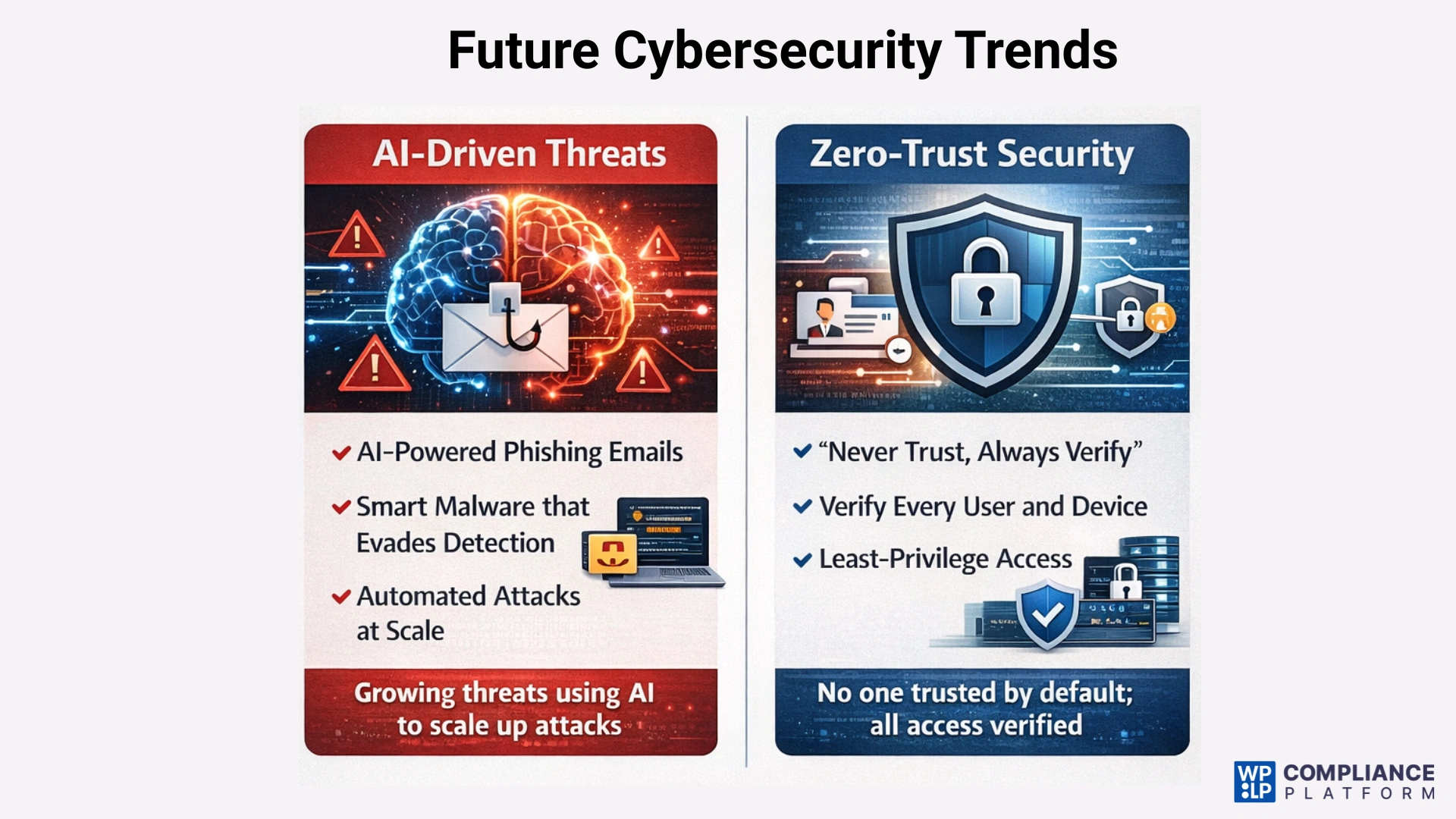
1. AI-Driven Threats
Utilizing artificial intelligence allows cybercriminals to quickly expand their operations and improve their attacks. AI is being used to make realistic phishing e-mails that mimic authentic e-mails, so it is becoming increasingly difficult to identify these types of communications as phishing. In addition, cybercriminals are now using polymorphic malware, which changes its code after it is installed. This allows the malware to avoid being detected by traditional, signature-based security tools, making it much harder to identify and stop.
2. Zero-Trust Architecture
The zero-trust security philosophy states, “Never trust, always verify.” Under the zero-trust security model, no one, nothing (user, device, or system) will be trusted just because they are operating on the internal company network. Every request for access must be authenticated and authorised and should also be continuously validated, so there will be a much smaller risk of lateral movement in the event of a security breach.
FAQ
Yes. Small businesses are often targeted because they usually have weaker security. Hackers use automated bots to find easy targets, and compromised small sites are frequently used as stepping stones to access larger networks.
On average, it takes companies about 200 to 250 days to identify a breach. This “dwell time” is when the most damage occurs, as hackers have months to browse your systems undetected.
Generally, yes. Under regulations such as GDPR (Europe) and CCPA (California), businesses are responsible for protecting user data. Failure to do so can result in heavy fines, mandatory forensic audits, and lawsuits from affected users.
Conclusion
Cybersecurity has become critical. The average cost of data breaches has climbed to $4.45 million.
Whether it’s a deliberate attack or an accidental data leak, the financial and reputational risks are too high to ignore, making proactive security far more important than reacting after damage is done.
In order to properly secure your organisation, your business should utilise a combination of established practices, including Multi-Factor Authentication (MFA), regular software updates (patching), and implementing a Zero Trust approach. By identifying and addressing vulnerabilities, such as weak passwords and third-party weaknesses, your business will have an improved overall cybersecurity strategy that can protect against even the most advanced cyber threats driven by artificial intelligence.
Ensuring data integrity allows an organisation to become more resilient, compliant, and competitive as we continue to experience changes in the digital environment.
If you liked reading this article, don’t forget to read our other engaging articles:
- Step GDPR Compliance Checklist You Need To Follow
- What is a Data Subject Access Request (DSAR) — A Complete Guide
- What Are the Data Privacy Laws Around The World
Grab the WPLP Compliance Platform plugin now!
Disclaimer: This article is for informational and reading purposes only and does not constitute legal advice.