Summary
I tested each tool by actually setting it up and creating a policy to see how easy and clear the process felt. Based on this, WP Legal Pages is the easiest and most reliable option, while others either lack clarity, flexibility, or value for money.
Are you looking for the best terms and conditions generator for your WordPress website?
The terms and conditions page is a document that outlines the rights and responsibilities of any individual who uses the business website.
A terms and conditions policy is essential to protect your website’s services or products.
This article will explain the importance of T&Cs and will list the top 5 website terms and conditions generators. In addition, we will also help you to create terms and conditions for your website.
What is a Terms and Conditions Document?
A terms and conditions document outlines the connection between the service provider and the user of the website. This document is a manual for using the company’s services or the organization’s products.
Terms of service, Terms of Use, General Conditions, or Legal Notes are other names for terms and conditions. Simply put, it is a document that clarifies the conditions of use of the service.
A common example of terms and conditions can be found in end-of-season sales at eCommerce stores. When a sale offers a 40% discount on products, the terms and conditions associated with the sale can impact the discount applied to a purchase.
Why Do You Need a Terms and Conditions Document?
Although T&Cs are not legally mandated, creating a terms and conditions document for your website is essential. You can be sued for liabilities at any time by any user if you don’t have a terms and conditions agreement.
Well-written terms and conditions are significantly more straightforward to enforce and offer clarity to the users. Additionally, having a clear and well-defined set of terms and conditions can significantly reduce the possibility of disagreements, as it leaves little room for interpretation.
Preparing a standard set of agreements in advance is recommended, as it will be far less expensive than going through a lengthy and costly litigation process. Using the best terms and conditions generator will help you simplify the process.
What to Look For When Choosing a Terms of Conditions Generator Plugin
Choosing the best Terms and Conditions (T&C) generator is crucial for ensuring that your website or business is legally protected and compliant. Here are some key factors to consider when selecting a T&C generator:
- Personalization Choices: Search for a generator that lets you modify the terms to fit your company’s unique requirements. Having personalization choices offers the flexibility to change the wording to fit your business’s needs.
- Comprehensive Coverage: It is important to ensure that the terms and conditions generator includes all necessary components, such as disclosures, liability restrictions, user obligations, intellectual property rights, and termination terms.
- User-Friendly Interface: Choose a generator with an interface that is easy to use.
- Clear and Understandable Language: The generated terms and conditions template should be expressed in comprehensible language.
- Integration and Accessibility: Choose a terms & conditions generator that works well with the platform or website you use for your business.
- Pricing and Structure: Consider the cost and structure of T&C generators. Some may offer basic versions for free, while premium features can be purchased. Determine any additional expenses and understand the pricing model.
Carefully consider these factors when choosing a T&C generator so that it best suits your business’s needs and helps protect you and your users.
Top 5 Terms and Conditions Generators for WordPress Websites
Terms and Conditions play an important role in facilitating transparent communication between websites and users. Let’s take a look at some of the best terms and conditions generators:
| Rank | Tool Name | Key Strength | Key Limitation | Best For |
| 1 | WP Legal Pages | Quick setup and easy customization | Limited in free version features | Beginners and WordPress users |
| 2 | Termly | Simple dashboard and all in one setup | Limited customization and branding | Beginners managing multiple policies |
| 3 | TermsFeed | Detailed and flexible legal content | Confusing for new users and add on costs | Experienced users needing control |
| 4 | GetTerms | Fast policy creation | Generic content and less precision | Users needing basic policies |
| 5 | Iubenda | Detailed policies and site scanning | Complex setup and unclear pricing | Advanced users with time to invest |
1. WP Legal Pages Plugin – Best Terms and Conditions Generator
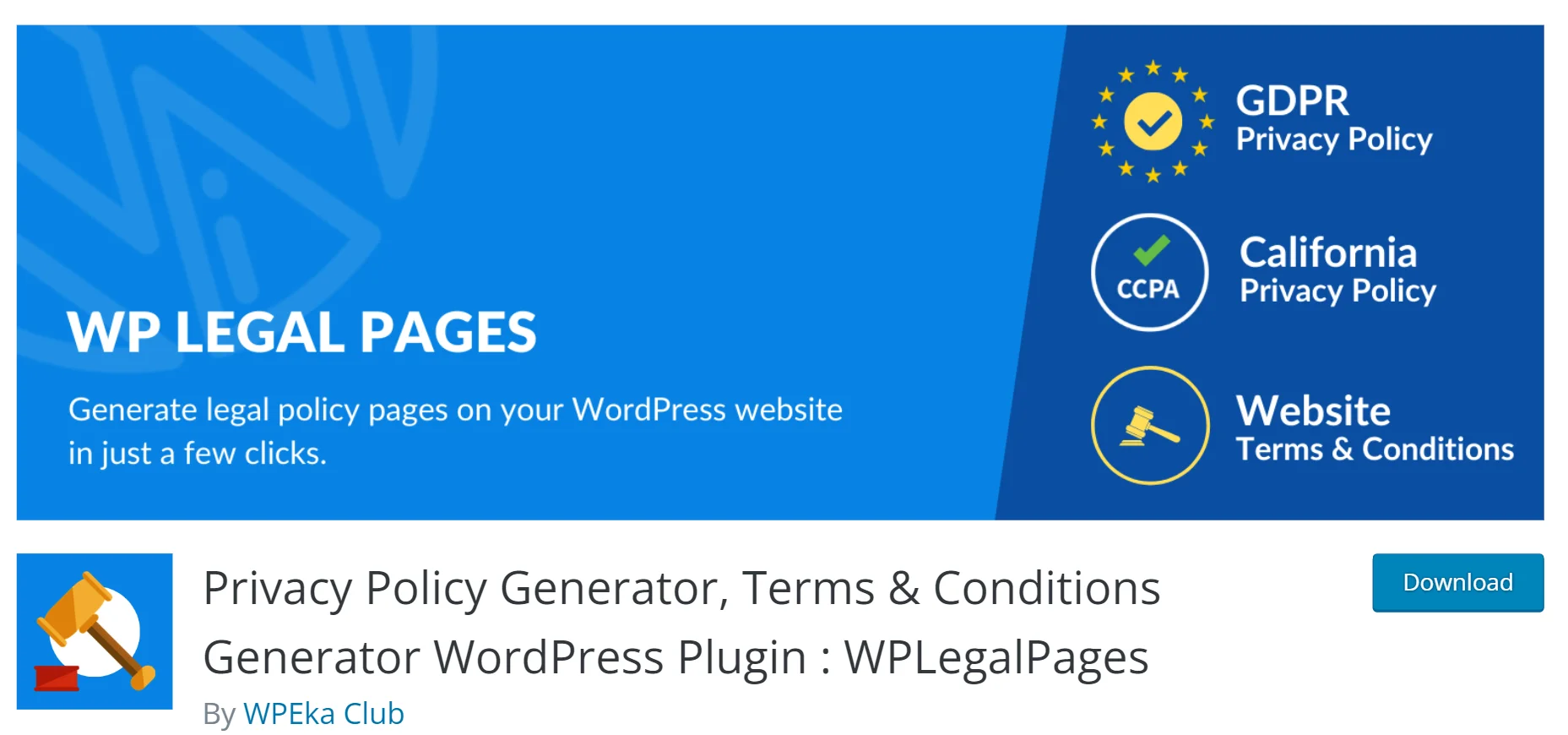
I have personally used WP Legal Pages and found it very easy to get started. The setup is quick, and you are guided step by step, so you do not feel lost at any point.
You can create a complete terms and conditions page in just a few minutes without needing any legal knowledge. What I liked most is how simple it is to edit and match the content to your website’s needs.
Along with terms and conditions, you can also create other important legal pages in one place, which saves both time and effort.
The plugin’s user-friendly interface allows easy customization of the terms and conditions policy. In addition, the WP Legal Pages plugin helps create legal pages such as privacy policies, legal disclaimers, cookie policies, copyright text, and more.
Features:
- Library of Legal Templates
- Age Verification Popup
- Privacy Policy Announcement Banner
- Cookie Consent Banner notification.
- Quick Setup Wizard
Pricing: Here’s the WP Legal Pages pricing structure.
| Plans | Price |
| 3 Sites | $48/Year |
| 10 Sites | $72/Year |
| 25+ Sites | Starting from $168/Year |
2.TermsFeed– Website Free Terms of Use Generator
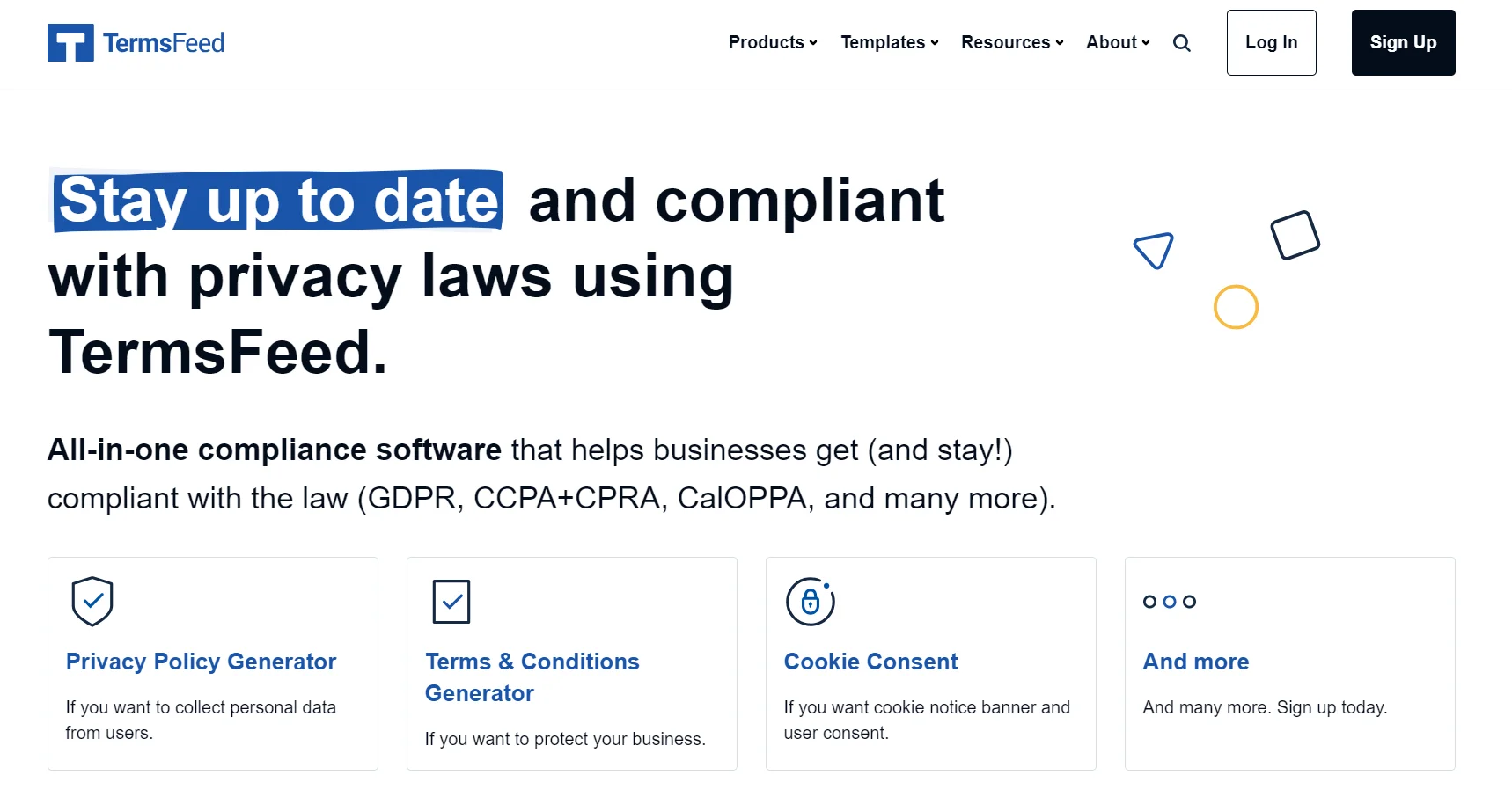
TermsFeed feels more like using a toolkit than a guided setup. You are shown all options upfront, which is fast if you already know what you need.
But if you are unsure, it can feel a bit confusing since there is no clear guidance. The document it generates is detailed and looks professionally written, with strong legal sections.
However, the preview feels dense and hard to review. Also, the free version is quite limited, missing key compliance and branding control.
Features:
- All-In-One Compliance Solutions
- Third-Party Integration
- Customizable Document
- Regular Updates
- Policy Management
Pricing: There is a one-time cost for the TermsFeed plugin. The cost varies based on the number of add-ons you choose. TermsFeed provides the following pricing structure.
| Plans | Price |
| Provisions For User Accounts | $24 (One-time payment) |
| Provisions For User-Generated Content | $24 (One-time payment) |
| Provisions For Subscriptions Plans | $14 (One-time payment) |
| Provisions For Intellectual Property | $14 (One time payment) |
3. Termly– Terms And Conditions Generator For WordPress
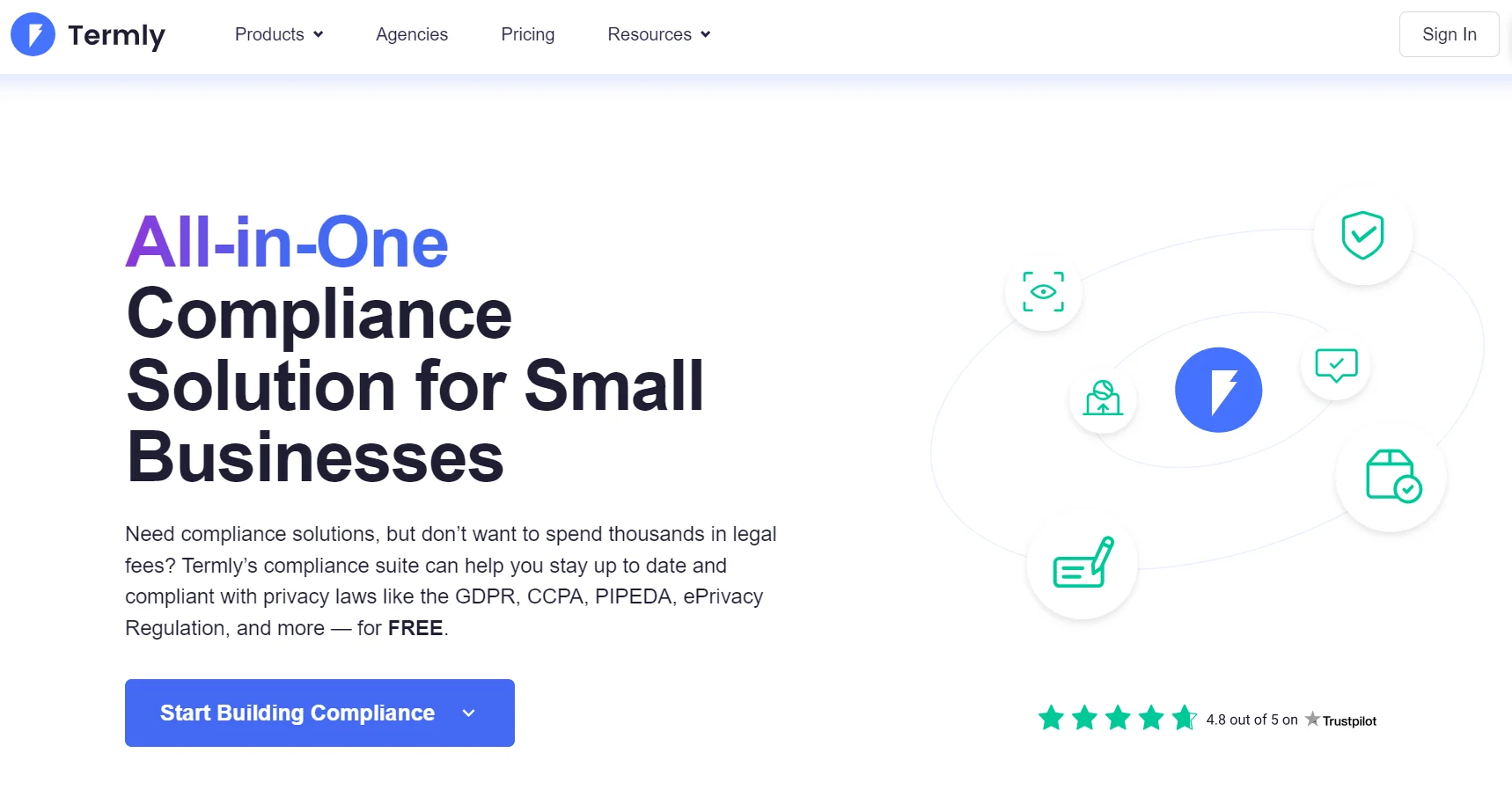
I found Termly to be quite beginner-friendly. The setup is guided, so you are taken step by step and do not have to figure things out on your own.
It is easy to create a terms and conditions page and manage other legal policies in one place. I liked how simple the dashboard feels, especially if you are new to this.
However, I noticed that customization is limited and many templates carry Termly branding. Also, most useful features are locked behind the paid plan, so you may need to upgrade as your needs grow.
Features:
- Comprehensive Legal Policies
- Easy Consent Management
- US / EU Privacy Law Coverage
- Multi-domain management
- Multi-language support
Pricing: Termly lets you create one legal policy in its free version. The paid version has unlimited sites and some add-on features. The termly pricing structure provides the following add-on.
| Plans | Price |
| Starter | $10 per website/ Per Month |
| Pro+ | $15 per website/ Per Month |
| Agency | Custom (Amount not disclosed) |
4. Iubenda– Terms And Conditions Generator
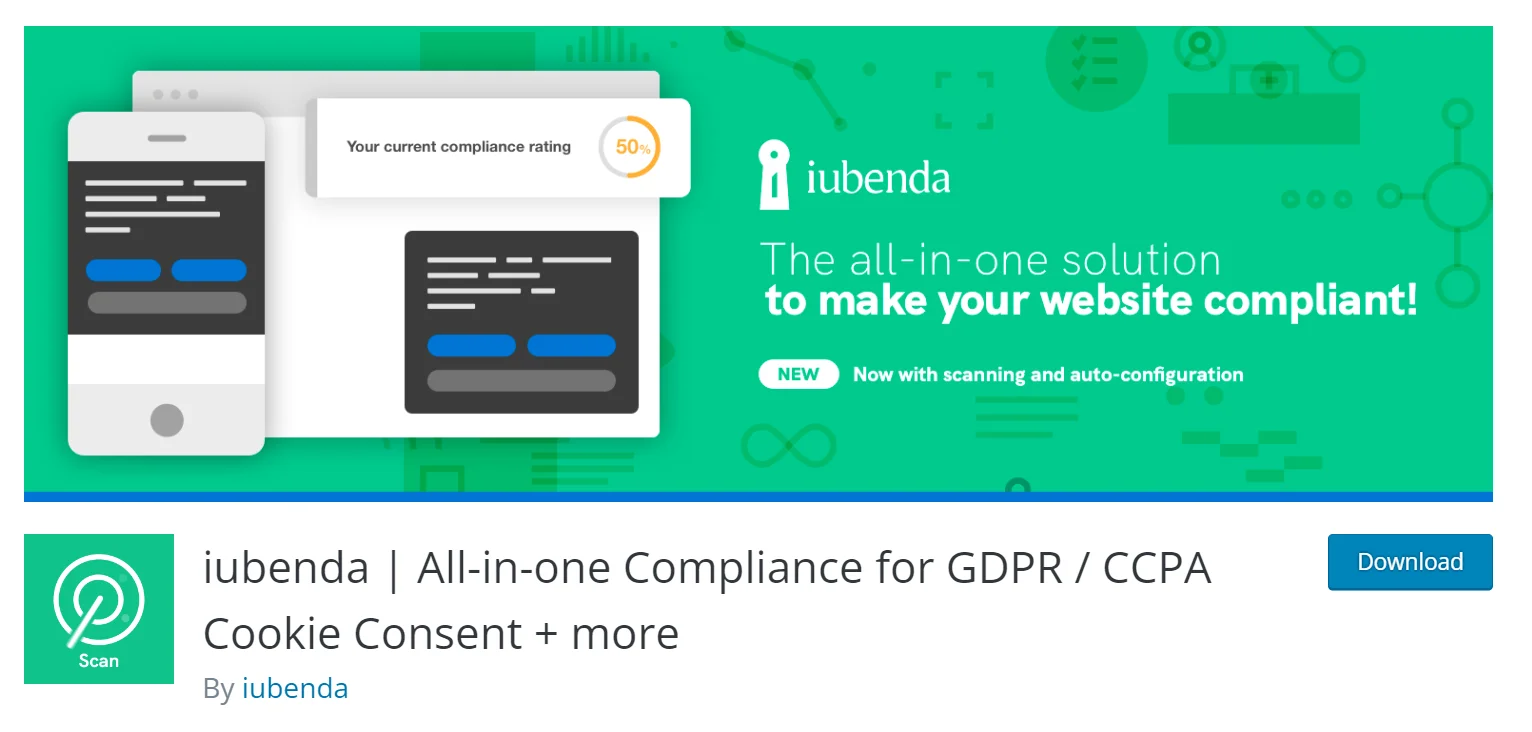
I tried using Iubenda through WordPress, and the experience was not as smooth as I expected. It first scans your site and shows gaps, which is helpful, but creating a terms and conditions page is not straightforward.
I expected a guided setup, but instead it asked for a code without clearly explaining where to get it. I had to go through their website and documentation to understand the process, which took time.
The setup also feels long and a bit confusing, especially for a new user. After going through all the steps, I found that you need to upgrade to a paid plan to actually generate the page.
This is not made clear at the start, which can feel frustrating. Overall, while the tool is detailed, the process and pricing may not work for everyone.
Features:
- Guided Set-Up
- Easy to set up and use
- Robust Functionality
- Excellent support
- Multi-Language support
Pricing: There are two pricing plans for Iubenda.The following is the pricing structure.
| Plans | Price |
| Essentials | $5.99 per site/per month |
| Advanced | $24.99 per site/ per month |
| Ultimate | $99.99 per site/ per month |
5.GetTerms– Best Terms And Conditions Generator
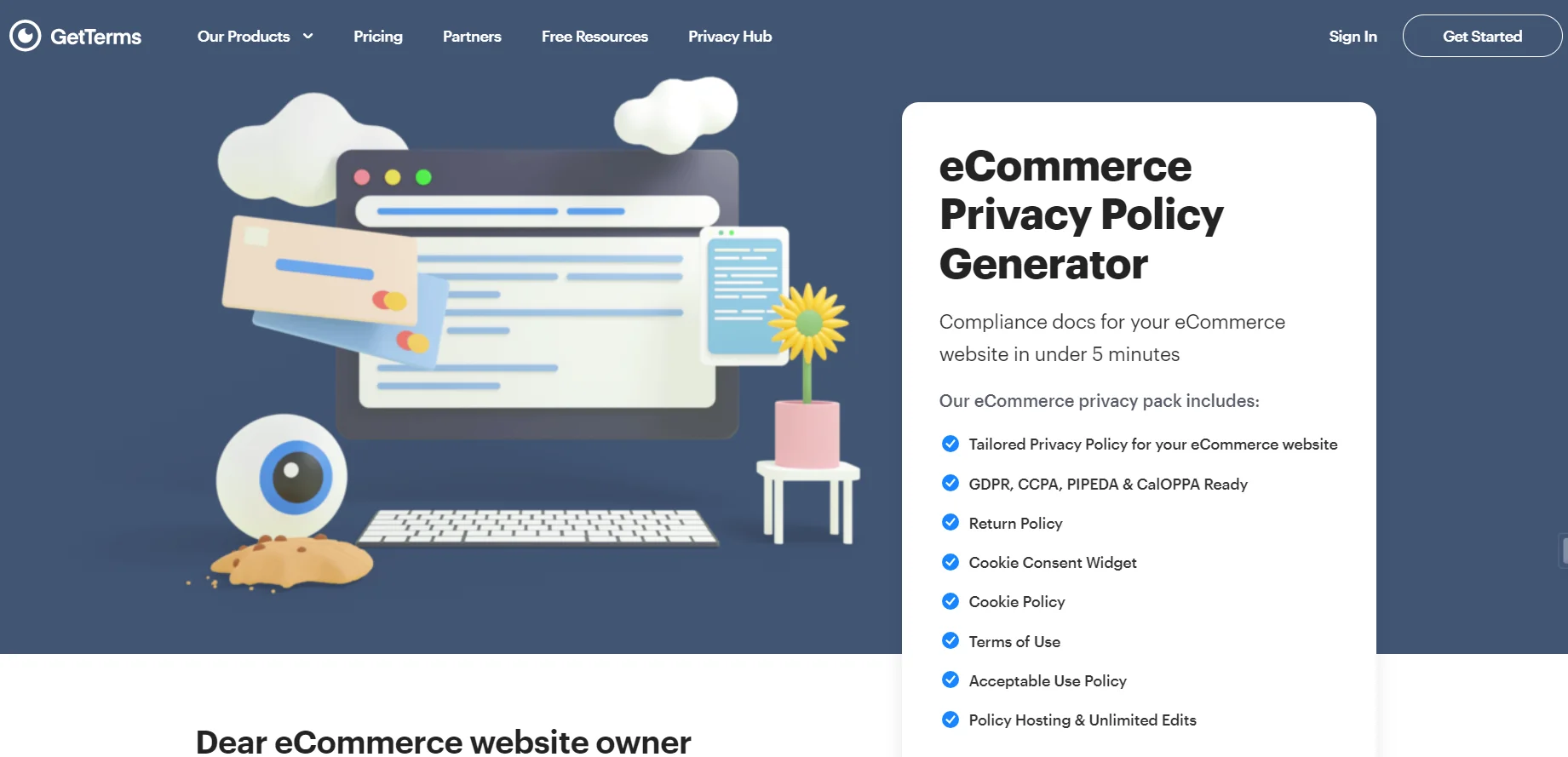
GetTerms is among the greatest options available to create a terms and conditions policy on your website. This plugin is best if you’re looking for a quick way to build up basic terms and conditions.
The terms and conditions generated by GetTerms are more general in nature, and the policy generated is less precise compared to other plugins. You will need to choose a paid plan if you want something more customized to your business.
Features:
- User-friendly
- Excellent support
- Unlimited edits
- Privacy Regulation Monitoring
- Automatic Policy Updates
Pricing: Besides the free version, there are three paid plans in GetTerms. Check out the following pricing structure for buying the premium plan.
| Plans | Price |
| Starter | $60 per site/Year |
| Business | $96 per site/Year |
| Partner Program | Custom |
Create Terms and Conditions Page Using WP Legal Pages
Now that you understand what Terms and conditions are and which plugins are the best. We would like to use the WP Legal Pages plugin to create a terms and conditions notice.
With the WP Legal Pages plugin, you can quickly generate a wide range of policies, including terms and conditions, privacy policies, cookie policies, affiliate disclaimers, and more.
This section will show you how to install the plugin and create the terms and conditions page for your website.
How to Install and Activate WPLegalPages Plugin
Setting up the WP Legal Pages plugin is very simple, and you can create terms and conditions for an online store in just a few minutes.
Step 1: Installing the WP Legal Pages Plugin
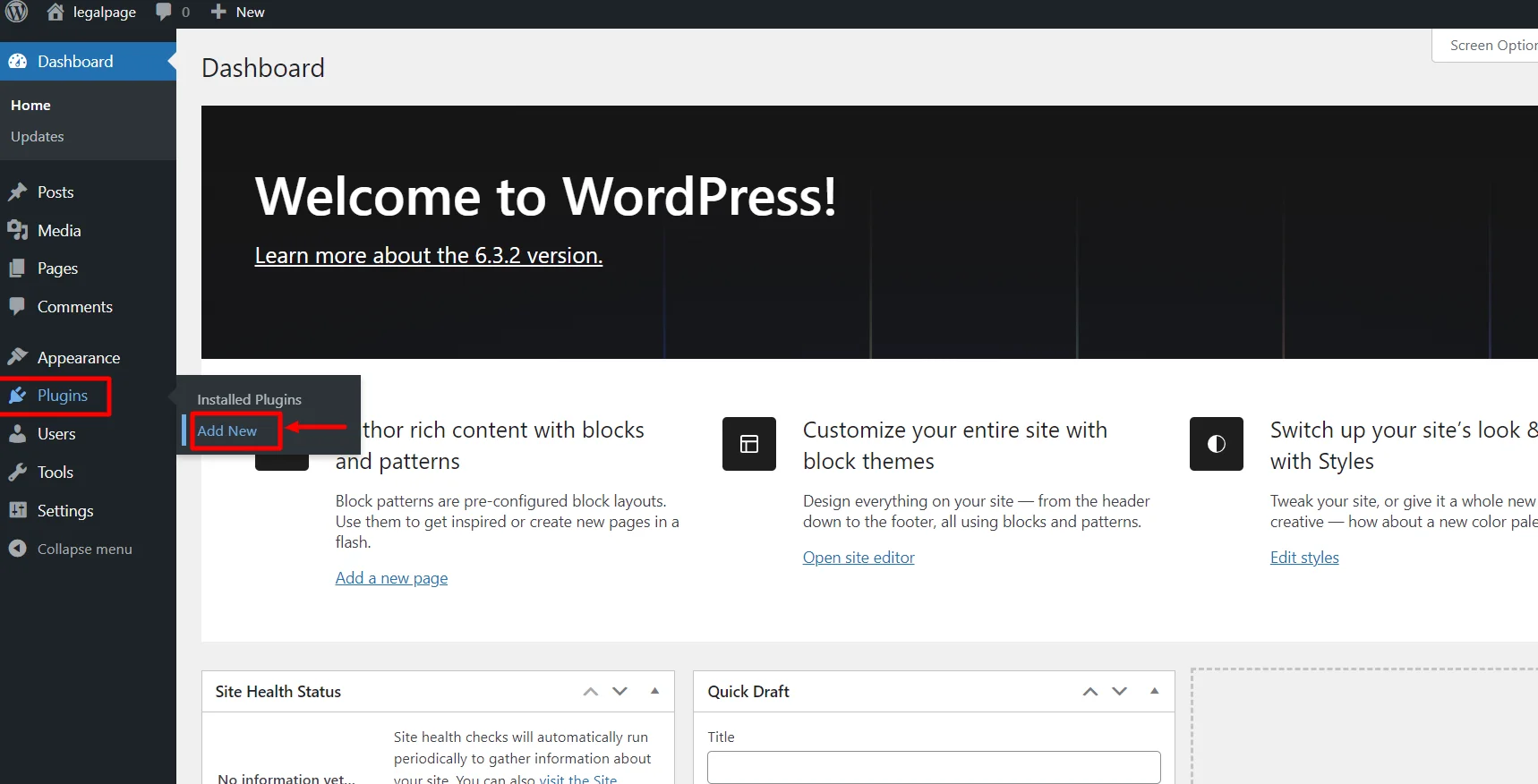
From your WordPress Dashboard, click on Plugins > Add New.
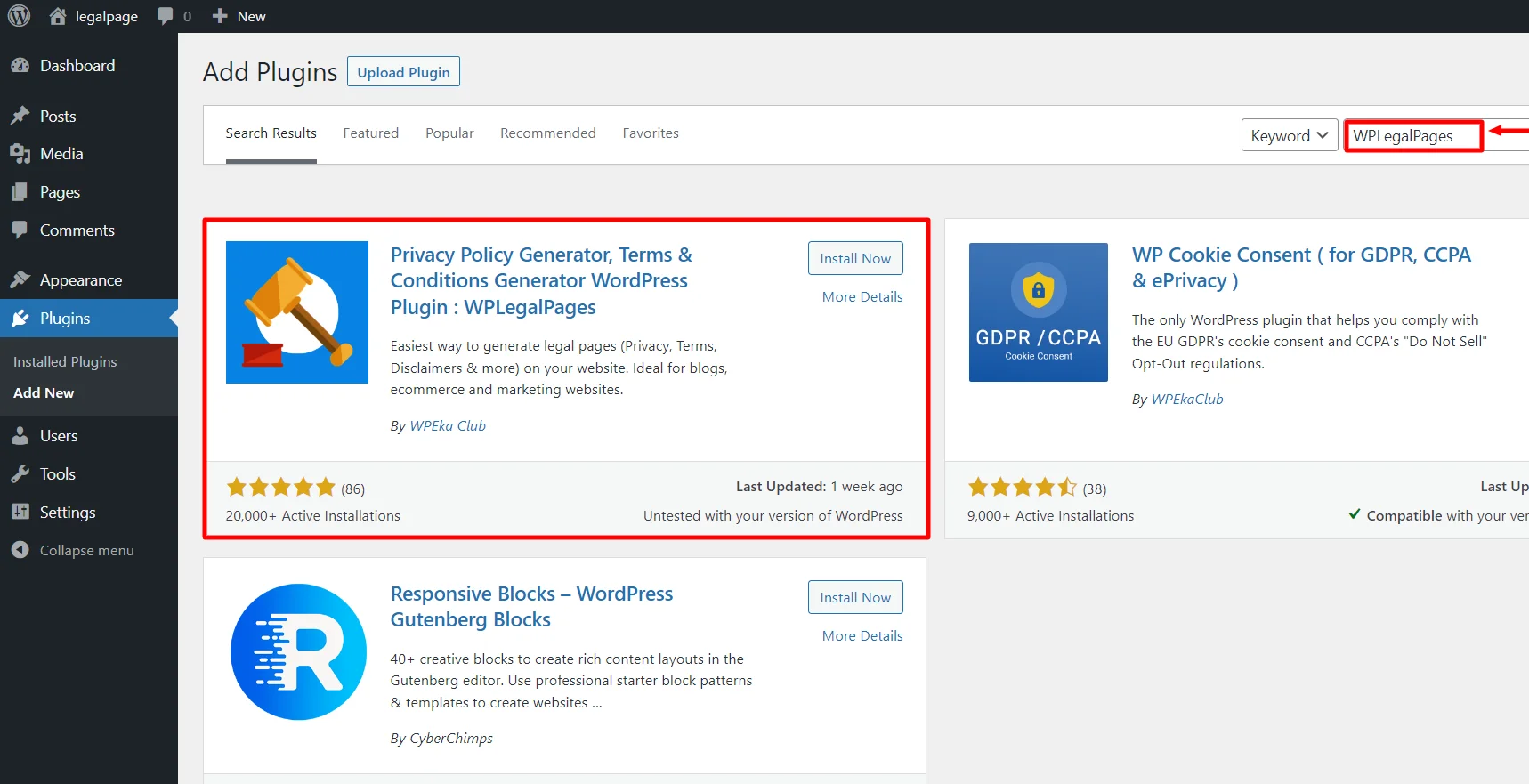
Search for WPLegalPages in the search bar.
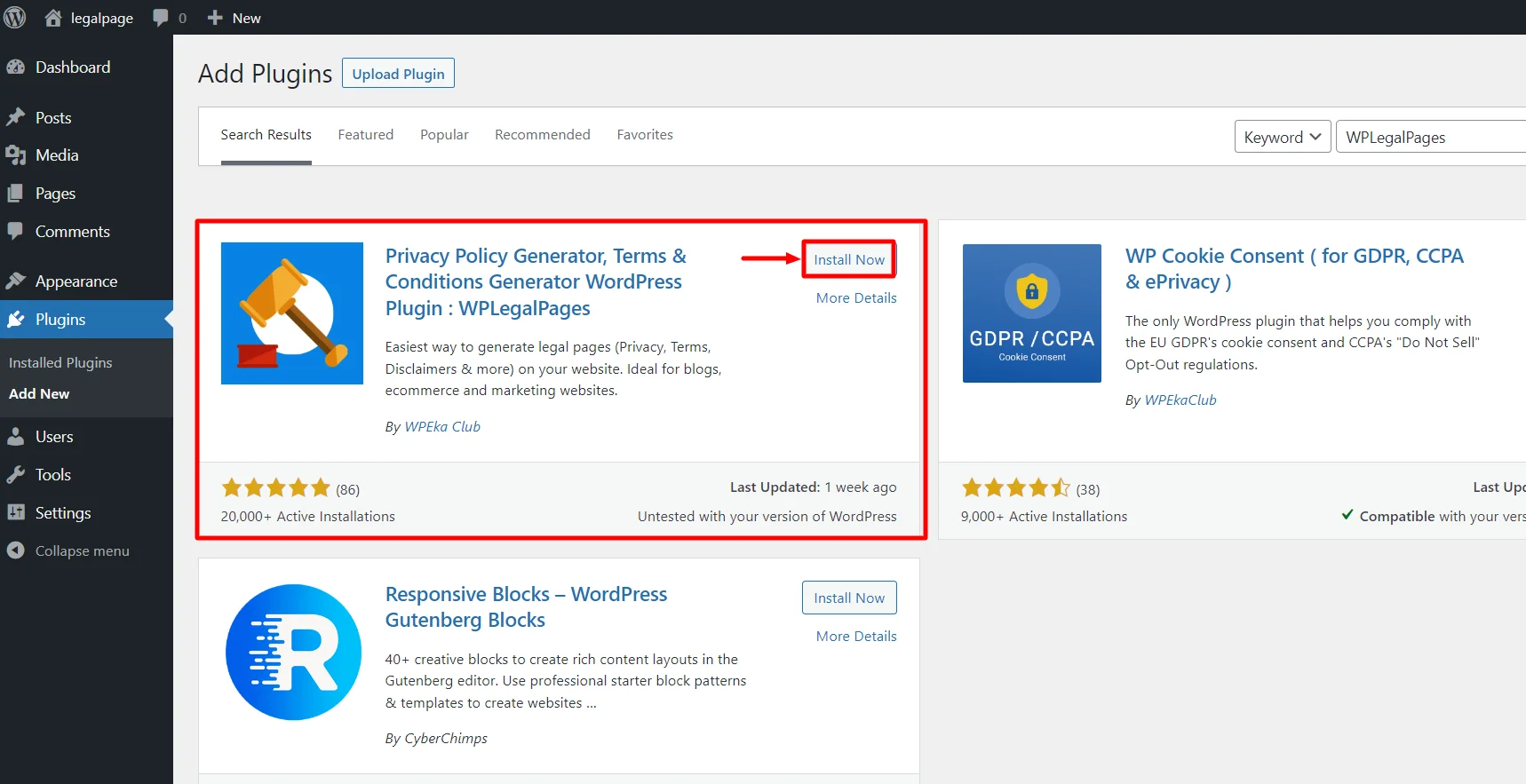
Click on the Install Now Button.
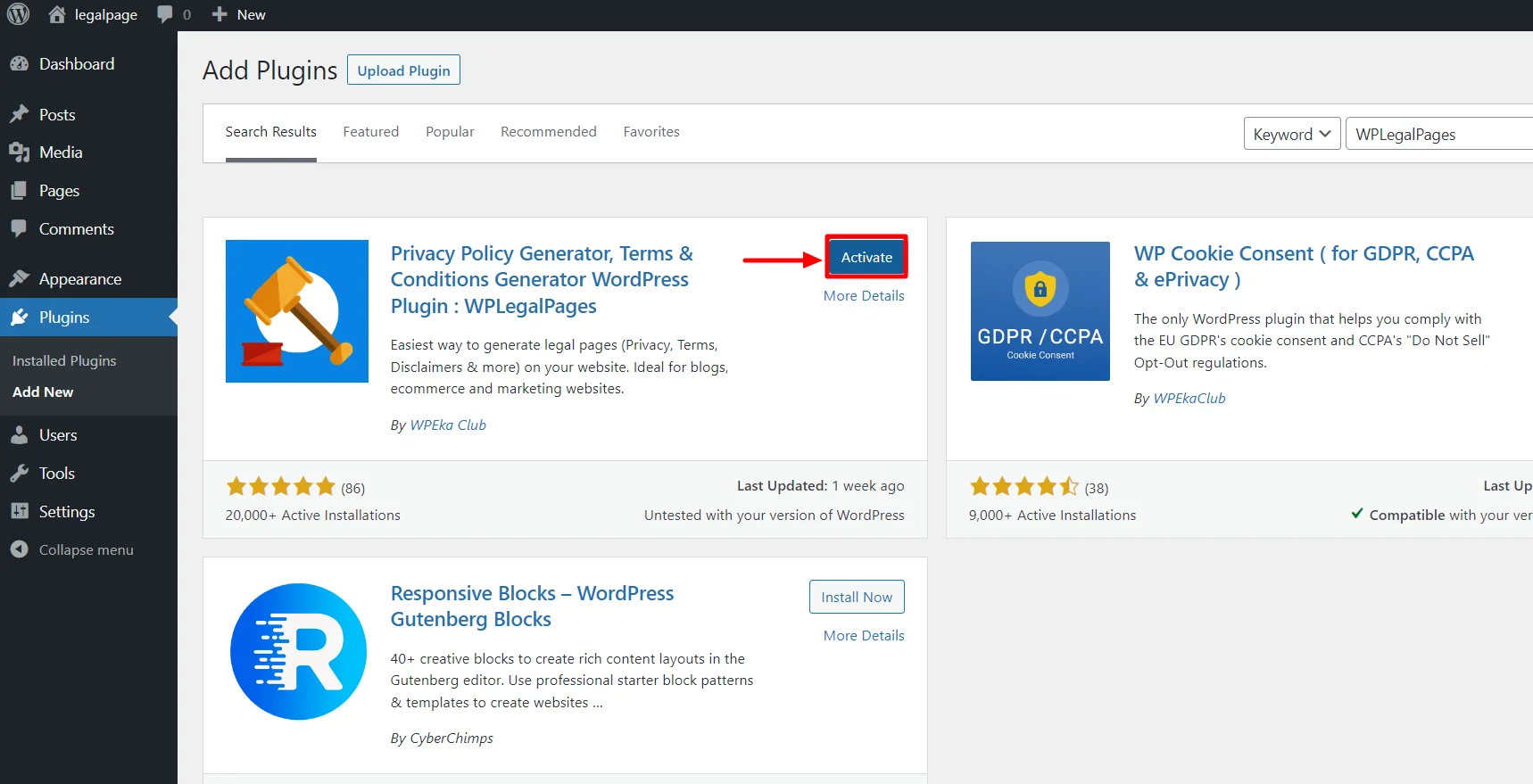
Activate the WP Legal Pages plugin by clicking the Activate button.
Step 2: Configuring WP Legal Pages Plugin
Once you have activated the plugin, you can access it directly from the Dashboard.
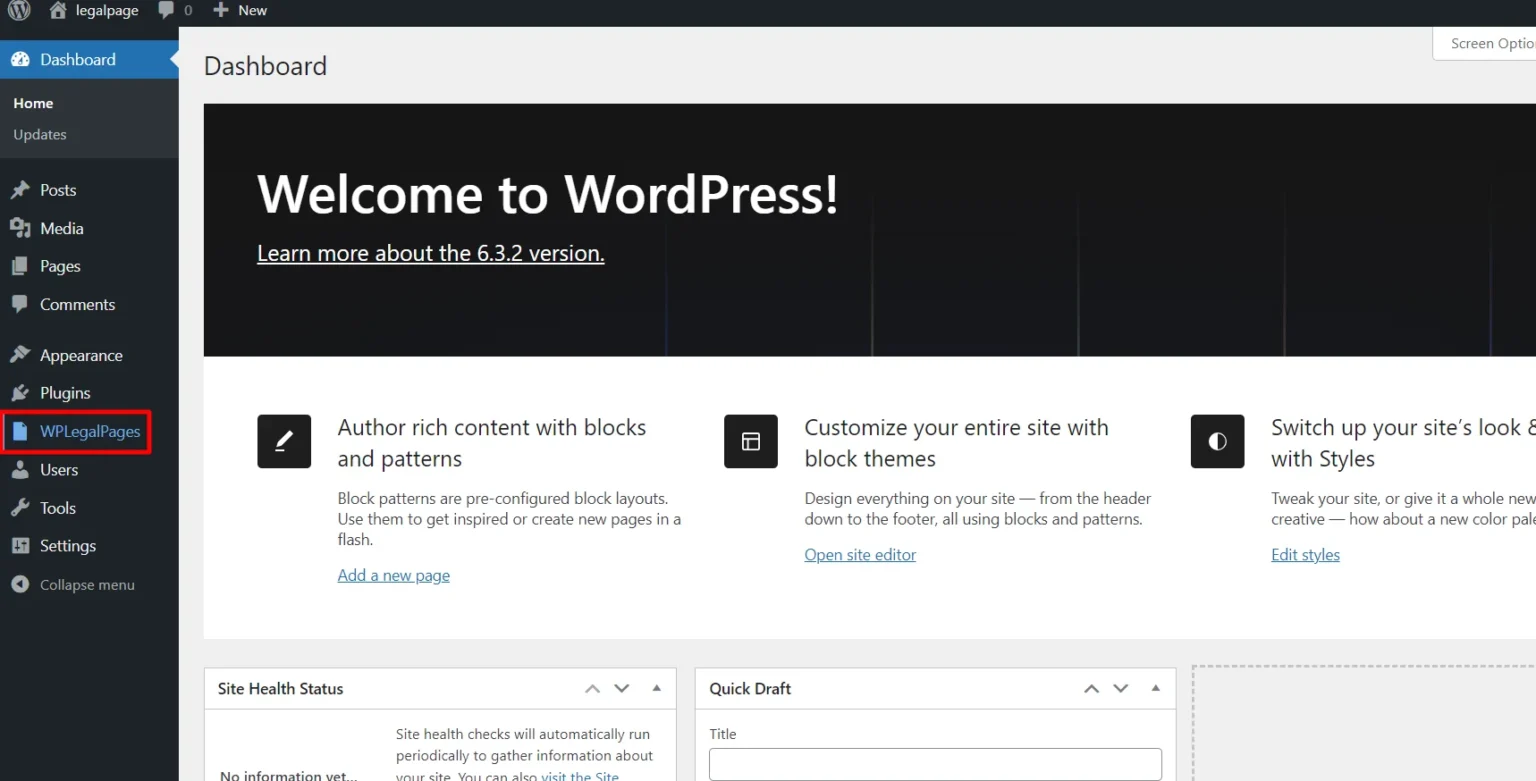
Next, accept the terms of use of the WPLegalPages plugin.
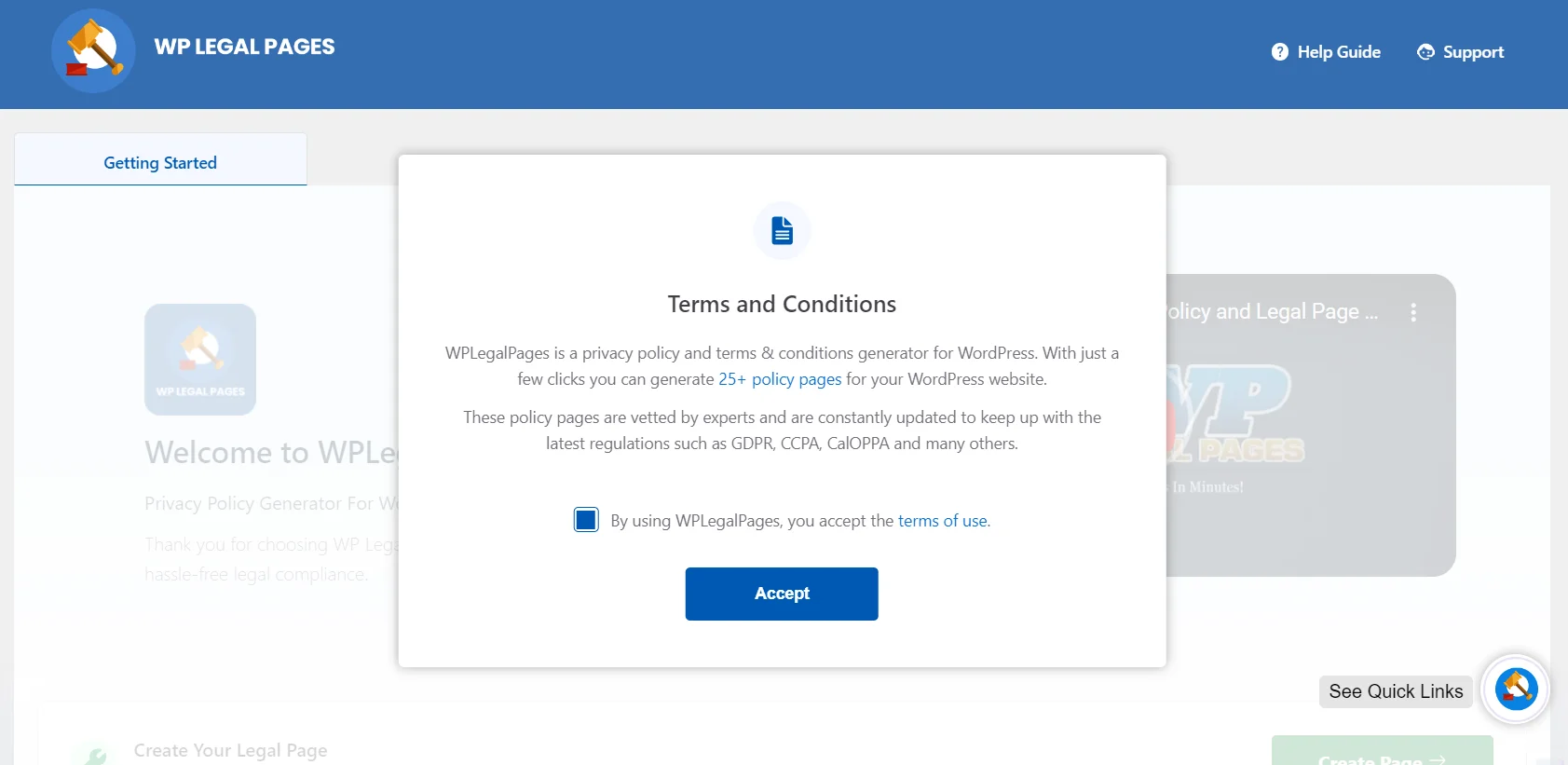
Step 3: Create an Account with WP Legal Pages Plugin
To generate legal pages for your website, click on the WP Legal Pages plugin from the dashboard and then click Create Page.
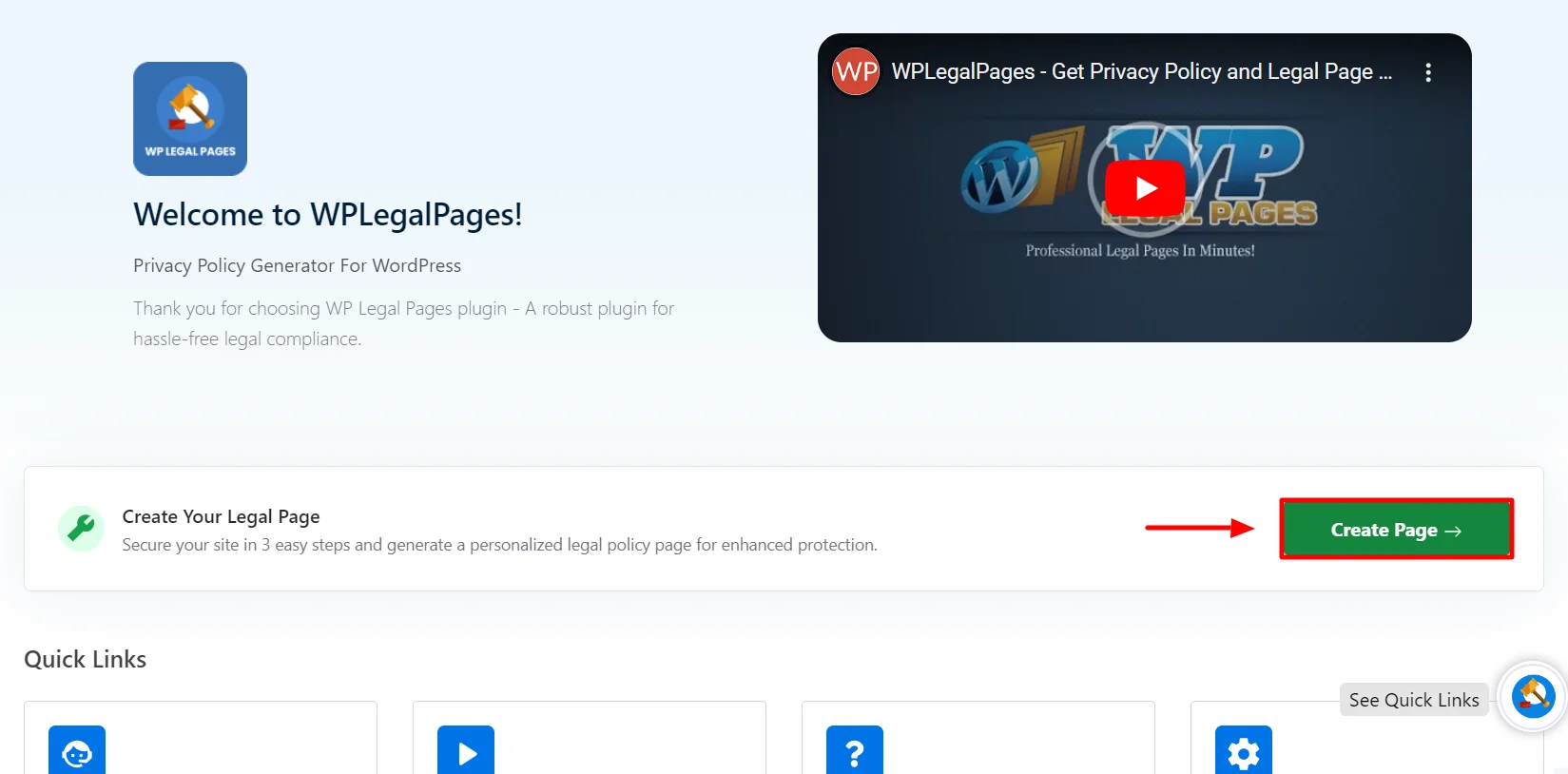
This will open the WPLegalPages wizard. From the WPLegalPages wizard, choose the template and click the Create button.
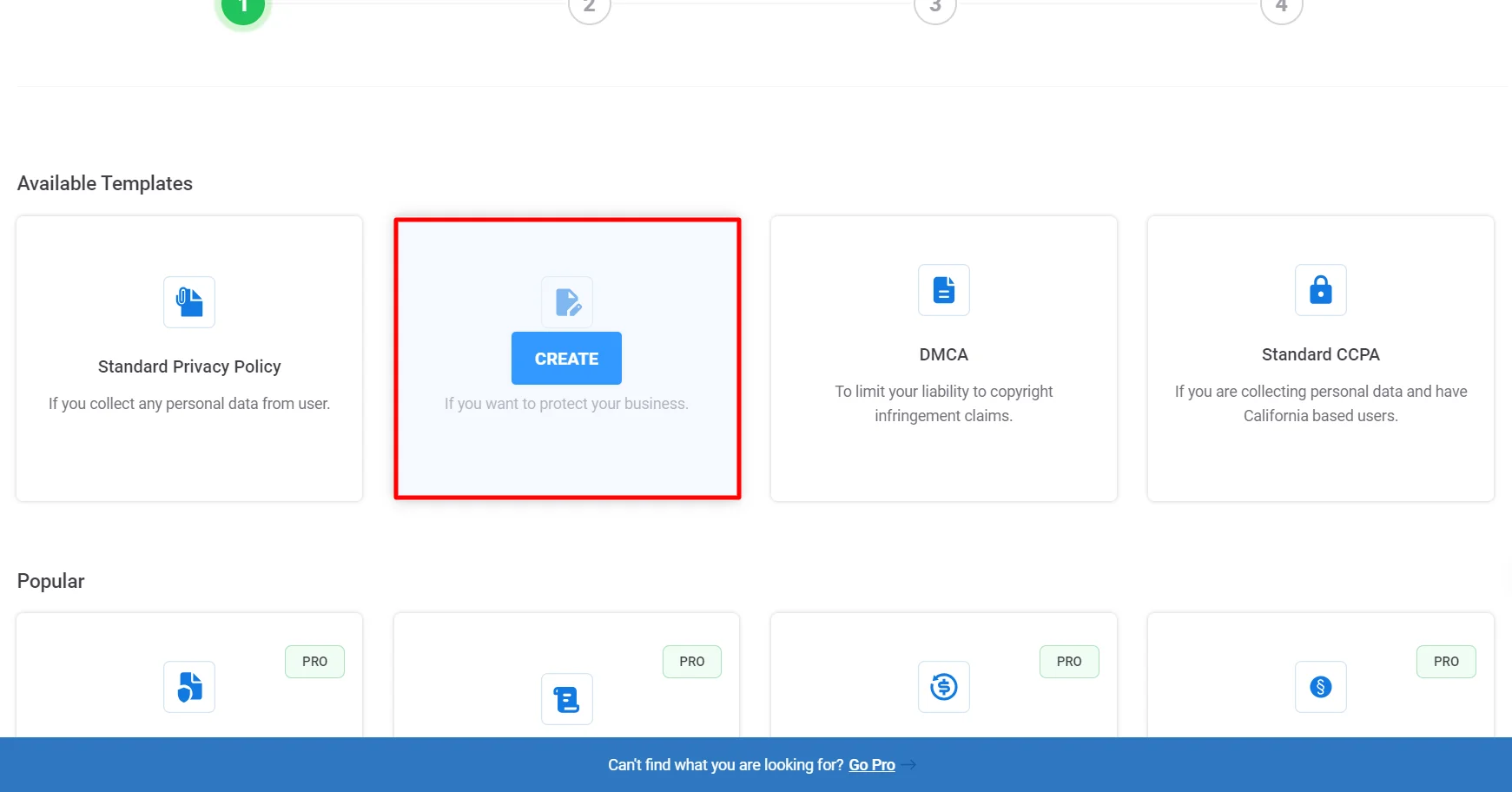
Once you click Create, a popup will appear, asking you to create a new account. Click on New? Create a free account, or if you are an existing user, you can click on Connect your existing account.
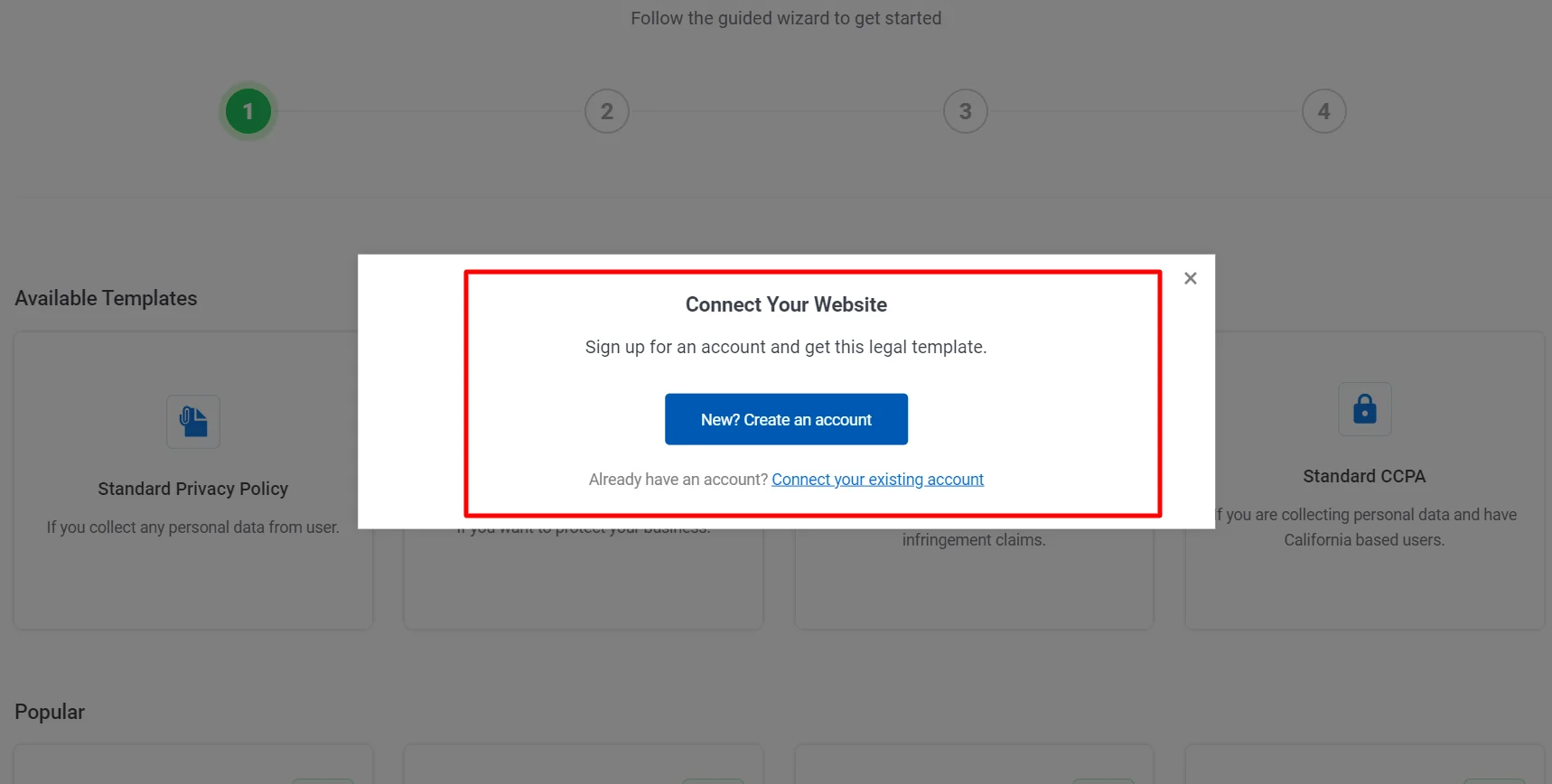
Once you sign up, your account will automatically connect to your site, and you can start creating legal pages for your website.
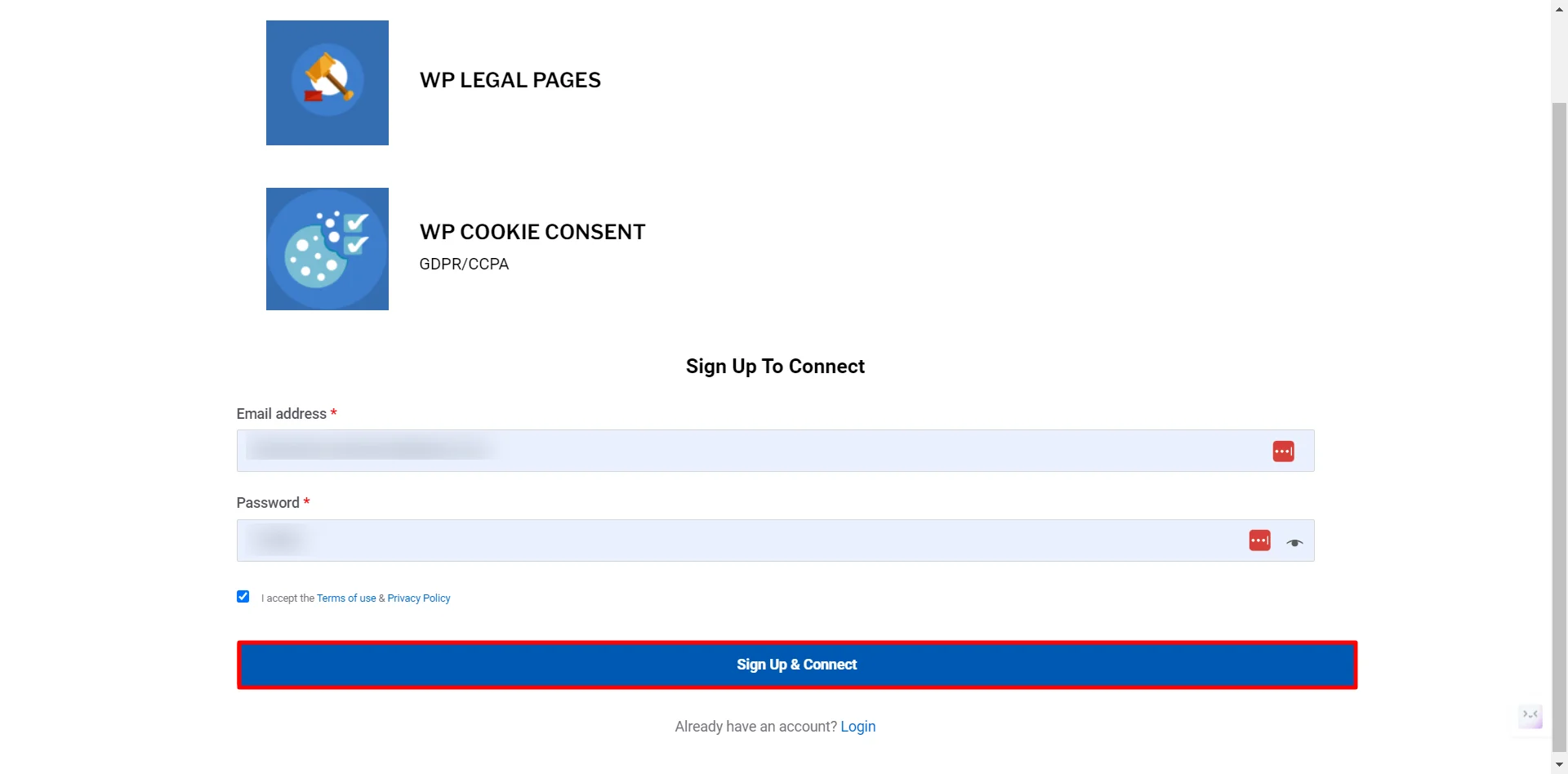
That’s it. You have created an account and can now start creating your website’s Legal Pages. Let’s see how we can create your website’s Terms and Conditions Page.
Step 4: Making a Terms and Conditions Policy for Your Website
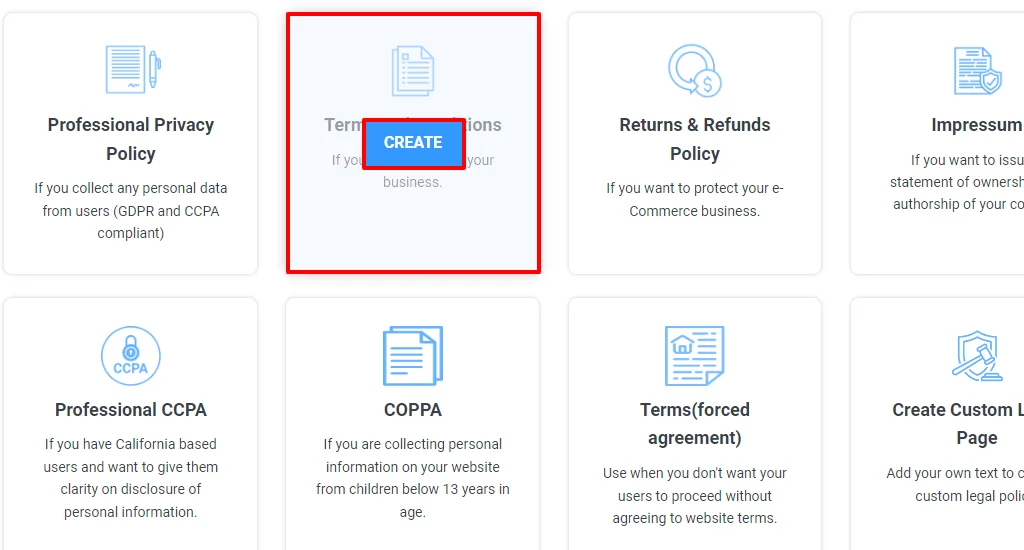
You will now see four templates available in the free version. Click on the Terms of Use Policy option to create a terms and conditions policy for your website.
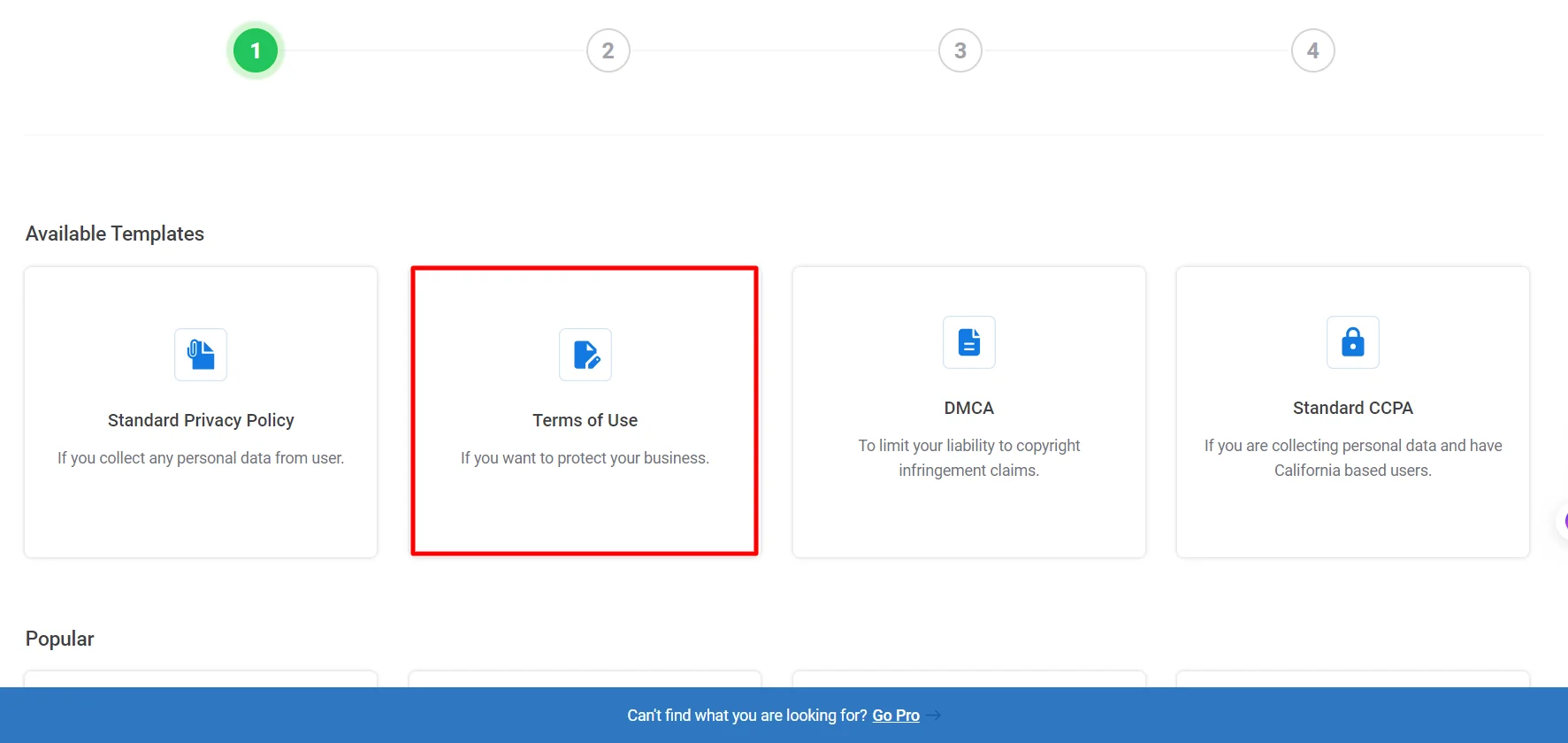
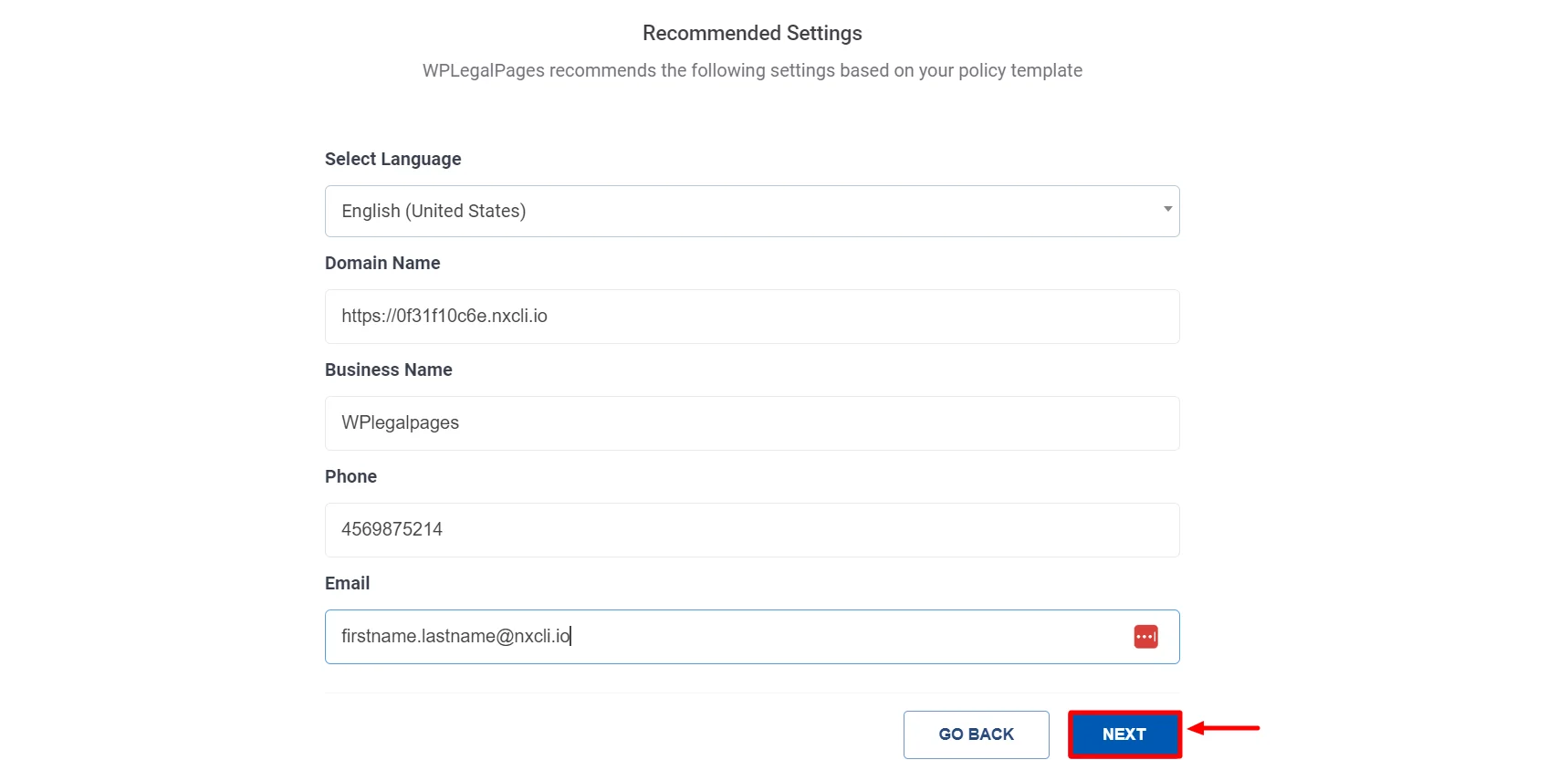
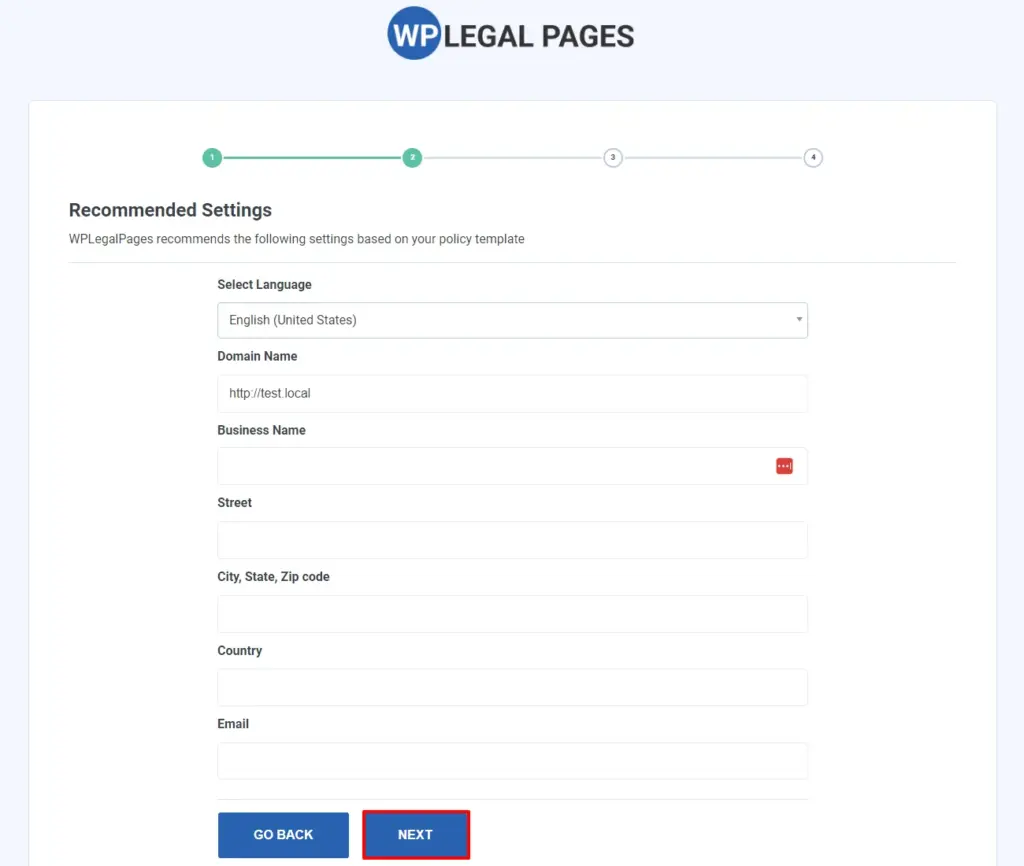
Fill in the Basic Details and click Next.
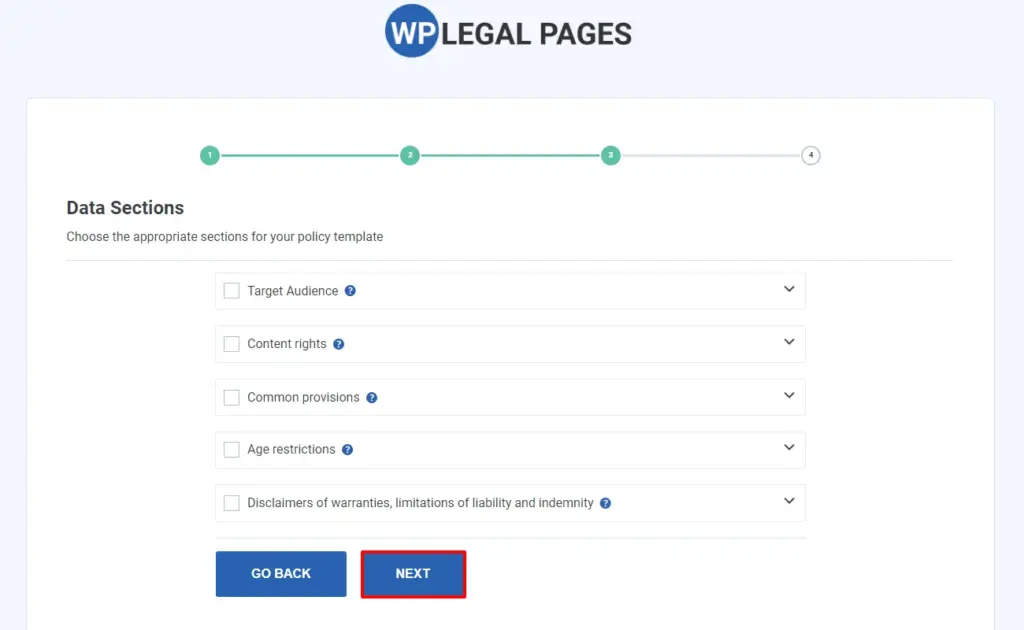
Select the appropriate section for your legal policy, then click Next.
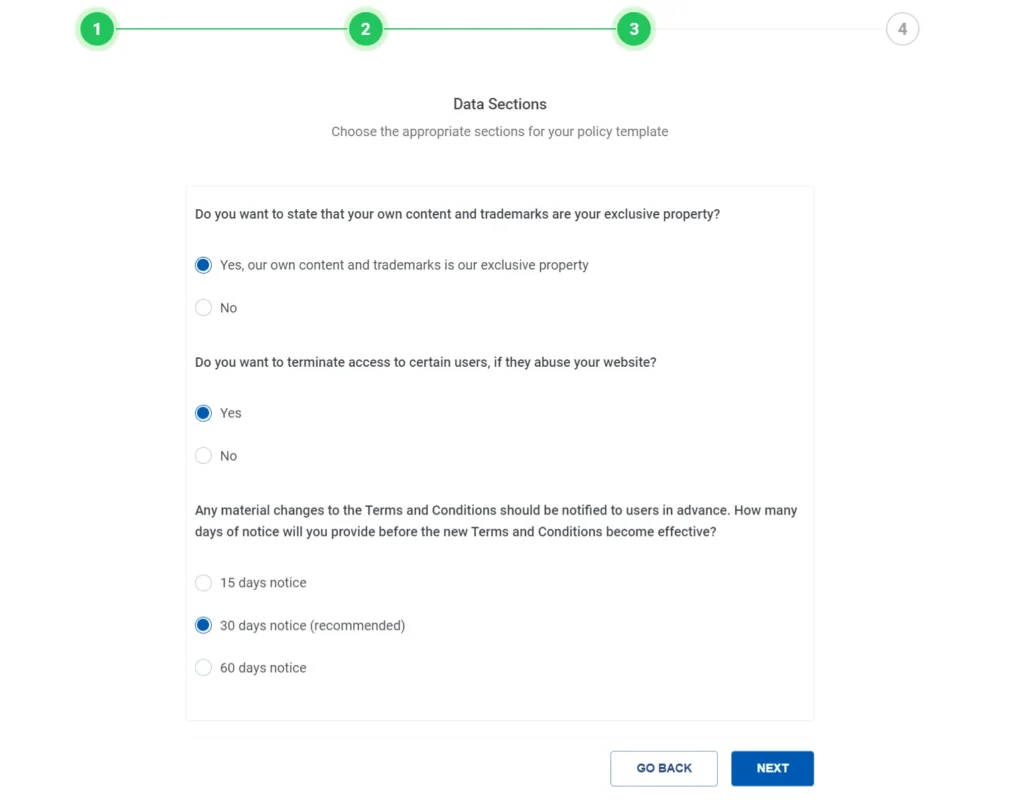
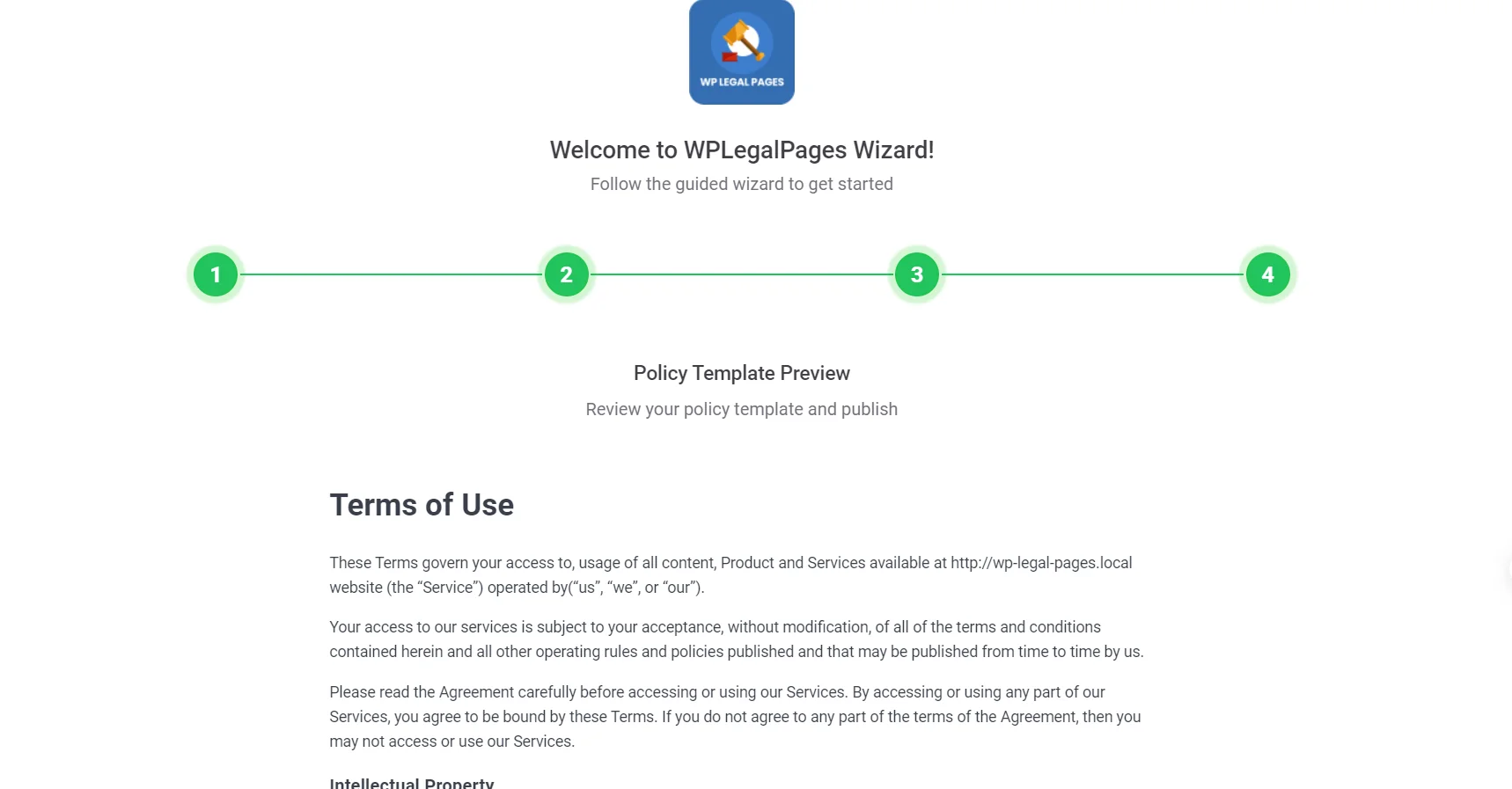
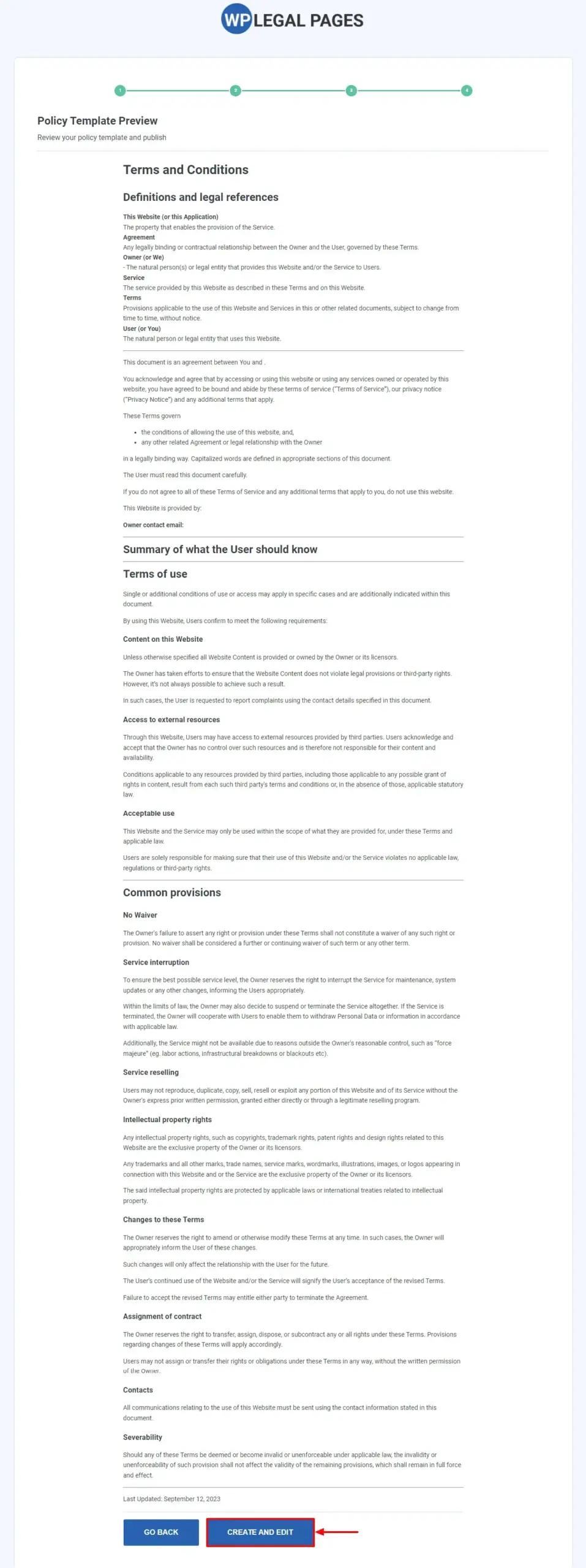
That’s it! Your Terms of Use Policy Template Preview is ready.
Click the Create and Edit option to edit or add additional information to your terms and conditions policy.
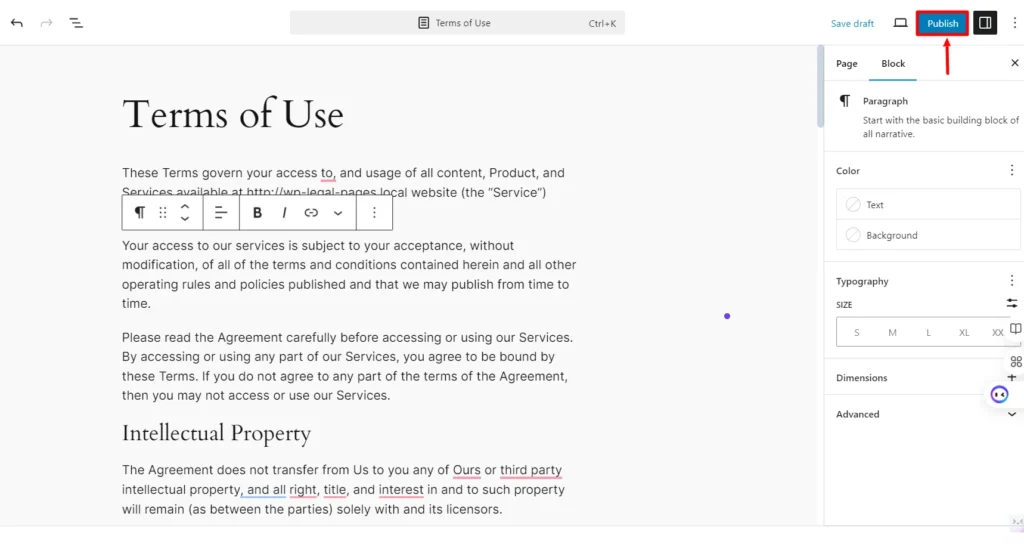
After you have made the necessary changes, click on Publish.
That’s all! Your Terms and Conditions Policy is ready with just a few clicks.
Create a Terms and Conditions Page Using WP Legal Pages Plugin
Follow these steps to create a terms and conditions page using the WPLegalPages plugin.
Head to the WordPress dashboard, navigate to WPLegalPages, and click the Create Legal Page menu.
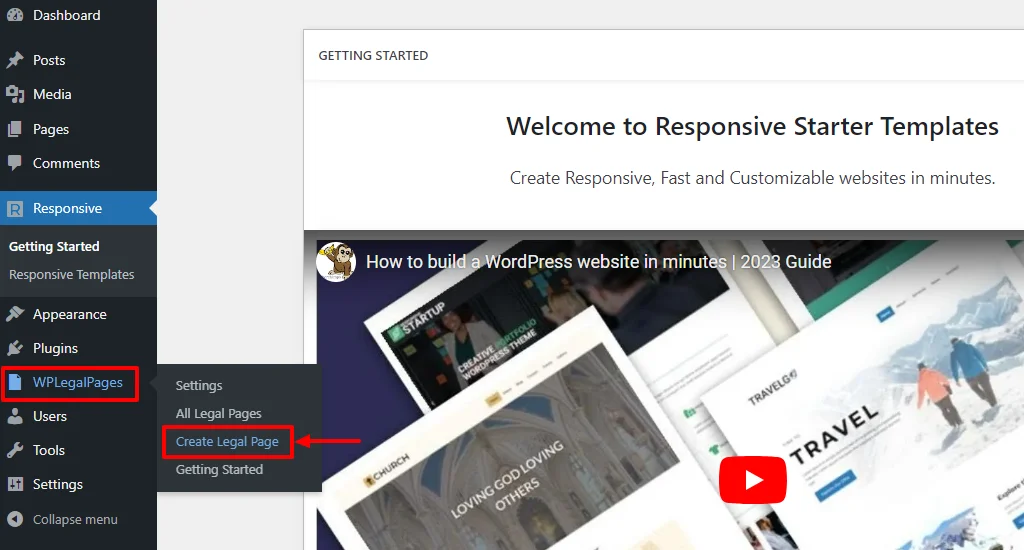
This will open the WPLegalPages wizard. From the WPLegalPages wizard, choose the terms and conditions template and click on the Create button.
Next, fill in the Recommended Settings page fields and click the NEXT button.
Now, choose the appropriate sections for your page and fill in the details. Once done, click the Next button.
You can now check the preview of the terms and conditions page. Once reviewed, click on the Create and Edit button.
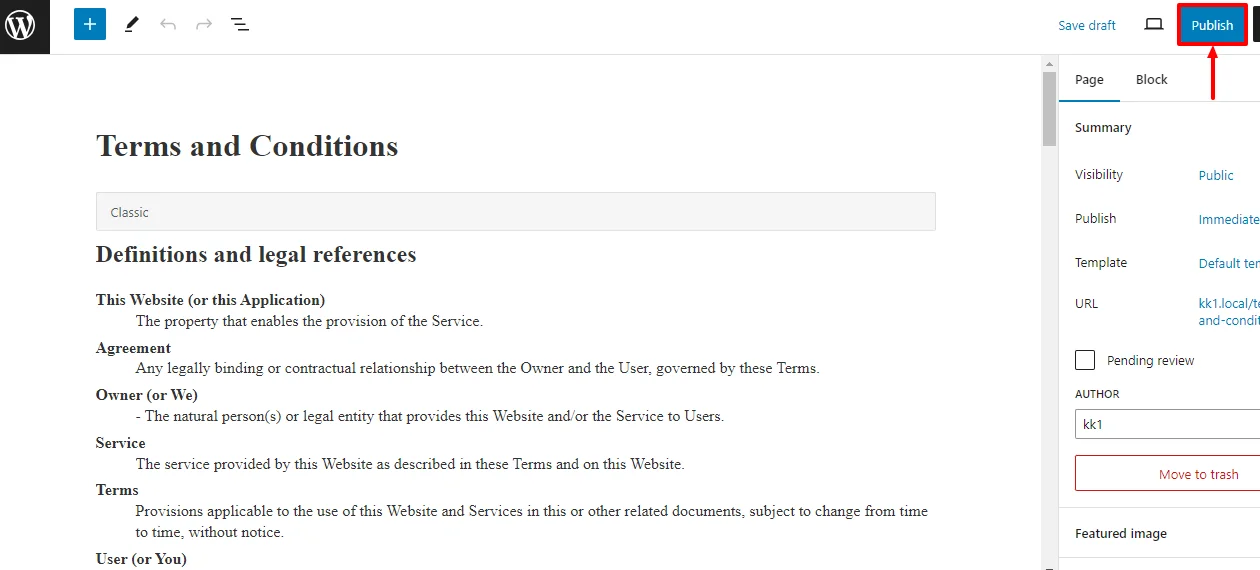
This will open the WordPress editor. Review all the details in the editor again and click the Publish button.
FAQs
You can, but it is not ideal. Each website has different features and risks. It is better to create a separate policy for each site to ensure proper coverage and avoid legal gaps.
You should review it at least once a year or whenever you change your services, pricing, or data practices. Regular updates help keep your policy accurate and relevant.
Most generators cover common needs, but if your business is complex, a legal review is helpful. It ensures your policy fully protects you and matches your specific operations.
Conclusion
Creating a set of guidelines for a website is similar to writing well-written terms and conditions. It sets uniform standards for everyone who interacts with your business or website.
The terms and conditions agreement acts as a shield from the law to keep you and your users safe. We recommend using the WP LegalPages plugin for a dependable and straightforward approach to creating and managing policies.
WP Legal Pages plugin simplifies the process and ensures that your terms and conditions are clear and easy to understand, boosting your business’s transparency and credibility.
If you liked reading this article, don’t forget to read our other engaging articles:
- Digital Markets Act: What Website Owners Need to Know
- Understanding Privacy Statements and Simplifying Compliance
- Uncover Cookie Analytics: What Are Analytical Cookies?
Are you excited to create a terms and conditions page for your online website? Grab WP Legal Pages now!