WPLP Compliance Platform logo
  • Features

    Legal Policy Generator

    Privacy Policy

    Privacy Policy

    Disclose how you collect and use user data

    Terms and conditions

    Terms and Conditions

    Set the rules for how your website is used

    Cookie policy

    Cookie Policy

    Explain how and why cookies are used on your site

    Arrow

    More Legal Policies

    Access 25+ legal page templates for compliance of data privacy laws

    Cookie Consent Management

    Cookie scanner

    Cookie Scanner

    Scan and categorize cookies used on your website

    Consent management platform

    Consent Management Platform

    Collect, manage, and log user consent easily

    Google Consent Mode

    Google Consent Mode

    Maintain ad tracking while respecting user privacy

    IAB TCF 2.2

    IAB TCF 2.3

    Ensure your site meets the latest ad consent standards

    Data Subject Access Request

    Data Subject Access Request

    Let users request access or deletion of their data

    Arrow

    Advanced Features

    All the features required to keep your website compliant with cookie laws

  • Privacy Laws

    USA

    California icon

    California

    California Consumer Privacy Act (CCPA)

    Virginia icon

    Virginia

    Virginia Consumer Data Protection Act (VCDPA)

    Connecticut icon

    Connecticut

    Connecticut Data Privacy Act (CTDPA)

    Utah icon

    Utah

    Utah Consumer Privacy Act (UCPA)

    Colorado icon

    Colorado

    Colorado Privacy Act (CPA)

    Neveda icon

    Neveda

    Nevada Privacy Law

    EU / Worldwide Laws

    European Union icon

    European Union

    General Data Protection Regulation (GDPR)

    UK GDPR icon

    UK GDPR

    United Kingdom (Post-Brexit version of GDPR)

    European Union icon

    European Union

    ePrivacy Directive (ePD)

    Brazil (Worldwide) icon

    Brazil (Worldwide)

    Lei Geral de Proteção de Dados (LGPD)

  • Pricing
  • Resources
    How to guide icon

    How-to Guides

    • Generate Privacy Policy
    • Generate Cookie Policy
    • Generate Terms & Conditions
    • Generate Return & Refund Policy
    • Add Cookie Banner
    • Setup Google Consent Mode v2
    Articles icon

    Articles

    Learn privacy compliance best practices, tips and industry updates.

    Documentation icon

    Documentation

    Step-by-step guides to help you install, configure and master WPLP features

    Support icon

    Support

    Need help? Contact our support team for assistance

Login
Try for Free

Video Guides

2
View Categories
  • Home
  • Docs
  • Guides
  • Cookie Banner Builder

Cookie Banner Builder

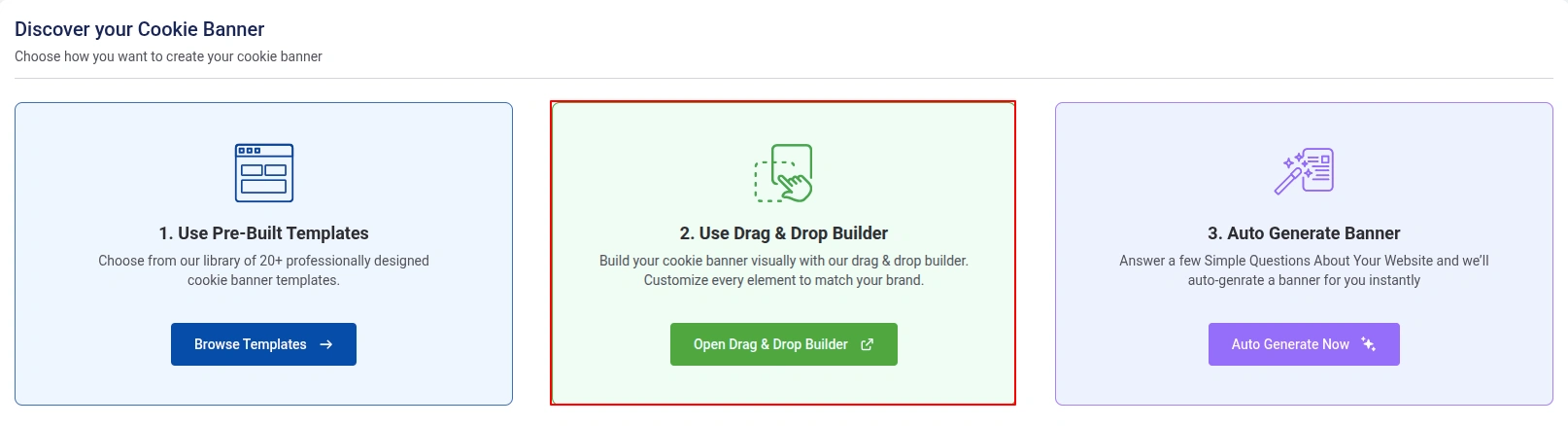
The Cookie Banner Builder allows you to visually create, customize, and manage cookie consent banners without writing code. Using the live preview and drag-and-drop interface, you can configure banner layouts, consent messages, privacy policy links, buttons, colors, spacing, typography, and responsive behavior.

To access the Cookie Settings section:

app.wplegalpages → Cookie Consent → Cookie Settings → Scroll Down
Banner Builder

1. Cookie Notice

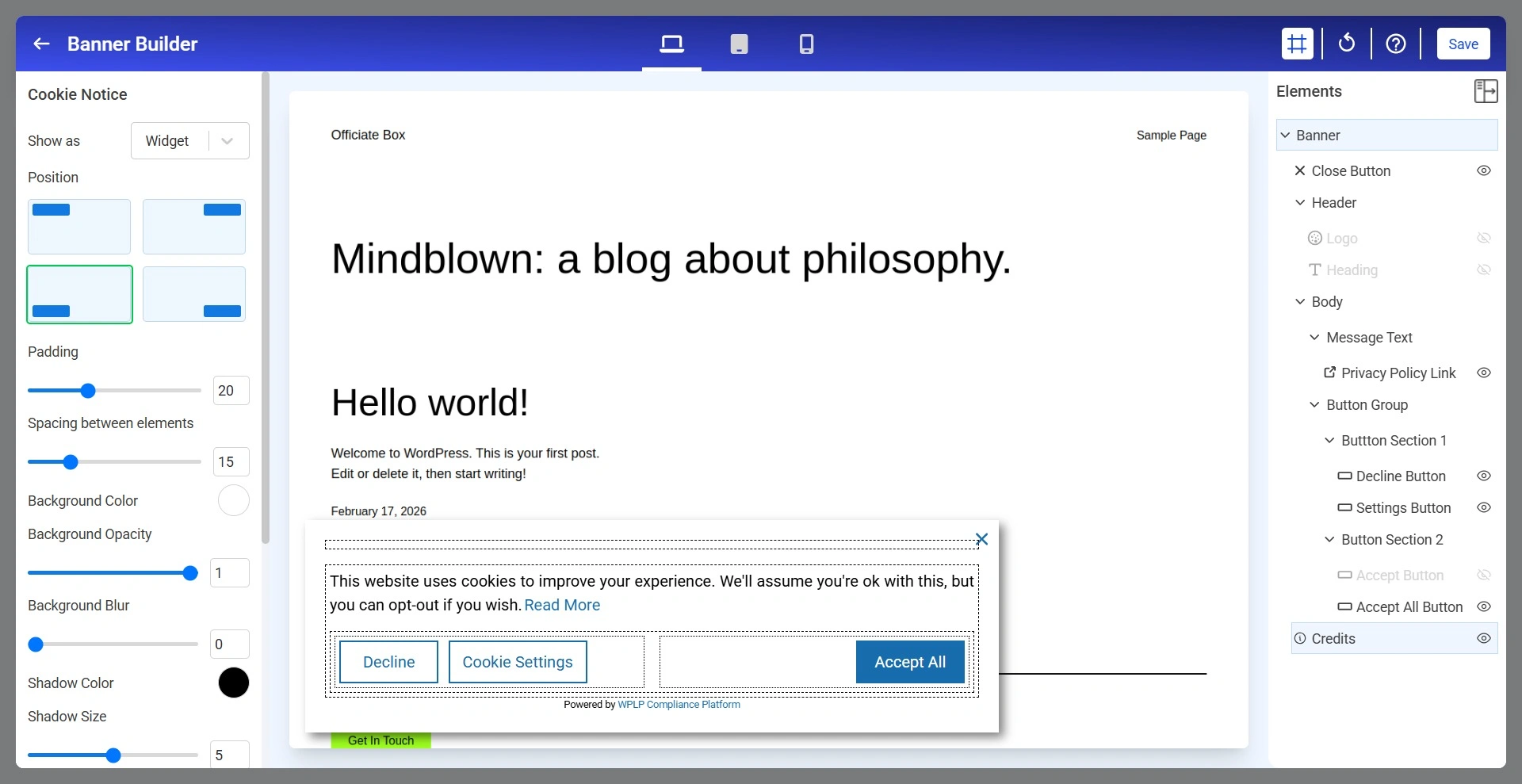
The Cookie Notice section controls the overall appearance and positioning of the cookie banner.
cookie banner builder

Below are the Cookie Notice settings.
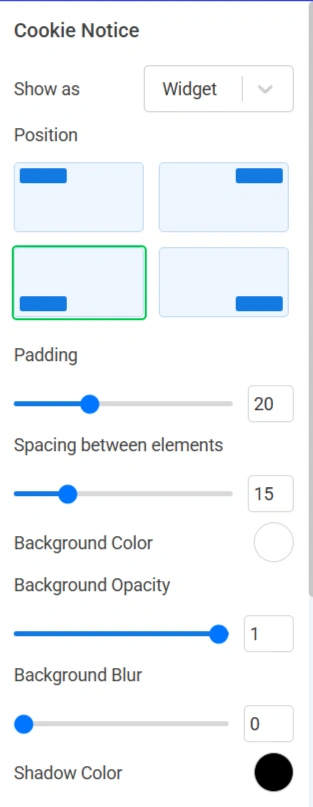
Cookie Notice setting 1
  • Show As: Determines how the cookie notice is displayed.
  • Position: Controls where the cookie notice appears on the website.
  • Padding: Controls the internal spacing between the content and the edges of the banner.
  • Spacing Between Elements: Controls the space between banner elements such as logo, heading or message text.
  • Background Color: Sets the background color of the cookie notice.
  • Background Opacity: Controls the transparency of the banner background.
  • Background Blur: Applies a blur effect behind the cookie notice.
  • Shadow Color: Defines the color of the banner shadow.
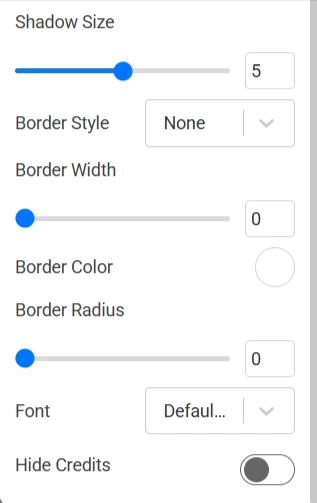
Cookie Notice setting 2
  • Shadow Size: Controls the intensity and size of the shadow surrounding the banner.
  • Border Style: Controls the border appearance.
  • Border Width: Adjusts the thickness of the border.
  • Border Color: Defines the color of the border surrounding the banner.
  • Border Radius: Rounds the corners of the cookie notice.
  • Font: Selects the font family used throughout the cookie notice.

2. Close Button

The Close Banner Button allows visitors to dismiss the cookie notice without interacting with the consent buttons.
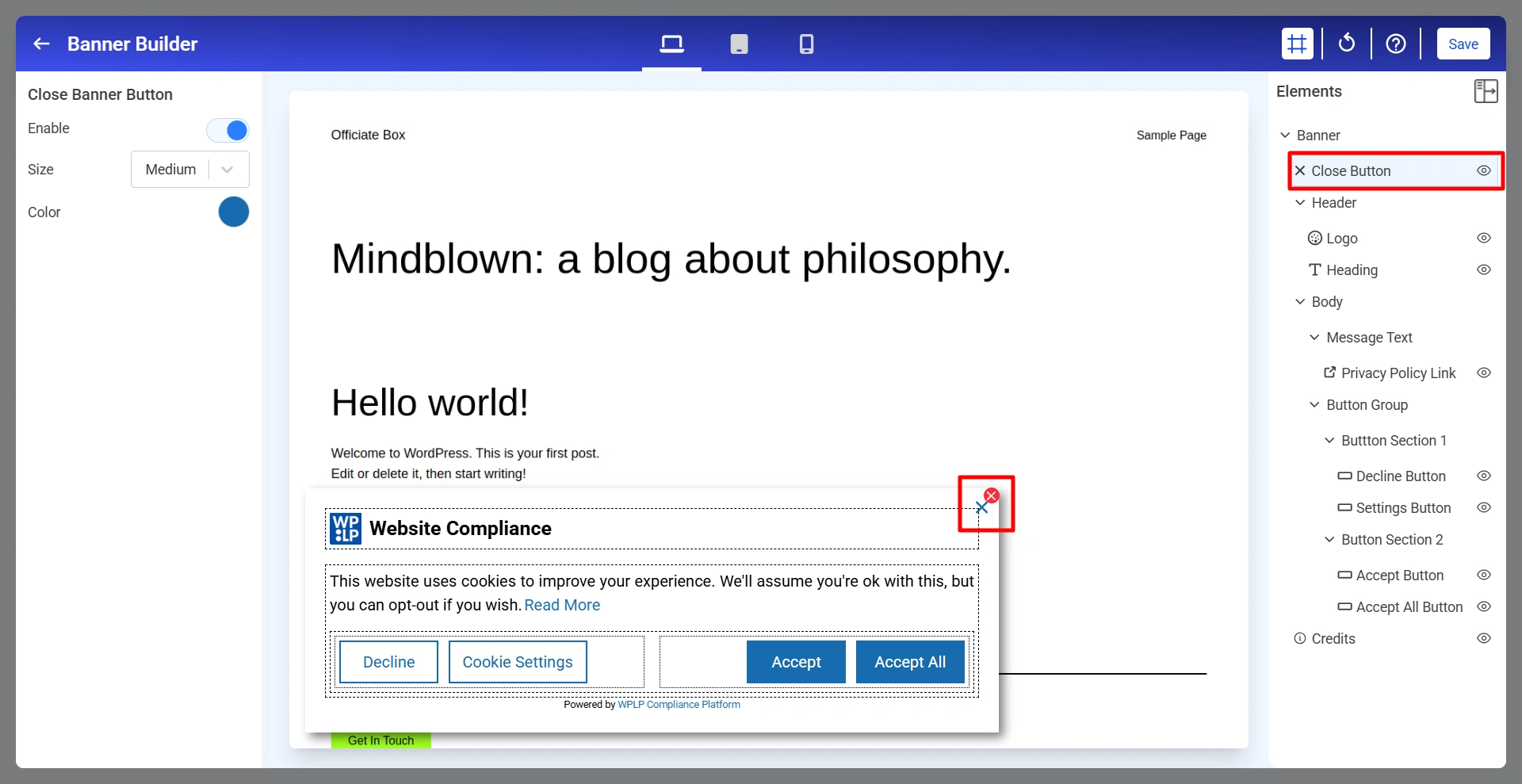
Close Banner button
  • Enable: Show or hide the close button (×) in the cookie notice.
  • Size: Controls the size of the close button.
  • Color: Defines the color of the close button icon.

3. Logo For The Cookie Banner

The logo appears in the header section of the cookie notice and helps reinforce your website branding.
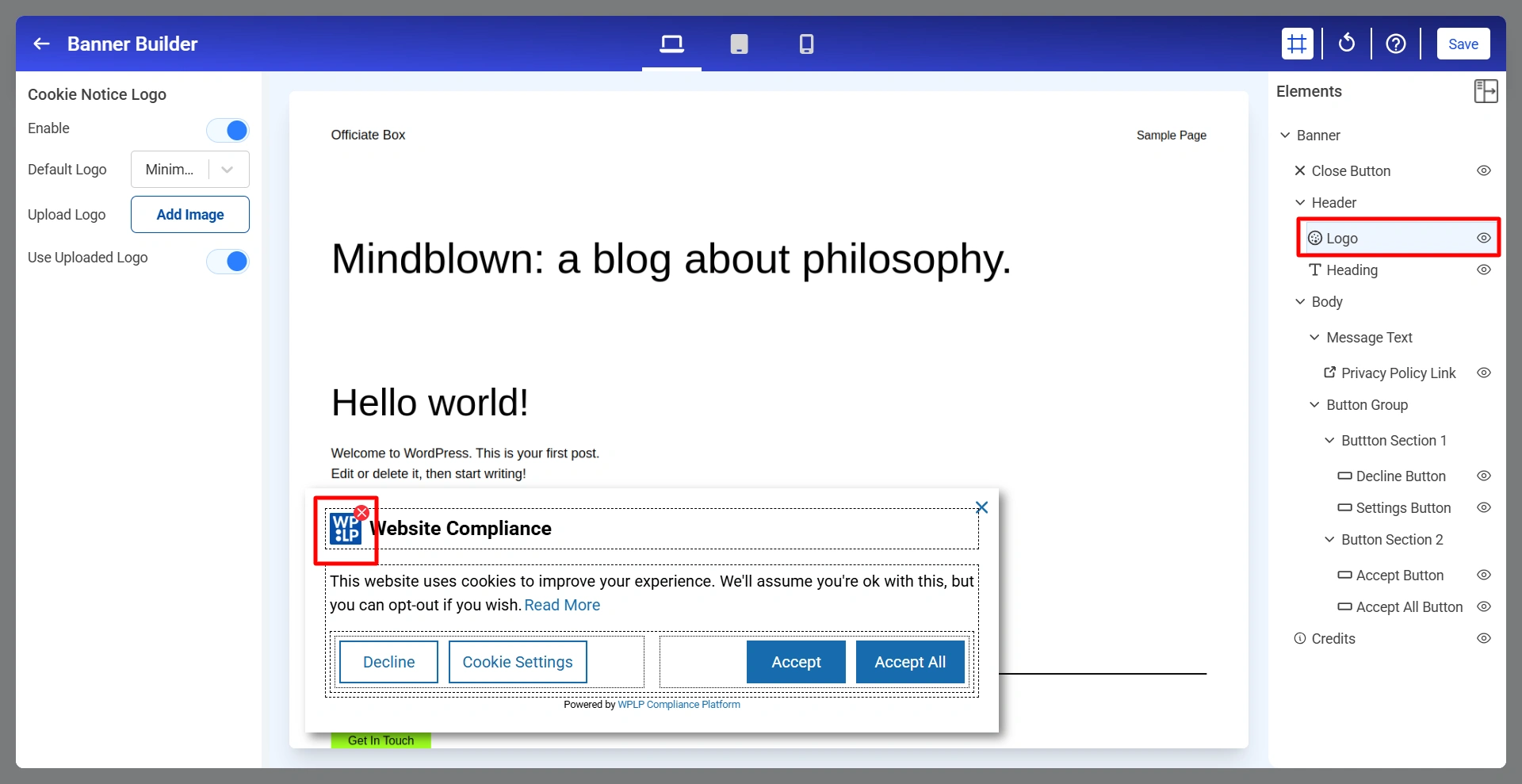
Cookie Notice Logo
  • Enable: Show or hide the logo.
  • Default Logo: Select one of the available built-in logo styles.
  • Upload Logo: Upload your own custom logo image.
  • Use Uploaded Logo: When enabled, the uploaded logo replaces the default logo.

4. Heading Of The Cookie Banner

The heading serves as the main title of your cookie notice.
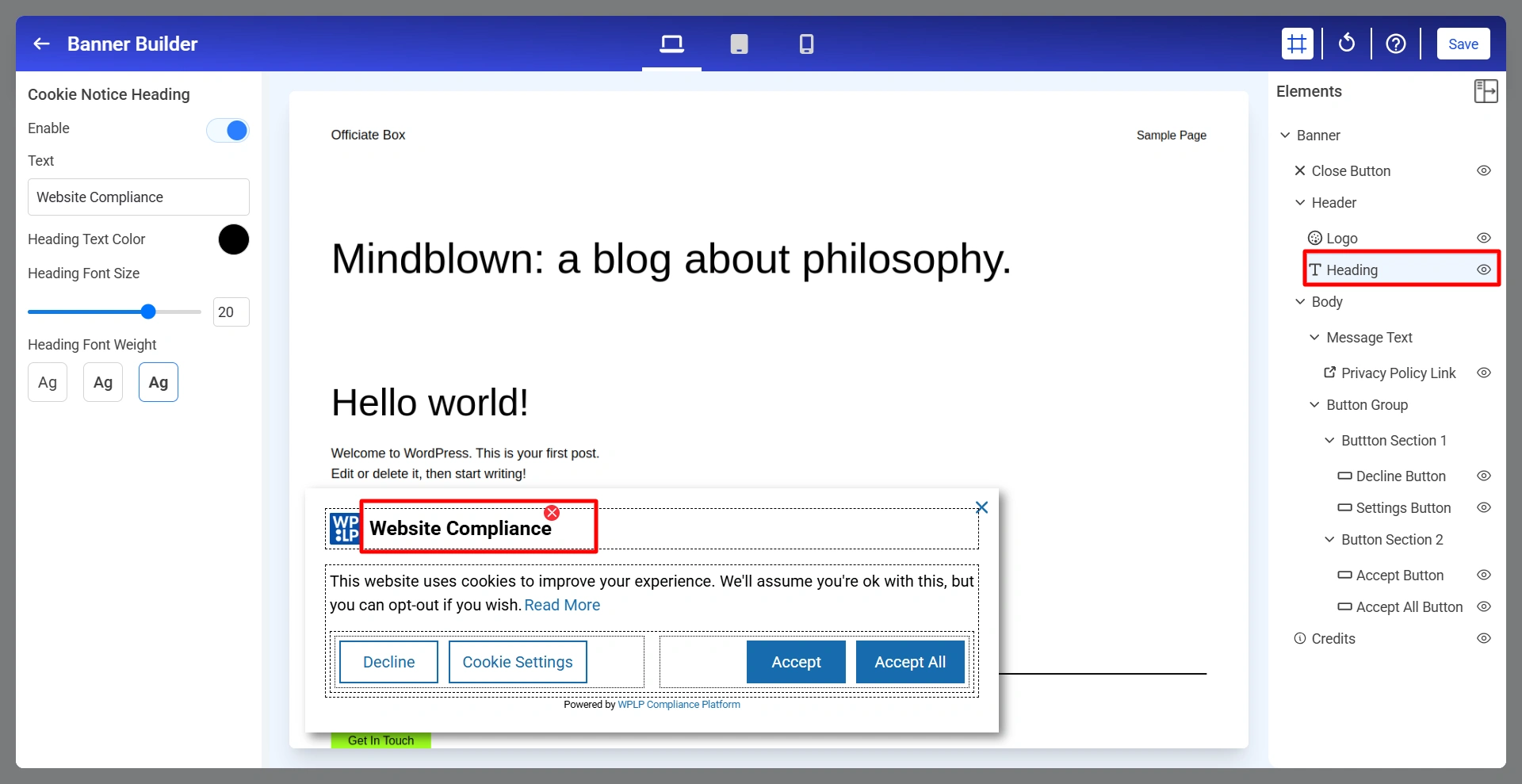
Cookie Notice Heading
  • Enable: Show or hide the heading.
  • Text: Defines the heading text displayed to visitors.
  • Heading Text Color: Controls the color of the heading text.
  • Heading Font Size: Adjusts the heading size.
  • Heading Font Weight: Controls the thickness of the heading text.

5. Message Text For Banner

The cookie notice message explains how cookies are used on the website.
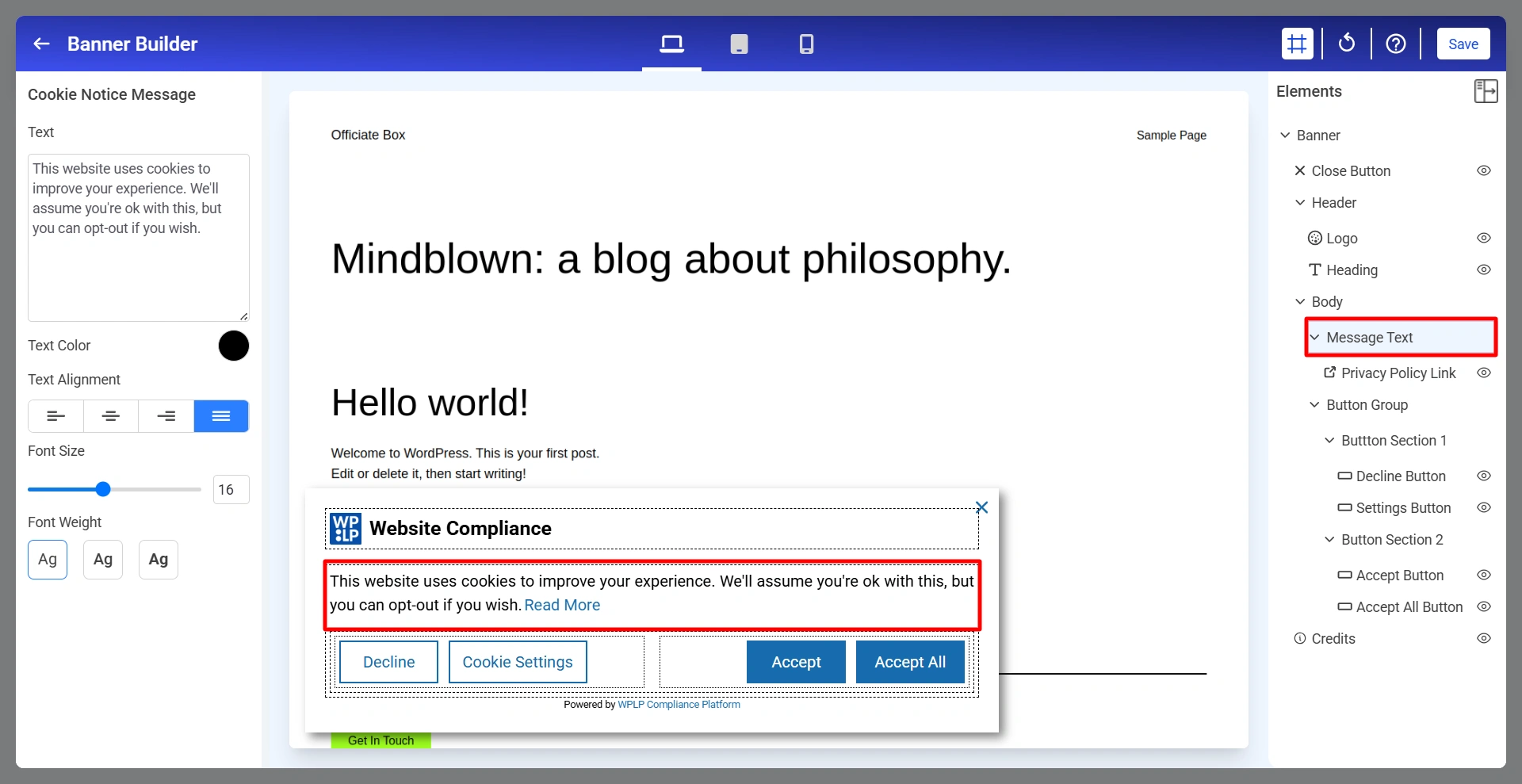
Cookie Notice Message
  • Text: Enter the message displayed to visitors.
  • Text Color: Defines the color of the message text.
  • Text Alignment: Controls how the message is aligned.
  • Font Size: Adjusts the size of the message text.
  • Font Weight: Controls text thickness.

6. Privacy Policy Link

Allows visitors to access your Privacy Policy directly from the cookie banner. To customize the Privacy Policy Link, click Privacy Policy Link from the Elements panel.
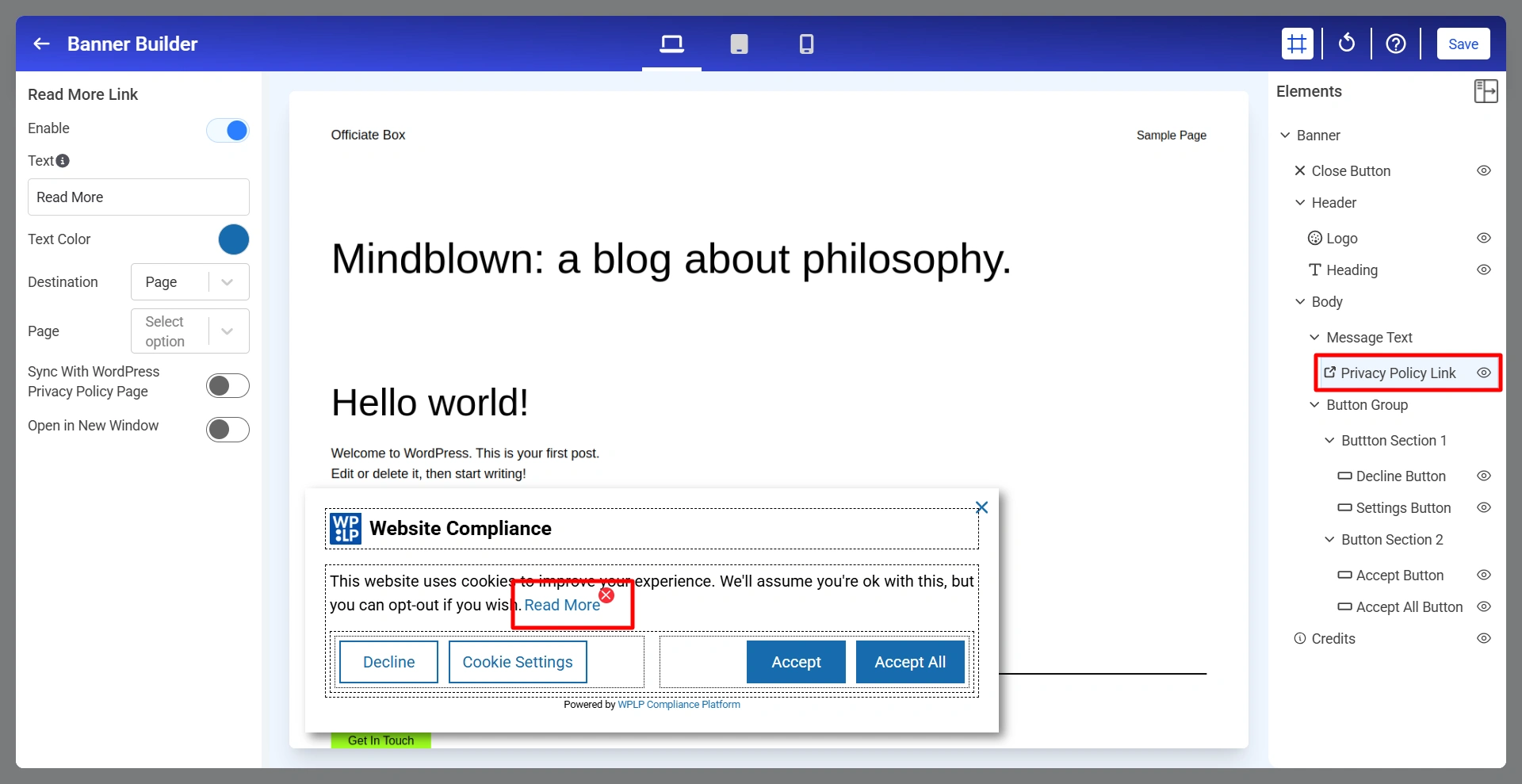
Read More Link
  • Enable: Turn the Privacy Policy Link on or off.
  • Text: Defines the text displayed for the link.
  • Text Color: Controls the color of the link text.
  • Destination: Determines where the link directs visitors.
  • Page: When the destination is set to Page, select the page visitors should be redirected to after clicking the link.
  • Sync With WordPress Privacy Policy Page: Automatically uses the Privacy Policy page configured in WordPress.
  • Open In New Window: Controls whether the selected page opens in a new browser tab.

7. Decline Button

The Decline Button allows visitors to reject cookies according to your consent configuration.
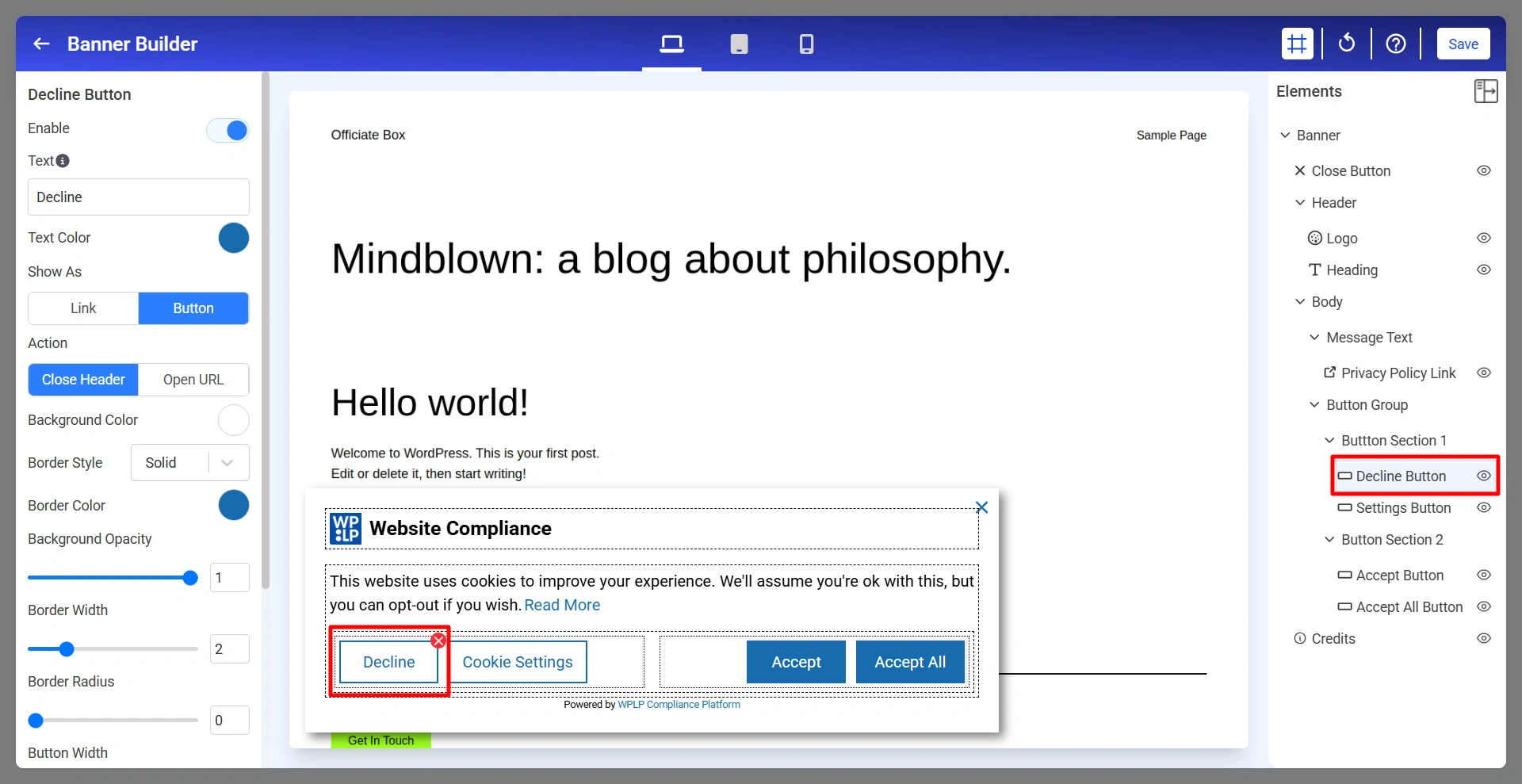
Decline Button

Below are the Decline Button settings.
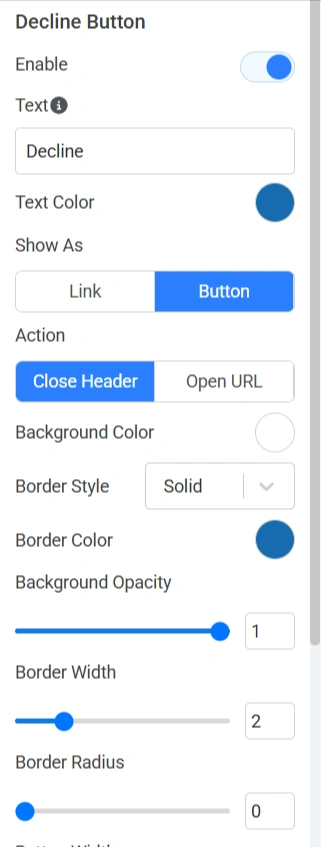
Decline Button setting - 1
  • Enable: Show or hide the Decline button.
  • Text: Defines the label displayed on the button.
  • Text Color: Controls the color of the button text.
  • Show As: Determines how the action is displayed.
  • Action: Determines what happens when the button is clicked.
  • Background Color: Sets the button background color.
  • Border Style: Controls the border appearance.
  • Background Opacity: Adjusts the transparency of the button background.
  • Border Width: Controls border thickness.
  • Border Radius: Rounds the corners of the button.
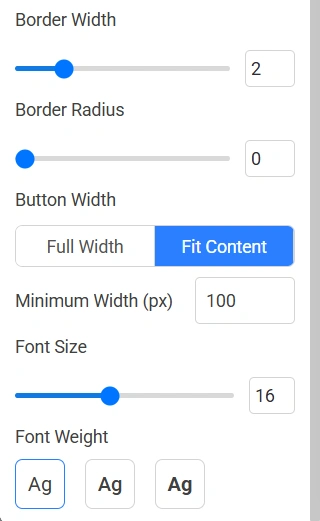
Decline Button setting 2
  • Button Width: Determines button sizing.
  • Minimum Width (px): Sets the minimum width of the button.
  • Font Size: Adjusts the button text size.
  • Font Weight: Controls the thickness of the button text.

8. Settings Buttons

The Cookie Settings Button allows visitors to access detailed cookie preferences and manage consent choices.
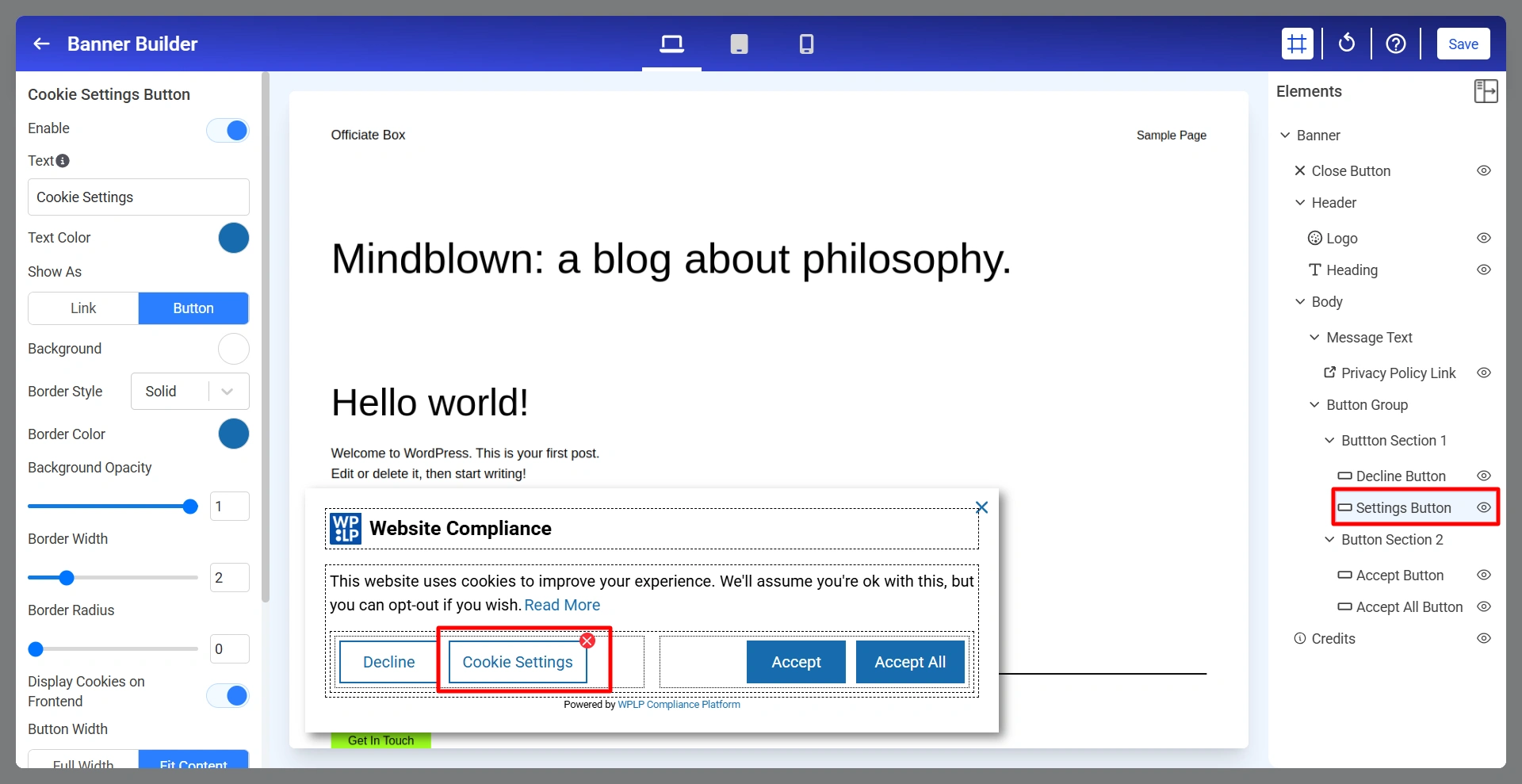
Cookie Settings Button

Below are the Cookie Setting Buttons.
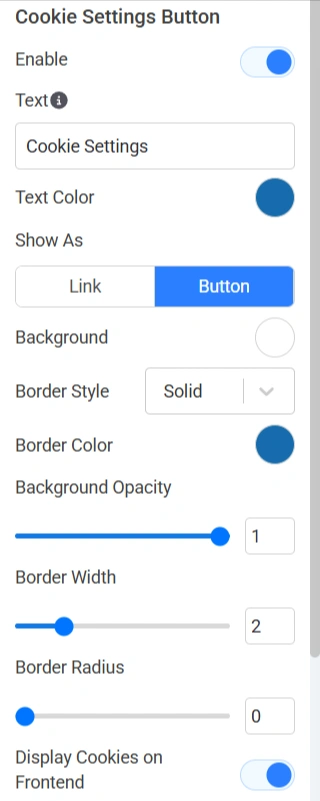
Cookie Settings Button - 1
  • Enable: Show or hide the Cookie Settings button.
  • Text: Defines the button label.
  • Text Color: Controls button text color.
  • Show As: Choose whether the control appears as link or button.
  • Background: Defines the button background color.
  • Border Style: Controls border appearance.
  • Border Color: Sets the border color.
  • Background Opacity: Adjusts background transparency.
  • Border Width: Controls border thickness.
  • Border Radius: Rounds button corners.
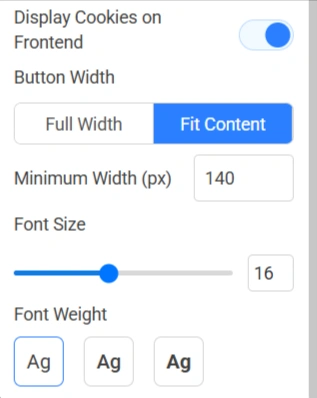
  • Display Cookies on Frontend: Displays available cookie categories to visitors when managing preferences.
Cookie Settings Button - 2
  • Button Width: Controls overall button width.
  • Minimum Width (px): Sets the minimum width allowed for the button.
  • Font Size: Controls text size.
  • Font Weight: Controls text thickness.

9. Accept Button

The Accept Button allows visitors to provide consent based on your configured cookie settings.
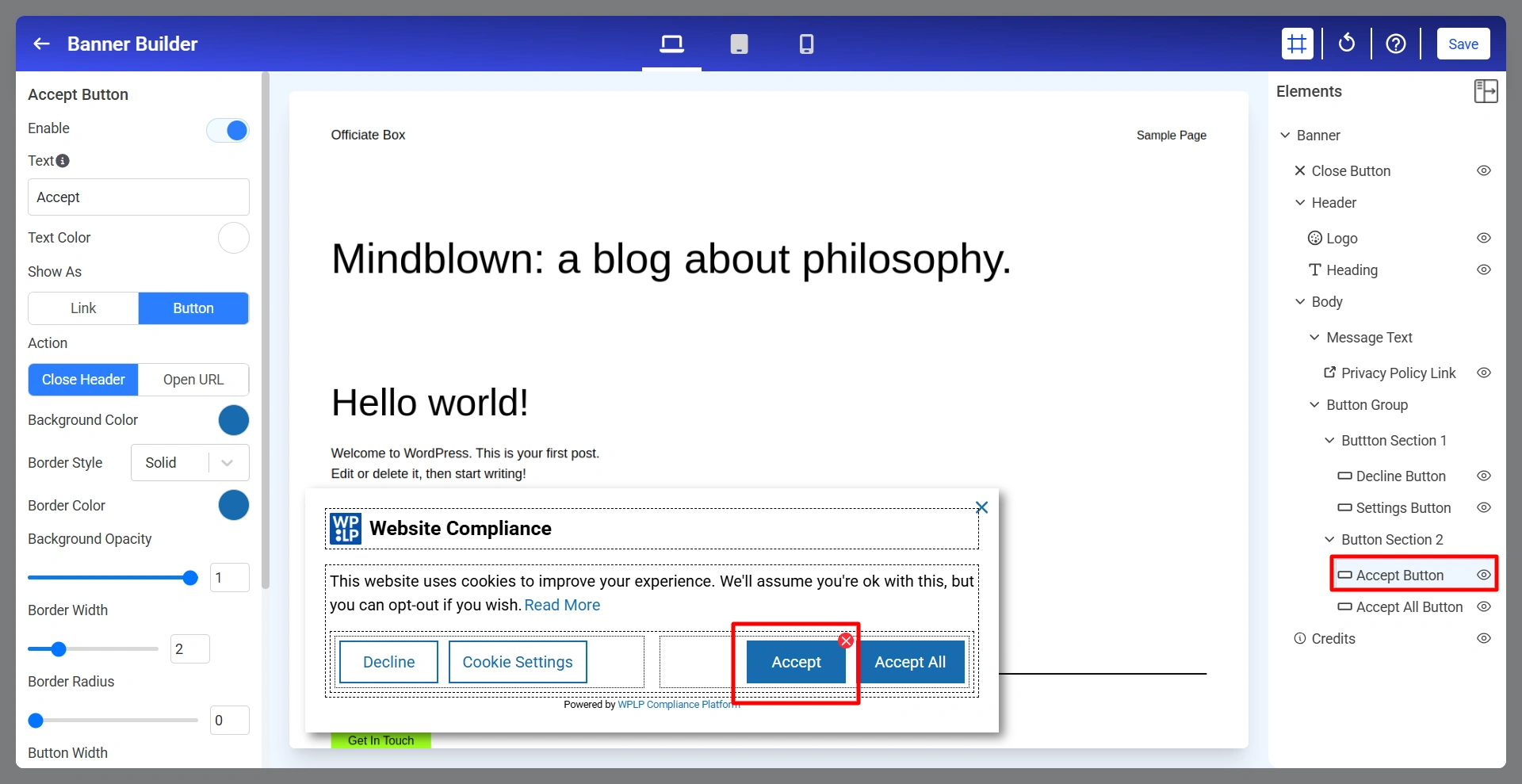
Accept Button

Below are the Accept Button settings.
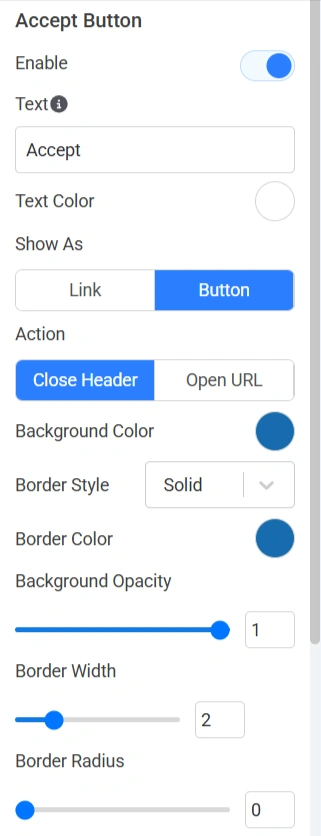
accept button setting 1
  • Enable: Show or hide the Accept button.
  • Text: Defines the button label.
  • Text Color: Controls the button text color.
  • Show As: Display as link or button.
  • Action: Determines what happens after the button is clicked.
  • Background Color: Sets the button background color.
  • Border Style: Controls border appearance.
  • Border Color: Defines border color.
  • Background Opacity: Controls transparency.
  • Border Width: Sets border thickness.
  • Border Radius: Rounds button corners.
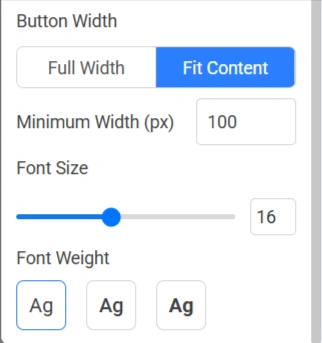
accpet button setting - 2
  • Button Width: Choose whether you want full width or fit content.
  • Minimum Width (px): Defines the minimum width of the button.
  • Font Size: Adjusts text size.
  • Font Weight: Controls text thickness.

10. Accept All Button

The Accept All Button allows visitors to immediately consent to all available cookie categories.
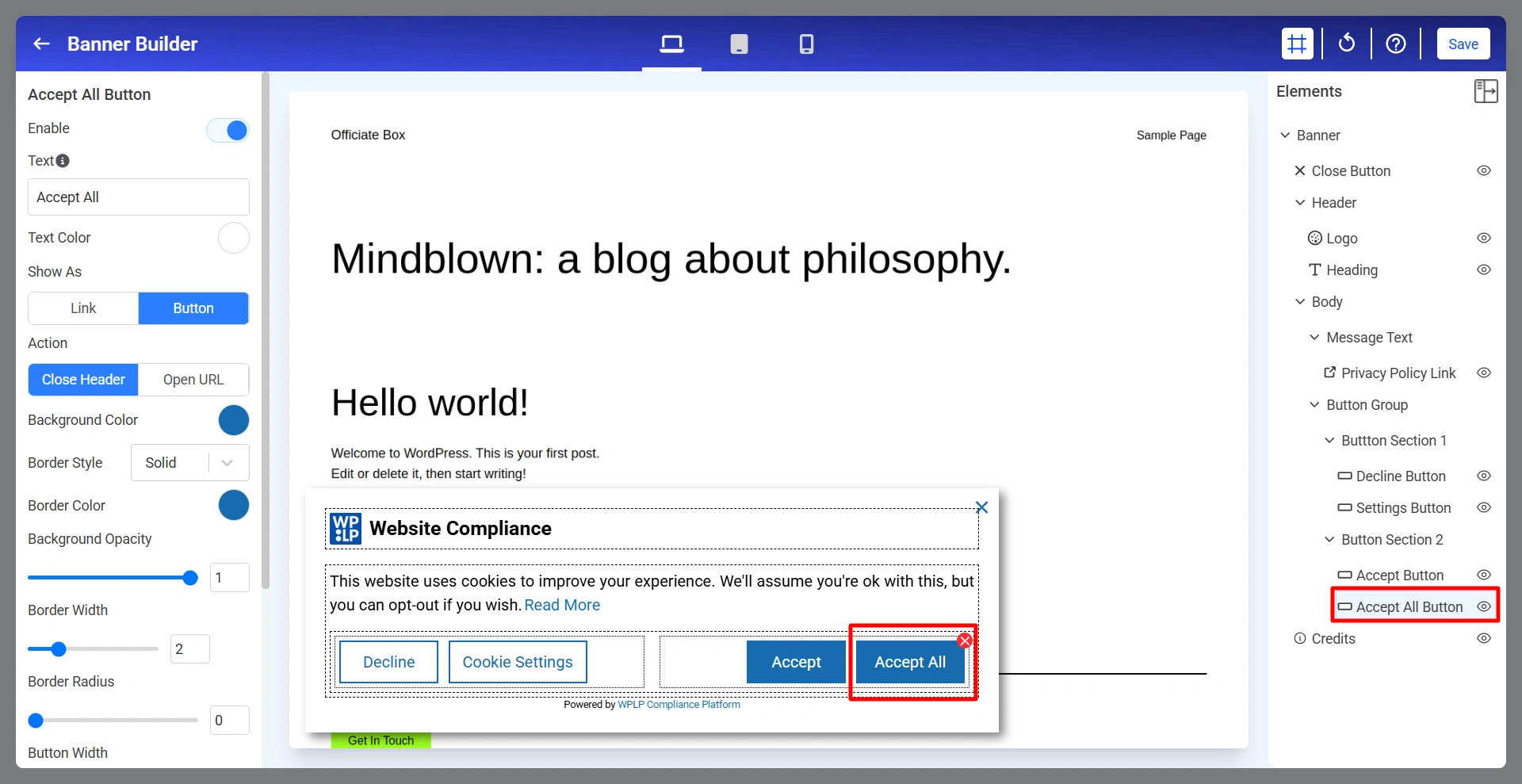
Accept All Button

Below are the Accept All settings.

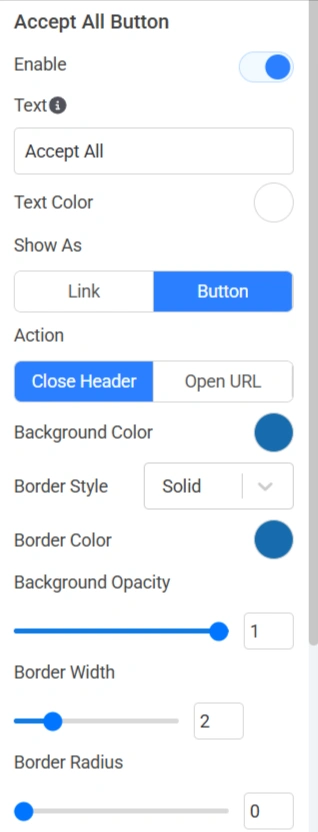
Accept All Button setting 1
  • Enable: Show or hide the Accept All button.
  • Text: Defines the button label.
  • Text Color: Controls button text color.
  • Show As: Choose whether you want it as a link or a button.
  • Action: Determines what happens after clicking the button.
  • Background Color: Sets button background color.
  • Border Style: Controls border appearance.
  • Border Color: Defines border color.
  • Background Opacity: Adjusts transparency.
  • Border Width: Controls border thickness.
  • Border Radius: Rounds button corners.
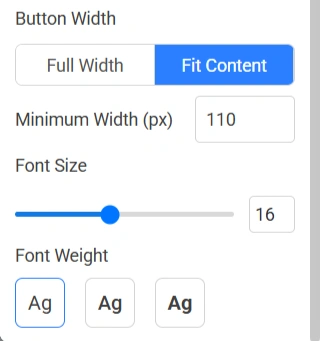
Accept All Button setting 2
  • Button Width: Choose full width or fit content
  • Minimum Width (px): Defines the minimum button width.
  • Font Size: Adjusts button text size.
  • Font Weight: Controls text thickness.

11. Credits

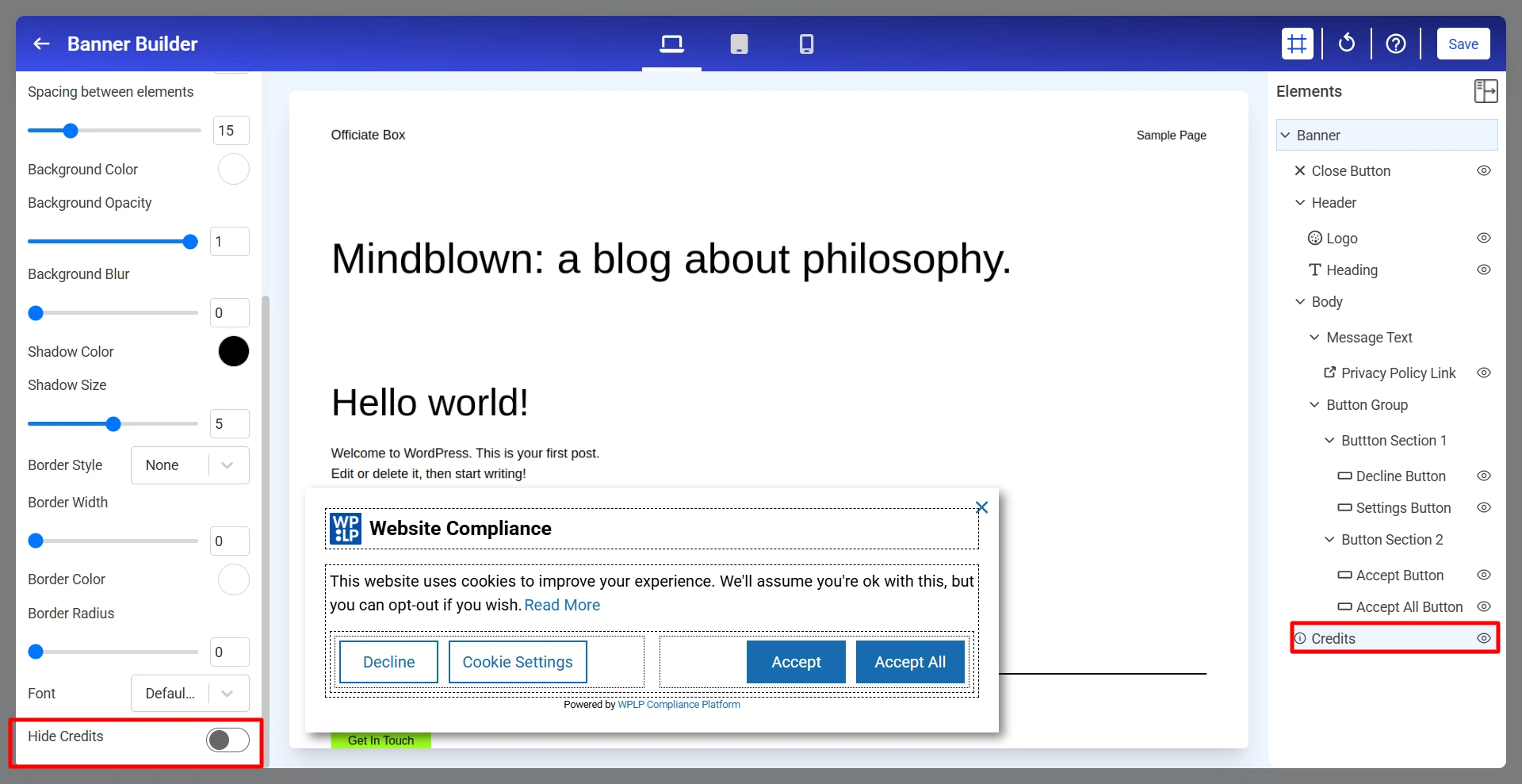
The Credits section controls the “Powered by WPLP Compliance Platform” attribution displayed in the cookie notice.
Updated on June 19, 2026

What are your Feelings

  • Happy
  • Normal
  • Sad

Share This Article :

  • Facebook
  • X
  • LinkedIn
  • Pinterest
Google Tag Gateway and Google Consent Mode in WPLP Cookie ConsentWhat is the Right to Access?

Our Products

  • Free WP Legal Pages
  • Free WP Cookie Consent
  • Comparison
  • Responsive Theme
  • Responsive Blocks
  • Responsive Addons For Elementor

Company

  • About Us
  • Blog
  • Affiliate Program
  • Refund Policy
  • Privacy Policy
  • GDPR Privacy Policy
  • GDPR Cookie Policy
  • Terms of Use

Support

  • Documentation
  • Bug Bounty Program
  • Changelog
  • Contact Us
IAB CMP Logo
Google Certified CMP Badge
Visa logo
Mastercard logo
Amex digital logo
Apple pay logo
Apple pay logo - 2
Google pay logo
X-twitter Youtube Instagram
Copyright © 2010-2026 HB Digital Inc

We value your privacy

This website uses cookies to improve your experience. We'll assume you're ok with this, but you can opt-out if you wish. Read More

Accept All Decline Cookie Settings
Cookies are small text files that can be used by websites to make a user's experience more efficient. The law states that we can store cookies on your device if they are strictly necessary for the operation of this site. For all other types of cookies we need your permission. This site uses different types of cookies. Some cookies are placed by third party services that appear on our pages.
  • Necessary
    Always Active
    Necessary cookies help make a website usable by enabling basic functions like page navigation and access to secure areas of the website. The website cannot function properly without these cookies.

  • Marketing
    Marketing cookies are used to track visitors across websites. The intention is to display ads that are relevant and engaging for the individual user and thereby more valuable for publishers and third party advertisers.

  • Analytics
    Analytics cookies help website owners to understand how visitors interact with websites by collecting and reporting information anonymously.

  • Preference
    Preference cookies enable a website to remember information that changes the way the website behaves or looks, like your preferred language or the region that you are in.

  • Unclassified
    Unclassified cookies are cookies that we are in the process of classifying, together with the providers of individual cookies.

  • Preferences
    Preference cookies enable a website to remember information that changes the way the website behaves or looks, like your preferred language or the region that you are in.