Termly has become one of the go-to names in website compliance software, and for good reason. It bundles privacy policy generation, cookie consent, cookie scanning, and a handful of other compliance tools under one roof, which makes it an easy first choice for site owners who don’t want to hire a lawyer just to launch a blog or an online store.
But “easy first choice” and “right long-term fit” aren’t always the same thing. As businesses grow, add more websites, or lean further into WordPress as their primary platform, some start asking whether there’s a better-suited tool out there. That’s usually what brings people to a search for Termly alternatives in the first place.
This article isn’t a takedown of Termly. It’s a practical look at seven tools worth comparing, what each one actually does well, and since this is being published by WPLP an honest look at where WPLP fits and where it doesn’t.
Termly Alternatives: Why Are People Looking?
Before comparing alternatives, it’s worth being fair to Termly. It’s built a genuine following because it solves a real problem: most small businesses don’t have in-house legal or compliance staff, and Termly gives them a way to generate policies and set up a cookie banner without starting from scratch.
What Termly is good at:
- Generating privacy policies, terms and conditions, and other core legal documents through a guided questionnaire
- Providing a cookie consent banner with basic scanning and categorization
- Serving as a single account that covers documents and consent together, rather than needing two separate vendors
- Working across many platforms, not just WordPress; Shopify, Wix, Squarespace, and custom-built sites can all use it
Who it’s designed for: solo founders, small agencies, and early-stage businesses that need to get compliant quickly without a big learning curve or a big budget.
Why businesses eventually look elsewhere:
- They want tighter control over how compliance tools integrate with their specific WordPress setup, rather than a script embedded from an external platform
- They need a wider range of legal documents or more granular compliance workflows than Termly’s plans cover
- They manage several websites and want pricing and management that scales sensibly across a portfolio, not a subscription per site
- Pricing starts to feel steep once a business adds more sites, more page views, or more advanced features
- They want more WordPress-native experience with settings inside wp-admin, not a separate dashboard
- They want cookie consent and legal documents handled by the same workflow, but with more depth than Termly’s current bundle
- They need specific features like advanced geo-targeting, IAB TCF support, or detailed consent logging that Termly doesn’t fully cover
Not everyone searching for a Termly alternative has the same problem. A one-person blog and a 40-site WooCommerce agency are looking for very different things, which is exactly why a single “best alternative” doesn’t really exist. The right pick depends on what you need beyond Termly’s core offering.
The 7 Best Termly Alternatives
Here’s a side-by-side look at seven tools worth considering, based on the criteria that actually matter when you’re switching: legal document coverage, cookie consent depth, and how well each handles multi-site and data-request workflows.
| Tool | Legal Documents | Cookie Consent | DSAR | WordPress | Multi-Site | Pricing Model |
|---|---|---|---|---|---|---|
| WPLP | 30+ templates | Yes, with blocking | Yes | Native plugin | Dedicated multi-site plans | Per-site / multi-site tiers |
| iubenda | Broad, jurisdiction-specific | Yes | Yes | Via plugin/ embed | Plan-based | Subscription, scales with features |
| Complianz | Policy generator included | Yes, WordPress-native | Limited/add-on | Native plugin | Multi-site network support | Freemium + Pro tiers |
| CookieYes | Basic | Yes, strong focus | Limited | Plugin + script | Plan-based | Free tier + paid tiers by pageviews |
| Cookiebot | Minimal | Yes, mature | No native DSAR | Plugin/script | Domain-group plans | Subscription by domains/pageviews |
| Cookie-Script | Minimal | Yes | No | Script-based | Multi-domain plans | Subscription by domains |
| WPConsent | Minimal | Yes, straightforward | No | Native plugin | Limited | Freemium + Pro |
A quick way to read this table: if legal documents matter as much as cookies, WPLP and iubenda pull ahead. If cookie consent is the only real requirement, CookieYes, Cookiebot, Cookie-Script, and WPConsent are leaner, more focused options.
Reviewing Each Alternative
WPLP: For WordPress Businesses That Want Fewer Separate Tools
WPLP is built specifically for WordPress, which changes the way it fits into a workflow compared to a platform-agnostic tool like Termly. Instead of embedding an external script and managing a separate dashboard, WPLP’s legal document generator and cookie consent management live inside wp-admin.
What it covers:
- Over 30 legal document templates, including privacy policy, terms and conditions, disclaimers, and niche policies like affiliate disclosures and DMCA policies
- A built-in cookie scanner and script blocker that categorizes cookies and stops non-essential scripts from firing before consent
- A cookie consent manager and customizable banner builder
- Consent logging for audit and proof-of-consent purposes: see how retention windows for these logs typically work in this guide on data retention periods for consent logs
- Support for Google Consent Mode v2, and WPLP has been recognized as a Google-certified CMP partner
- IAB TCF 2.3 support for programmatic advertising compliance
- A DSAR request-handling workflow so visitors can submit access, correction, or deletion requests directly
- Geo-targeting so banners and disclosures adjust automatically based on visitor location; more detail in cookie banner geo-targeting
- Dedicated multi-site pricing tiers and a compliance dashboard for managing several sites from one place
Where it’s limited: WPLP is built for WordPress. If your portfolio includes Shopify stores, Webflow sites, or custom-coded platforms alongside WordPress, you’ll likely still need something else or Termly itself for those non-WordPress properties.
WPLP tends to make the most sense for someone who chose Termly because they wanted broader compliance coverage but who now wants that same breadth built directly into WordPress instead of pulled in from an external platform. It’s not a universal upgrade it’s a more integrated one, for a specific kind of user.
iubenda: For Broad, International Legal Coverage
iubenda has built its reputation on legal depth, particularly for businesses operating across multiple countries and privacy regimes (GDPR, CCPA, LGPD, and others). Its document library tends to go deeper into jurisdiction-specific clauses than most cookie-first tools, which makes it attractive to legal and compliance teams who want documents that map closely to specific regulations rather than a one-size-fits-all template.
Where it can get less attractive: pricing scales with the number of features and domains you activate, and the interface, while thorough, isn’t built around WordPress specifically, so setup can feel like managing an external service rather than a native plugin.
Complianz: For Staying Inside the WordPress Dashboard
Complianz has built a strong following among WordPress users specifically because consent configuration happens entirely inside wp-admin, without redirecting to a hosted third-party platform. For businesses that value that kind of self-contained setup no external login, no separate billing portal Complianz is a natural fit.
It’s worth comparing directly against other GDPR-focused WordPress plugins if you’re weighing this route; this roundup of GDPR WordPress plugins covers where Complianz sits relative to other native options.
CookieYes: For Teams That Mainly Need Cookie Consent
If the actual reason you’re leaving Termly is that you never needed the full legal-document suite in the first place you just need a reliable cookie banner CookieYes is worth a look. It’s a more focused consent management platform, and moving from Termly to CookieYes tends to make sense when a business already handles its legal documents another way (a lawyer, a template, or another generator) and just wants a lean, dedicated CMP.
See how it stacks up feature-for-feature against other cookie-focused tools in this breakdown of affordable WordPress cookie plugins.
Cookiebot: For Established Cookie-Consent Infrastructure
Cookiebot has one of the more mature scanning engines in the space and has built a reputation around certification and CMP infrastructure it’s often the choice for organizations where cookie-consent maturity and audit-readiness matter more than having a broad legal-document platform attached. If your business already treats legal documents as a separate workstream and wants best-in-class scanning and consent logging, Cookiebot fits that priority.
Cookie-Script: For Focused Cross-Platform Cookie Consent
Cookie-Script is built to work across many different platforms rather than any one CMS, which makes it a sensible option for businesses managing a mix of WordPress and non-WordPress sites that just need consistent cookie consent without needing a large legal-document ecosystem behind it.
WPConsent: For a Simpler WordPress-Focused Setup
WPConsent takes a more stripped-down approach to WordPress consent management. It’s aimed at users who want straightforward cookie banner and consent handling without the additional legal-document generation, geo-targeting, or DSAR workflows that a fuller compliance platform offers. It’s a reasonable choice for smaller WordPress sites where “get a compliant cookie banner up” is the whole job.
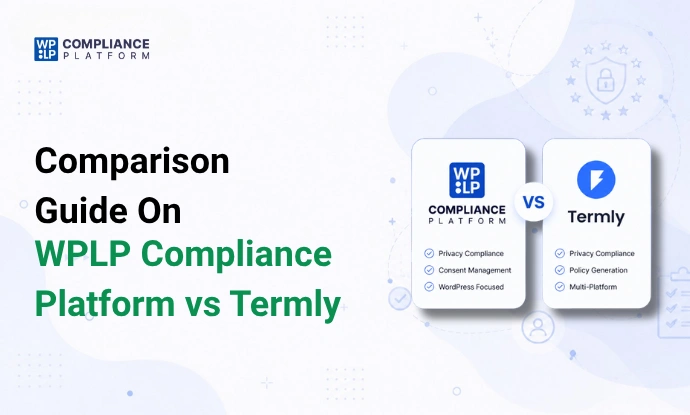
Termly vs WPLP: Which Fits Your Website Better?
Since WPLP is the alternative most directly positioned against Termly, it deserves its own side-by-side not as a feature-count contest, but as a look at which platform approach fits different use cases. For a deeper dive, see the full WPLP vs Termly comparison.
1. Platform approach
Termly is a broader, hosted compliance platform. You manage your account, documents, and banners through Termly’s own dashboard, and it connects to your site via embedded code or a plugin bridge which works across almost any platform, not just WordPress.
WPLP takes the opposite approach: it’s WordPress-first, built as a native plugin so legal pages, cookie settings, and consent logs all live inside your existing wp-admin.
2. Legal documentation
Both platforms generate documents through guided questionnaires. The practical difference shows up in template depth and how tightly the documents tie back into the WordPress content workflow with WPLP, generated pages are WordPress pages you can edit, style, and manage like any other page on the site, covered in more detail in what policies do I need for my website and this list of 25 free legal page templates.
3. Cookie consent
Both offer cookie scanning, categorization, and consent banners. Where it gets more specific is script blocking (stopping non-essential scripts before consent), Google Consent Mode v2 support, IAB TCF alignment for ad tech, and geo-targeting so EU, US, and other visitors see the right banner variant. WPLP’s approach to all four is covered across its cookie consent pages and the Google Consent Mode support page.
4. Data requests
Handling DSARs is where a lot of businesses realize they need more than a banner. This complete guide to DSARs explains why a built-in request-handling form and workflow, rather than manually processing emailed requests, starts to matter as a business grows.
5. WordPress workflow
The practical difference between a general compliance platform and a WordPress-native one comes down to where you do the work. With a hosted platform, you’re logging into a separate dashboard and checking that embedded code hasn’t broken after a theme update. With a WordPress-native plugin, settings, logs, and pages sit next to everything else you already manage in wp-admin.
6. Multiple websites
For agencies or businesses running several WordPress sites, the practical outcome of a connected workflow is fewer separate tools, subscriptions, and dashboards to manage day to day. WPLP’s compliance dashboard and multi-site pricing tiers are built around that specific need.
None of this means WPLP simply “has more features.” It means that if a business needs several compliance functions at once, having them connected in a single workflow can reduce operational overhead fewer logins, fewer bills, fewer places for something to quietly break.
Which Termly Alternative Should You Choose? {#which-to-choose}
Rather than ranking these 1 through 7, it’s more useful to match the tool to your actual situation:
- Choose WPLP if: you run WordPress sites and want cookie consent, legal policies, and privacy workflows handled together, inside wp-admin, especially across multiple sites.
- Choose iubenda if: you need broad legal-document coverage and international, jurisdiction-specific compliance support.
- Choose Complianz if: you want a WordPress-native consent solution managed entirely inside the WordPress dashboard.
- Choose CookieYes if: your main requirement is cookie consent rather than a full legal-compliance platform.
- Choose Cookiebot if: cookie-consent maturity, scanning depth, and certification are your top priorities.
- Choose Cookie-Script if: you want a focused cookie-consent solution that works consistently across different platforms.
- Choose WPConsent if: you want a simple, no-frills WordPress-focused consent tool and nothing more.
What to Check Before Leaving Termly
Switching compliance tools isn’t just a pricing decision a few practical checks up front can save real headaches later:
- Existing legal policies: Do you need to migrate document text, or will you regenerate from scratch on the new platform?
- Cookie scans: Re-run a fresh scan on the new tool rather than assuming your existing cookie list carries over accurately.
- Consent records: Check whether historical consent logs need to be retained or exported for audit purposes see data retention periods for consent logs for what “long enough” typically looks like.
- Cookie and script blocking: Confirm the new tool actually blocks scripts pre-consent, not just categorizes them after the fact.
- Google Consent Mode: Verify the new platform supports Consent Mode v2 if you rely on Google Ads or Analytics.
- Geo-targeting: Check whether banner variants by region (EU, US states, etc.) are supported out of the box or require manual configuration.
- Existing integrations: Review any forms, CRMs, or marketing tools currently tied to Termly’s consent data.
- WordPress/theme compatibility: For WordPress-native tools, confirm compatibility with your page builder and theme before a full rollout.
- Number of websites: Multi-site pricing varies a lot between tools model your actual site count against each tool’s tiers.
- Traffic/pageview limits: Several CMPs price by monthly pageviews; check where your traffic lands against each plan’s limit.
- Pricing at your actual scale: A tool that looks cheaper at one site can get expensive fast across five or ten.
- Data migration requirements: Confirm what, if anything, can be exported from Termly before cancelling.
- Testing on staging first: Always test a new cookie banner and script-blocking setup on staging before pushing to production, to avoid accidentally breaking analytics or ad tracking.
For a broader compliance checklist beyond just the switch itself, this GDPR compliance checklist is a useful reference point.
Frequently Asked Questions
It depends on your needs. WPLP is a strong fit for WordPress sites needing legal documents, cookie consent, and DSAR workflows together. iubenda is better suited to international legal coverage, while CookieYes is more focused on cookie consent.
Not for every website. Termly works well for businesses that need a cross-platform compliance solution. WPLP may be a better fit for WordPress users who want compliance tools managed directly inside WordPress.
WPLP and Complianz are strong WordPress-focused options. WPLP combines legal documents, cookie consent, and privacy workflows, while Complianz focuses more specifically on WordPress-native consent management.
Yes, if your website runs on WordPress. WPLP provides legal document generation, cookie scanning, consent management, DSAR handling, geo-targeting, and multi-site management within WordPress.
For WordPress portfolios, WPLP and Complianz offer multi-site options. The better choice depends on whether you need broader legal and privacy workflows or primarily cookie consent.
Review your legal documents, cookie scans, consent records, integrations, traffic limits, site count, and pricing. Test the new setup on staging before moving it to production.
Final Takeaway
There’s no single “best” Termly alternative only the one that matches what you actually need. If your priority is legal documents, cookie consent, WordPress integration, international compliance, DSAR handling, multi-site management, pricing predictability, or cross-platform support, different tools on this list will pull ahead for different reasons.
For WordPress businesses that want to combine cookie consent, legal documents, and privacy workflows without managing several separate tools and subscriptions, WPLP can be a particularly strong fit worth evaluating alongside the other options here rather than assumed as a default.
If you like this article, you might also like reading: