Summary
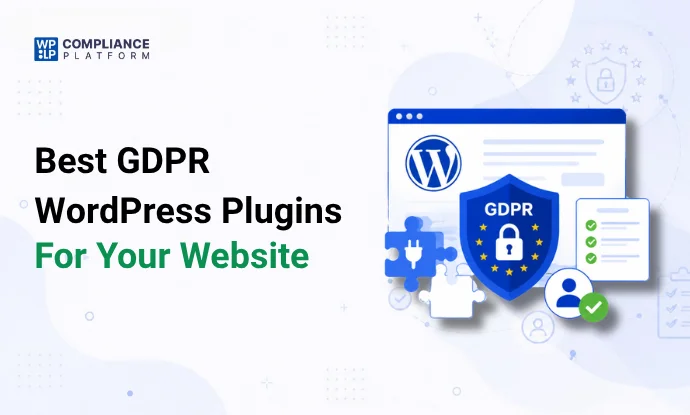
If you’re looking for the best GDPR plugin for WordPress, this guide covers the top tools for legal pages, cookie consent, forms, analytics, email marketing, SEO, and security
Finding the best GDPR plugin for WordPress can be challenging.
There are hundreds of plugins claiming to help with compliance, but most only solve one part of the problem. Some focus on legal pages. Others handle cookie consent, forms, analytics, email marketing, or security.
To make your decision easier, we tested and compared some of the most popular GDPR plugins available for WordPress. We evaluated their features, setup experience, ease of use, documentation, pricing, and overall value.
The plugins in this guide are the ones we would genuinely consider using on a real WordPress website in 2026.
Quick Comparison Table
| Rank | Plugin | Best For | Free Version |
| 1 | WPLP Legal Pages | Legal Pages | Yes |
| 2 | WPLP Cookie Consent | Cookie Consent | Yes |
| 3 | Complianz | Cookie Consent | Yes |
| 4 | WPForms | Forms & Data Collection | Yes |
| 5 | MonsterInsights | Analytics | Yes |
| 6 | MailPoet | Email Marketing | Yes |
| 7 | Wordfence | Security | Yes |
| 8 | Fluent Forms | Forms & Data Collection | Yes |
| 9 | OptinMonster | Lead Generation | No |
| 10 | Rank Math | SEO | Yes |
| 11 | Yoast SEO | SEO | Yes |
| 12 | GDPR Cookie Compliance | Cookie Consent | Yes |
| 13 | Matomo Analytics | Privacy Focused Analytics | Yes |
| 14 | ConvertKit | Email Marketing | Yes |
| 15 | Gravity Forms | Advanced Forms | No |
| 16 | WPWax Legal Pages | Legal Pages | Yes |
| 17 | iubenda | Legal Documents & Privacy Policies | Yes |
| 18 | Cookie Notice & Compliance | Cookie Consent | Yes |
How We Selected These GDPR Plugins
There are hundreds of WordPress plugins that claim to support GDPR compliance.
Most of them add a checkbox, display a cookie banner, or generate a basic policy page.
That alone doesn’t make a website compliant.
For this guide, we shortlisted plugins based on:
- Active installations
- Update frequency
- GDPR related functionality
- Ease of setup
- Documentation quality
- Real-world usability
- Compatibility with modern WordPress websites
We also looked at how these plugins fit into actual WordPress workflows.
A WooCommerce store has different compliance needs than an affiliate blog.
An agency managing 50 websites faces completely different challenges than a freelancer launching client projects.
The plugins below performed best during testing.
Best Legal Page Plugins for GDPR Compliance
Every GDPR compliant website needs legal pages.
At a minimum, most websites require a Privacy Policy. Many also need Terms and Conditions, Cookie Policies, Disclaimers, Affiliate Disclosures, Refund Policies, or Shipping Policies.
Creating those pages manually takes time.
Keeping them updated takes even more time.
1. WPLP Legal Pages
What I liked
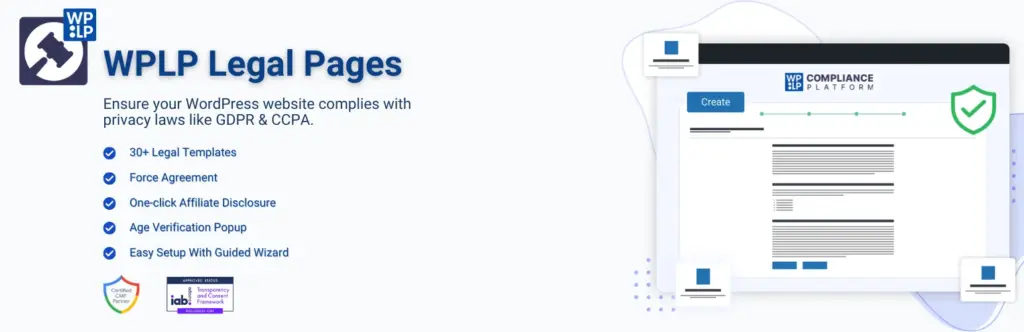
After installing dozens of legal page generators over the years, WPLP Legal Pages felt one of the most WordPress-native options available.
The setup takes only a few minutes.
The plugin walks you through page creation using guided templates rather than forcing you to edit a giant legal document from scratch.
For website owners who don’t want to hire a lawyer or spend days researching compliance requirements, simplicity matters.
The plugin also connects naturally with the broader WPLP ecosystem, making it easier to manage legal pages alongside cookie consent requirements.
Key Features
- Privacy Policy templates
- Terms and Conditions templates
- Cookie Policy templates
- Affiliate Disclosure templates
- Disclaimer templates
- Refund Policy templates
- Guided setup wizard
- WordPress native interface
Pros
- Beginner friendly
- Large template library
- Fast setup
- Built specifically for WordPress
Cons
- Some advanced templates require Pro
Pricing
Free version available.
Premium plans available.
Best For
- Bloggers
- Agencies
- WooCommerce stores
- Small business websites
- Affiliate marketers
Verdict
If your biggest compliance gap is missing legal pages, this is the GDPR compliance plugin for WordPress I would install first.
2. WPWax Legal Pages
What I liked
WPWax Legal Pages keeps things simple.
The plugin focuses on helping website owners create essential legal documents without getting lost in complicated settings. During testing, the setup process felt straightforward and beginner-friendly.
The template selection is smaller than some competitors’, but for many website owners, that is not a problem. Most people only need a handful of legal documents anyway.
Key Features
- Privacy Policy generator
- Terms and Conditions generator
- Disclaimer templates
- Refund Policy templates
- Easy page creation
- WordPress integration
Pros
- Easy setup
- Good for beginners
- Clean interface
- Lightweight plugin
Cons
- Smaller template library
- Fewer advanced compliance features
Pricing
Free version available.
Premium plans available.
Best For
- Personal blogs
- Small business websites
- Affiliate websites
- Freelancers
Verdict
If you need a straightforward legal page generator and don’t require advanced compliance workflows, WPWax Legal Pages is worth considering.
3. iubenda
What I liked
iubenda takes a different approach.
Instead of focusing solely on WordPress, it operates as a broader compliance platform that supports websites, apps, and online businesses across multiple jurisdictions.
The documentation is excellent. The policies feel professionally maintained, and updates are rolled out frequently as regulations evolve.
The setup takes longer than WPLP Legal Pages, but businesses operating internationally may appreciate the additional flexibility.
Key Features
- Privacy Policy generation
- Cookie Policy generation
- Terms and Conditions templates
- Consent management
- Multi-language support
- International compliance coverage
Pros
- Strong legal documentation
- Frequent updates
- Global compliance support
- Good multilingual capabilities
Cons
- More expensive than some alternatives
- Can feel overwhelming for smaller websites
Pricing
Free plan available.
Premium plans start at a higher price point than most WordPress-focused competitors.
Best For
- SaaS companies
- International businesses
- Agencies
- Enterprise websites
Verdict
For businesses operating across multiple countries, iubenda remains one of the strongest compliance platforms available.
Best Cookie Consent Plugins for GDPR Compliance
Cookie consent is usually the first compliance feature visitors see.
A poorly configured banner can create problems immediately. During testing, we found major differences in how these plugins handled consent logging, script blocking, Google Consent Mode, and customization.
Some plugins simply displayed a banner.
Others actually controlled what happened after a user clicked Accept or Reject.
4. WPLP Cookie Consent
What I liked
WPLP Cookie Consent felt like it was built by people who understand modern privacy compliance.
If you’re looking for a WordPress GDPR plugin that goes beyond basic cookie banners, this is one of the strongest options we tested.
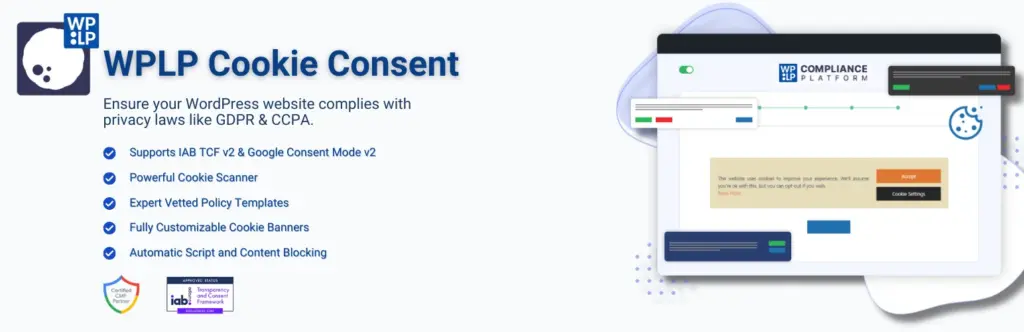
Cookie scanning, consent logs, script blocking, Google Consent Mode v2 support, and IAB TCF compatibility are all available in a single solution. That combination is surprisingly rare.
The setup wizard was one of the smoother experiences we tested.
Website owners who are unfamiliar with privacy regulations can get started without digging through complicated documentation.
The plugin also integrates naturally with the WPLP Compliance Platform, which makes managing compliance tasks much easier for agencies and administrators handling multiple WordPress websites.
Key Features
- Cookie consent banners
- Google Consent Mode v2
- IAB TCF 2.2 support
- Cookie scanner
- Consent logs
- Script blocking
- Banner customization
- Geo-targeting options
Pros
- Comprehensive feature set
- Strong compliance coverage
- Beginner-friendly setup
- Good customization options
Cons
- Advanced configurations may require a learning curve
Pricing
Free version available.
Premium plans available.
Best For
- Agencies
- WooCommerce stores
- SaaS websites
- Affiliate websites
- Businesses serving multiple regions
Verdict
This is one of the most complete cookie consent plugins currently available for WordPress.
5. Complianz

What I liked
Complianz has built a loyal following in the WordPress community, and after testing it, the reason becomes obvious.
The plugin guides users through a compliance wizard that adapts based on website type and location.
The cookie scanning process worked well, and the consent management tools are among the better implementations available in WordPress.
The documentation is thorough without feeling overwhelming.
Key Features
- Cookie consent management
- Cookie scanning
- Legal document generation
- Multi-region support
- Consent records
- Geo-targeting
Pros
- Mature product
- Strong documentation
- Excellent onboarding
- Good automation features
Cons
- Some advanced features require premium plans
- Initial setup can feel lengthy for beginners
- Premium pricing may add up for agencies managing many websites
Pricing
Free version available.
Premium plans available.
Best For
- Agencies
- Ecommerce websites
- Publishers
- Membership websites
Verdict
Complianz remains one of the strongest GDPR solutions for WordPress and deserves its reputation.
6. GDPR Cookie Compliance
What I liked
GDPR Cookie Compliance focuses on doing one thing well.
The plugin creates cookie banners, manages consent preferences, and gives users control over non-essential cookies.
The interface feels lightweight and responsive.
For website owners who only need cookie consent functionality and nothing else, that simplicity can be appealing.
Key Features
- Cookie banners
- Consent management
- Preference center
- Cookie categories
- Consent logging
Pros
- Easy to use
- Fast setup
- Lightweight
- Good customization options
Cons
- Limited compliance features outside cookie management
- Advanced customization requires paid plans
- Less suitable for websites needing legal page generation
Pricing
Free version available.
Premium plans available.
Best For
- Blogs
- Small business websites
- Marketing websites
Verdict
A strong choice if cookie consent is your primary requirement.
7. Cookie Notice & Compliance

What I liked
Cookie Notice & Compliance for GDPR, CCPA is particularly useful for websites that need a lightweight consent solution without a complicated setup process.
Installation takes only a few minutes, and the default banner is ready almost immediately.
The plugin avoids unnecessary complexity and focuses on the basics.
Key Features
- Cookie notice banners
- Consent tracking
- Basic customization
- Lightweight setup
Pros
- Very easy to configure
- Fast implementation
- Minimal impact on performance
Cons
- Limited advanced compliance features
- Fewer customization options than larger competitors
- Not ideal for complex compliance requirements
Pricing
Free version available.
Premium plans available.
Best For
- Small websites
- Personal blogs
- Local businesses
Verdict
A good entry point for websites looking for a simple cookie banner solution.
Best Form Builder Plugins That Support GDPR Requirements
Contact forms collect names, email addresses, phone numbers, company names, and sometimes even payment details.
That makes forms one of the biggest sources of personal data on a WordPress website.
The plugins below make it easier to collect data responsibly while giving users clear consent options.
8. WPForms
What I liked
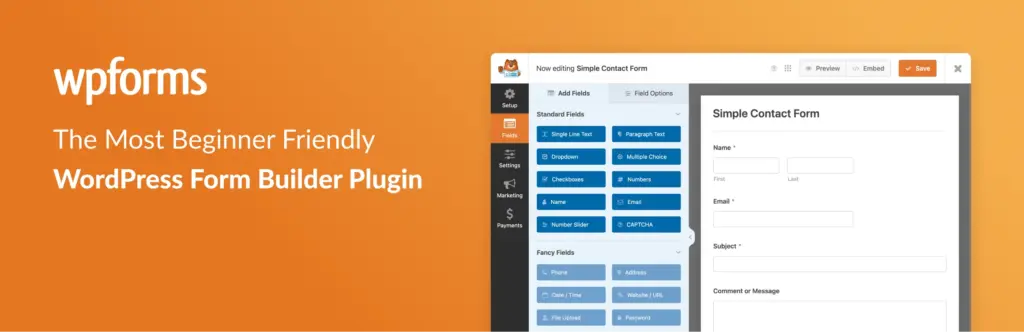
WPForms continues to be one of the easiest form builders to use.
The interface feels polished, the drag-and-drop builder is intuitive, and GDPR settings are easy to find. Some plugins technically support GDPR, but hide those settings behind multiple screens. WPForms doesn’t.
During testing, creating a GDPR-friendly contact form took less than 10 minutes.
Key Features
- GDPR Agreement field
- Consent checkboxes
- Disable user cookies
- Disable user details storage
- Drag and drop builder
- Conditional logic
Pros
- Beginner friendly
- Fast form creation
- Excellent documentation
- Strong GDPR settings
Cons
- Advanced features require premium plans
- Some integrations are restricted to higher-tier plans
- Costs can increase as your requirements grow
Pricing
Free version available.
Premium plans available.
Best For
- Contact forms
- Lead generation forms
- Registration forms
- Quote request forms
Verdict
WPForms strikes a good balance between usability and compliance features, making it a strong WordPress plugin for GDPR compliance.
9. Fluent Forms
What I liked
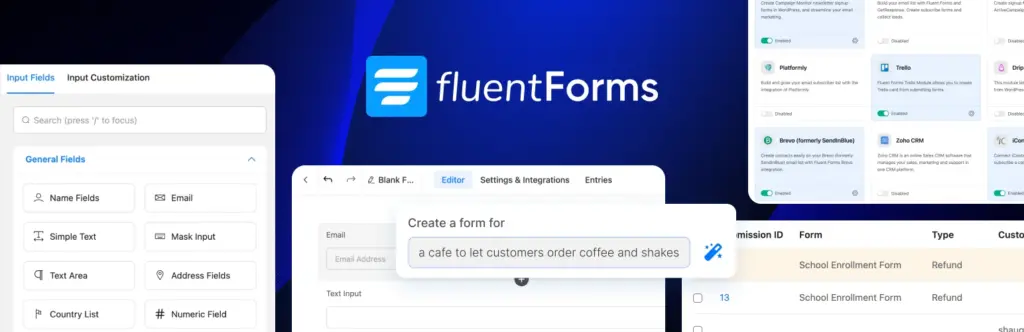
Fluent Forms surprised me.
The plugin feels much lighter than many competitors while still providing powerful functionality. The builder is responsive, and large forms remain fast even when multiple conditional fields are added.
The GDPR settings are straightforward and don’t require extensive documentation to understand.
Key Features
- GDPR consent fields
- Conditional logic
- Multi-step forms
- Conversational forms
- Spam protection
- Advanced integrations
Pros
- Fast performance
- Clean interface
- Affordable pricing
- Good feature depth
Cons
- Smaller ecosystem than WPForms
- Fewer third-party tutorials available
- Some advanced integrations require premium plans
Pricing
Free version available.
Premium plans available.
Best For
- Agencies
- Small businesses
- WooCommerce stores
- Service businesses
Verdict
One of the best value form builders currently available for WordPress.
10. Gravity Forms
What I liked
Gravity Forms has been around for years, and it shows.
The plugin feels mature. Almost every feature you could need already exists.
While the interface is not as beginner-friendly as WPForms, advanced users will appreciate the flexibility.
Key Features
- Consent fields
- Conditional logic
- Multi-page forms
- Payment integrations
- User registration forms
- Developer tools
Pros
- Extremely flexible
- Large add-on ecosystem
- Reliable
- Agency friendly
Cons
- No free version
- Higher learning curve
Pricing
Premium plugin only.
Best For
- Agencies
- Developers
- Complex workflows
- Membership websites
Verdict
Gravity Forms remains one of the strongest options for advanced WordPress users.
Best Analytics Plugins for Privacy-Conscious Website Owners
Analytics tools create some of the biggest GDPR challenges.
They track user behavior, collect visitor information, store identifiers, and often interact with cookies.
Choosing the right analytics setup can make compliance significantly easier.
11. MonsterInsights
What I liked
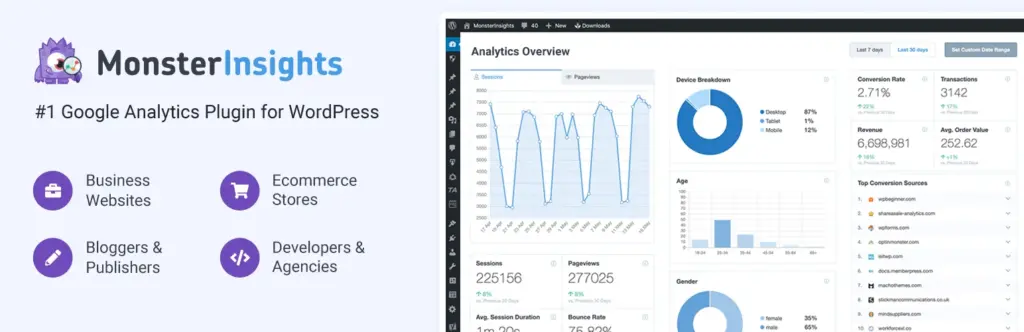
MonsterInsights simplifies Google Analytics implementation better than any plugin I tested.
Most website owners want Google Analytics data without dealing with tracking code, configuration issues, or complex settings.
MonsterInsights makes that process much easier.
The GDPR options are easy to locate, and integrations with consent platforms work well.
Key Features
- Google Analytics integration
- Consent management integrations
- IP anonymization support
- Ecommerce tracking
- Form tracking
- Dashboard reports
Pros
- Easy setup
- Excellent reporting
- Strong WooCommerce support
- Beginner friendly
Cons
- Relies on Google Analytics
- Premium features can get expensive
- Privacy-conscious users may prefer self-hosted alternatives
Pricing
Free version available.
Premium plans available.
Best For
- Bloggers
- Ecommerce stores
- Agencies
- Marketing teams
Verdict
The easiest way to add Google Analytics to WordPress is one of the most practical GDPR tools for WordPress websites.
12. Matomo Analytics

What I liked
Matomo appeals to a different type of website owner.
Some businesses want detailed analytics without relying entirely on Google.
Matomo gives you far more control over data ownership and privacy settings.
The interface takes longer to learn than MonsterInsights, but privacy-conscious organizations will appreciate the tradeoff.
Key Features
- Self-hosted analytics
- Data ownership controls
- Consent management options
- Visitor reports
- Ecommerce analytics
- Heatmaps
Pros
- Greater control over visitor data
- Privacy focused
- Powerful reporting
- Flexible deployment options
Cons
- Steeper learning curve
- More setup required
- Can require additional server resources when self-hosted
Pricing
Free self-hosted option available.
Premium plans available.
Best For
- Privacy-focused businesses
- Agencies
- Enterprise websites
- Organizations with strict compliance requirements
Verdict
If privacy is a major concern, Matomo deserves serious consideration.
Best Email Marketing Plugins for GDPR Compliant List Building
Email marketing creates another layer of GDPR responsibility.
The moment someone joins your mailing list, you’re storing personal information. That means consent, subscriber management, and data handling all matter.
The plugins below make that process easier.
13. MailPoet

What I liked
MailPoet feels like it belongs inside WordPress.
Many email marketing platforms require jumping between multiple dashboards. MailPoet keeps everything inside WordPress, which makes subscriber management much easier.
The signup forms, automation builder, and email editor are all straightforward to use.
Key Features
- Email newsletters
- Subscriber management
- Consent checkboxes
- Marketing automation
- WooCommerce integration
- Signup forms
Pros
- WordPress native experience
- Easy automation setup
- Beginner friendly
- Strong WooCommerce support
Cons
- Large email lists can increase costs
- Fewer advanced automation options than dedicated email platforms
- Some businesses may outgrow the platform
Pricing
Free version available.
Premium plans available.
Best For
- Bloggers
- Ecommerce stores
- Membership websites
- Small businesses
Verdict
One of the easiest email marketing platforms for WordPress users.
14. OptinMonster
What I liked
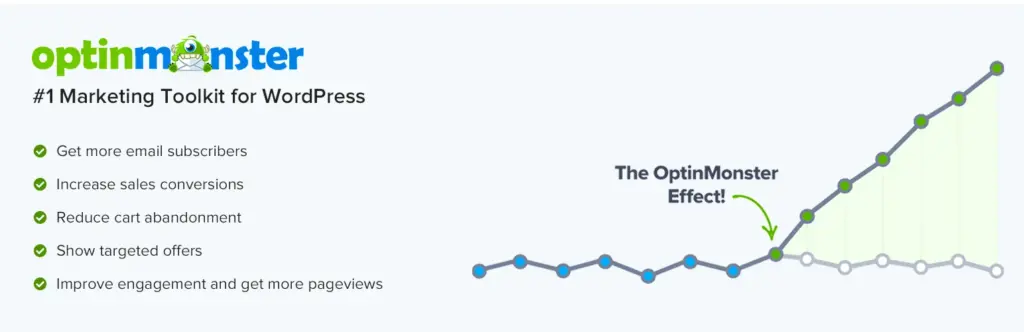
OptinMonster focuses heavily on lead generation.
The platform gives you a huge amount of control over when, where, and how signup forms appear.
During testing, the targeting options stood out. Exit intent popups, page-level targeting, and audience segmentation all worked well.
Key Features
- Lead capture forms
- Consent checkboxes
- Exit intent technology
- Audience targeting
- Campaign analytics
- Email platform integrations
Pros
- Excellent targeting options
- Strong conversion tools
- Flexible campaign builder
- Mature platform
Cons
- Premium pricing
- More features than some users need
- Requires learning the targeting system to unlock full value
Pricing
Premium plans only.
Best For
- Affiliate marketers
- Ecommerce stores
- Publishers
- SaaS businesses
Verdict
A strong choice for websites focused on growing their email lists.
15. ConvertKit

What I liked
ConvertKit keeps things simple.
The platform is built around creators, bloggers, educators, and publishers who want email marketing without excessive complexity.
The consent settings are straightforward, and subscriber management is easy to understand.
Key Features
- Email marketing
- Landing pages
- Subscriber segmentation
- Automation workflows
- Consent management
- Creator-focused tools
Pros
- Clean interface
- Easy automation setup
- Good deliverability
- Strong creator tools
Cons
- Fewer advanced ecommerce features
- Premium features become costly as lists grow
- Not as WordPress-native as MailPoet
Pricing
Free plan available.
Premium plans available.
Best For
- Bloggers
- Creators
- Newsletter publishers
- Coaches and consultants
Verdict
A solid email marketing platform for content-driven websites.
Best SEO Plugins for Secure and Privacy-Friendly Websites
SEO plugins may not look like GDPR tools at first glance.
However, many SEO plugins connect with analytics platforms, webmaster tools, schema features, and integrations that process visitor information.
Choosing actively maintained plugins from trusted developers reduces privacy and security risks.
16. Rank Math

What I liked
Rank Math packs an enormous number of features into a single plugin.
SEO settings, schema markup, redirects, local SEO, and search performance reporting all sit inside one dashboard.
The setup wizard is one of the better onboarding experiences available in WordPress.
Key Features
- On-page SEO tools
- Schema markup
- Redirect manager
- Local SEO
- Search Console integration
- SEO analysis
Pros
- Feature rich
- Strong free version
- Easy onboarding
- Good performance
Cons
- A large number of settings can overwhelm beginners
- Frequent feature additions may feel excessive for smaller websites
- Some advanced features require premium plans
Pricing
Free version available.
Premium plans available.
Best For
- Bloggers
- Agencies
- Ecommerce stores
- Content websites
Verdict
One of the most complete SEO plugins available today.
17. Yoast SEO
What I liked
Yoast SEO remains one of the most trusted WordPress plugins ever built.
The interface is familiar, the documentation is excellent, and updates arrive consistently.
For website owners who value simplicity and stability, Yoast remains a dependable choice.
Key Features
- SEO optimization
- XML sitemaps
- Schema support
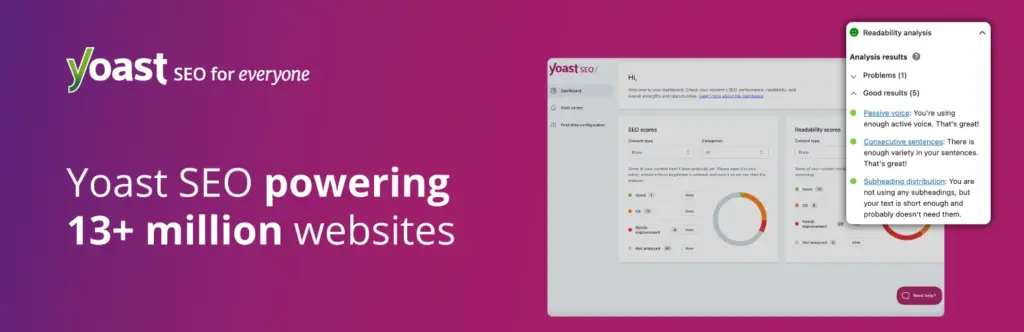
- Content analysis
- Social sharing controls
- Technical SEO tools
Pros
- Beginner friendly
- Excellent documentation
- Reliable updates
- Large user community
Cons
- Fewer advanced features in the free version
- Premium upgrades can become expensive
- Less feature-rich than some newer SEO competitors
Pricing
Free version available.
Premium plans available.
Best For
- Small businesses
- Bloggers
- Publishers
- Local websites
Verdict
A safe choice for almost any WordPress website.
Best Security Plugins to Protect User Data and Improve Compliance
Security and GDPR are closely connected.
If personal information is exposed because of weak security practices, compliance problems can quickly follow.
These plugins help reduce that risk.
18. Wordfence

What I liked
Wordfence remains one of the most comprehensive security plugins available.
The firewall, malware scanning, login protection, and threat intelligence tools work together inside a single platform.
The free version already provides substantial protection.
Key Features
- Web application firewall
- Malware scanning
- Login security
- Threat detection
- Security alerts
- Live traffic monitoring
Pros
- Strong free version
- Comprehensive protection
- Frequent updates
- Large user base
Cons
- Resource-intensive on some hosting environments
- Dashboard can feel overwhelming initially
- Premium firewall updates require a paid plan
Pricing
Free version available.
Premium plans available.
Best For
- Ecommerce stores
- Membership websites
- Business websites
- Agencies
Verdict
One of the first security plugins I install on new WordPress websites.
Recommended GDPR Plugin Stack for Most WordPress Websites
After testing all the plugins in this guide, this is the privacy compliance plugin stack I would recommend for most WordPress websites.
Bloggers & Content Websites
| Requirement | Recommended Plugin |
| Legal Pages | WPLP Legal Pages |
| Cookie Consent | WPLP Cookie Consent |
| Forms | WPForms |
| Analytics | MonsterInsights |
| Email Marketing | ConvertKit |
| SEO | Rank Math |
| Security | Wordfence |
WooCommerce Stores
| Requirement | Recommended Plugin |
| Legal Pages | WPLP Legal Pages |
| Cookie Consent | WPLP Cookie Consent |
| Forms | WPForms |
| Analytics | MonsterInsights |
| Email Marketing | MailPoet |
| SEO | Rank Math |
| Security | Wordfence |
Agencies Managing Multiple Websites
| Requirement | Recommended Plugin |
| Legal Pages | WPLP Legal Pages |
| Cookie Consent | WPLP Cookie Consent |
| Forms | Fluent Forms |
| Analytics | Matomo |
| Email Marketing | MailPoet |
| SEO | Rank Math |
| Security | Solid Security |
Membership & SaaS Websites
| Requirement | Recommended Plugin |
| Legal Pages | WPLP Legal Pages |
| Cookie Consent | WPLP Cookie Consent |
| Forms | Gravity Forms |
| Analytics | Matomo |
| Email Marketing | ConvertKit |
| SEO | Yoast SEO |
| Security | Wordfence |
Common GDPR Mistakes Website Owners Make
After reviewing hundreds of WordPress websites, the same mistakes appear repeatedly.
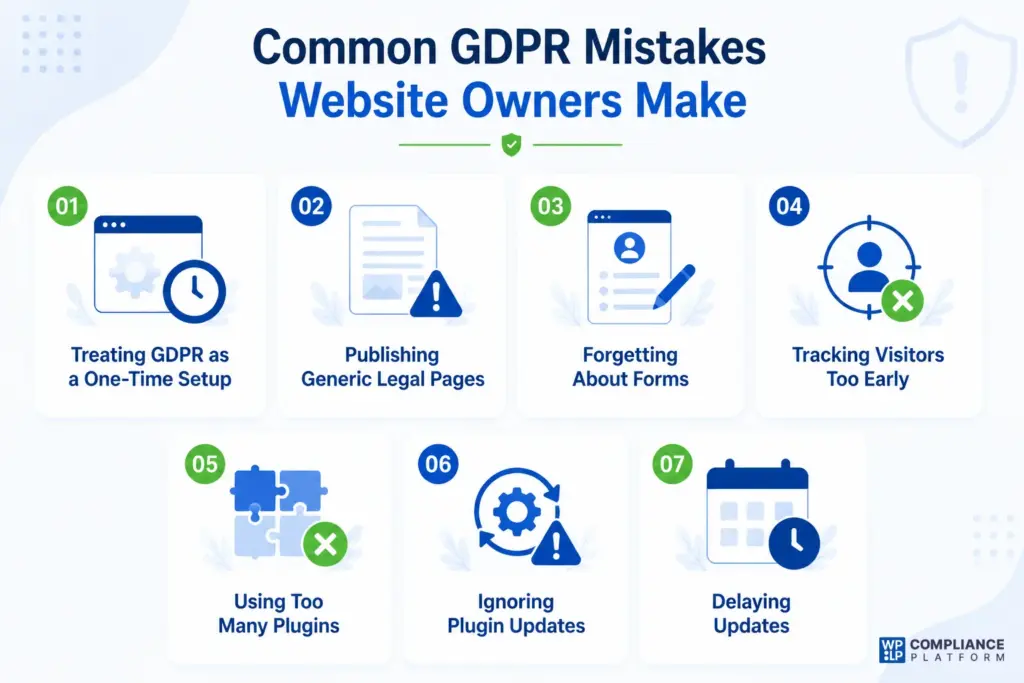
Treating GDPR as a One-Time Setup
Installing a plugin does not complete compliance.
Websites change constantly.
New forms get added. New tracking tools appear. New plugins get installed.
Your compliance setup should evolve with your website.
Publishing Generic Legal Pages
Many website owners copy a Privacy Policy from another website and publish it unchanged.
That creates risk because the policy rarely reflects how the website actually handles personal information.
Forgetting About Forms
Contact forms often collect names, emails, phone numbers, company names, and other personal details.
Many websites never explain why that information is collected.
Tracking Visitors Too Early
Analytics and marketing tools frequently start tracking users before consent has been collected.
This remains one of the most common compliance issues on WordPress websites.
Using Too Many Plugins
Every plugin increases maintenance requirements.
A smaller, well-maintained plugin stack is usually easier to manage and audit.
Ignoring Plugin Updates
Privacy regulations continue to evolve.
Plugin developers regularly release updates that improve security, consent management, and compliance functionality.
Delaying updates can create unnecessary risk.
Frequently Asked Questions
- Can I use just one GDPR plugin and ignore the rest?
Usually not. A cookie consent plugin handles consent preferences, but it won’t create legal pages. A legal page generator won’t manage analytics tracking. Most websites need a combination of tools that work together.
- Which type of GDPR plugin should I install first?
If your website is missing legal pages and cookie consent, start there first.
These are often the most visible compliance gaps and usually provide the biggest improvement with the least amount of effort.
- What’s the difference between a cookie consent plugin and a legal pages plugin?
A cookie consent plugin helps visitors manage tracking preferences and consent choices.
A legal pages plugin helps you create documents such as Privacy Policies, Cookie Policies, Terms and Conditions, and Disclaimers.
Most websites benefit from having both.
- How often should I review my GDPR plugin setup?
At least once every six months.
You should also review your setup whenever you add new forms, analytics tools, marketing software, or third-party integrations.
- What should I look for when choosing the best GDPR WordPress plugin?
Focus on:
- Ease of use
- Active development
- Documentation quality
- Compliance features
- Support quality
- Compatibility with your existing plugin stack
The best GDPR WordPress plugin is the one that solves your specific compliance challenge without adding unnecessary complexity.
- Are free GDPR plugins enough for small websites?
In many cases, yes.
A small blog or brochure website can often achieve a good level of compliance using free plugins. As your website grows, premium features may become more valuable.
- Which GDPR plugin combination would you recommend for most websites?
For most WordPress websites, I would start with:
- WPLP Legal Pages
- WPLP Cookie Consent
- WPForms
- MonsterInsights
- Wordfence
This combination covers legal pages, consent management, forms, analytics, and security while remaining easy to manage.
Final Thoughts
The best GDPR plugin for WordPress depends on your website, your audience, and how you collect user data. No single solution fits every situation, which is why choosing the right combination of tools matters.
Some websites only need legal pages and cookie consent. Others require advanced forms, analytics, email marketing tools, and stronger security controls.
If you’re looking for a simpler way to manage compliance, the WPLP Compliance Platform stands out because it brings legal pages and cookie consent together in one place. Instead of managing multiple dashboards, you can create legal documents, manage consent preferences, review analytics, and monitor compliance from a single interface.
Combined with its easy setup, user-friendly experience, and responsive customer support, it is one of the most practical solutions for WordPress website owners looking to stay compliant without adding unnecessary complexity.
Get Started with WPLP Compliance Platform
Getting started is simple:
- Install the WPLP Legal Pages plugin from your WordPress dashboard.
- Connect the plugin to your website.
- Launch the setup wizard.
- Generate the legal pages your website needs, such as a Privacy Policy, Cookie Policy, or Terms and Conditions page.
- Create and customize a cookie consent banner that supports major privacy regulations.
You can start with a 7-day free trial to explore the platform and its features.
The best part is that you do not need to provide your credit card details to get started.
If you liked reading this article, you should also consider going through the following.
- Is a Cookie Banner Required for Your Website?
- Essential Legal Pages Every Website Needs
- Can You Copy Privacy Policy From Another Website?
Manage GDPR compliance the easy way with WPLP Compliance Platform.