If you run a website, you’ve probably seen those small pop-ups asking visitors to accept cookies. But what exactly is a cookie banner, and why is it important?
A cookie banner is not just a design element it plays a crucial role in protecting user privacy and keeping your website legally compliant.
Website owners are now legally responsible for securing user data under laws such as the GDPR, CCPA, ePrivacy, and many more. These legal measures protect user information.
This article will help you understand how to add a cookie banner on your site.
What is Cookie Banner?
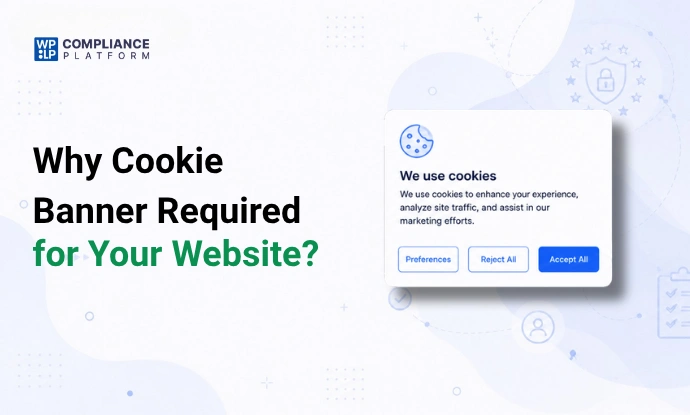
A cookie banner is a notification displayed on your website that informs users about the use of cookies and asks for their consent before collecting data.
Cookies are small files stored on a user’s device that help websites remember preferences, track behavior, and improve user experience.
These banners are essential because modern privacy laws require websites to clearly inform users and get their permission before using non-essential cookies.
To comply with data protection regulations, such as the GDPR and CCPA, businesses must clearly inform users of the use of cookies and obtain their consent.
A cookie banner is a way to ensure compliance and protect the business from potential lawsuits. Additionally, a cookie banner can be used to provide users with control over their
What is a Cookie?
A web server creates cookies, which are small data files sent to a web browser. Web browsers store the cookies they receive for the duration of a user’s session on a website or for a specific amount of time.
The user’s subsequent requests to the web server are associated with the relevant cookies. Cookies provide websites with user information, enabling them to personalize the user experience.
Cookies (also known as HTTP cookies) are small data files created by a web server and stored in a user’s browser.
They help websites:
- Remember login sessions
- Store shopping cart items
- Personalize content
- Track user behavior for analytics
For example, when you add products to a cart and come back later, cookies help the website remember your choices.
Why is Cookie Banner Important for Business
A cookie banner is important for businesses because it helps them comply with data privacy regulations like GDPR, CCPA, and many other laws worldwide.
These regulations require businesses to obtain explicit user consent before collecting and storing personal information.
1. Legal Compliance
A cookie banner helps businesses comply with major privacy laws like the General Data Protection Regulation (GDPR), California Consumer Privacy Act (CCPA), and the ePrivacy Directive. These regulations require websites to inform users about data collection, obtain consent before tracking, and provide options to manage or withdraw that consent. Without a proper cookie banner in place, businesses risk legal penalties, fines, and potential restrictions.
2. Builds Trust with Users
When a cookie banner is well designed, it shows you are transparent with regard to how your website collects and uses data. When users can see and understand what data is being collected (and why), they will feel more comfortable with your brand because you have earned their trust. By demonstrating you are being open and honest, you have also increased your credibility and, in turn, users will feel much more confident in engaging with your website.
3. Gives Users Control
Cookie banners allow individuals to take charge of their personal data by letting them choose whether to allow or deny the placement of cookies. The individual may also specify how their data will be used for each category of cookies, and they can withdraw consent at any time. This level of control provides the user with a greater sense of security and more knowledge about how their data is used.
4. Improves User Experience
While cookies can enhance user experience through personalization, it’s important that this happens with user consent. A cookie banner ensures that personalization features, such as tailored content and recommendations, are delivered ethically. This creates a more respectful, user-friendly browsing experience without compromising privacy.
Types of Cookie Banner
There are two types of cookie consent banners that can be integrated into an organization’s website.
1. Implicit Cookie Consent Banner
An implicit cookie consent banner assumes that the user has given permission for cookies to be used just by visiting the website, rather than explicitly asking for permission.
An example of an implicit cookie consent banner is a banner that reads, “Continued use of this website will be taken as consent to use cookies.”
These cookie consent banners comply with data privacy legislation, such as the California Consumer Privacy Act (CCPA) in the United States, which exempts enterprises from obtaining user approval before using cookies.
An Implicit cookie consent banner must include the following:
- It should provide details regarding the different kinds of cookies, including those that are strictly necessary and that the organization plans to remove, as well as their functions.
- Notification of the ability to refuse to have your personal data sold through cookies
- A banner should have a URL to the privacy statement of the company.
2. Explicit Cookie Consent Banner
Before cookies are activated, the user provides explicit consent through an explicit cookie consent banner.
These cookie consent banners comply with data privacy legislation, such as the European Union’s General Data Protection Regulation and e-Privacy Directive, which mandate that enterprises obtain users’ prior consent before using cookies.
An explicit cookie consent banner must include the following:
- Details about the various types of cookies, including strictly necessary ones, that a company plans to remove, along with their functions.
- Approve and reject equally noticeable buttons, making it simple for users to decline the use of cookies just as it is to approve it.
- Choosing and excluding certain cookie categories according to their intended uses.
What To Include In a Cookie Banner?
The following components must be included when making a cookie banner:
- Header: The banner’s header should clearly and concisely inform the user about using cookies, such as “We Use Cookies.”
- Explanation: Just briefly explain the purpose of cookies. This can involve claiming they are utilized for marketing, traffic analysis, content personalization, and user experience.
- Consent Button: Include a clear button where users can indicate their agreement to using cookies. “I Accept” or “Got It” are two examples of clear labels that should be on the button.
- Cookie Policy Link: It’s crucial to provide a link to the complete cookie policy so that users may obtain comprehensive details about the many kinds of cookies used, their functions, and how they can manage cookie preferences.
- Decline Button: Give users the option to refuse the use of cookies that are not strictly necessary. This may be a “Manage Preferences” or “Decline” button.
- Options for Customization: If appropriate, allow users the ability to adjust their cookie preferences according to several categories, including functional, analytical, marketing, and necessary cookies.
- Privacy Policy Link: Provide a link to the privacy policy so that users may access detailed information about their rights and data protection.
- Dismiss Button: A discrete “X” or “Close” button should be provided so that people can dismiss the banner without giving permission.
These components will help your cookie banner explain to visitors how cookies are used and give them the tools they need to modify their preferences.
Different Locations You Can Display Your Cookie Banner
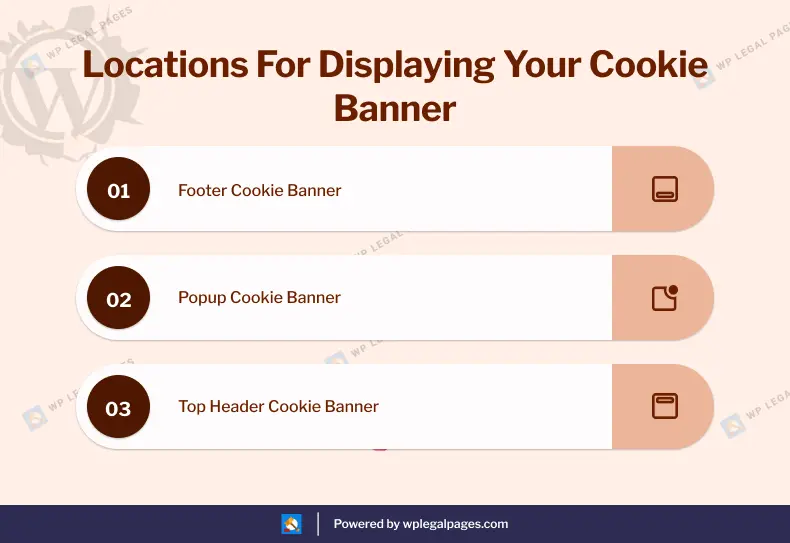
There are multiple locations where you can add a cookie banner for your website. Let’s look at the different locations:
1. Footer Cookie Banner

2. Popup Cookie Banner
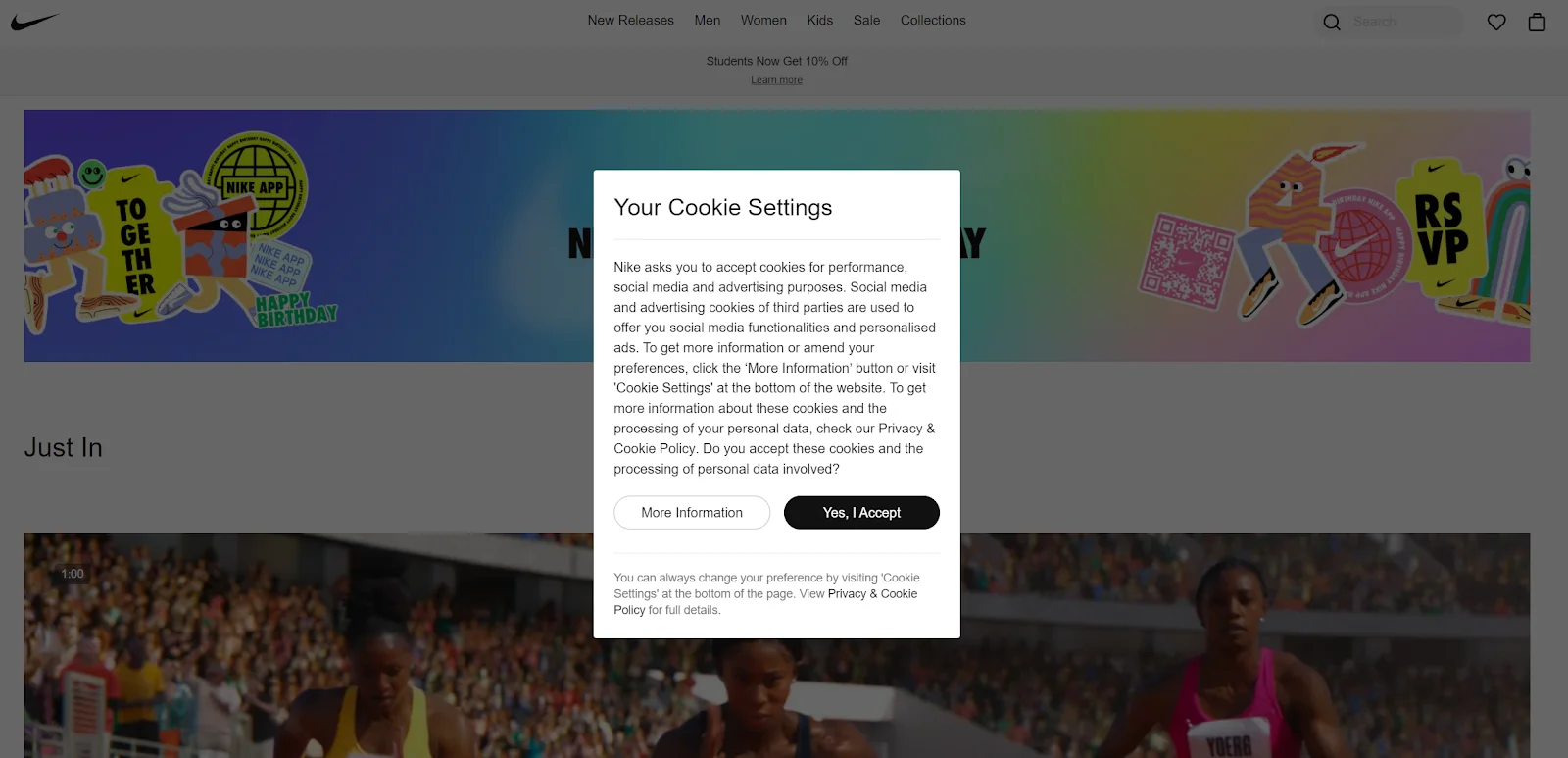
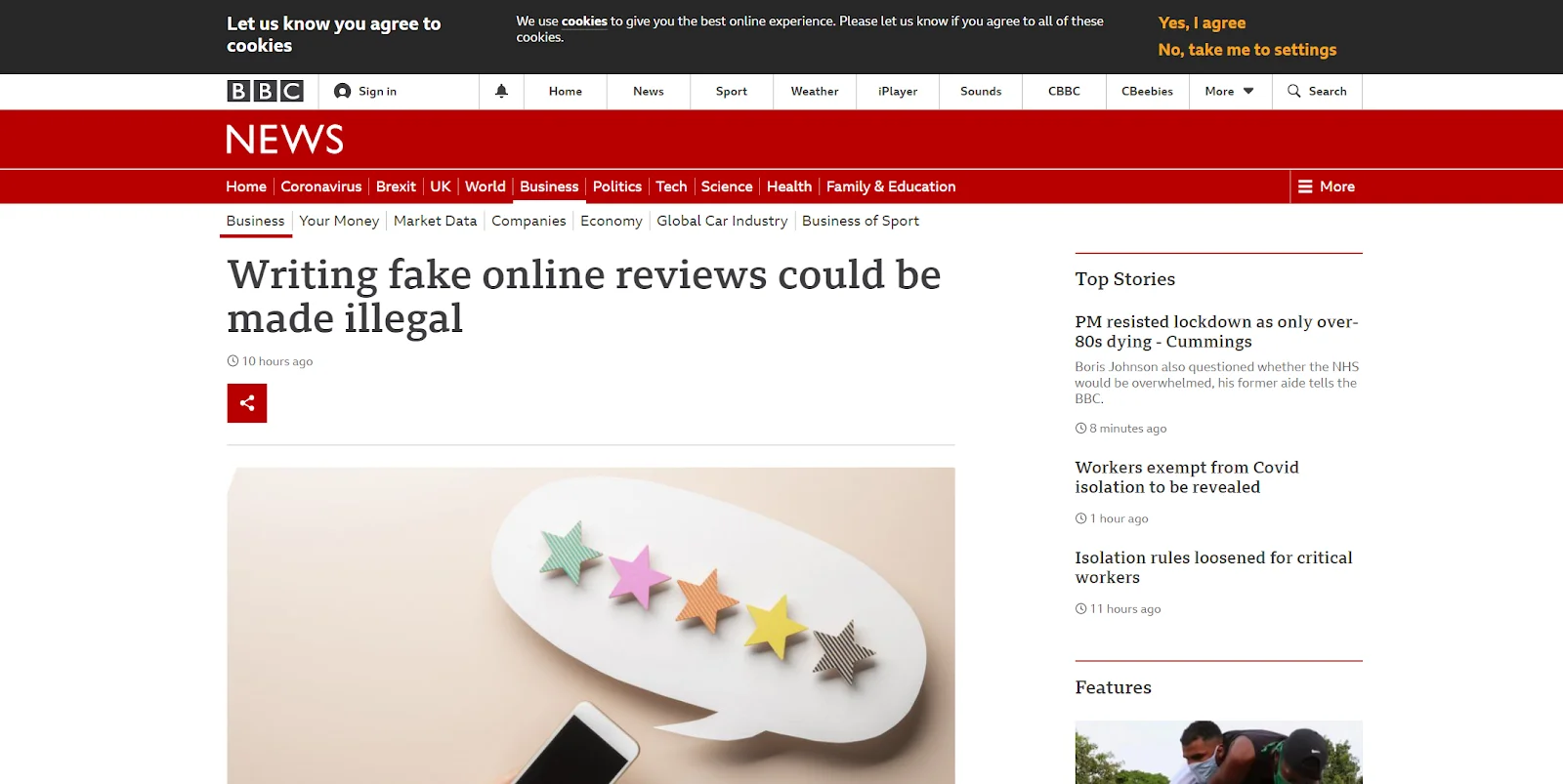
3. Top Header Cookie Banner
Best GDPR-compliant Cookie Banner Examples
Understanding what makes a great cookie banner can help you create your own, but if you’re more of a visual learner, looking at cookie consent examples can be even more helpful. These are a few of this year’s top examples of cookie banners.
1. Glossier
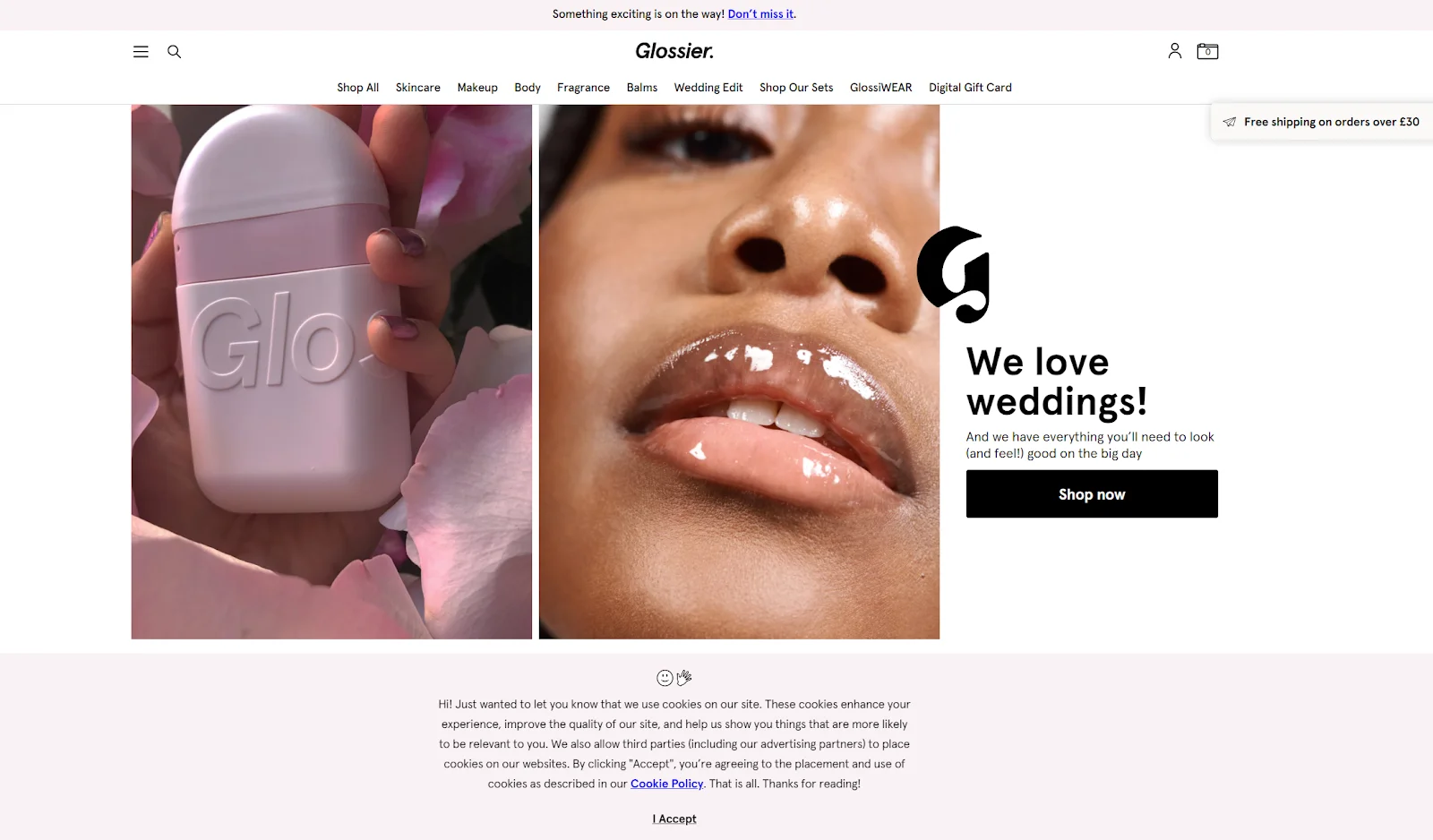
Glossier, a cosmetics firm, incorporated some of its website personality into its cookie banner, beginning with a kind “Hello!” This is an excellent approach to interacting with your audience right away, and it may be really effective if your business has a distinct personality or aesthetic.
Users can also visit their specific cookie policy, which is conveniently marked in bright blue. Glossier is a big cosmetics firm that sells to customers all over the world; thus, its attempt at e-commerce with banners and popups is an example.
2. Revo
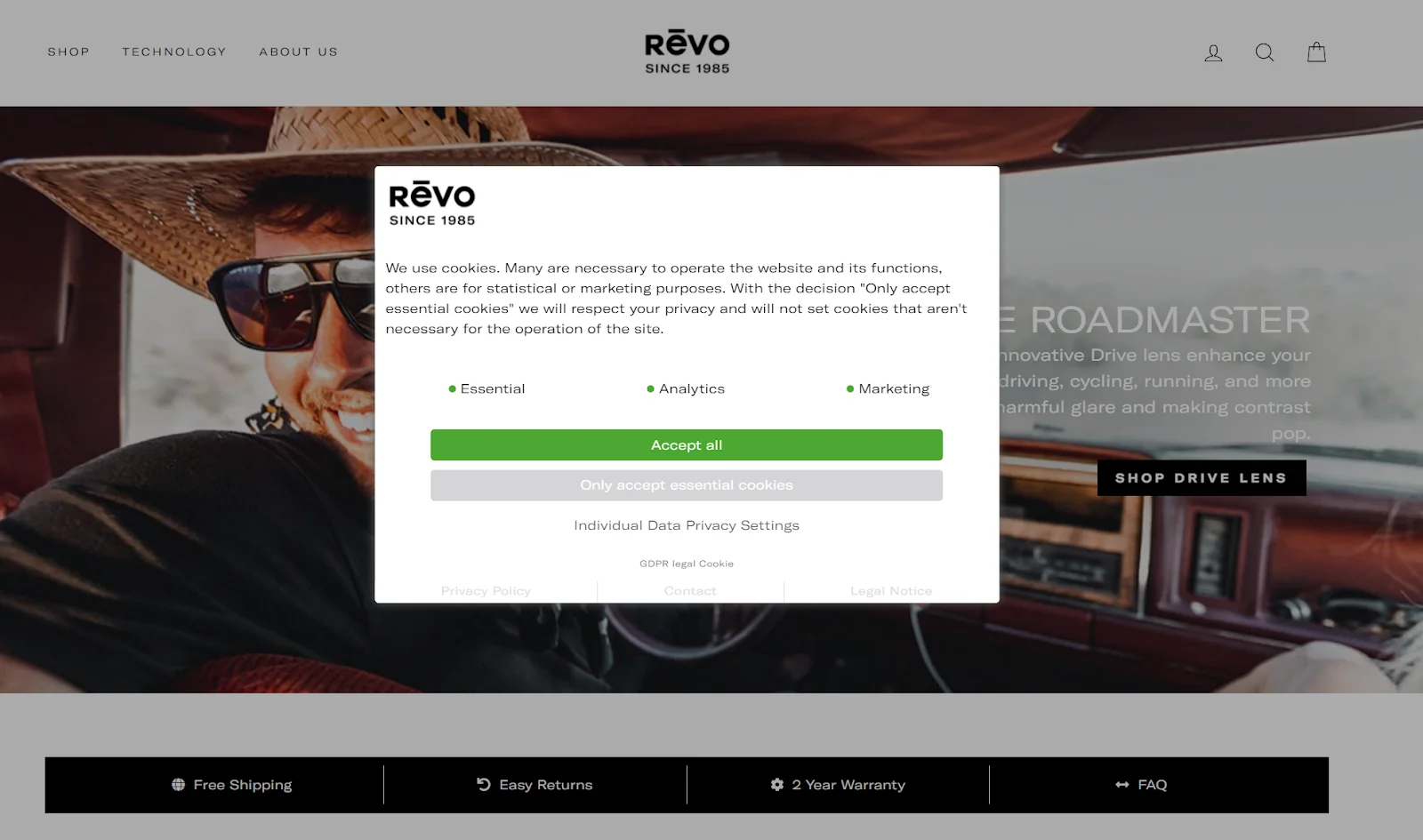
The website of the sunglasses manufacturer Revo has opted to use a pop-up cookie permission message. This banner is fantastic because it concisely and simply explains the various purposes of cookies.
Additionally, there is a one-click option for users to agree to only necessary cookies, which most people frequently prefer. This button respects the time of its users by making the task quick and simple.
3. Burger King
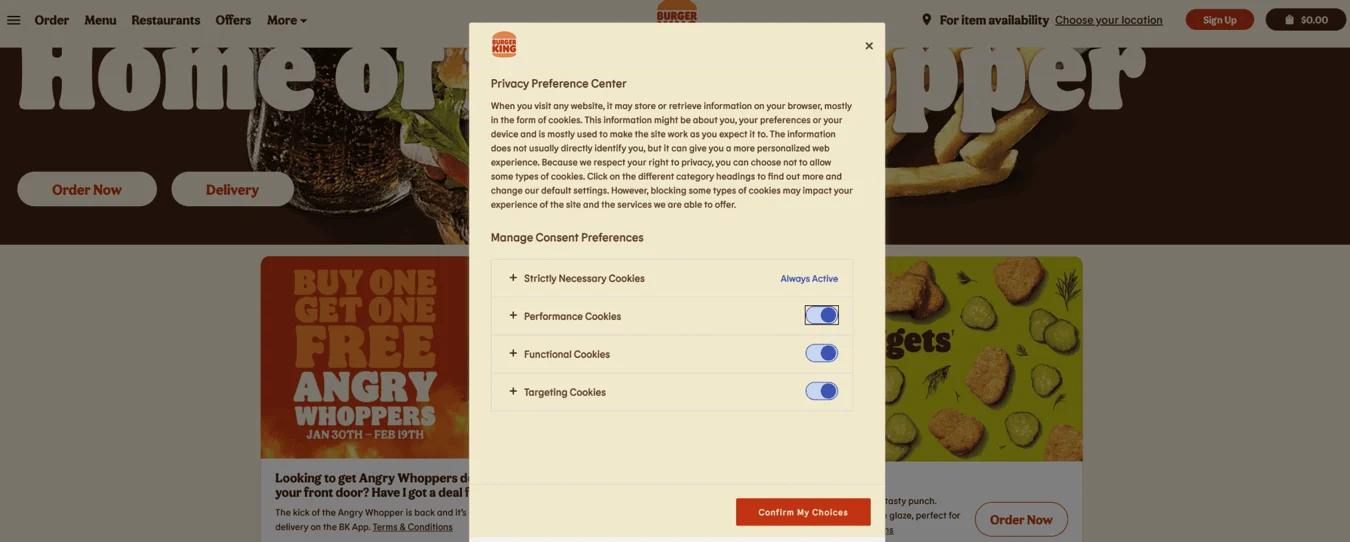
Burger King’s cookie banner is a good example since it adheres to the privacy policy, is visually appealing, and includes all the information needed. You can choose your consent preferences and decline some targeting possibilities if you’d like.
4. FIFA
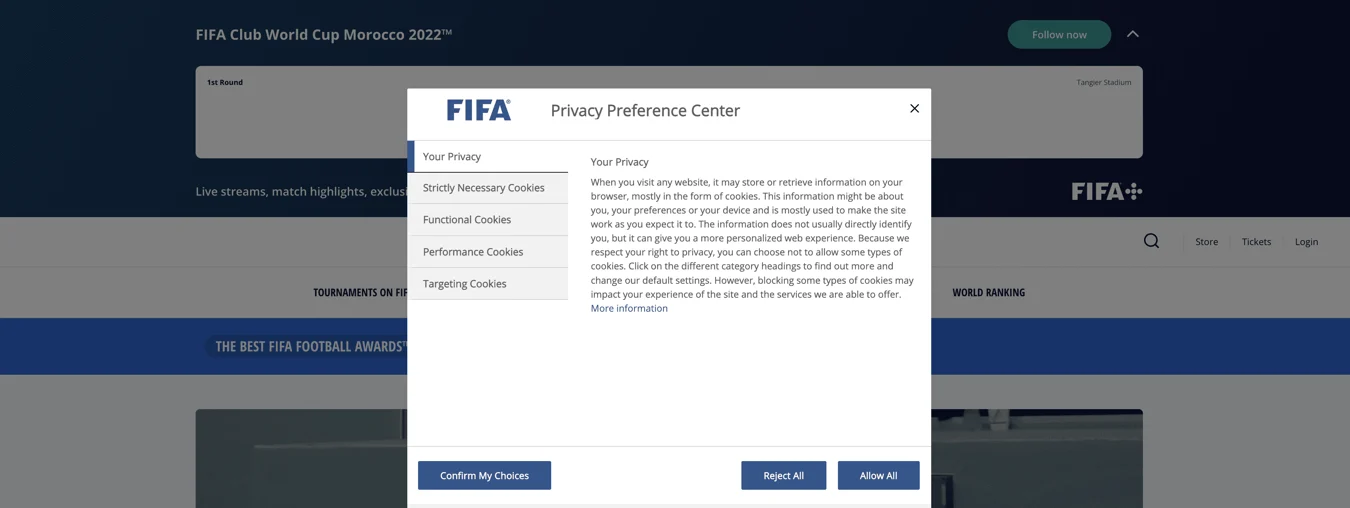
FIFA, the organization that oversees soccer worldwide, significantly influences Europe. Its cookie consent popup is easy to use and efficient and completes the task. Although the user experience looks similar to UEFA’s cookie banner example,
How to Create a WordPress Cookie Banner for Your Website
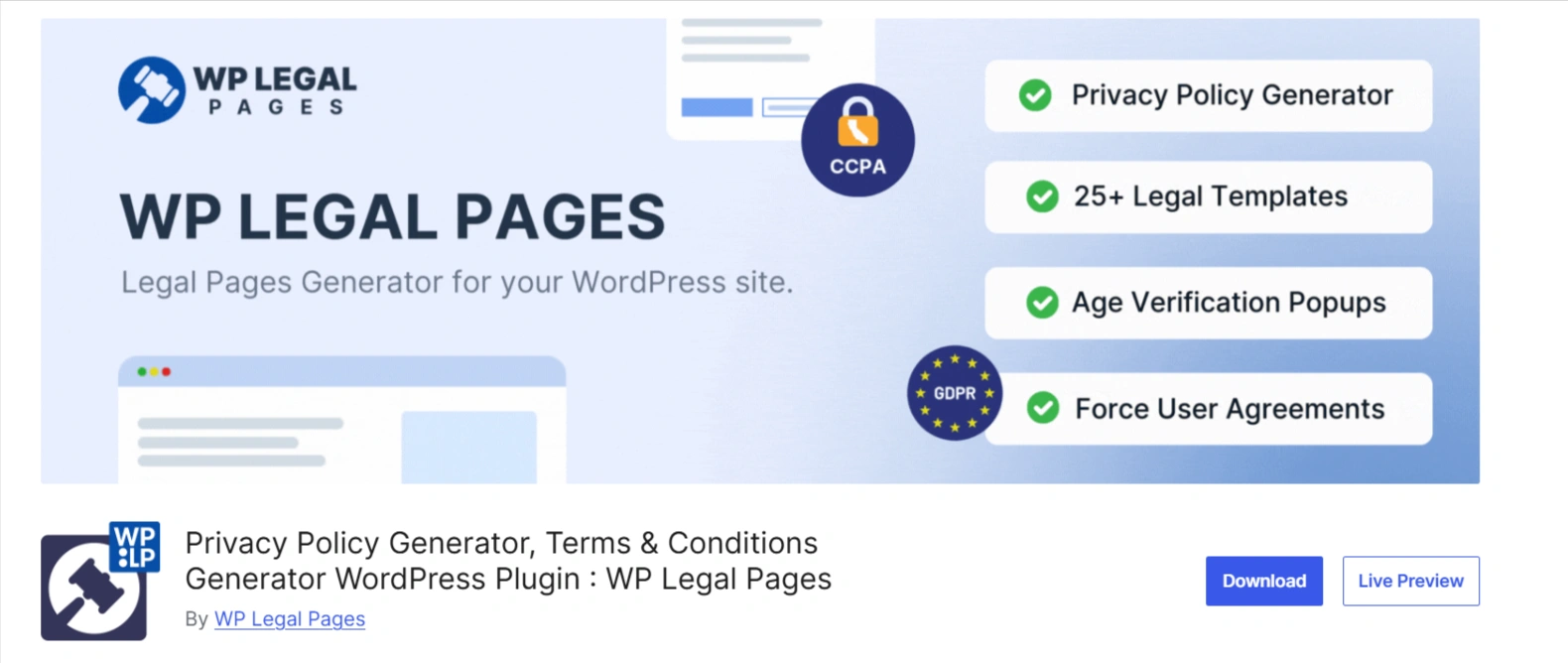
After reading this, you must wonder how to create a cookie banner for your website. You can use a cookie consent platform to create a cookie banner for your website. A plugin is the fastest and most effective way to do this.
We recommend using the WPLP Compliance Platform plugin to create a seamless and effective cookie banner for your website. Although this incredible plugin has many important capabilities, its primary features are customization, responsive design, and cross-browser compatibility.
WPLP Compliance Platform– A Free Consent Management Platform
WP Cookie Consent is a powerful solution designed specifically for WordPress websites. This plugin guarantees compliance with privacy requirements, including GDPR, CCPA, e-privacy directives, and other laws, while simplifying the implementation of cookie consent banners.
This plugin prioritizes user privacy in the digital world by managing information flow.
WP Cookie Consent Plugin’s main features are:
Let’s examine the features that make this plugin revolutionary for website owners who value privacy.
- Customizable Cookie Consent Banners: Using WPLP, you can adjust the banner’s look to complement the design of your website while preserving a seamless user experience.
- Support for CCPA, GDPR, and Other Regulations: The plugin lets you tailor your cookie consent in accordance with international security laws such as ePrivacy directives, CCPA, and GDPR.
- User-Friendly Interface: Even without technical experience, creating a cookie consent banner for your website is simple.
- Geo-targeting and Language Localization: Geo-targeting allows you to show cookie banners in particular areas. Additionally, the plugin allows users to read in their preferred language. It supports several languages.
- Script Blocker for Cookie Consent: It helps ensure compliance with privacy laws like GDPR by blocking specific scripts or cookies from operating until user consent is received.
- Consent Log: This will help track user consent and demonstrate adherence to data protection laws.
These features ensure compliance and create a digital space that respects user preferences and builds trust.
Let’s get started with installing the WP Cookie Consent plugin.
Step 1: Installing the WPLP Plugin
You can install the WPLP plugin by following the steps provided in this article.
“Create a Cookie Banner for Your WordPress Site in Minutes“
Step 2: Configuring Cookie Consent Setting
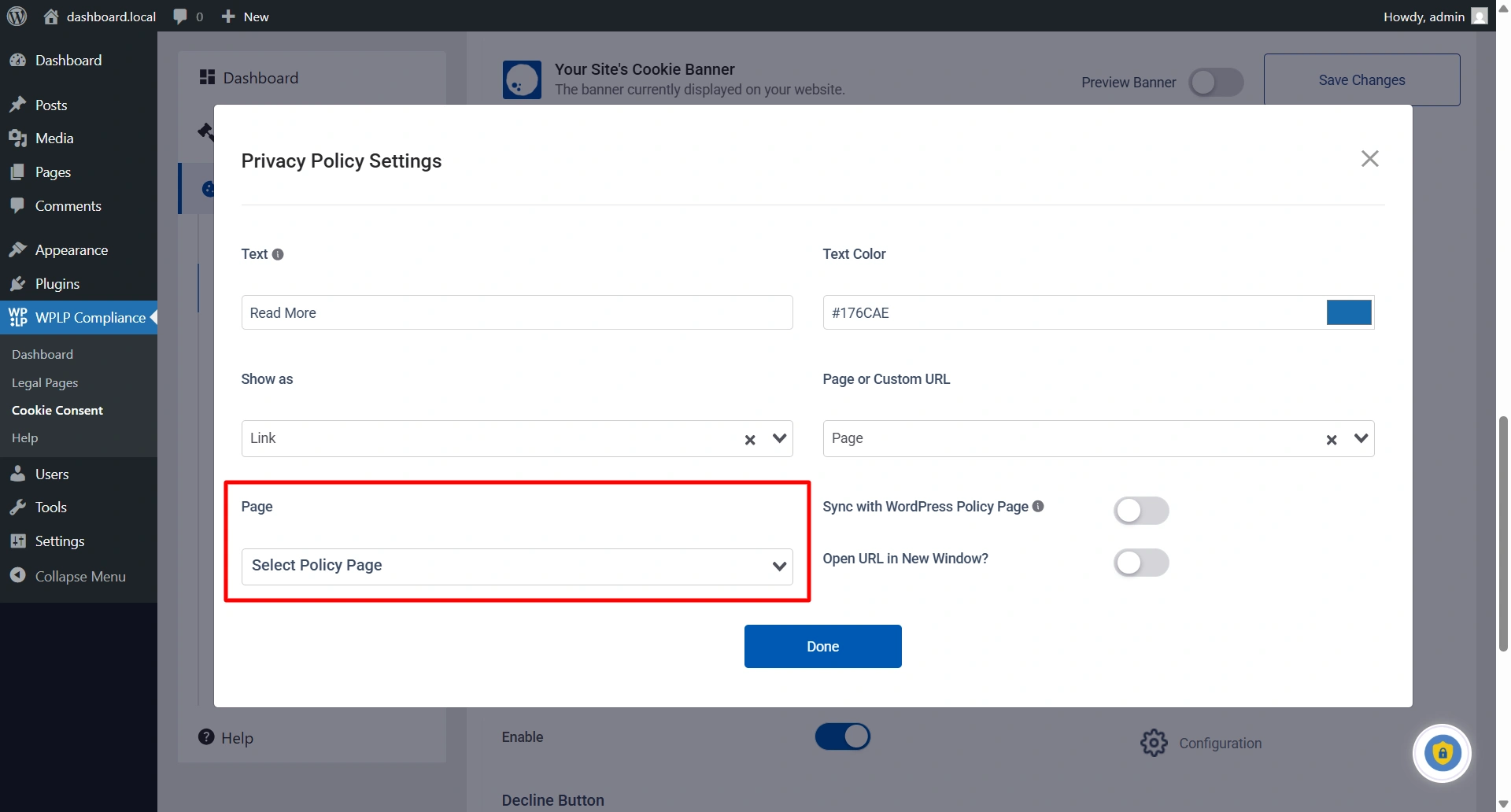
You can even add a link to your privacy policy by simply scrolling down and enabling the Enable Privacy Policy link. You also have the option to customize the text and text color, and to display it as a link or button, among other options.
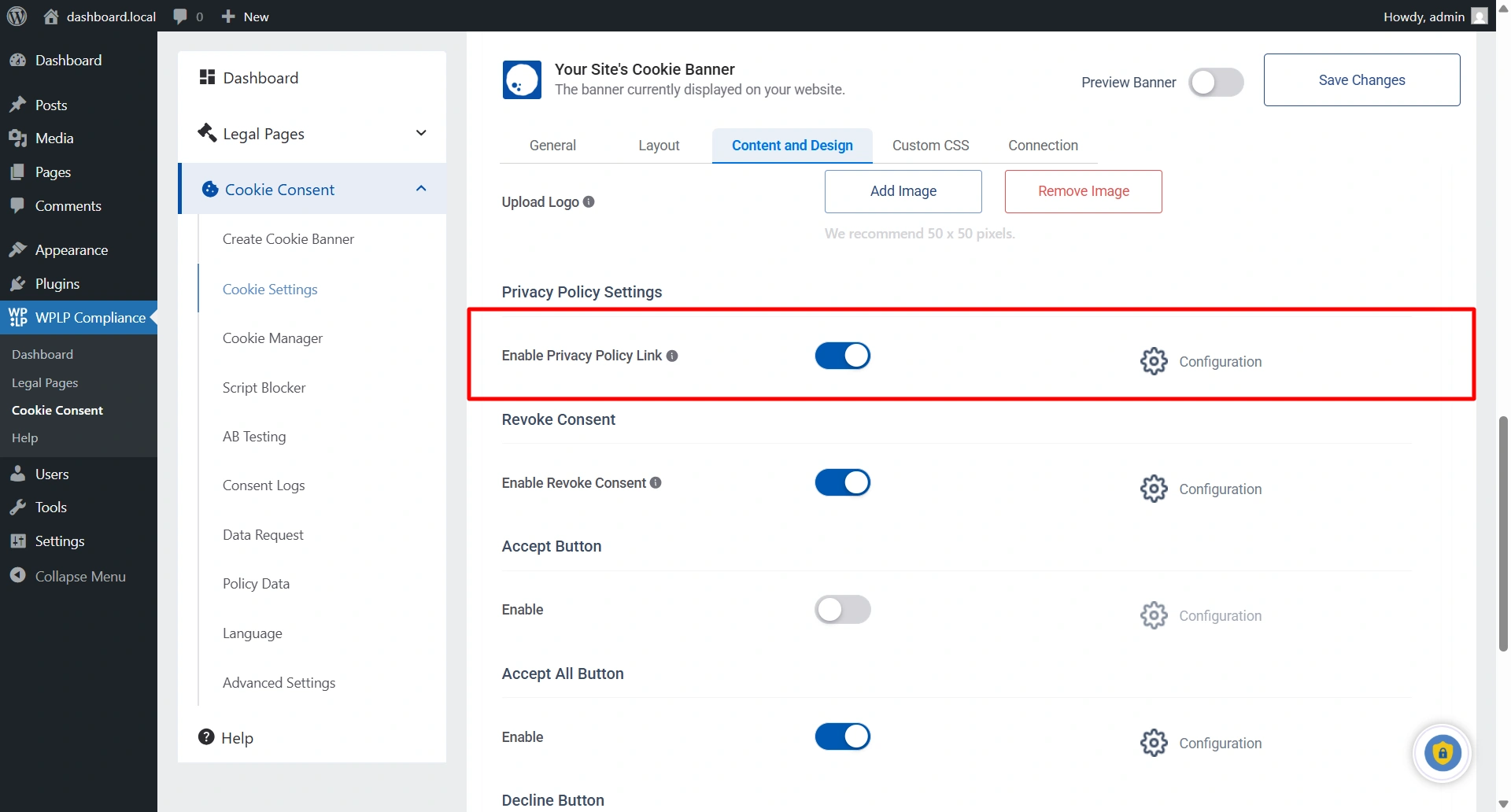
You also have the option to customize the text and text color, and to display it as a link or button, among other options.
Step 3: Customizing The Cookie Consent Banner
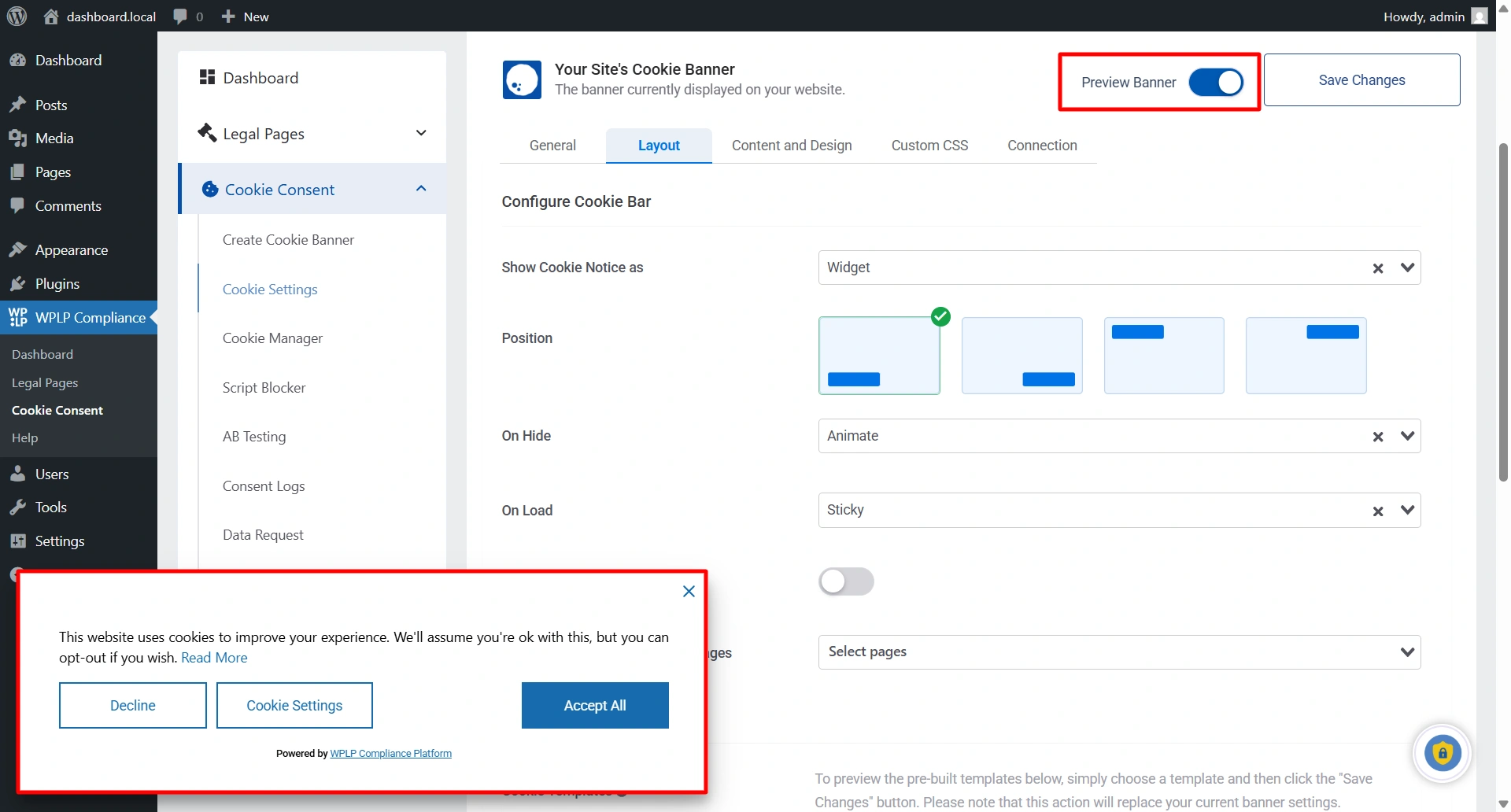
From your WordPress dashboard, click Cookie Settings > Layout to customize the cookie banner for your blog website.
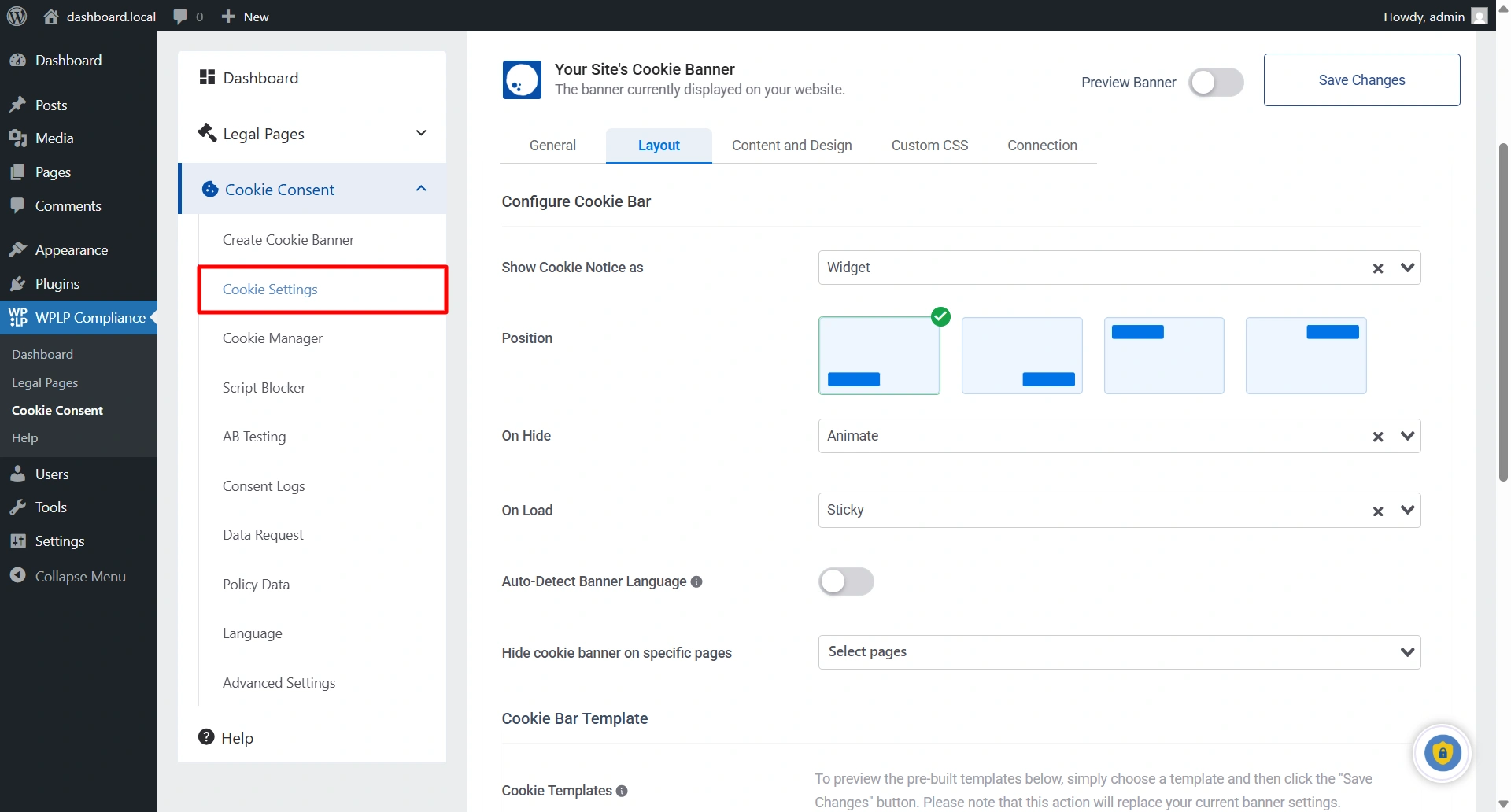
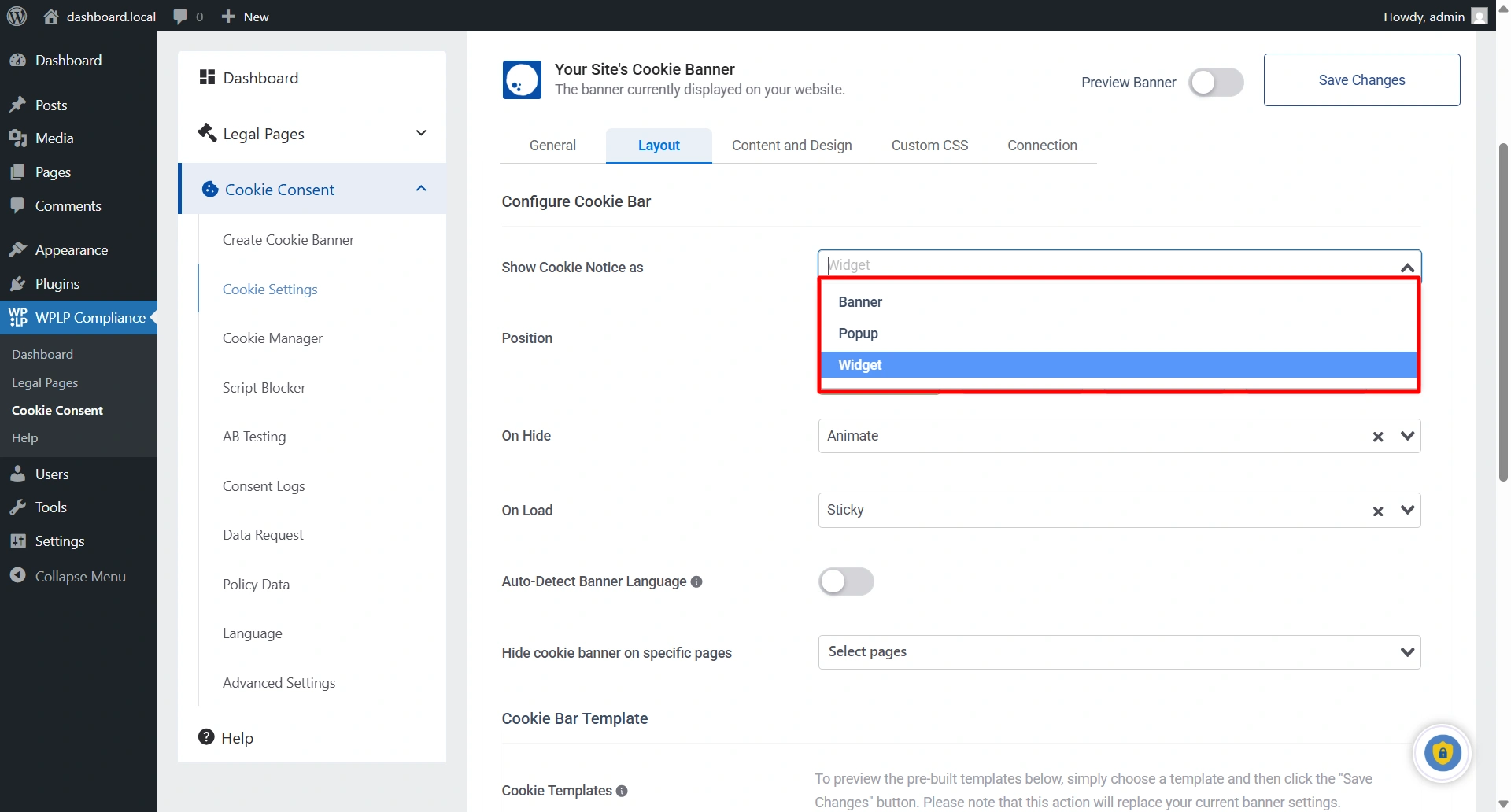
Select the position of your cookie banner from the Position menu, choose from the drop-down menu, and click Publish Changes.
To see the banner preview, enable the Preview Banner and click Publish Changes. (This will show a cookie banner on the backend of your website to make any necessary changes)
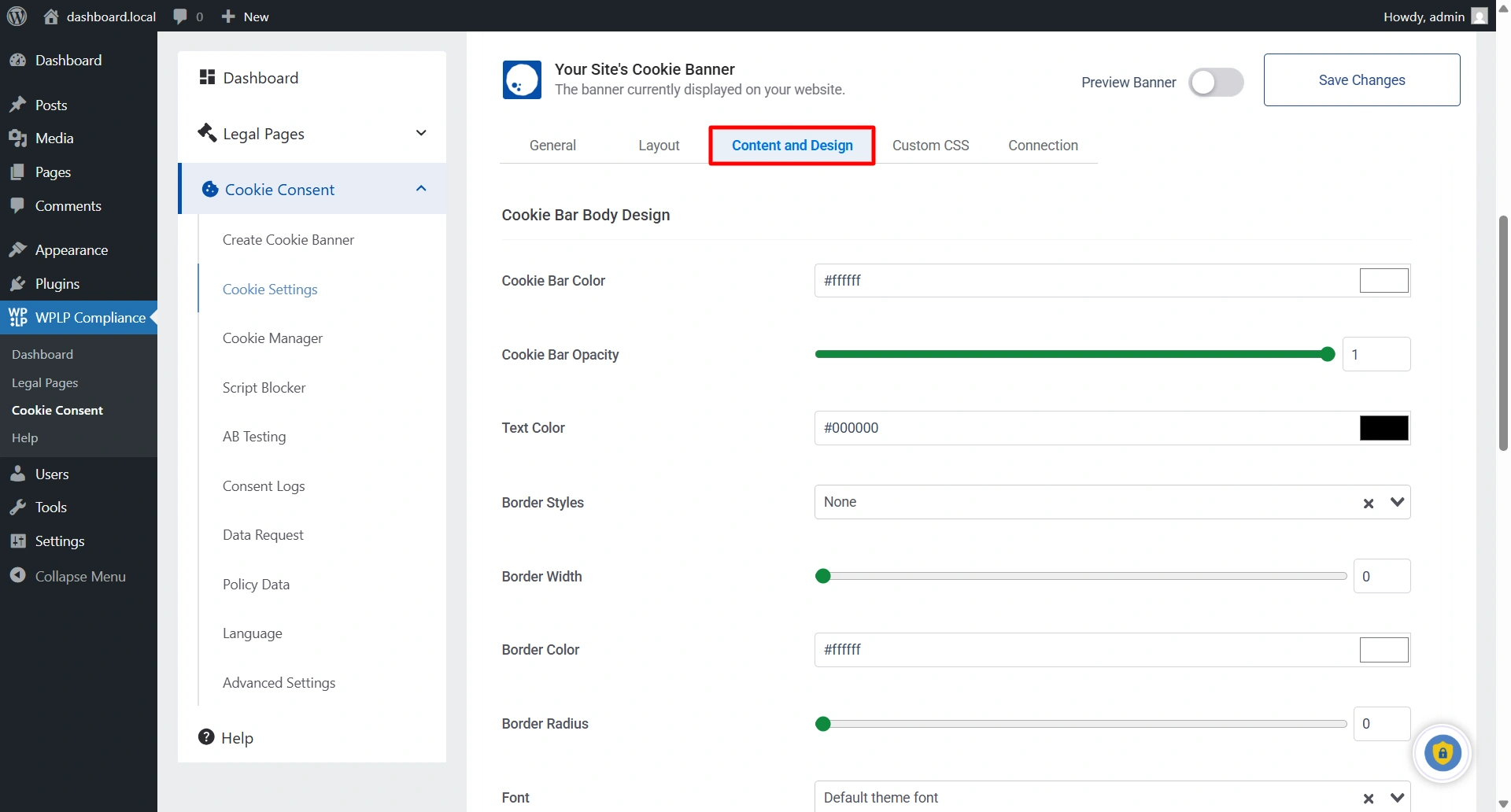
You can customize your cookie consent banner to match your website’s style. To customize the cookie popup design, switch to the Content and Design tab.
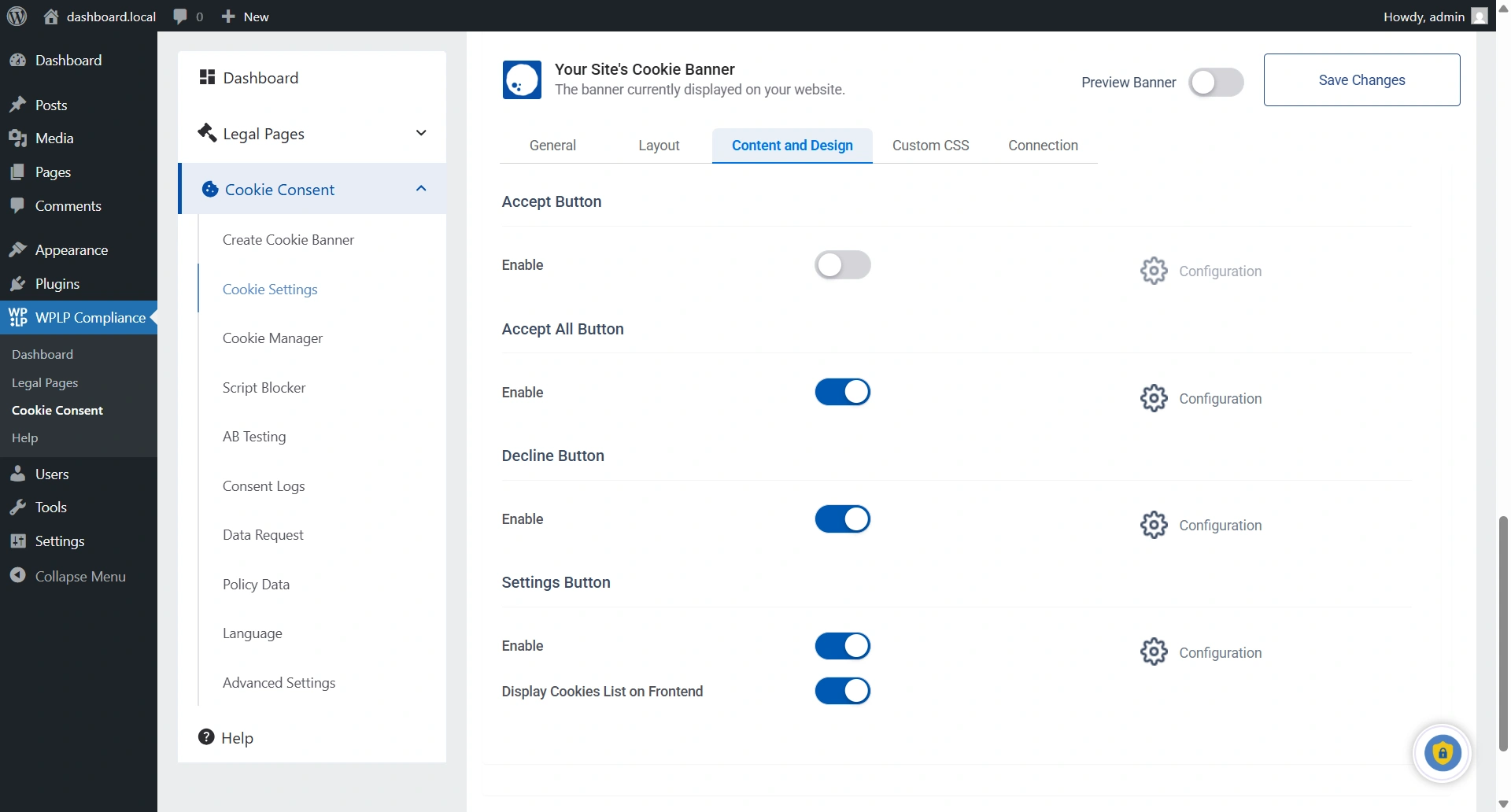
The design tab has five cards: the Cookie Bar Body, the Accept Button, the Accept All Button, the Decline Button, and the Settings Button.
In Cookie Bar Body Design, you will have 6 different customization options to choose from, according to your website’s needs and requirements.
A popup with the button options will appear when you click the Configure Button to access advanced settings for the Accept, Accept All Button, Decline Button, and Settings Button.
That’s it, your cookie banner has been added to your blog website!
FAQ
A cookie banner is important for businesses because it is a pop-up notification on a website that informs users about the use of cookies and obtains consent from those who have visited for the first time.
A cookie banner is a notification that appears on a website, which informs users about the use of cookies on the site and asks for their consent.
An implied cookie banner is a type of website notification that informs users about the use of cookies on a website. However, instead of showing a banner or pop-up, the website uses a different visual element on the page, such as a button or link, to indicate the presence of cookies.
An explicit cookie banner is a notification or pop-up message that informs website visitors that their browsing experience may be tracked using cookies.
To create a cookie banner for your website, you can use a WordPress plugin, WP Cookie Consent, which will help you create a popup notification for your website within seconds.
Conclusion
Cookie banners are crucial for website owners to preserve user privacy and adhere to privacy laws. Using cookie banners allows website owners to avoid fines and legal trouble.
One of the most crucial things to consider when implementing a cookie banner is ensuring users get the information they need to decide how to utilize cookies.
We recommend using the WPLP Compliance Platform plugin to help you create eye-catching and stylish cookie banners for your website in accordance with the laws and regulations.
If you’ve liked reading this article, don’t forget to check our other similar articles:
- Consent Management Platform (CMP) – A Guide For Compliance
- How to Add a Cookie Banner To Blog Website – A Beginner’s Guide
- GDPR Cookie Consent Banner Examples
Grab the WP Cookie Consent plugin to build compliant websites.