WPLP Compliance Platform logo
Login
Get Started

Documentation

Find step-by-step guides, tutorials, and FAQs for all our latest plugins.

Video Guides

View Categories
  • Home
  • Docs
  • Guides
  • How to Enable DSAR

How to Enable DSAR

Follow these steps to enable DSAR Form.

  1. Navigate to your WordPress dashboard, and click on Cookie Banner > Create Cookie Banner.
  2. While you are creating the cookie banner, you will get the option to enable the DSAR form. Enable the option if you want your users to send you data requests. 
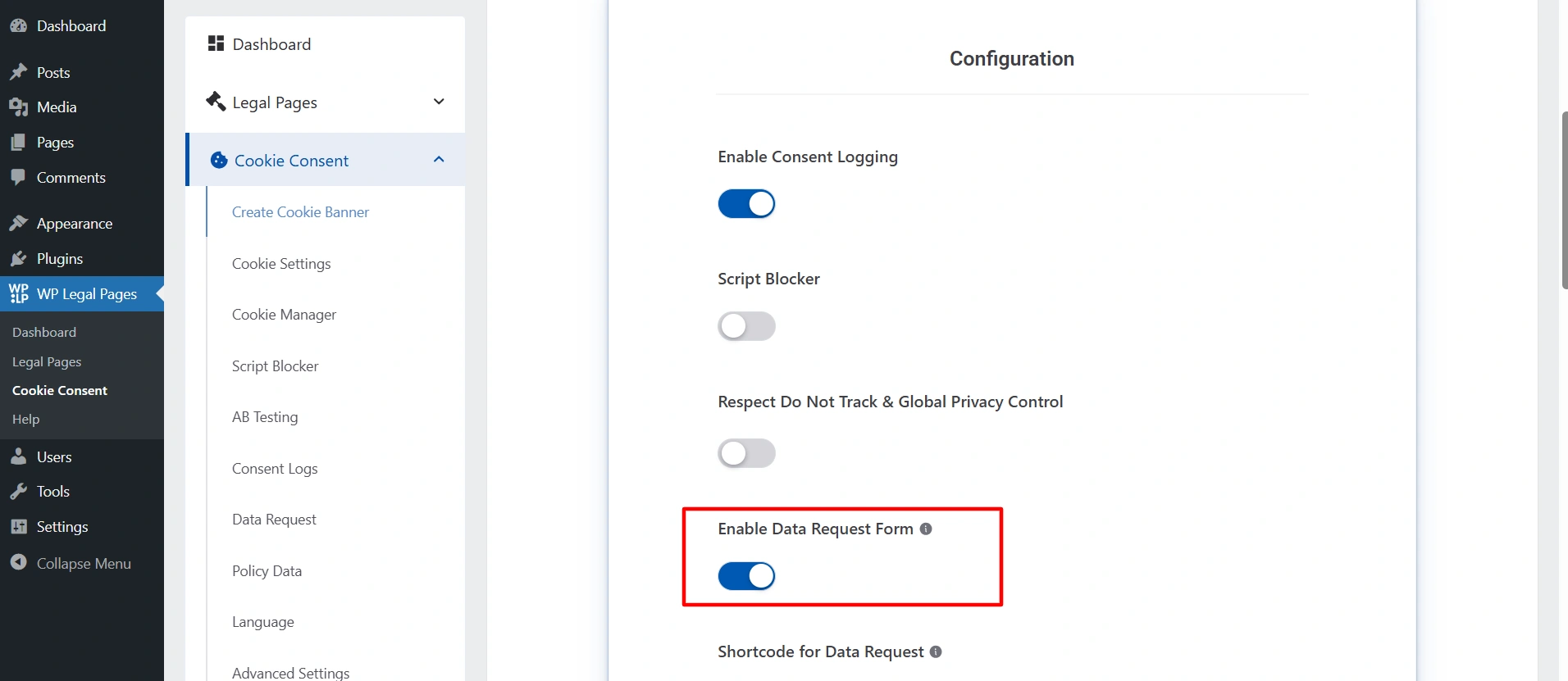
Enable DSAR
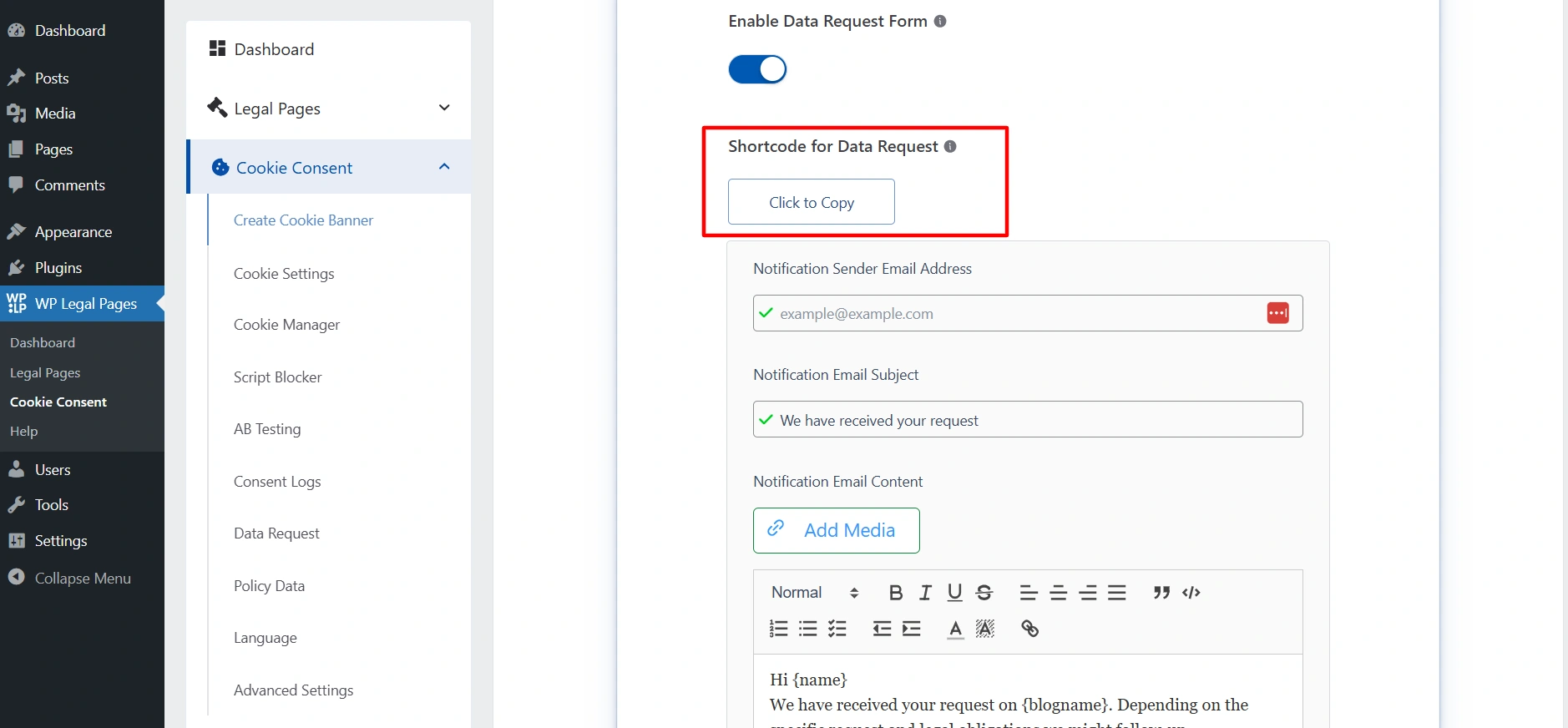
  1. Copy the short code.
Shortcode for DSAR
  1. Create the new page where you want to show the DSAR form. 
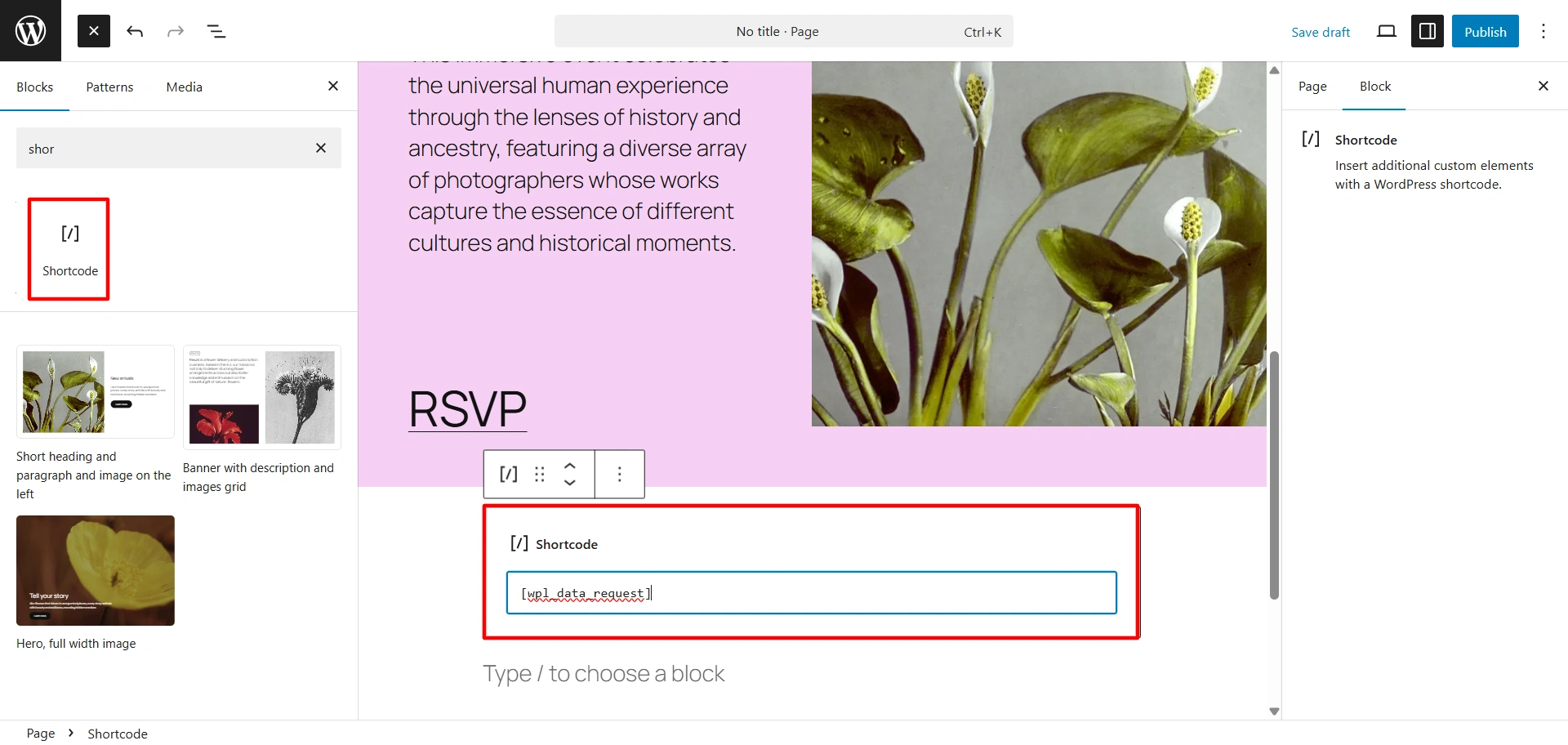
Short code block added
  1. Click on the block icon. Search for the shortcode and drag and drop the block.
  2. Paste your shortcode in that. And published the content. 
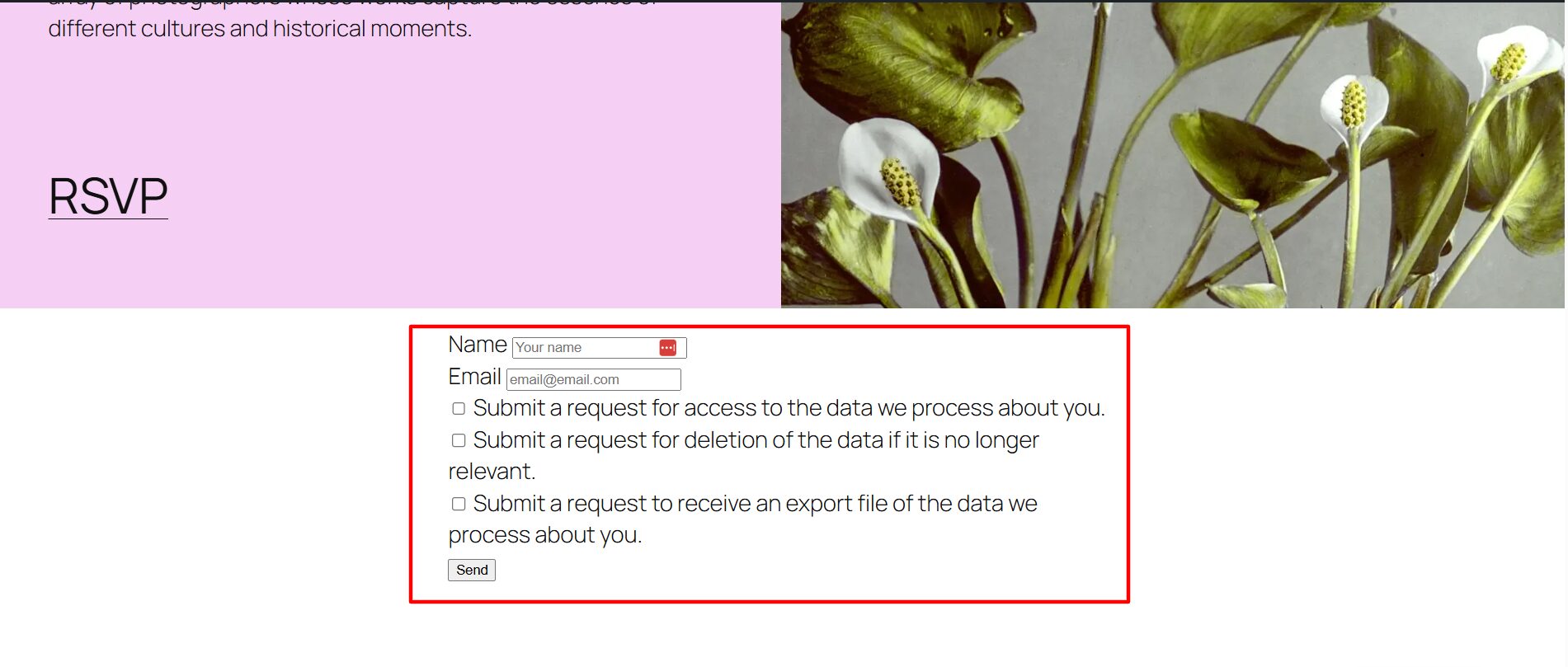
DSAR added in page
DSAR email format

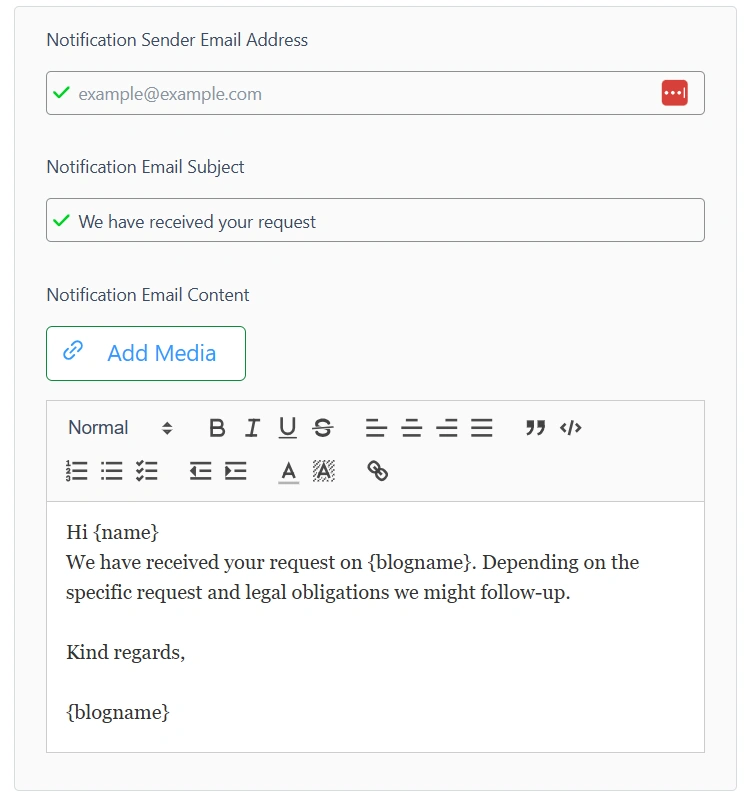
In the Notification sender address, put the email address through which you want to send an email to your users when they submit the form. 

In the next box, enter the subject line and the email content. Write the mail that you want to send.

You will receive all the requests that are made by the user in the Data Request tab.
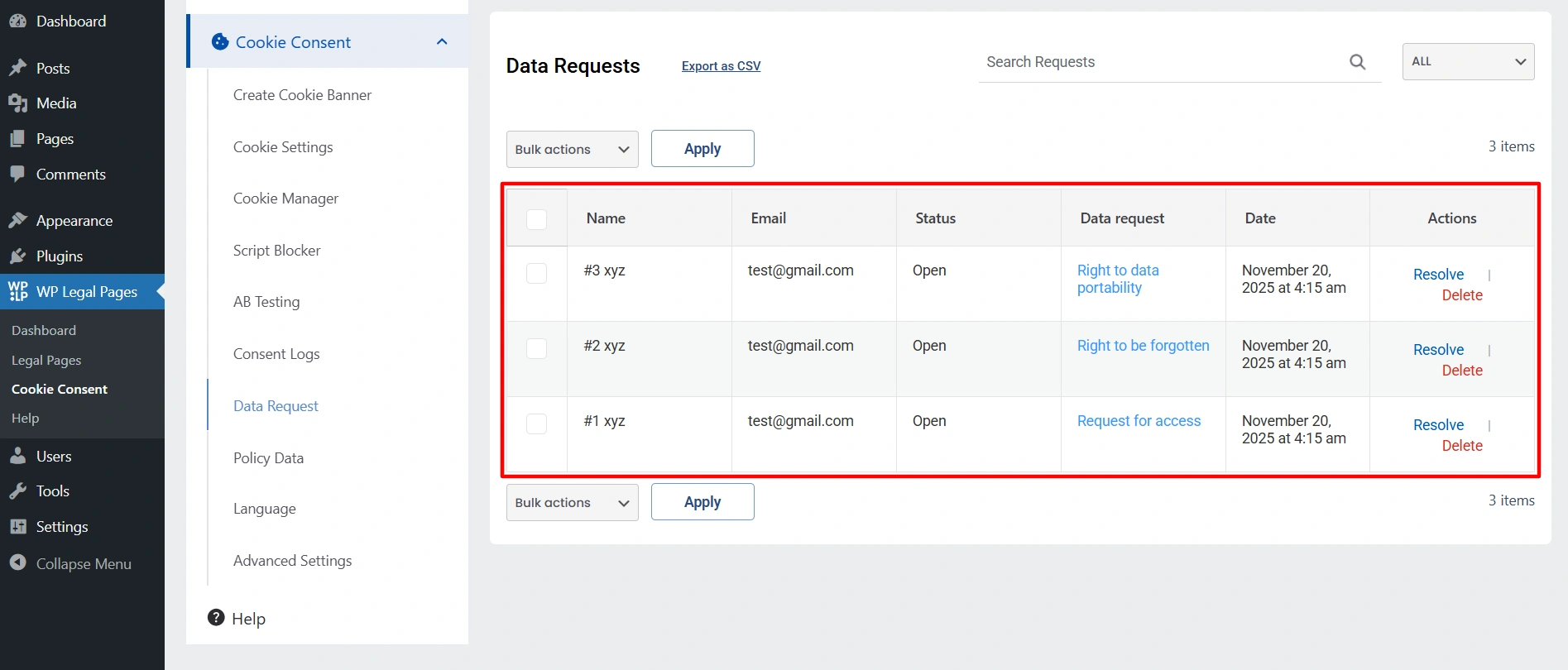
Data request tab

Once you solve the issue, click on resolved or delete it. 

What are your Feelings

Share This Article :

  • Facebook
  • X
  • LinkedIn
  • Pinterest
Still stuck? How can we help?

How can we help?

Updated on November 20, 2025
How to show Third-Party Policy Data on Your WebsiteHow to create an Affiliate Disclosure Page

Our Products

  • Free WP Legal Pages
  • Free WP Cookie Consent
  • Comparison
  • Responsive Theme
  • Responsive Blocks
  • Responsive Addons For Elementor

Company

  • About Us
  • Blog
  • Affiliate Program
  • Refund Policy
  • Privacy Policy
  • GDPR Privacy Policy
  • GDPR Cookie Policy
  • Terms of Use

Support

  • Documentation
  • Bug Bounty Program
  • Changelog
  • Contact Us
IAB CMP Logo
Google Certified CMP Badge
Visa logo
Mastercard logo
Amex digital logo
Apple pay logo
Apple pay logo - 2
Google pay logo
X-twitter Youtube Instagram
Copyright © 2010-2026 HB Digital Inc